

Rooftop Solar PV Feasibility Calculator: Hotel Rooftop Solar Payback, IRR and LCOE Excel Model with Guide
Full description
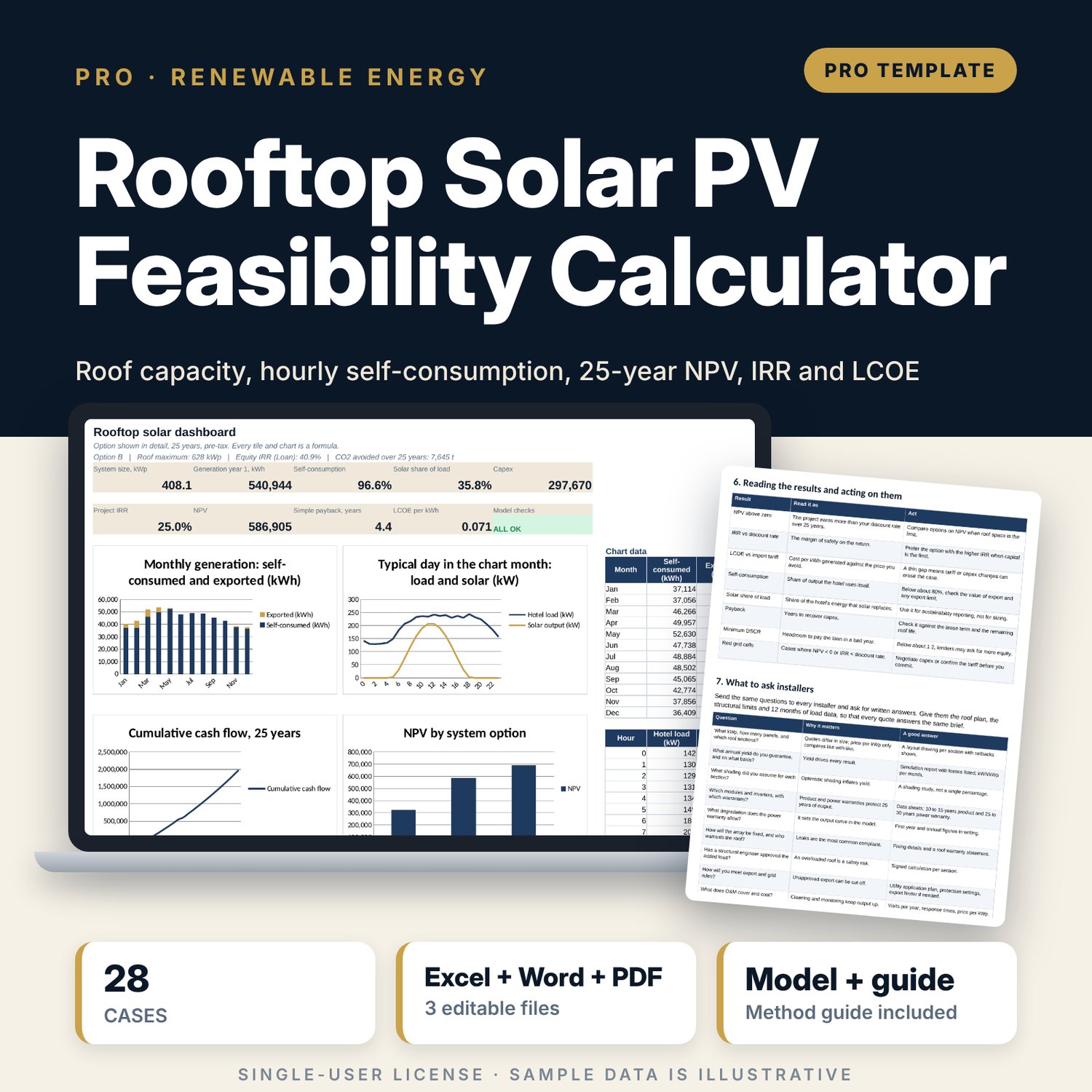
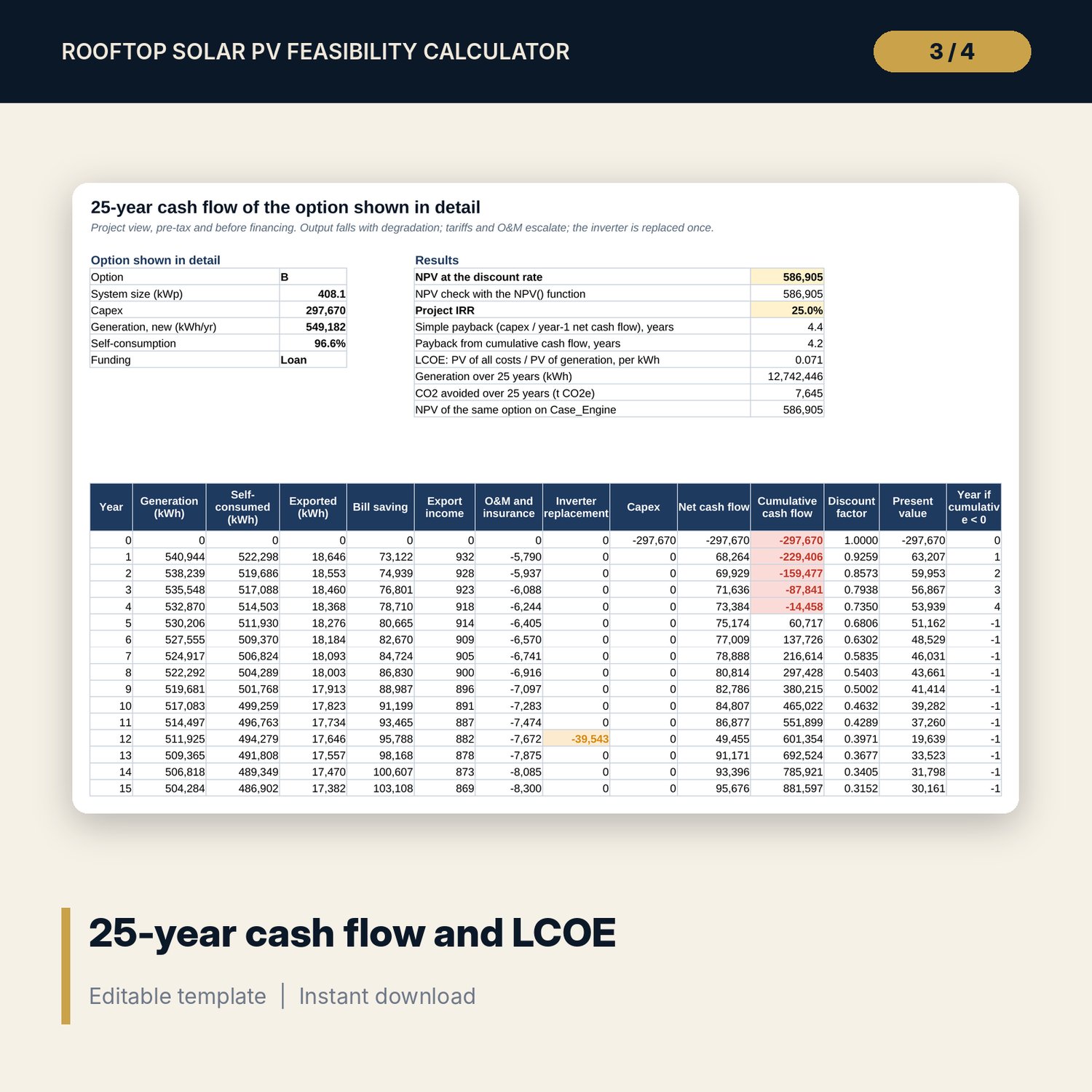
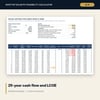
For general managers, chief engineers, asset managers and financial controllers who need to decide whether a rooftop solar system pays and how big it should be. You enter each roof section, the panel data, your tariff and export rules, installer prices and a typical-day hotel load for each month. The workbook works out panels and kWp per section with a structure check, then matches solar output to the load hour by hour with MIN(load, PV) so you see how much the hotel uses itself and how much it exports. It compares three system sizes and builds a 25-year cash flow with degradation, tariff escalation, O&M, insurance and an inverter replacement, giving NPV, IRR, payback, LCOE and CO2 avoided, with an optional loan, equity IRR and DSCR. The guide covers site assessment, the method, a worked example and the questions to ask installers.
Save with a bundle: this workbook is also in the Hotel Engineering & MEP Pro Bundle, 25 workbooks for $59 instead of $319. All 100 Pro workbooks are in the Pro Library for $119, and all 241 templates and workbooks are in the Ultimate Hospitality Library for $149.
What is inside
- Rooftop_Solar_PV_Feasibility_Calculator.xlsx: 12 tabs, 3,181 formulas, 4 native charts, 15 drop-down and input rules
- Roof tab for up to 8 roof sections (5 sample sections) with panels, kWp, yield factor and structure check
- Load_Profile with 288 hourly load values and 288 solar shape values (24 hours x 12 months)
- Energy_Model with monthly generation, self-consumed and exported kWh for 3 options from 864 hourly MIN(load, PV) cells
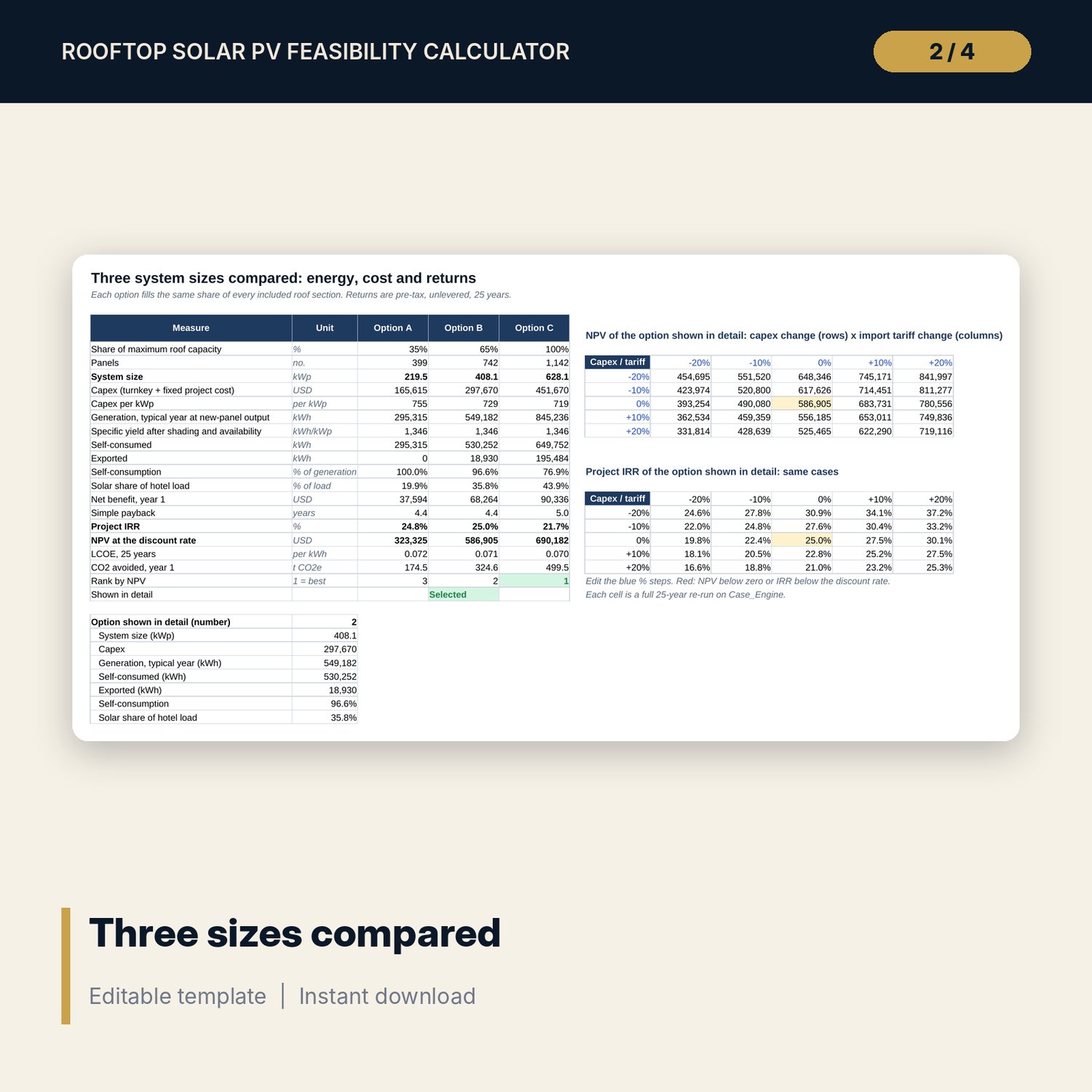
- Options comparison and two 5 x 5 sensitivity grids (NPV and IRR) fed by 28 full 25-year re-runs on Case_Engine
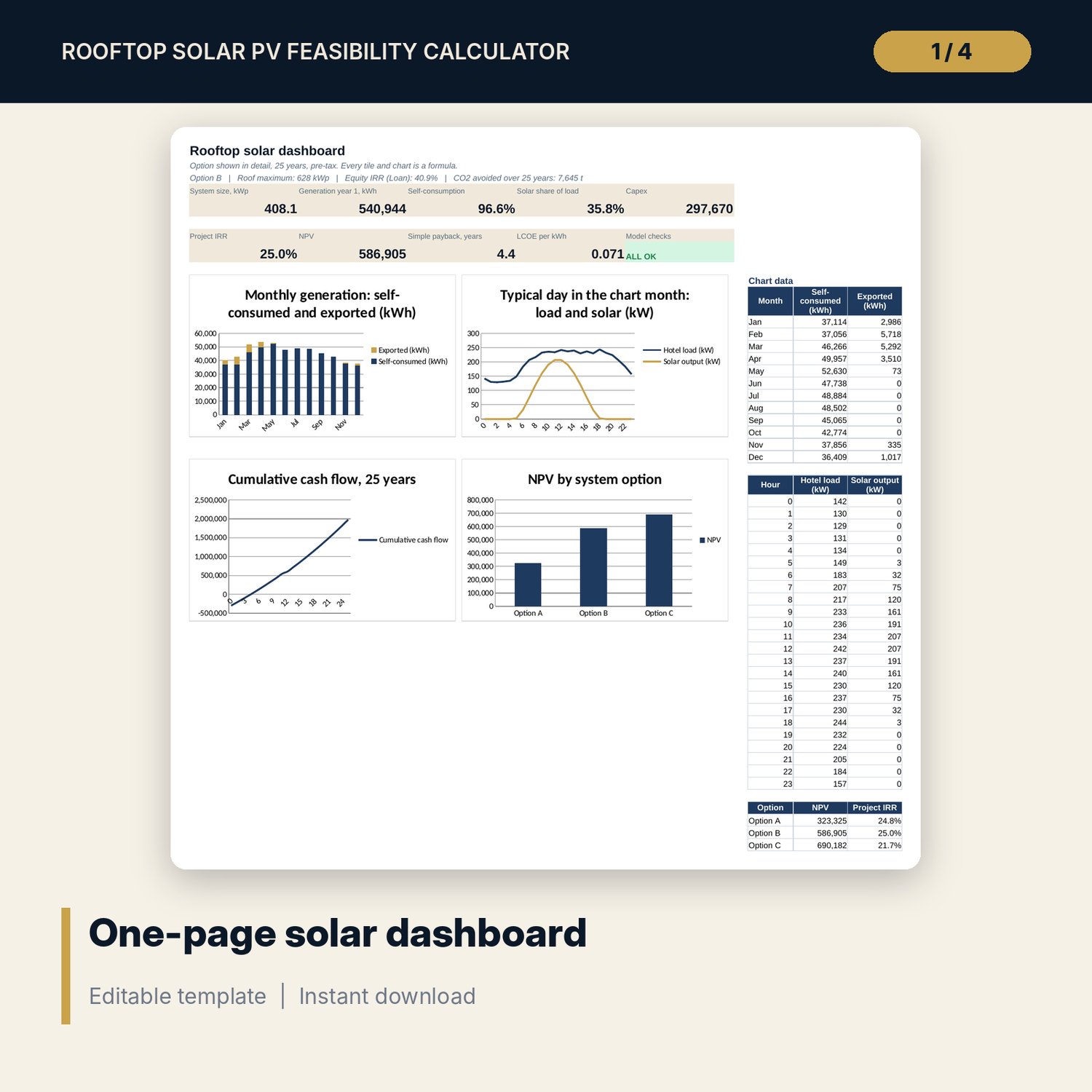
- Cash_Flow (25 years), Financing (loan schedule, equity IRR, DSCR), one-page Dashboard, 15 integrity checks, Method tab with 18 documented calculations
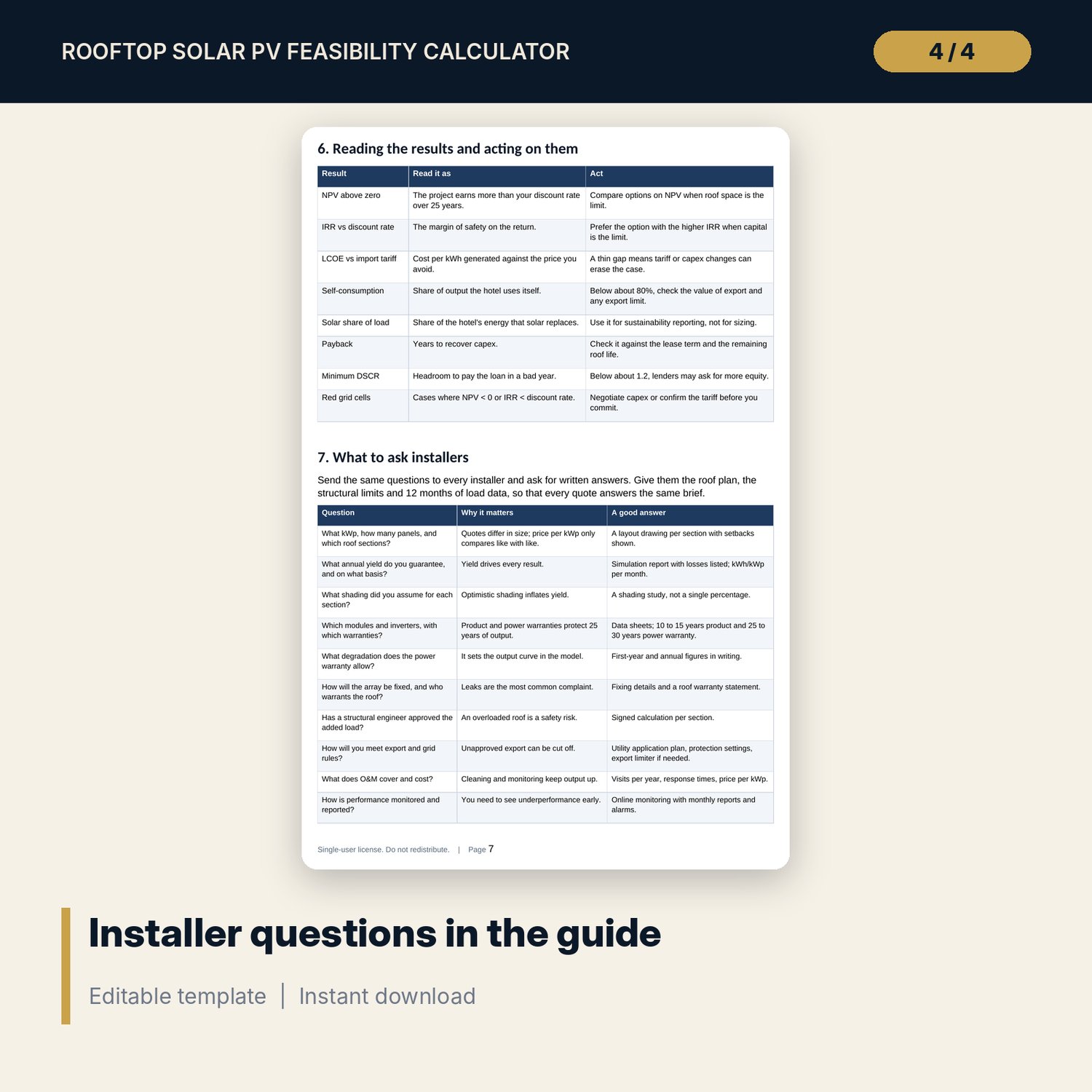
- Rooftop_Solar_PV_Feasibility_Guide.docx and Rooftop_Solar_PV_Feasibility_Guide.pdf: 10-page A4 guide with site assessment, equations, worked example, 14 installer questions, a quote comparison form and a decision checklist
- README.txt and LICENSE-and-Terms.txt
How it works
- Enter panel data, tariffs, export rules, costs, finance and the monthly specific yield for your site on Assumptions.
- List each roof section on Roof and the typical-day hotel load for each month on Load_Profile.
- Set three system sizes as shares of the full roof and compare them on Options.
- Pick one option and read its 25-year cash flow, financing and the Dashboard. Test capex and tariff changes on the grids.
- Use the guide to brief installers and compare their quotes, then sign off with the checklist.
Details
- Formats: .xlsx workbook, .docx guide and the same guide as .pdf, English
- Software: Excel 2016 or later, or LibreOffice Calc 7 or later; Word or any PDF reader for the guide
- No macros, no external links, no data tables, no array formulas
- Instant digital download
Good to know
- Sample data is illustrative. Replace it with your own roof survey, load data and installer quotes.
- Tariffs, export rules, emission factors, fire setbacks and structural limits are editable inputs. Verify local requirements.
- Results are pre-tax. This is a feasibility tool, not engineering, tax or investment advice.
- Single-user license. Do not redistribute.
FAQ
Does it work if my utility does not allow export?
Yes. Set Export allowed to No. Surplus output is then treated as curtailed and earns nothing, which usually favours a smaller system.
Where do I get the monthly specific yield?
From the installer's simulation report or a solar resource tool for your location, as AC kWh per kWp after system losses. The workbook adds your shading and availability.
How is self-consumption calculated?
For a typical day in each month, the workbook takes the lower of the hotel load and the solar output in every hour, then multiplies by the days in the month.
Can I model a loan instead of paying cash?
Yes. Set Funding to Loan and enter the share, rate and term. The Financing tab shows the schedule, equity IRR, equity NPV and DSCR.
Does it include batteries or tax incentives?
No. It covers grid-tied rooftop systems on a pre-tax basis. Add grants or tax effects with your adviser.