
Christmas Planner Spreadsheet for Excel and Google Sheets – Gift Tracker, Budget and Shopping
CHRISTMAS COMMAND CENTRE
Plan something special. Without losing track of everything.
Christmas is wonderful. Remembering everything that needs organising? Not always.
There are presents to buy, budgets to manage, food to plan, cards to send and a seemingly endless list of things to remember.
And somewhere along the way, it's far too easy to lose track of how much you've actually spent.
Christmas Command Centre is an all-in-one digital Christmas planner designed to help you organise the festive season in one place.
Instead of juggling several lists, notebooks and spreadsheets, keep your Christmas plans together in one practical, easy-to-use system.
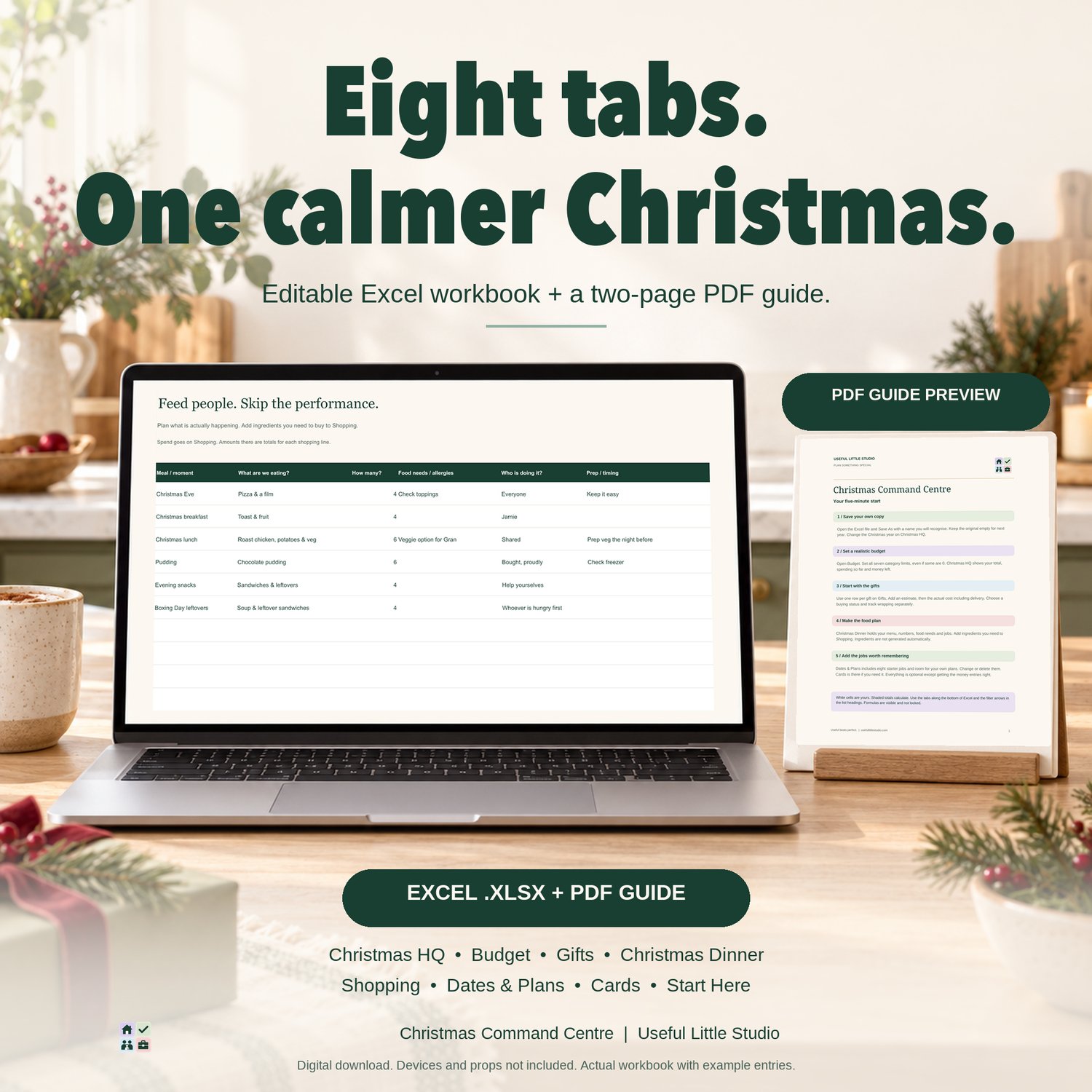
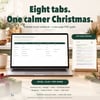
ONE PLANNER. EIGHT SECTIONS. A MORE ORGANISED CHRISTMAS.
EVERYTHING CHRISTMAS, IN ONE PLACE
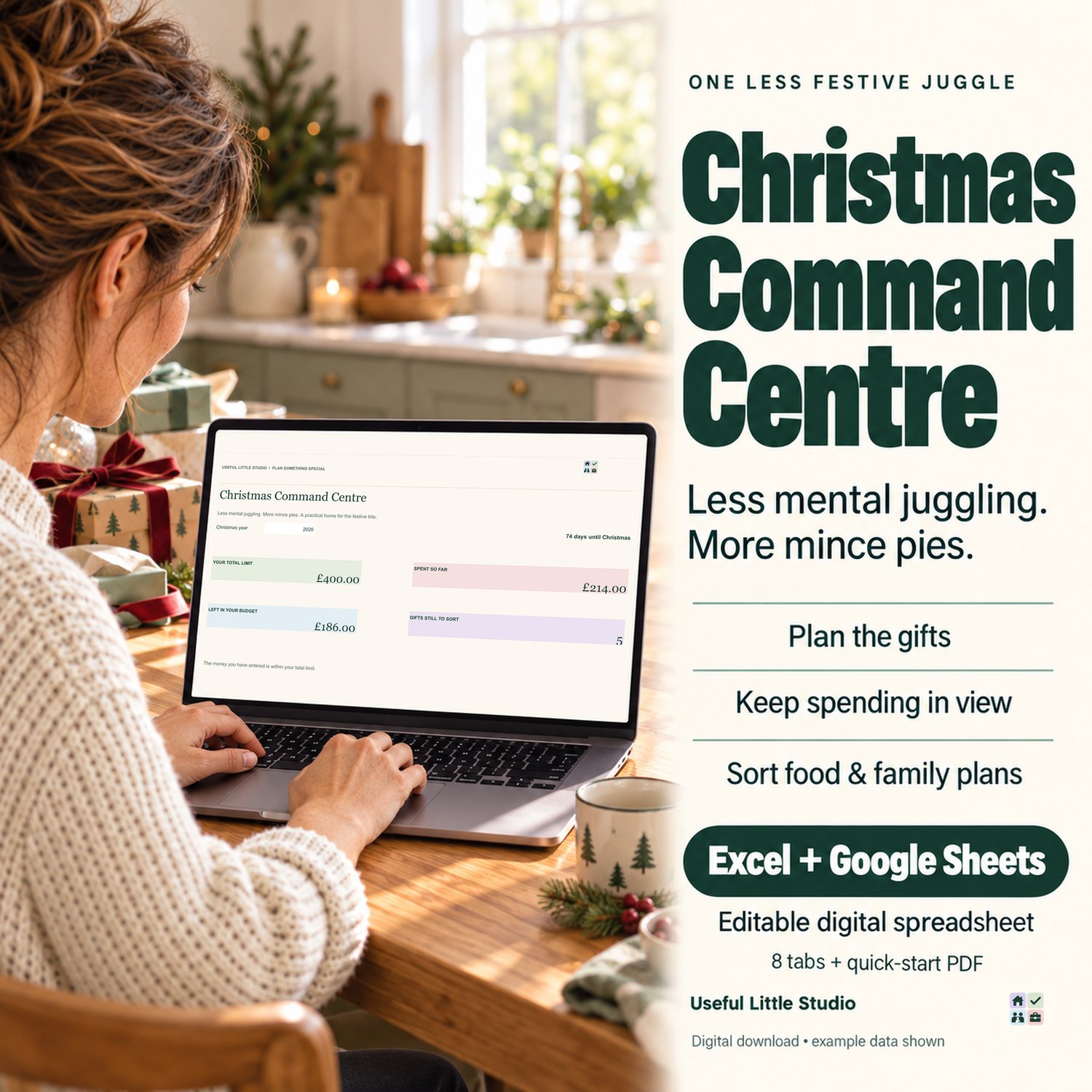
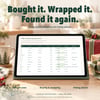
CHRISTMAS HQ — YOUR FESTIVE DASHBOARD
Start with a clear overview of your Christmas budget and spending.
See at a glance:
- Your total Christmas budget
- How much you've spent so far
- How much money you have remaining
- An overview of your Christmas planning
Your dashboard uses the information you enter throughout the planner to calculate your spending totals.
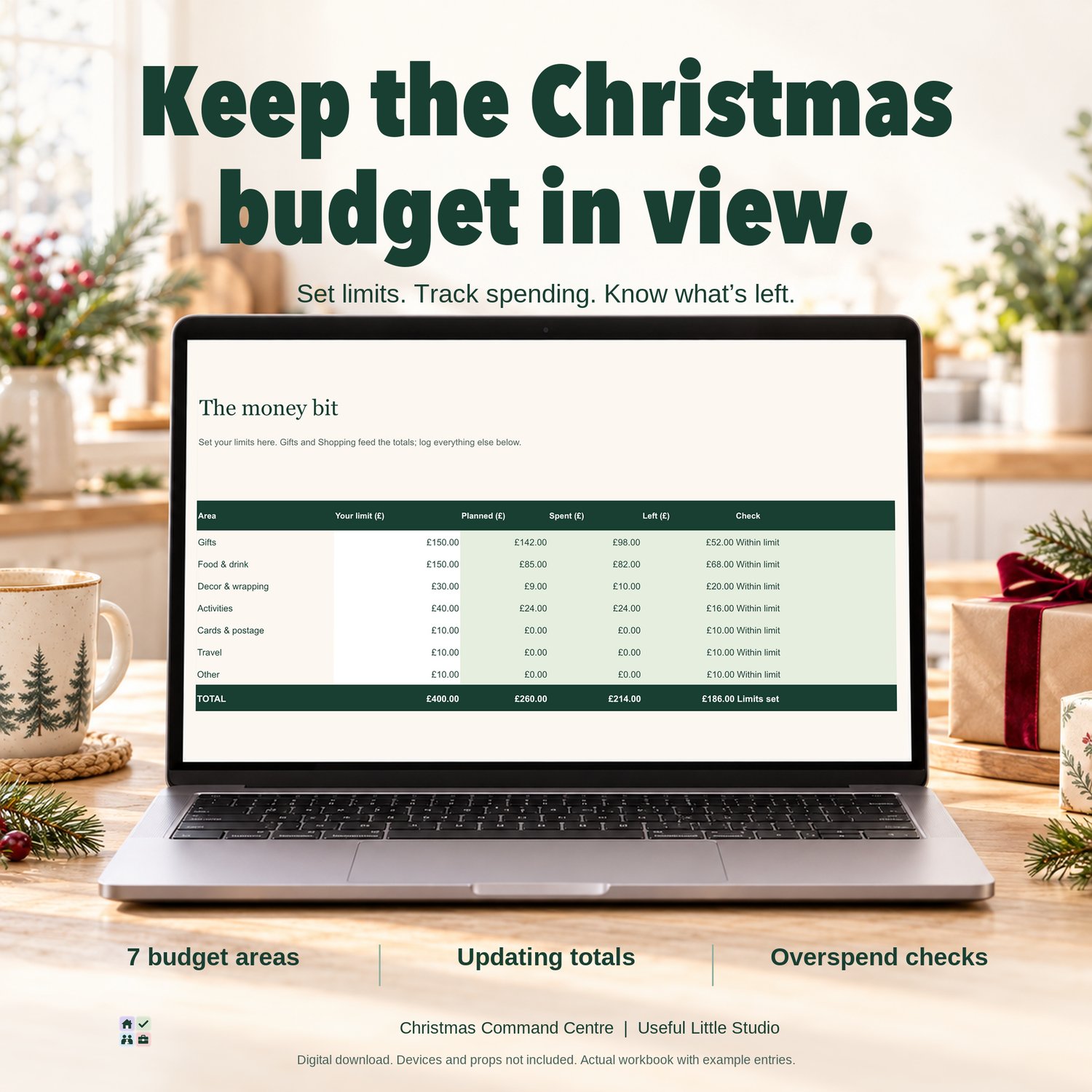
CHRISTMAS BUDGET
Christmas spending can quickly add up, especially when you're buying for several people.
Set spending limits across seven budget categories and keep track of where your money is going.
You can also record additional Christmas expenses, including travel, bookings and other festive costs.
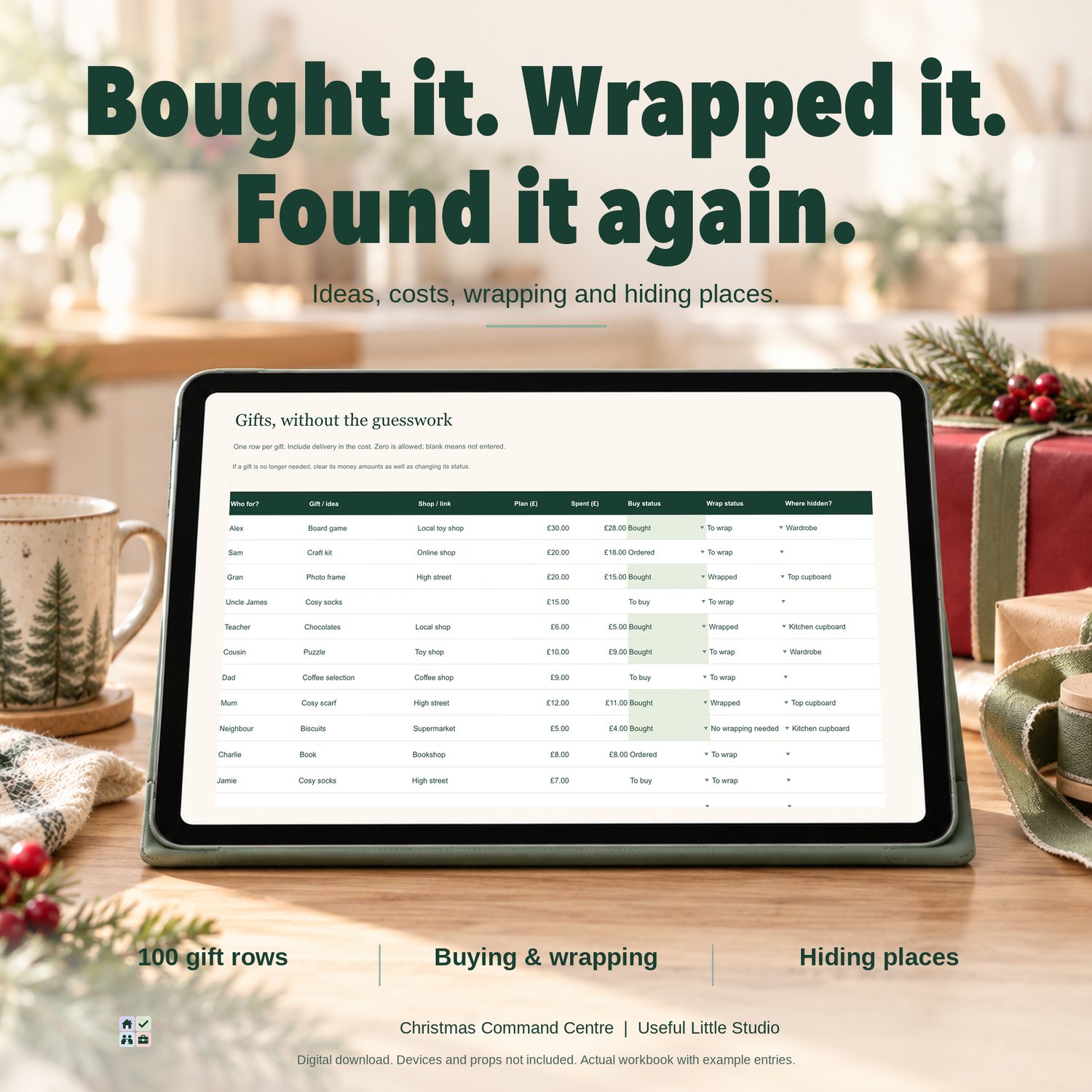
GIFT PLANNER & TRACKER
Keep all your Christmas presents organised in one place.
Record:
- Who you're buying for
- Gift ideas
- Estimated costs
- Actual spending, including delivery
- Buying status
- Wrapping progress
Includes space for 100 gifts.
No more wondering whether you've already bought something, how much it cost or whether you've wrapped it yet!
CHRISTMAS DINNER PLANNER
Take some of the stress out of organising Christmas dinner.
Plan your festive menu, record how many people you're feeding, note food requirements and keep track of the jobs that need doing.
Includes space for 25 menu entries.
CHRISTMAS SHOPPING LIST
Keep track of everything you need to buy, from Christmas dinner ingredients to wrapping paper and festive essentials.
Record your shopping items, quantities and spending in one organised list.
Includes space for 100 shopping items.
Please note: Ingredients are added manually. The planner does not automatically generate shopping lists from your Christmas dinner menu.
IMPORTANT DATES & PLANS
From Christmas events to last-minute preparations, keep those important dates and jobs together.
The planner includes eight starter tasks that you can change or delete, plus plenty of space to add your own plans.
Includes space for 50 plans.
CHRISTMAS CARD LIST
Keep track of the households you're sending Christmas cards to.
Includes space for 50 households.
START HERE
Simple instructions to help you set up your planner and get everything organised.
KEEP YOUR CHRISTMAS SPENDING UNDER CONTROL
One of the most useful features of Christmas Command Centre is having your festive spending together in one place.
As you buy gifts, organise food and make arrangements, record your purchases in the relevant sections.
Your dashboard calculates your totals using the information you enter.
You can:
✓ Set a Christmas budget
✓ Record estimated and actual gift costs
✓ Keep track of additional expenses
✓ See how much you've spent
✓ Check how much budget you have remaining
✓ Identify purchases with missing costs
A helpful tip: Record each purchase in just one section to avoid counting the same expense twice.
For example, a £25 present with £3 delivery should be recorded as £28 in your Gift Planner.
Shopping quantities are for reference and do not automatically multiply prices. Enter the total cost of each shopping line.
This keeps your Christmas spending organised without needing a separate budgeting system.
WHAT'S INCLUDED?
Your Christmas Command Centre contains eight connected spreadsheet sections:
- Christmas HQ — Your main festive dashboard
- Budget — Christmas spending limits and expenses
- Gifts — Present planning, spending and wrapping
- Christmas Dinner — Menu, guests and preparations
- Shopping — Christmas food and essentials
- Dates & Plans — Important dates and festive jobs
- Cards — Christmas card organisation
- Start Here — Setup and instructions
You'll also receive a two-page Quick Start Guide explaining how to get started.
HOW TO USE YOUR PLANNER
STEP 1 — OPEN YOUR COPY
Open Christmas Command Centre in Microsoft Excel or Google Sheets and save your own copy.
STEP 2 — CHOOSE YOUR CHRISTMAS YEAR
Open Christmas HQ and enter the year you're planning for.
STEP 3 — SET YOUR BUDGET
Open the Budget section and decide how much you want to spend across the seven spending categories.
STEP 4 — START YOUR GIFT LIST
Add the presents you're planning to buy, estimated prices and buying status.
Update the actual costs as you make purchases.
STEP 5 — PLAN CHRISTMAS DINNER
Add your festive menu, food requirements and preparation jobs.
STEP 6 — ORGANISE YOUR SHOPPING & PLANS
Keep track of the things you need to buy, important dates and jobs you don't want to forget.
STEP 7 — KEEP EVERYTHING UPDATED
As you shop and prepare for Christmas, update your planner.
Your calculated spending totals will reflect the information you've entered.
WORKS WITH MICROSOFT EXCEL & GOOGLE SHEETS
Choose whichever works best for you!
Christmas Command Centre is designed for use with Microsoft Excel and Google Sheets.
USING MICROSOFT EXCEL
- Download your Christmas Command Centre workbook.
- Open it in Microsoft Excel.
- Save your own copy.
- Open the Start Here tab and begin planning.
USING GOOGLE SHEETS
- Download your Christmas Command Centre workbook.
- Open Google Drive.
- Select New → File upload.
- Upload your Christmas Command Centre workbook.
- Open the file with Google Sheets.
- Select File → Save as Google Sheets.
- Your editable planner will be saved in your Google Drive.
You can then access and update your planner whenever you need it.
Please note: Some visual formatting may vary slightly between Excel and Google Sheets. A compatible spreadsheet application is required, and Microsoft Excel may involve a separate cost.
This is a digital spreadsheet, not a standalone app or fillable PDF.
REUSE IT YEAR AFTER YEAR
Christmas Command Centre isn't just for one Christmas!
Keep an untouched copy of your original template and save a fresh copy whenever you're ready to start planning another Christmas.
Simply change the Christmas year and start entering your new plans.
Important: Changing the year in an already completed planner will not automatically clear previous purchases, spending or manually entered dates. Always start with a fresh copy of your original template for a new Christmas.
PERFECT FOR
Christmas Command Centre is ideal for:
- Busy parents organising Christmas
- Families managing Christmas spending
- Anyone buying presents for multiple people
- Christmas dinner hosts
- People who love planning ahead
- Anyone trying to avoid overspending
- Keeping Christmas shopping and preparations organised
- Making festive planning a little less stressful
Whether you're planning a big family Christmas or keeping things simple, Christmas Command Centre helps you stay organised without losing track of the details.
YOUR DIGITAL DOWNLOAD
Your purchase includes:
CHRISTMAS COMMAND CENTRE — DIGITAL SPREADSHEET
Your reusable eight-section Christmas planner, compatible with Microsoft Excel and Google Sheets.
CHRISTMAS COMMAND CENTRE — QUICK START GUIDE
A two-page PDF explaining how to set up and use your planner.
INSTANT DIGITAL DOWNLOAD — NO PHYSICAL PRODUCT WILL BE SENT.
You will need access to Microsoft Excel or Google Sheets to use this product.
IMPORTANT INFORMATION
Christmas Command Centre is a planning and budgeting tool.
The spreadsheet calculates totals using the information you enter. It does not connect to bank accounts, automatically import purchases, place orders or generate shopping ingredients.
Planned spending totals reflect the estimates you've entered rather than predicting every future Christmas expense.
For accurate results, use the prepared rows and keep your spending information updated.
Colours and formatting may appear slightly different depending on your device and spreadsheet application.
PERSONAL USE
This product is for personal household use only.
You may save and reuse your planner for your own household.
The files may not be resold, redistributed, shared publicly or reproduced for commercial purposes.
© Useful Little Studio. All rights reserved.
AI DISCLOSURE
AI-assisted creative tools were used during the development and design process. The finished content, layout and product were reviewed and curated by Useful Little Studio.