
Pitch Canvas — Free 14-Day Trial
Draw curves. Shape sound. Try it in your own setup.
Explore Pitch Canvas with your own instruments and DAW.
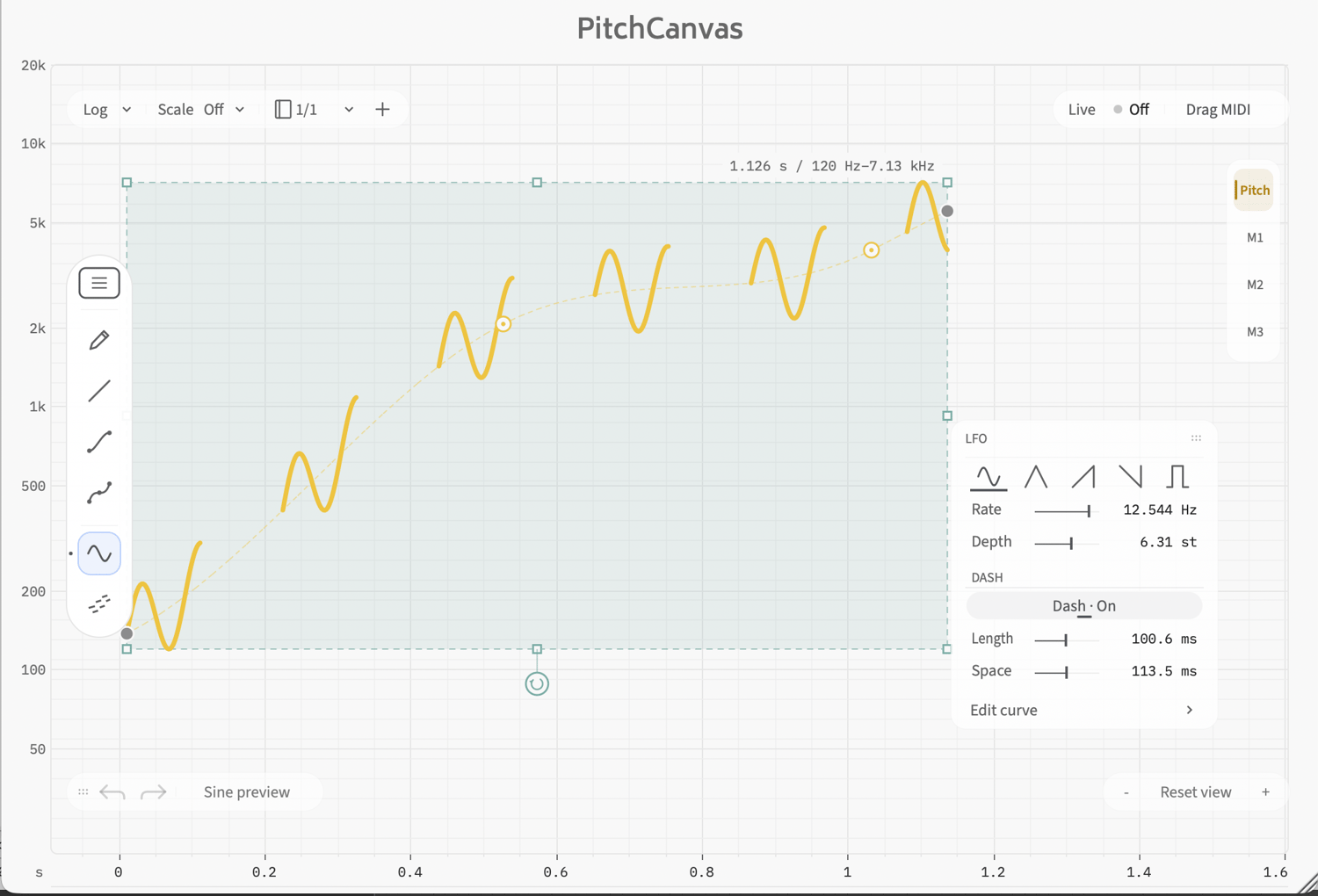
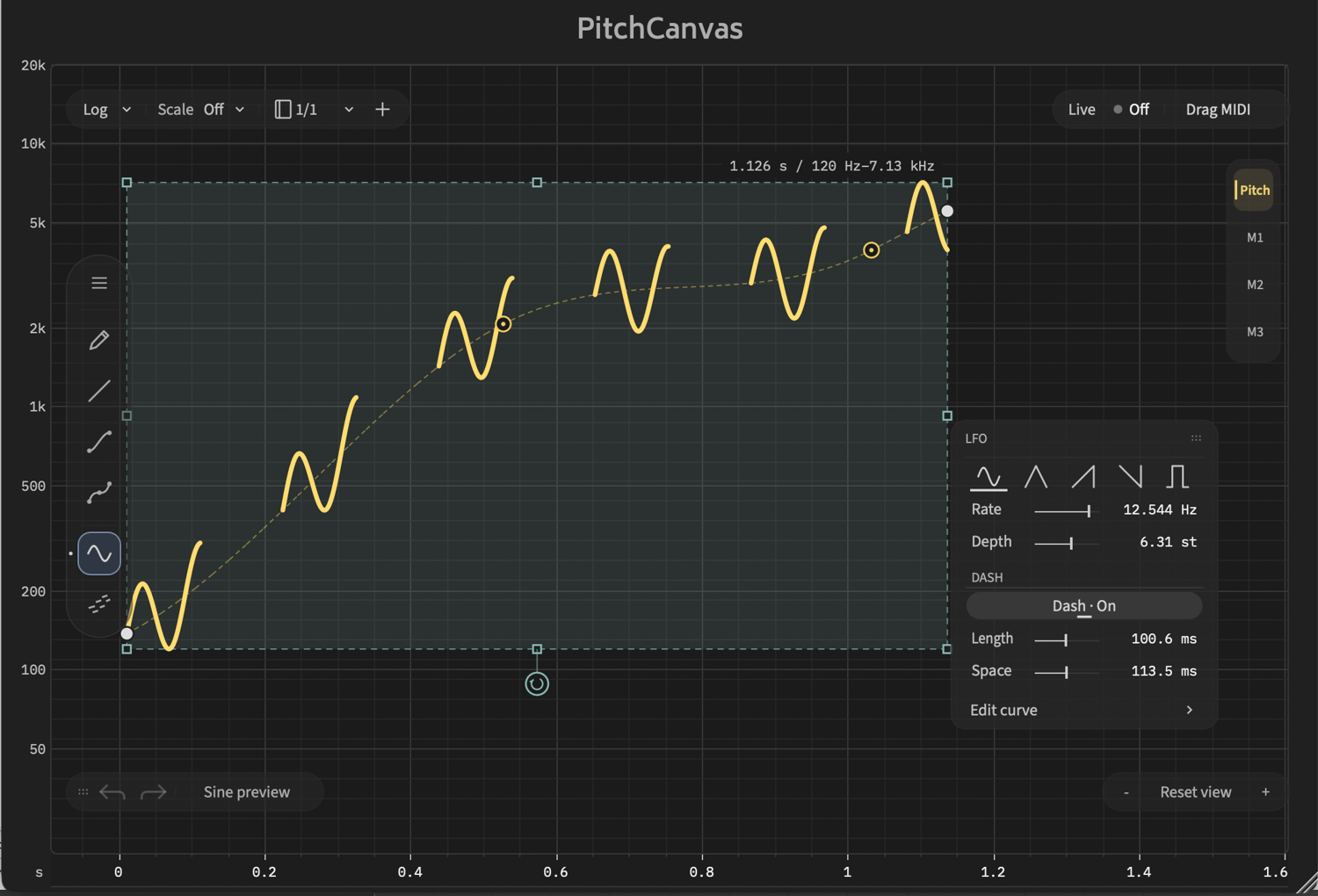
Draw custom pitch curves and modulation shapes, experiment with LFOs, and hear how your curves transform the sound.
What You Can Try
- Draw pitch curves — Create custom pitch movements and send them to your instruments.
- MIDI CC output — Shape synthesizer parameters using your own curves.
- Flexible LFO shaping — Adjust waveform, rate, and depth.
- MIDI export — Drag your results into your DAW or save them as MIDI files.
How the Trial Works
Your 14-day trial begins when you click “Start 14-day trial” inside the plugin. Downloading or installing it does not start the timer.
During the trial, you can use Live MIDI output, sine preview, and MIDI export. No license key or internet connection is required to use the trial.
After the trial expires, output and preview features stop. You can still edit curves and save your DAW projects.
Continue with the Full Version
Early Access: $19 · Price at v1.0 release: $29
Early Access purchases include the update to v1.0 at no additional cost.
Install the Full version over the Trial to continue using your existing projects.
System Requirements
- macOS: Intel and Apple Silicon.
- Windows: Windows 10 or later, 64-bit.
- Formats: VST3 and CLAP.
- Live MIDI requires a DAW that supports routing plugin MIDI output to an instrument.
Tested in REAPER on Windows and Apple Silicon macOS. Compatibility with other DAWs has not yet been verified. Please try the free Trial with your own setup before purchasing.