






Encounters Suite for SnappyMail
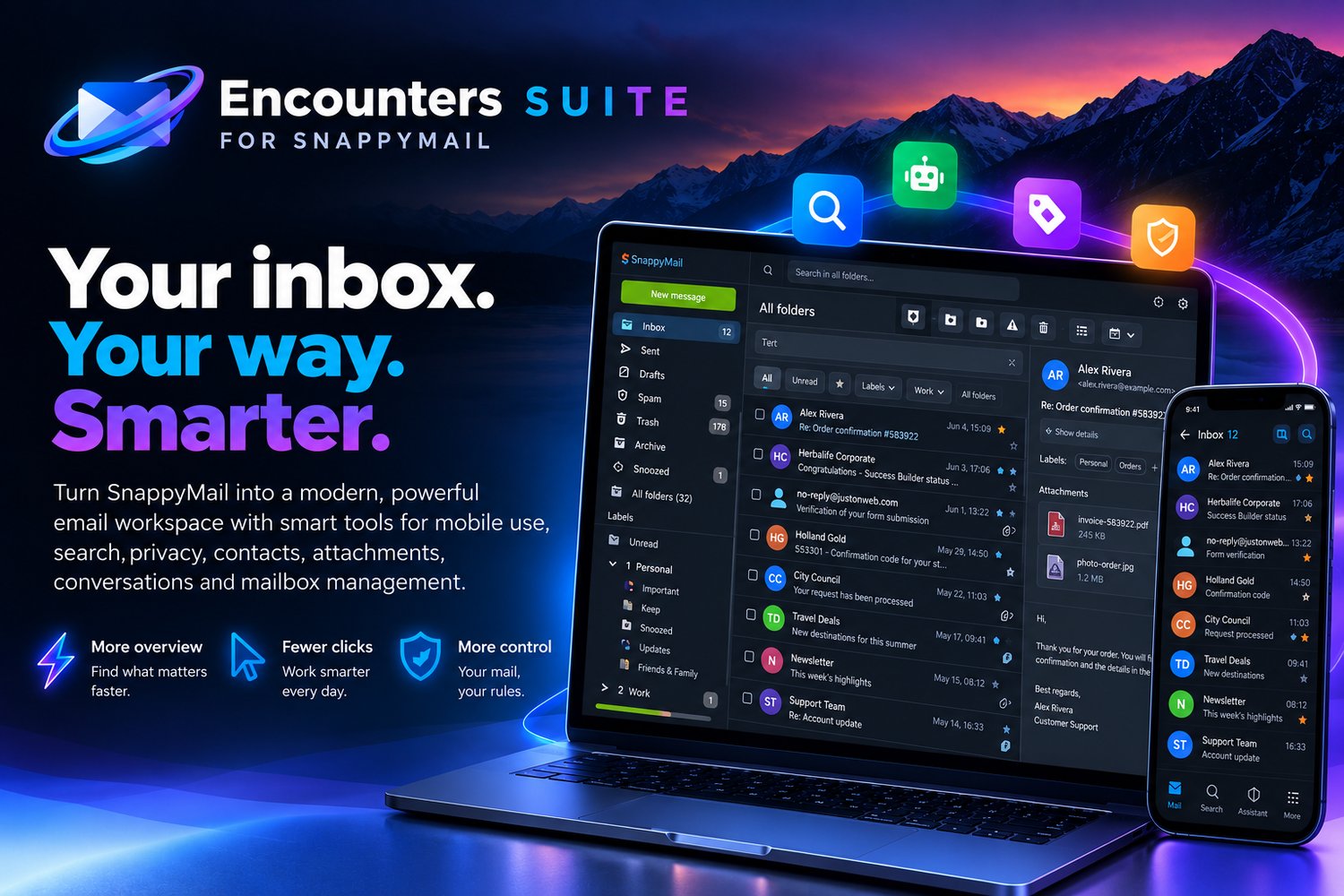
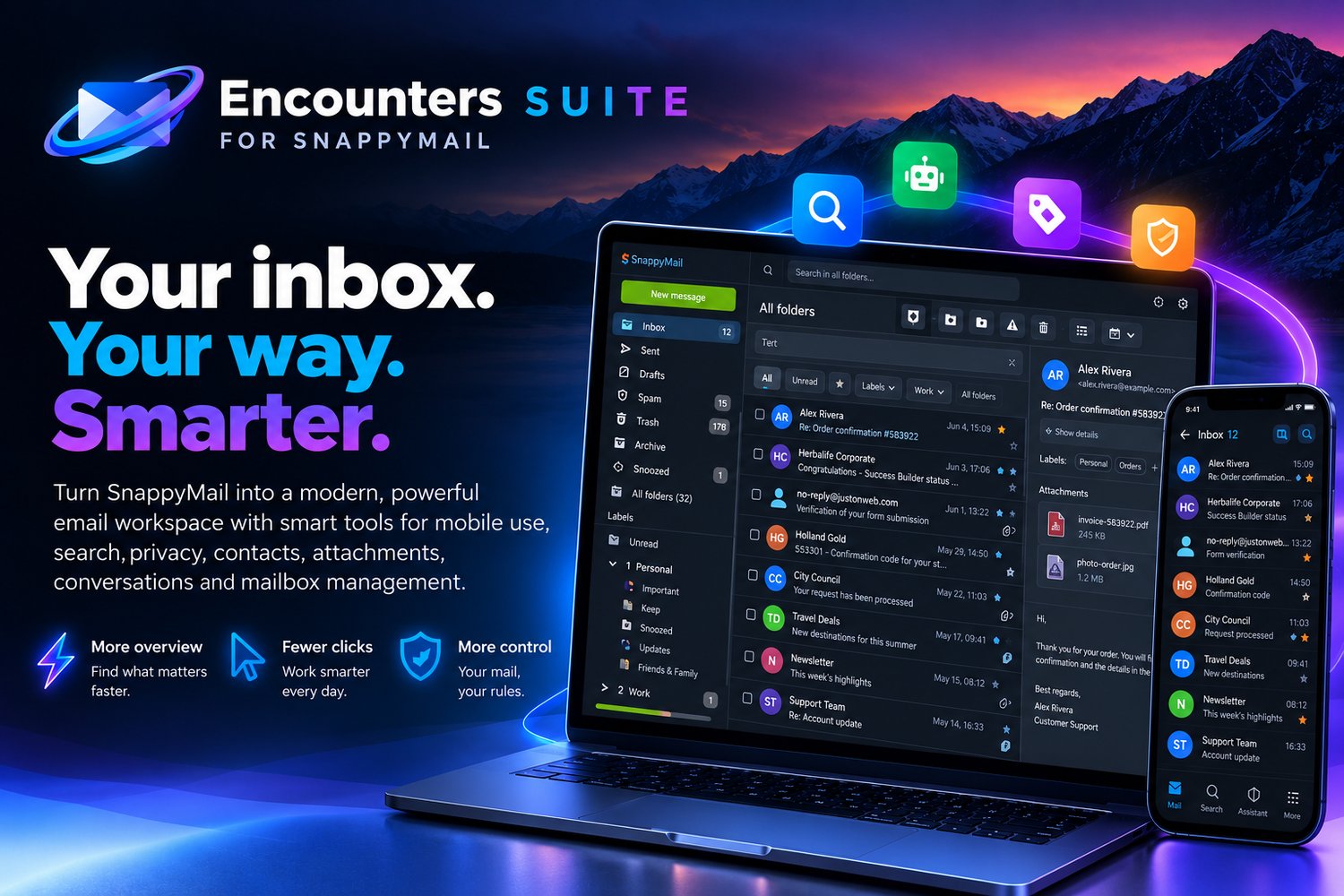
Your inbox. Your way. Smarter.
Make SnappyMail more powerful without losing what makes it fast and lightweight.
Encounters adds smarter search, better mobile controls, contact insights, attachment management, mailbox cleanup and a modern interface — all integrated into your existing webmail.
More overview. Fewer clicks. More control.
[ Get Encounters Suite ]
[HERO MOCKUP]
Everything you need. Right inside SnappyMail.
Encounters is a collection of integrated extensions designed to make everyday email faster and easier.
📱 Mobile Experience
🔎 Extra Search Tools
🤖 Snappy Assistant
👤 Contact Insights
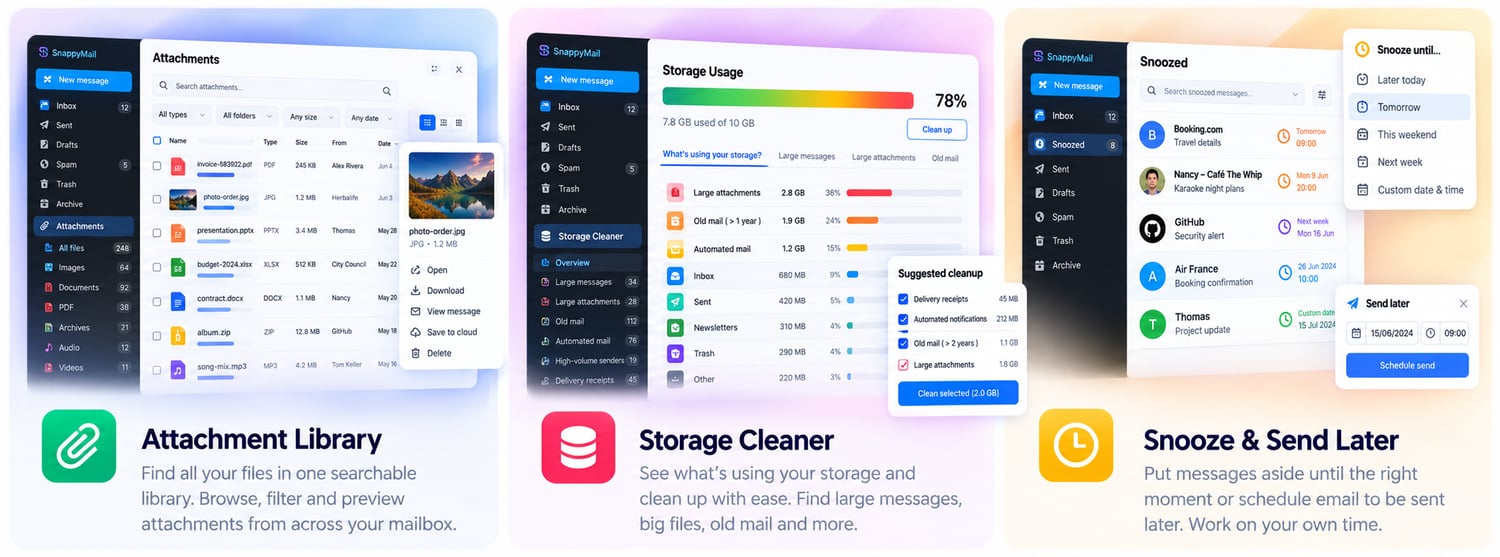
📎 Attachment Library
🎨 Material Snappy
🧹 Storage Cleaner
⚙️ Sieve Filterset Actions
📱 Email that works better on mobile.
Mobile Experience
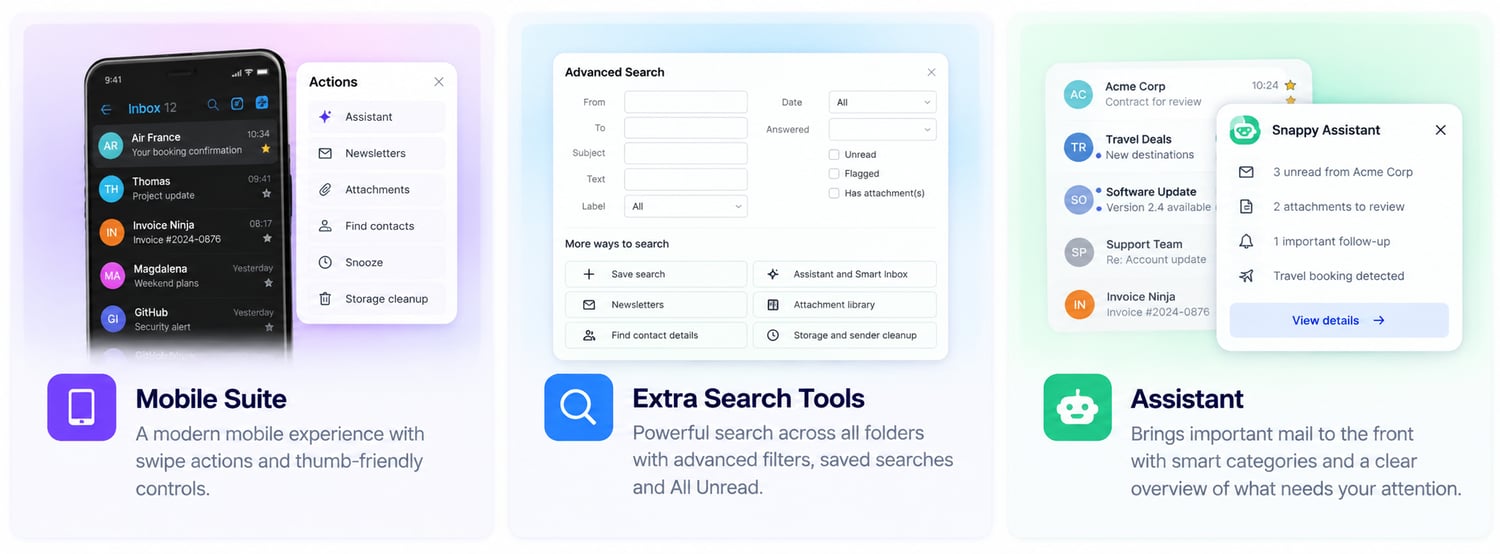
Turn SnappyMail into a genuinely touch-friendly mobile inbox.
Swipe messages, long-press for actions, navigate with a dedicated bottom bar and manage messages without reaching for tiny desktop controls.
Folders · Search · Compose · Actions · More
Snooze messages for later, edit labels directly from message actions and keep your preferences synchronized through server-side account storage. Geplakte tekst
[MOCKUP MOBILE EXPERIENCE]
🔎 Find anything. Anywhere.
Extra Search Tools
Search across selected folders instead of searching one mailbox at a time.
Combine Unread, Starred, Attachments and Labels, save searches, find newsletters and switch between normal, conversation-tree and sender-tree views.
Search results remain real messages — with their normal actions, avatars and mobile gestures intact. Geplakte tekst
[MOCKUP EXTRA SEARCH TOOLS]
🤖 Let important mail come to you.
Snappy Assistant
Get a smarter overview without moving or reorganizing your messages.
Recent unread mail appears above your Inbox, while Smart Inbox discovers useful messages such as invoices, receipts, tickets, travel, plans and action requests.
Everything stays in your existing mailbox — the Assistant simply makes it easier to find. Geplakte tekst
[MOCKUP SNAPPY ASSISTANT]
👤 Know more about who you're talking to.
Contact Insights
Turn information already present in your emails into useful contact data.
Encounters can detect clear contact details from sender signatures and email history, show the source and let you review proposed changes before saving them to CardDAV.
Contact cards bring together person, company, history, website information, avatars and available mail-server country information in one place. Geplakte tekst
[MOCKUP CONTACT INSIGHTS]
📎 Your attachments, finally organized.
Attachment Library
Browse attachment metadata from your selected mail folders in one central library.
Search and filter by name, type, size, sender or date, switch between list and grid views and jump directly back to the original message.
No need to download every file just to find what you're looking for. Geplakte tekst
[MOCKUP ATTACHMENT LIBRARY]
🎨 A cleaner, more modern SnappyMail.
Material Snappy
Give SnappyMail and Encounters a more consistent visual language while keeping the active theme and native functionality.
Material Snappy brings together modern surfaces, rounded search, filter controls, consistent icons, file-type styling, spacing and cleaner message presentation.
Customize radius, spacing, typography, backgrounds, links and scrollbars to make the interface your own. Geplakte tekst
[MOCKUP MATERIAL SNAPPY]
🧹 See what's using your mailbox.
Storage Cleaner
Understand where your mailbox storage is going before deleting anything.
Scan selected folders for large messages, old mail, attachments, possible read receipts and sender groups. Colored bars visualize the scanned storage while the quota meter keeps showing the actual server usage.
Review the messages first. Clean up only what you choose. Geplakte tekst
[MOCKUP STORAGE CLEANER]
⚙️ Server-side filtering when you need it.
Sieve Filterset Actions
Manage server-side Sieve filtersets directly from SnappyMail when your mail server supports them.
Create · Edit · Activate · Deactivate · Delete · Download
Review server capabilities and the selected filterset before making changes. Geplakte tekst
[MOCKUP SIEVE FILTERSET ACTIONS]
One suite. One experience.
The Encounters plugins are designed to complement each other.
Search can lead into attachments or contacts. Mobile actions remain available in search and Assistant results. Material Snappy gives the extensions a consistent interface. Preferences are stored per account on the SnappyMail server so supported settings can follow you across devices. Geplakte tekst
Install only what you need — or use the complete suite.
Simple to install.
- Install SnappyMail on your PHP-enabled web server.
- Download Encounters Suite and unpack the plugins into your SnappyMail plugins folder.
- Open SnappyMail Admin → Extensions and enable the Encounters plugins you want.
- Configure your preferences and start using your upgraded inbox.
Your inbox.
Your way. Smarter.
Keep the SnappyMail experience you already know.
Add the tools you've been missing.
Encounters Suite for SnappyMail
[ Get Encounters Suite ]
Your mail. Your server. Your workflow.
Turn SnappyMail into a modern, powerful email workspace with smart tools for mobile use, search, organization, privacy, contacts, attachments, conversations and mailbox management.
Encounters Suite builds on the speed and simplicity of SnappyMail and adds the tools that make everyday email easier to manage.
⚡ More overview — Find what matters faster.
🖱️ Fewer clicks — Work smarter every day.
🛡️ More control — Your mail, your rules.
[ Explore the Features → ]
Everything your inbox was missing.
SnappyMail is fast, lightweight and flexible. Encounters takes that foundation further.
Instead of replacing your webmail, Encounters adds a collection of modular plugins that work together inside the interface you already know.
Search everywhere. Swipe on mobile. Find forgotten attachments. Organize conversations. Discover contact information. Snooze messages. Understand what is filling your mailbox. Detect tracking. And bring important mail to the surface automatically.
Install the features you need — or combine them into the complete Encounters Suite.
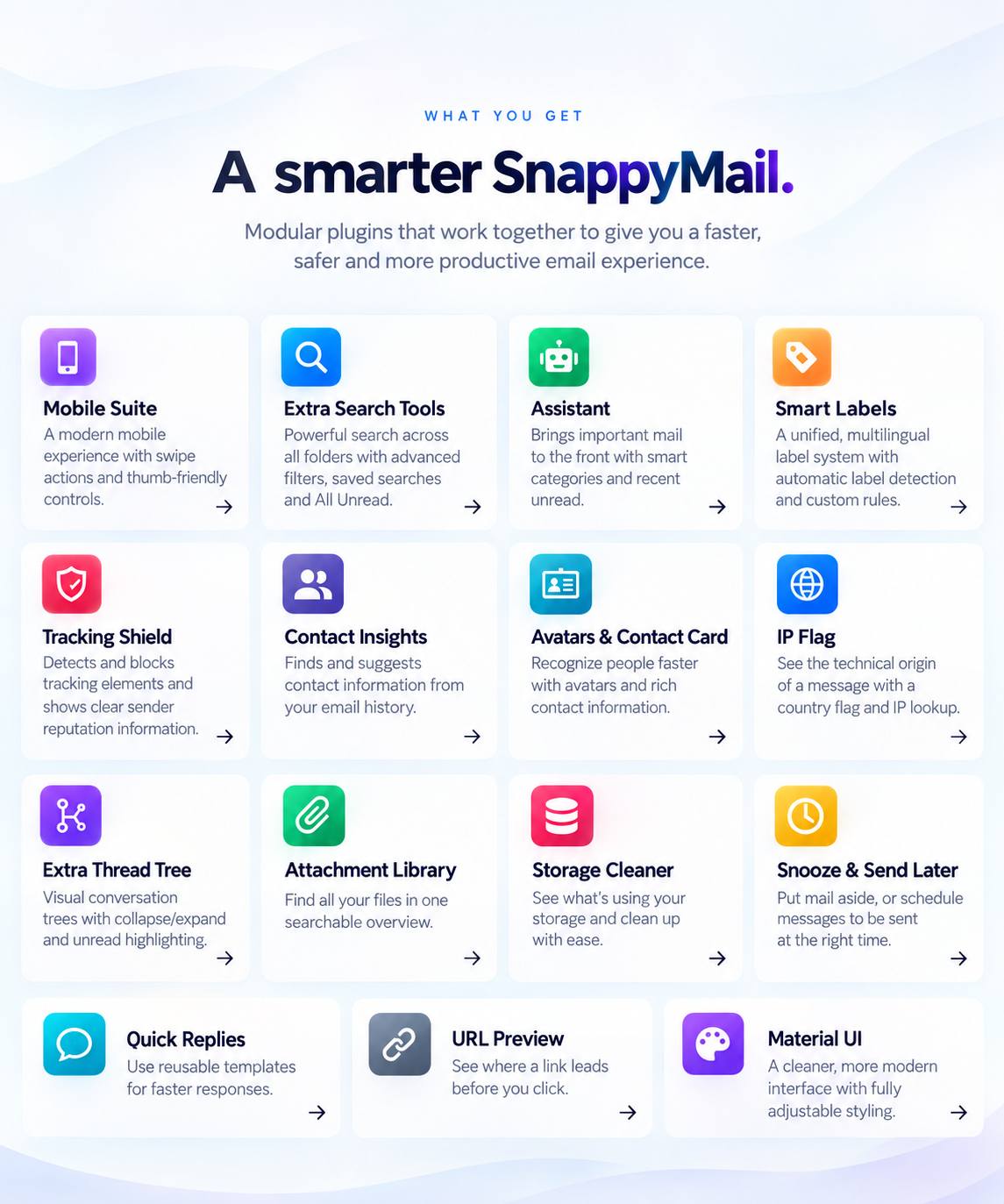
✨ A smarter SnappyMail.
Powerful tools. One integrated experience.
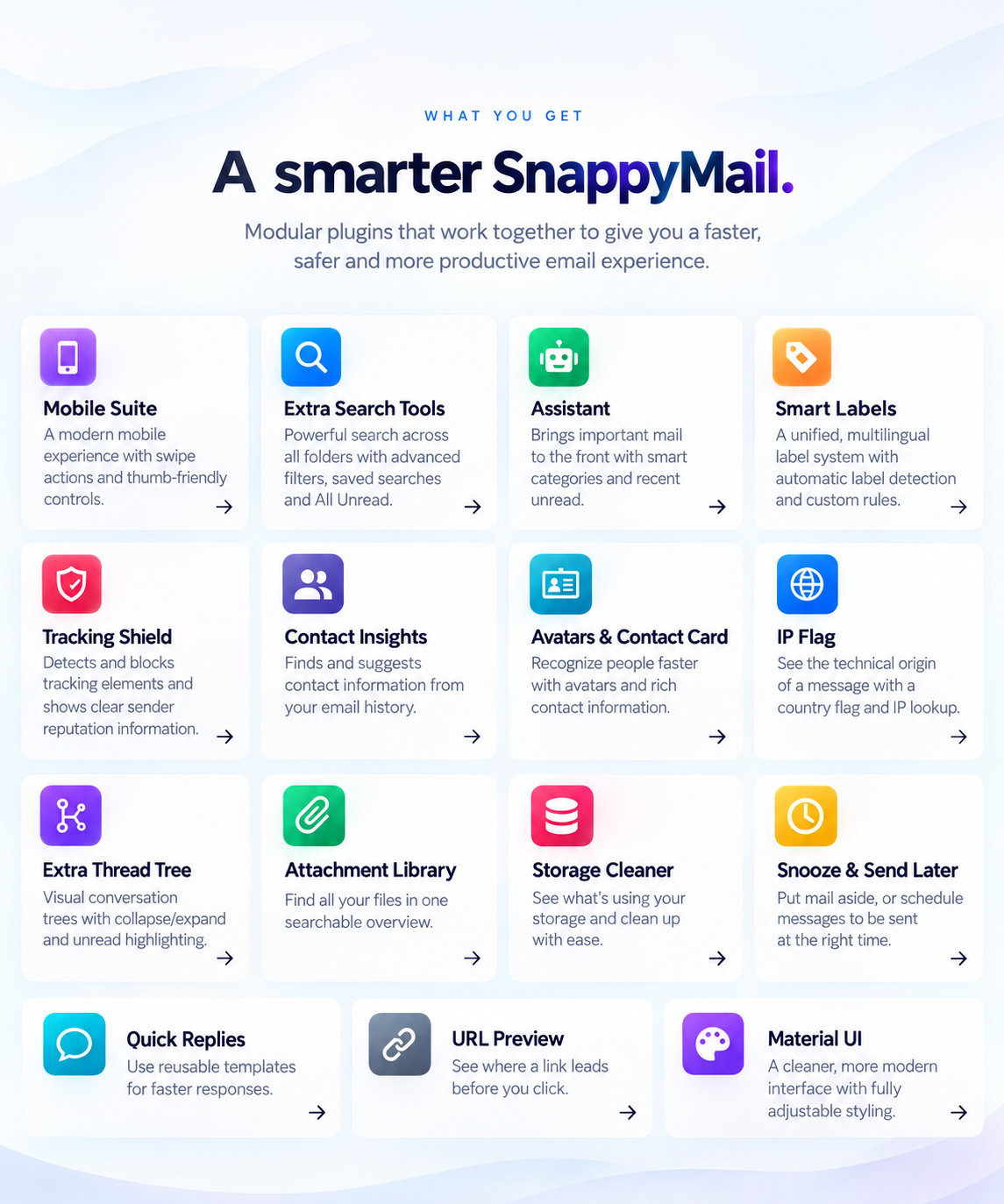
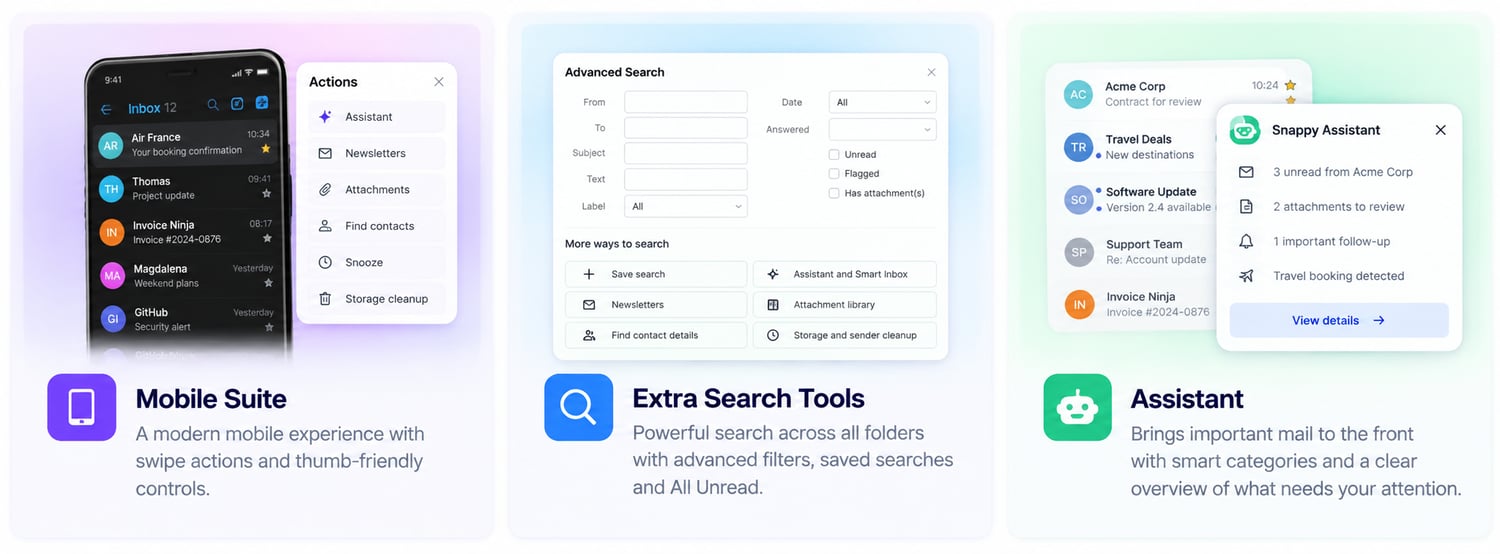
📱 Mobile Suite
A modern mobile experience with swipe actions and thumb-friendly controls.
🔎 Extra Search Tools
Search across folders with advanced filters, saved searches and All Unread.
🤖 Assistant
Bring important messages to the front with smart categories and recent unread mail.
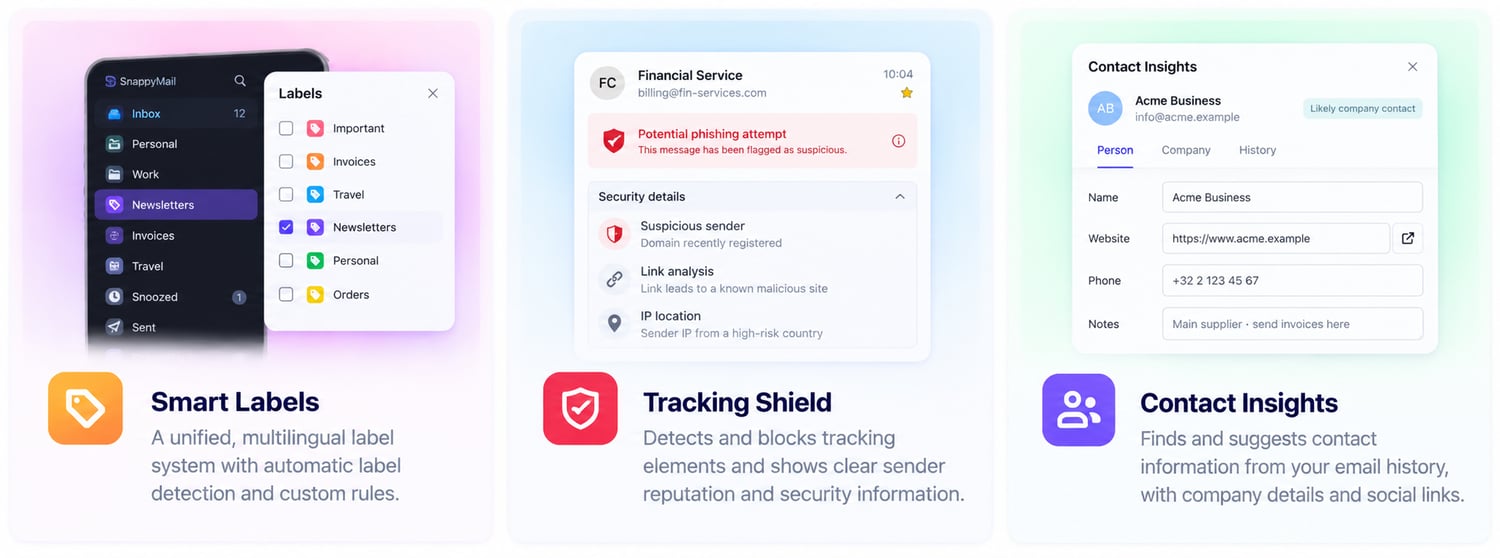
🏷️ Smart Labels
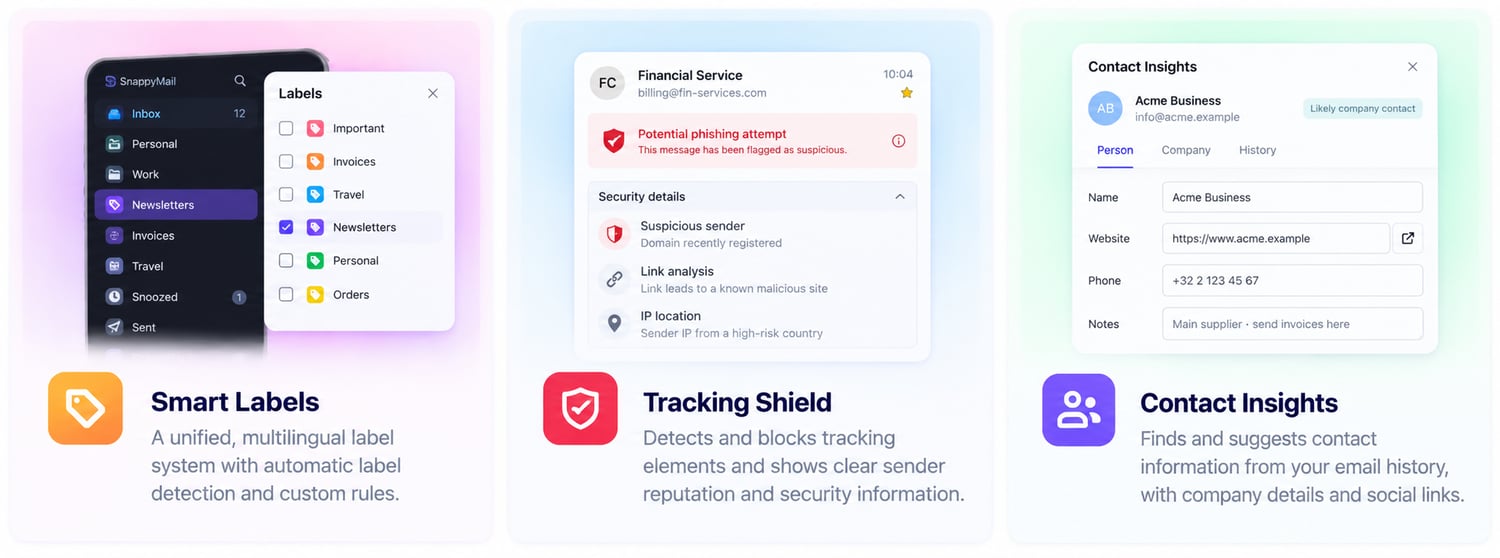
A unified, multilingual label system with automatic detection and custom rules.
🛡️ Tracking Shield
Detect tracking elements and reveal useful information about unfamiliar senders.
👥 Contact Insights
Discover and suggest useful contact information from your email history.
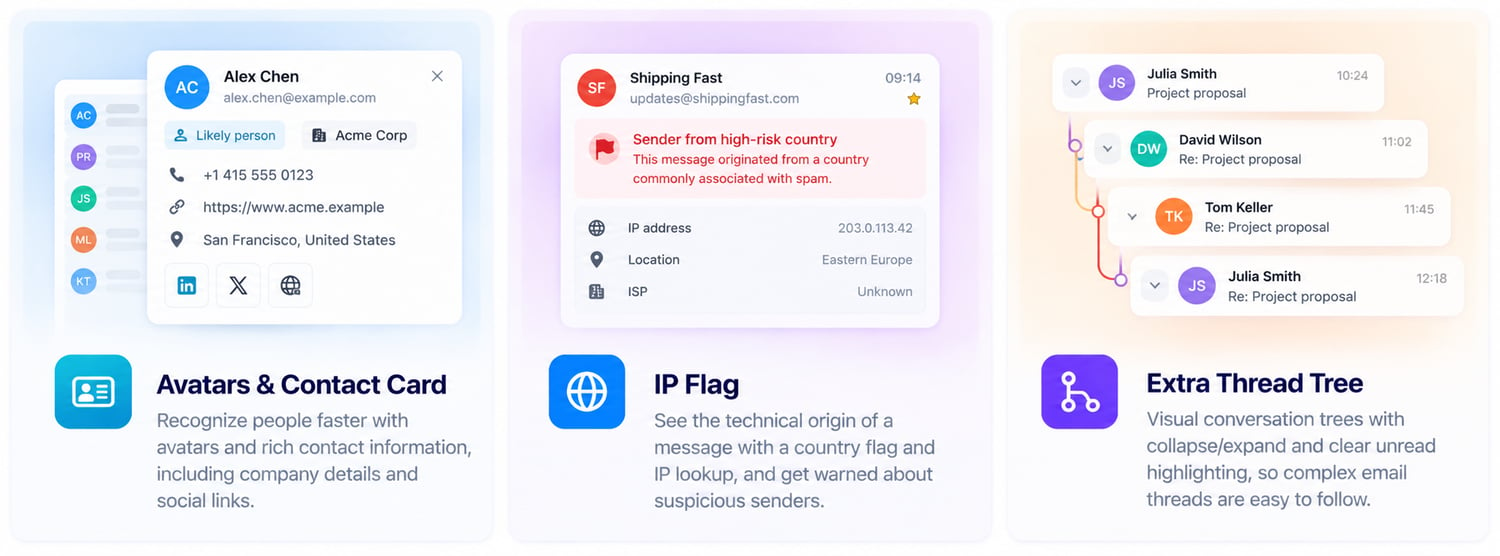
🪪 Avatars & Contact Card
Recognize people faster with avatars and rich contact information.
🌍 IP Flag
See technical origin information with a country indicator and IP lookup.
🌳 Extra Thread Tree
Turn complex email conversations into clear visual threads.
📎 Attachment Library
Find files from across your mailbox in one searchable library.
🧹 Storage Cleaner
Discover what's consuming your storage and clean up with confidence.
🕒 Snooze & Send Later
Put messages aside until later or schedule mail for the right moment.
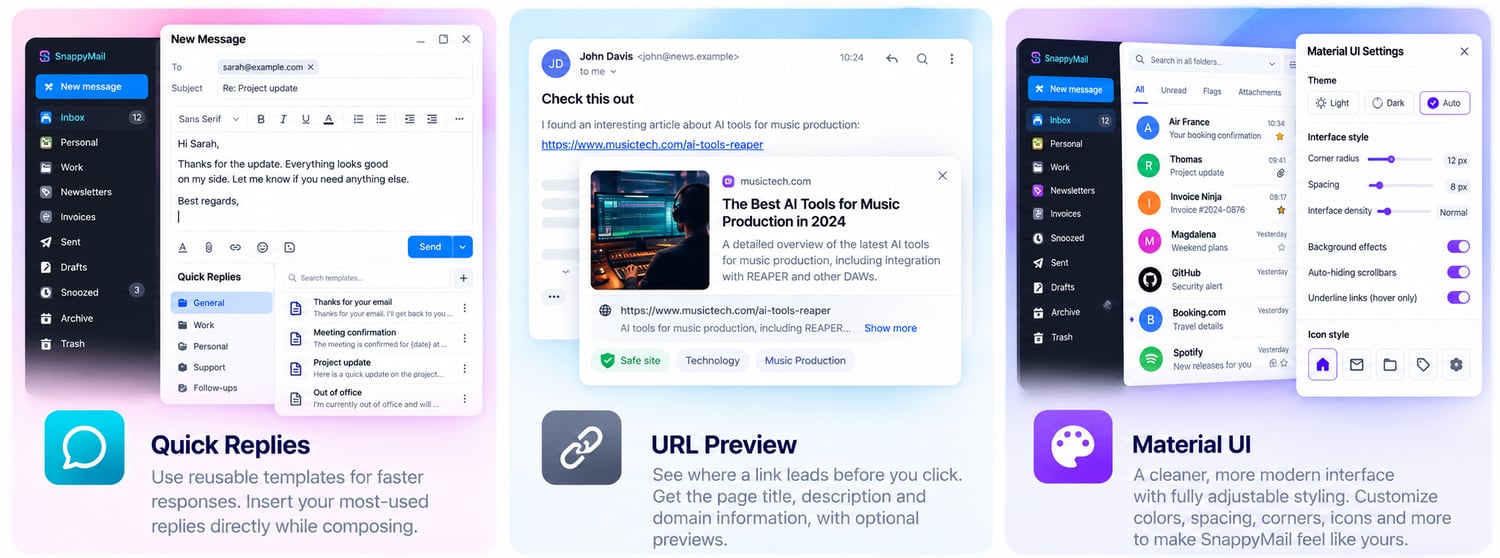
💬 Quick Replies
Respond faster with reusable templates.
🔗 URL Preview
See where a link leads before you click.
🎨 Material UI
Give SnappyMail a cleaner, more modern and customizable interface.
📱 Work smarter from anywhere.
Your mailbox shouldn't become harder to use just because you moved from your computer to your phone.
Encounters brings faster navigation, powerful search and smarter inbox tools together — wherever you work.
📱 Mobile Suite
Your mailbox, made for your phone.
SnappyMail becomes a much more natural mobile experience with controls designed around touch instead of a desktop interface squeezed onto a smaller screen.
Swipe messages to perform common actions. Long-press for more options. Keep your most-used controls within reach of your thumb.
What you get
✓ Configurable left and right swipe actions
✓ Delete and archive
✓ Mark read or unread
✓ Flag and unflag
✓ Long-press action menu
✓ Clear two-line message layout
✓ Read, star and attachment indicators
✓ Snoozed message indicator
✓ Mobile bottom navigation
✓ Expandable folder navigation
✓ Search when you need it
✓ Phone Back-button support
✓ Reply, Forward, Delete and Back within thumb reach
✓ Quick access to additional actions
Less tapping. More doing.
🔎 Extra Search Tools
Stop remembering where you filed it.
You know the message exists. That should be enough.
Extra Search Tools lets you search beyond the folder you're currently viewing and turns your entire mailbox into one searchable information source.
What you get
✓ Search across all folders
✓ Search selected folders
✓ Advanced search filters
✓ Recent searches
✓ Saved searches
✓ Search unread mail
✓ Newsletter search
✓ Attachment search
✓ Contact search
✓ Snoozed message search
✓ Grouped search results
✓ Conversation/tree view
✓ Direct access to the original message
✓ Normal message actions inside results
All Unread
Bring unread messages from selected folders together in one place instead of opening folders one by one.
One search. Your whole mailbox.
🤖 Assistant
Let important mail come to you.
Your inbox contains more than just read and unread messages.
Assistant brings useful information forward and helps organize incoming mail into recognizable categories without replacing your existing folders.
What you get
✓ Recent Unread above your Inbox
✓ Automatic mailbox scanning
✓ Configurable scan period
✓ Choose which folders are included
✓ Collapsible overview
✓ Remembers its display state
✓ Open messages directly
✓ Swipe and quick actions
✓ Direct access to All Unread
Smart categories
🧾 Invoices 🧾 Receipts 🎟️ Tickets ✈️ Travel 📅 Plans 📬 Newsletters 👤 Personal mail
Your inbox stays familiar. It just gets smarter.
Organize smarter. See more. Stay in control.
Good email organization shouldn't create more work.
Encounters helps classify what you receive, exposes information that normally remains hidden and turns years of correspondence into useful contact data.
🏷️ Smart Labels
One label system. Everywhere.
Labels should make messages easier to recognize — regardless of where you open them.
Smart Labels creates a consistent label system across Encounters with automatic detection, custom rules, colors and multilingual presentation.
What you get
✓ Automatic label recognition
✓ Automatic label assignment
✓ Custom labels
✓ Custom rules
✓ Label colors
✓ Labels in message lists
✓ Labels inside opened messages
✓ Consistent label presentation
✓ Mapping between equivalent labels
✓ Multilingual labels
For example:
Personal → Persoonlijk → Personnel
The underlying label stays the same while the user sees it in their own language.
Organize once. Recognize everywhere.
🛡️ Tracking Shield
See what an email is doing behind the scenes.
A message can contact external servers simply by being opened.
Tracking Shield helps expose and control tracking technologies and provides additional context about unfamiliar senders.
What you get
✓ Tracking-pixel detection
✓ 1×1 image detection
✓ Remote tracking-resource detection
✓ Open-tracking detection
✓ Link-tracking detection
✓ External resource analysis
✓ Tracking blocking where possible
✓ Known/unknown sender information
✓ Domain information
✓ Available authentication signals
✓ Sender history and contact status
✓ Transparent warnings
Encounters doesn't just tell you that something may deserve attention.
It aims to show you why.
Less invisible tracking. More visible information.
👥 Contact Insights
Your email history already knows your contacts.
People regularly put useful information in signatures and messages: phone numbers, websites, job titles, companies and other contact details.
Contact Insights can find explicitly shared information and propose updates to your address book.
Detect → Review → Confirm
See the current value, proposed value and source before deciding what should be saved.
Information can include
✓ Full name
✓ Email addresses
✓ Phone numbers
✓ Company
✓ Job title
✓ Department
✓ Website
✓ Postal address
✓ Social/profile links
✓ Language
✓ Signature information
✓ Notes
✓ Explicitly shared interests
✓ Other explicitly provided contact information
Powerful contact management
✓ Scan a single contact
✓ Scan a conversation
✓ Scan email history
✓ Batch contact scanning
✓ Review proposed changes
✓ Edit suggestions directly
✓ Accept or ignore changes
✓ CardDAV integration
✓ Server-side storage
Encounters can also help distinguish real personal contacts from addresses collected through newsletters, automated systems and old imports.
Turn conversations into useful contact information.
👤 Know who you're talking to.
An email address is only part of the story.
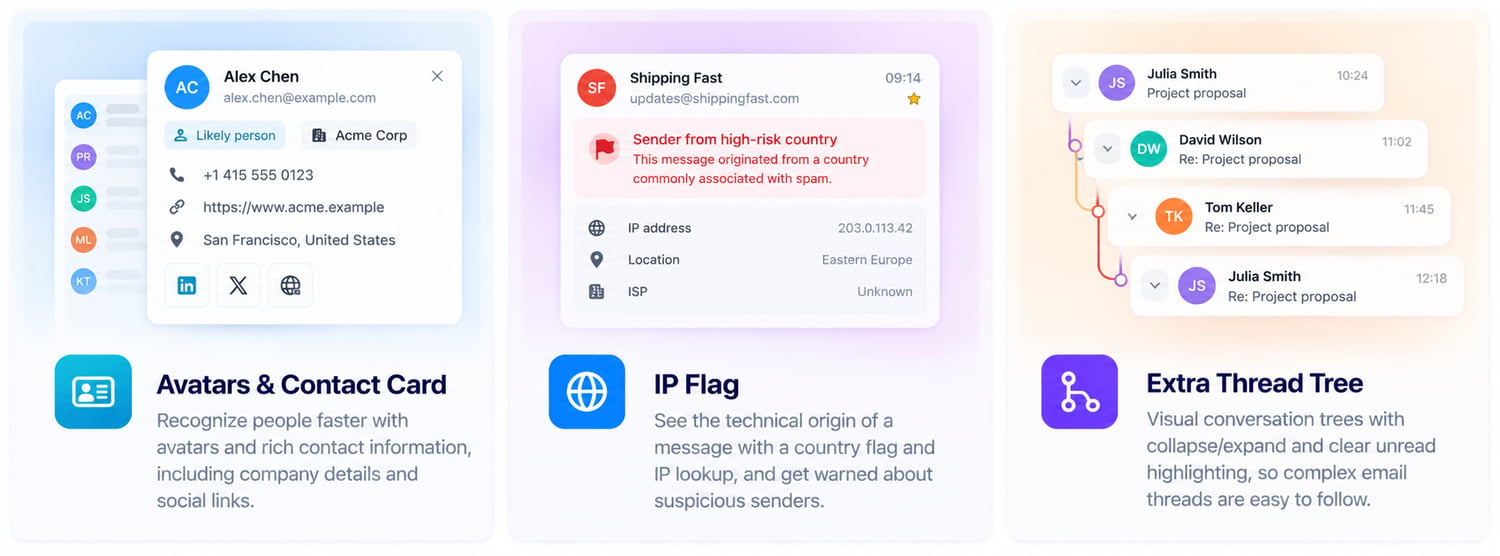
Encounters adds context around senders and conversations so you can recognize people faster, inspect technical information and understand complicated threads at a glance.
🪪 Avatars & Contact Card
Put people back into email.
Recognize contacts before you even read their address.
Encounters can display avatars throughout your mailbox and give you quick access to available contact information without leaving the message.
What you get
✓ Avatar in message lists
✓ Avatar in opened messages
✓ CardDAV information
✓ Available avatar sources
✓ Generated fallback avatars
✓ Clickable contact cards
Contact Card
👤 Name ✉️ Email 📞 Telephone 🏢 Company 💼 Job title
🌐 Website 📍 Address 📝 Notes 🔗 Available profile information
Recognize the person, not just the address.
🌍 IP Flag
A little more context behind every message.
IP Flag displays a compact country indicator based on available message and server information.
Click it to inspect additional technical information about the IP and network origin.
What you get
✓ Country indicator
✓ IP information
✓ Country information
✓ Network information
✓ One-click IP lookup
✓ Extra sender context
An IP address is a technical signal — not proof of where the person sending the message is physically located.
Small indicator. Useful context.
🌳 Extra Thread Tree
See the conversation, not a pile of messages.
Long email conversations quickly become difficult to follow.
Extra Thread Tree shows the relationship between messages visually, making it much easier to understand where a conversation started and where new replies belong.
What you get
✓ Visual conversation tree
✓ Collapse conversations
✓ Expand conversations
✓ Message counter
✓ Unread highlighting
✓ Visual hierarchy
✓ Thread indicators
✓ Remember collapsed state
✓ Select which folders use the feature
✓ Mobile support
Follow the whole conversation at a glance.
📎 Turn your mailbox into a workspace.
Your mailbox isn't just messages.
It's also a file archive, a task list and a place where things arrive long before you actually need them.
Encounters gives you tools to manage all three.
📎 Attachment Library
Find the file. The email follows.
Stop trying to remember who sent that PDF six months ago.
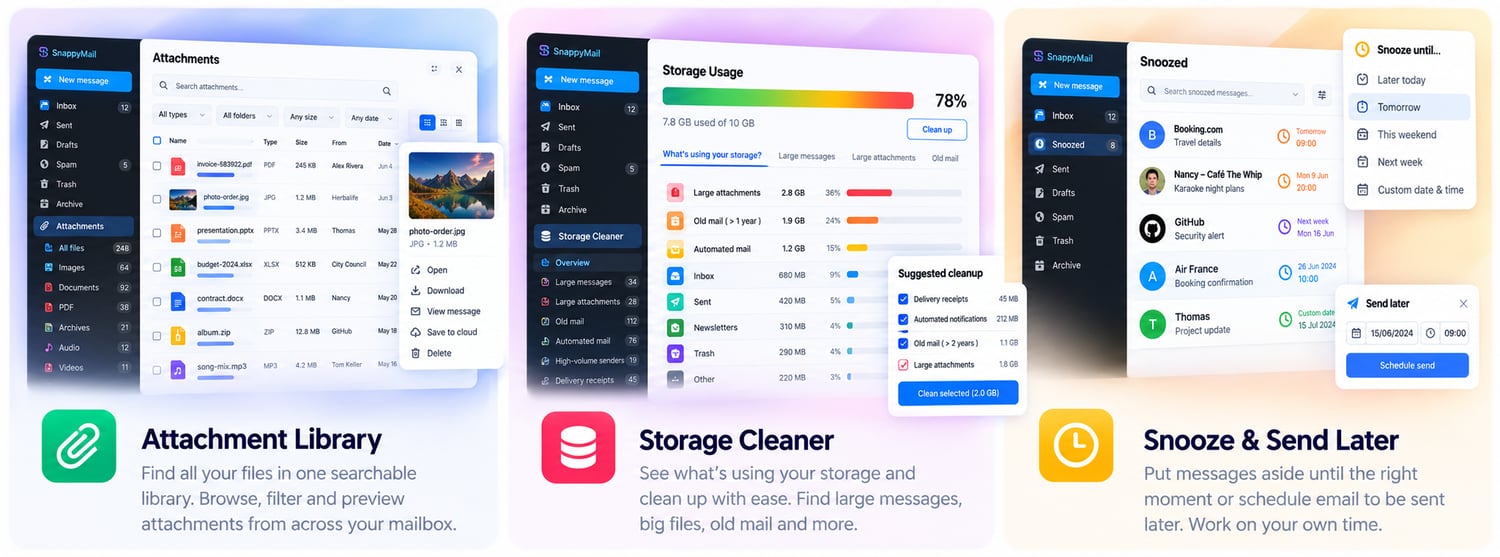
Attachment Library brings files from across your mailbox together into one searchable overview.
What you get
✓ Central attachment library
✓ Search attachments
✓ Filter attachments
✓ List view
✓ Grid view
✓ File-type icons
✓ Image thumbnails where available
✓ Filename
✓ File type
✓ File size
✓ Visual size indicator
✓ Sender
✓ Date
✓ Source folder
✓ Link to original message
Find: PDF · Word · Excel · ZIP · Images · Audio · Documents · More
Your attachments finally have a home.
🧹 Storage Cleaner
Find out what's eating your mailbox.
Knowing that your mailbox is 73% full isn't particularly useful if you don't know what's causing it.
Storage Cleaner helps you investigate before deleting anything.
What you get
✓ Visual storage indicator
✓ Storage percentage
✓ Large message search
✓ Large attachment search
✓ Old mail
✓ Trash analysis
✓ Spam analysis
✓ Delivery and read receipts
✓ Automated notifications
✓ High-volume senders
✓ Review before cleanup
Click your storage indicator and start investigating.
See it. Review it. Clean it.
🕒 Snooze & Send Later
Email on your schedule.
An email can be important without being important right now.
Snooze lets you temporarily put a message aside until the moment it becomes relevant again.
Snooze until
☀️ Later today 🌅 Tomorrow
🏖️ This weekend 📅 Next week
🕒 A custom date and time
What you get
✓ Snooze from message actions ✓ Snooze from long-press ✓ Preset times
✓ Custom date and time ✓ Dedicated Snoozed section ✓ Visible Snoozed status
✓ Unsnooze ✓ Server-side state ✓ Desktop controls ✓ Mobile controls
Send Later
Prepare a message now and schedule its delivery for later where supported by your server-side configuration.
Not now doesn't mean never.
⚡ Small tools. Big difference.
Not every productivity improvement needs to be huge.
Sometimes removing one unnecessary click — repeated hundreds of times — makes the biggest difference.
💬 Quick Replies
Stop typing the same answer again and again.
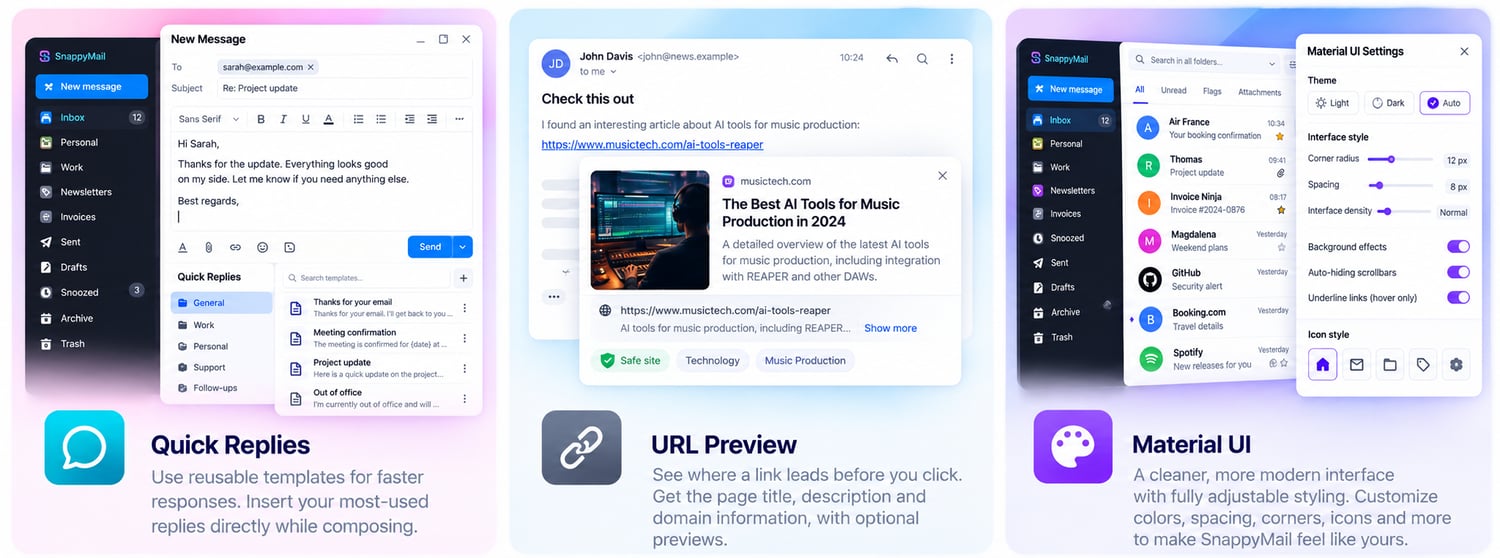
Create reusable responses and insert them directly while composing an email.
Perfect for:
✓ Confirmations
✓ Appointments
✓ Customer replies
✓ Frequently asked questions
✓ Standard instructions
✓ Personal templates
Quick Replies stay inside your normal compose workflow.
Reply faster. Keep it personal.
🔗 URL Preview
Know where you're going before you click.
Links don't always tell you much about what is waiting on the other side.
URL Preview can provide useful context before you open them.
Depending on available metadata, see:
✓ Page title
✓ Destination domain
✓ Description
✓ Link information
✓ Preview metadata
Automatic previews can be disabled when maximum privacy is preferred.
A little context before the click.
🎨 Material UI
Make SnappyMail feel like yours.
Give SnappyMail a cleaner and more modern presentation without replacing the application underneath it.
Adjust the interface to suit the way you work.
Customize
✓ Corner radius
✓ Interface spacing
✓ Padding
✓ Backgrounds
✓ Link appearance
✓ Hover behavior
✓ Folder icons
✓ Button presentation
✓ Interface density
✓ Auto-hiding scrollbars
Go compact.
Go spacious.
Keep it simple.
Your mailbox. Your style.
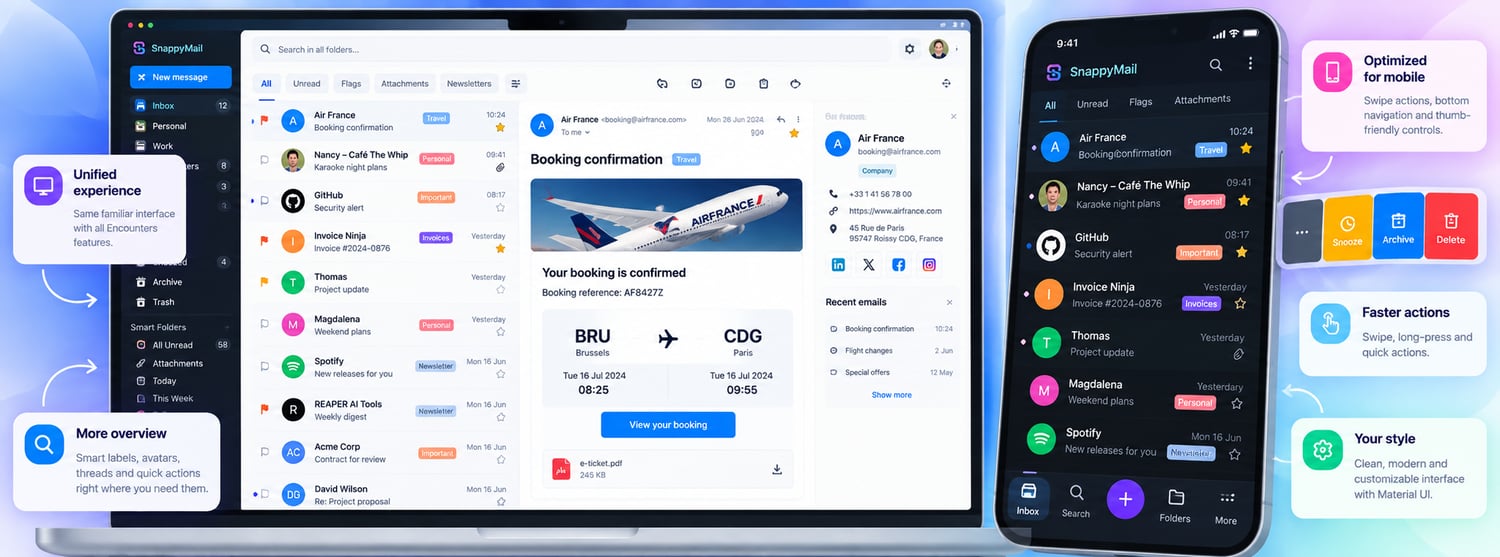
🔄 One message. One experience.
Encounters isn't designed as a collection of unrelated extensions fighting over the same interface.
The plugins are designed to work together around a Unified Message Experience.
A message shouldn't suddenly look or behave differently just because you found it somewhere else.
Whether you're working from:
📥 Inbox
🔎 Search
🤖 Assistant
📬 All Unread
📁 Folders
🌳 Conversations
Encounters aims to keep the same familiar information and controls available.
Avatar · Labels · Colors · Star · Attachments · Read status · Snooze · Swipe · Message actions
One message. One interface.
🖱️ Fewer clicks. Better workflows.
Delete a message
Before
Open → Menu → More actions → Delete
With Encounters
Swipe → Done.
Find an old email
Before
Folder → Search → Another folder → Search again…
With Encounters
Search everywhere → Found.
Update a contact
Before
Read signature → Copy → Contacts → Search → Edit → Paste → Save
With Contact Insights
Review suggestion → Confirm.
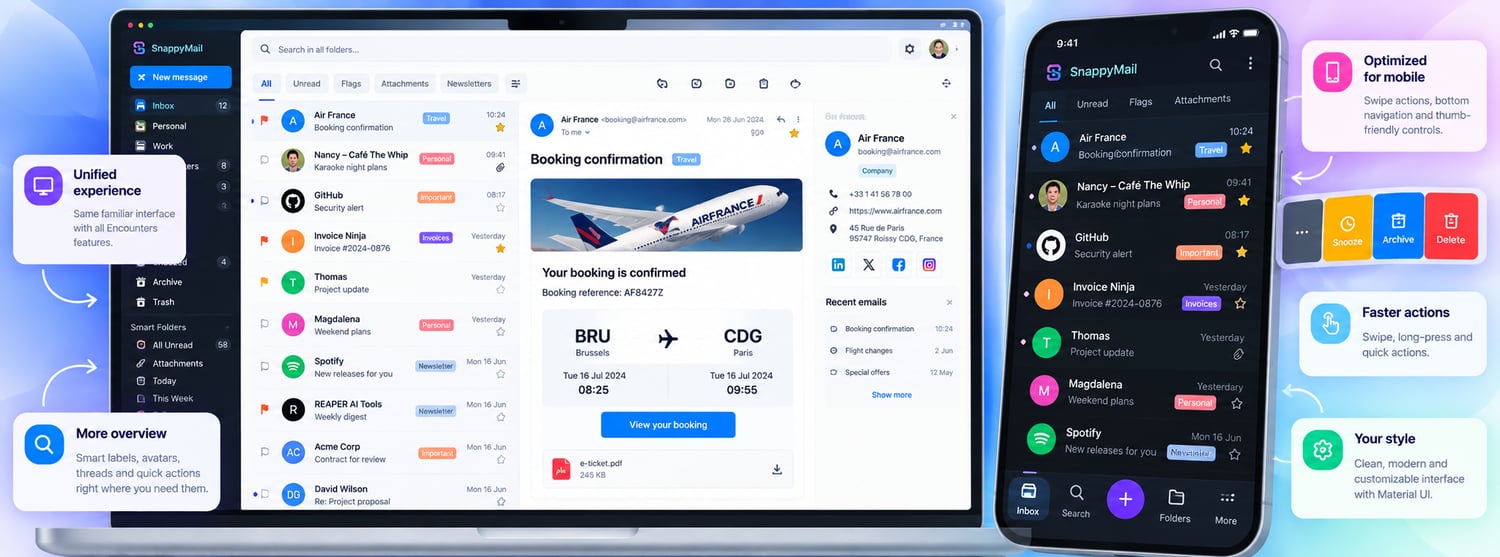
📱 Built for desktop. Designed for mobile.
Desktop and mobile email are different environments.
Encounters doesn't simply squeeze the desktop interface onto a smaller screen.
Desktop keeps the overview and information density of a full email workspace.
Mobile focuses on touch, gestures, navigation and controls that are actually within reach.
One mailbox.
Two optimized experiences.
🌐 Multilingual by design.
Your email doesn't stop at language borders.
Neither should your interface.
Encounters is designed so supported interface elements, actions and labels can adapt to the language of the user.
🇬🇧 English
🇳🇱 Nederlands
🇫🇷 Français
🇩🇪 Deutsch
🌍 More languages can be added
Even Smart Labels can display the same underlying label differently depending on the interface language.
One system. Your language.
🧩 One plugin or the complete Suite.
Encounters is modular by design.
You don't have to install functionality you don't need.
Start with Mobile Suite.
Add Extra Search Tools.
Combine Contact Insights with Avatars & Contact Card.
Or bring everything together into the complete:
Encounters Suite for SnappyMail
📱 Mobile 🔎 Search 🤖 Assistant 🏷️ Organization 🛡️ Privacy 👥 Contacts🌳 Conversations
📎 Files 🧹 Storage 🕒 Time management 💬 Productivity 🎨 Interface
🔐 Your mail. Your control.
Smart features shouldn't mean giving up control.
Encounters is designed around a simple principle:
Show the user what is happening.
Where practical, information stays within your own environment. Automated classifications should be understandable. Contact changes should be reviewable. External lookups should be visible. Privacy-sensitive features should be configurable.
Smart shouldn't mean invisible.
Ready for a smarter inbox?
Keep the lightweight SnappyMail experience you already know.
Add the tools you've been missing.
Your inbox.
Your way. Smarter.
Encounters Suite for SnappyMail
⚡ More overview
🖱️ Fewer clicks
🛡️ More control
[ Get Encounters Suite → ]
Your mail. Your server. Your workflow.
Install
- Install SnappyMail — Download the latest release from SnappyMail on GitHub and install it on your PHP-enabled web server.
- Download Encounters Suite — Download the latest Encounters Suite package and extract it.
- Install the plugins — Copy the Encounters plugin folders into your SnappyMail plugins directory.
- Open SnappyMail Admin — Sign in to the SnappyMail administration panel and open Extensions.
- Enable Encounters — Activate the Encounters plugins you want to use.
- Configure your plugins — Adjust the available options for each plugin. The default settings are designed to work well out of the box.
- Refresh SnappyMail — Reload the webmail interface. If necessary, clear your browser cache after installing or updating plugins.
Tip: You can install individual Encounters plugins or use the complete suite for the full integrated experience.