



Online Tutor Income Tracker — Preply, italki & Cambly Earnings Spreadsheet (Excel + Google Sheets)
Now $4.50 (50% off, regular price $9).
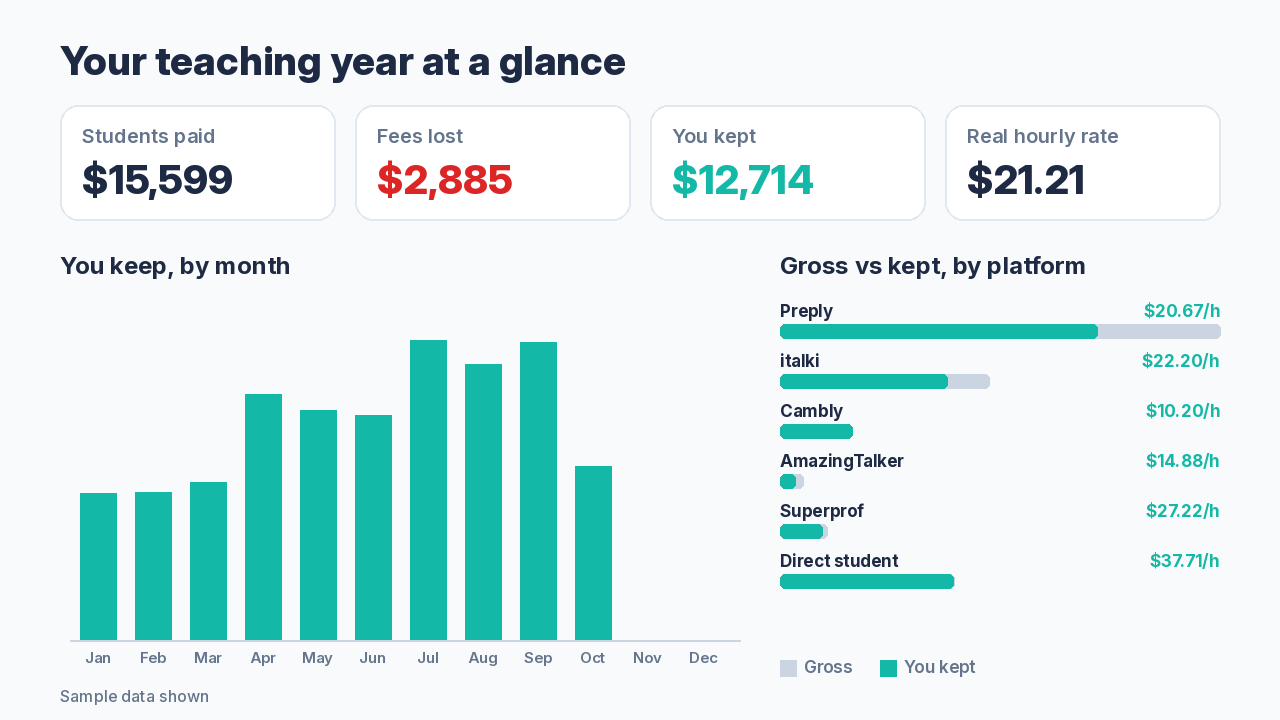
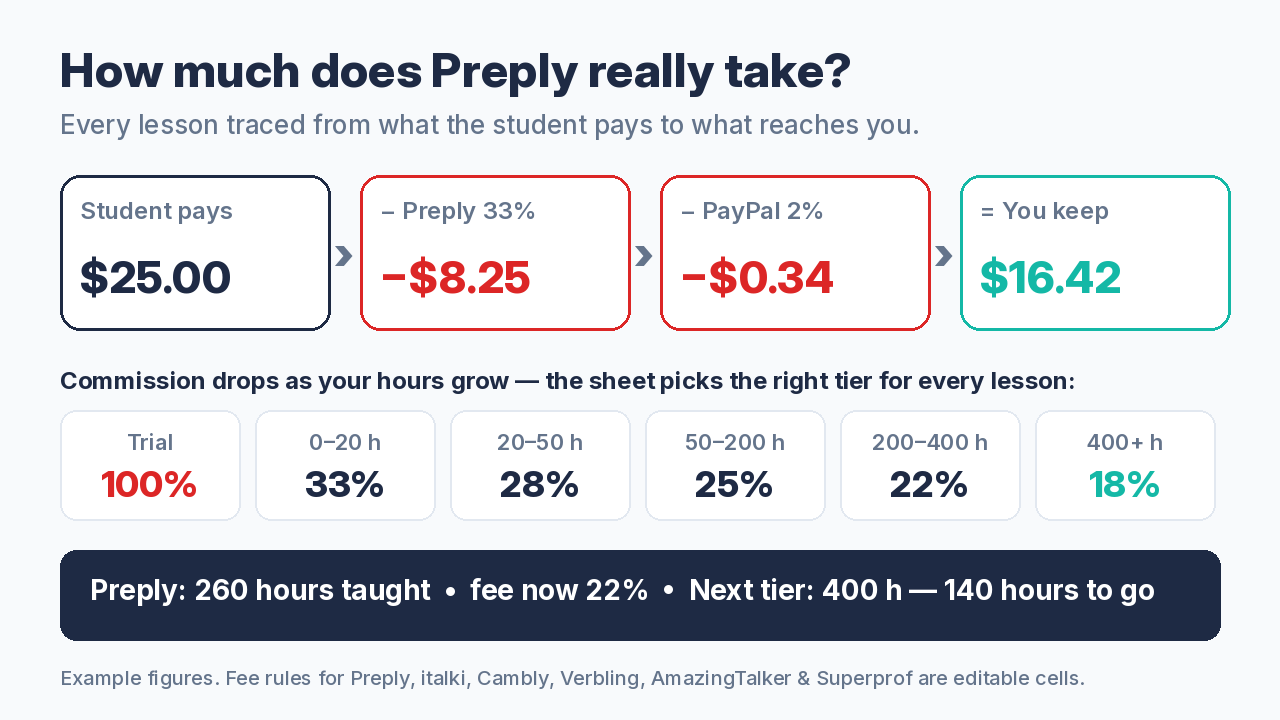
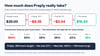
Your Preply rate says $25. Then Preply takes 33%. The trial lesson paid you nothing. PayPal took 2% on the way out, and half your private students pay in euros. So what did you actually earn per hour last month?
The Online Tutor Income Tracker answers that in one spreadsheet. Log each lesson — date, student, platform, minutes, price, trial or not — and it applies the right fee rule automatically, converts everything to your base currency and shows what you kept.
Fee rules built in (all editable):
- Preply — commission tiers that drop from 33% to 18% as your total hours grow, and 100% on each new student's trial lesson. The sheet picks the correct tier for every lesson and tells you how many hours until the next one.
- italki — different % for trials, single lessons, 5/10/15-lesson packages and group classes.
- Cambly — paid per minute, no price needed.
- Verbling, Superprof, AmazingTalker (monthly sliding fee) and direct/private students.
- Payouts — PayPal, Payoneer, Wise and Skrill fee presets, or type the exact fee you were charged.
Every fee example was checked on Preply's, italki's and the other platforms' help pages in October 2026 and is listed with its source in the Fee notes tab. Fees change, so each one is a yellow cell you can update in seconds.
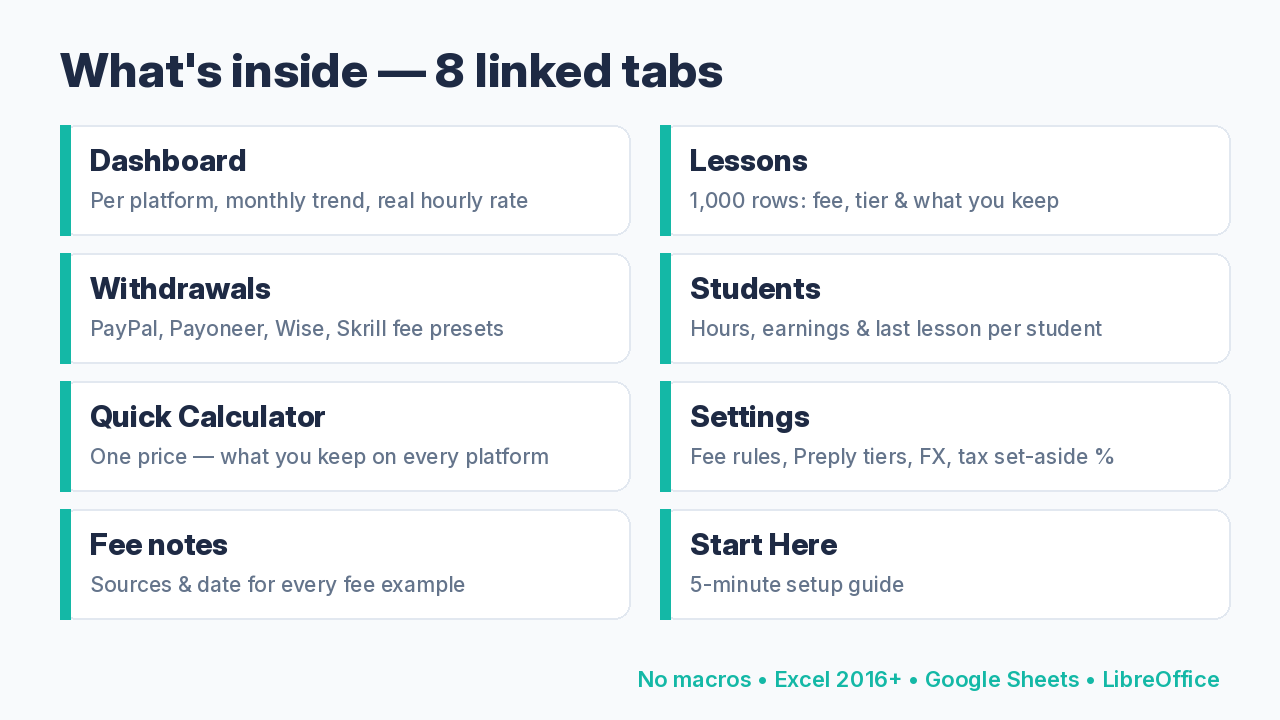
What's inside
- Dashboard — students paid vs what you kept, platform fees, payout fees, your real hourly rate, unpaid trial hours, tax set-aside; a per-platform table (lessons, hours, gross, fees, keep per hour); a month-by-month trend; commission-tier progress; top 5 students; charts
- Lessons — 1,000-row log with automatic fee %, platform fee, amount kept and tier
- Withdrawals — every payout with estimated or actual fee
- Students — lessons, hours, earnings, keep per hour and last lesson for each student
- Quick Calculator — one lesson price → what you keep on every platform
- Settings — base currency, exchange rates, fee rules, Preply tiers, payout methods, tax set-aside %
- Fee notes — sources and date for every fee example
- Quick-start guide (PDF) — set up in 10 minutes
Details
- .xlsx — works in Excel 2016+, Google Sheets and LibreOffice
- No macros, no add-ons, no subscription
- Sample data included so you can see it working, then clear it
- Yellow = you type, grey = formulas
- Instant download
FAQ
Does it work in Google Sheets? Yes. Upload it to Google Drive, open it, then File → Save as Google Sheets.
Are the platform fees right for my account? They're the published rates we found in October 2026, with sources. Promotions, your country and your account level can change things, so every fee is an editable cell. Check your own dashboard once and you're set.
I already have hours on Preply. Will the tier be wrong? No. Enter the hours you taught before you started the log and the sheet starts from the right tier.
I teach on a platform that isn't listed. Rename "Other platform" or use one of the empty rows, then pick a fee rule: flat %, lifetime tiers, monthly hours, per minute or none.
I'm paid in several currencies. Pick a base currency, enter exchange rates once a month, and everything is converted. In Google Sheets you can use live rates with GOOGLEFINANCE.
Is this tax advice? No. The tax set-aside is a percentage you choose. It's a bookkeeping aid, not tax, legal or financial advice.
Refunds? It's a digital download. If anything doesn't work, message me and I'll fix it or refund you.
More from StraightGate
- Global Freelancer Finance Tracker (multi-currency, every platform): https://payhip.com/b/WZGL9
- All templates: https://payhip.com/StraightGate
Free guide (sources + worked example): https://zcbm2373125333-hub.github.io/en/preply-italki-cambly-commission-compared/