


Electrical Load Schedule & Diversity Calculator: Maximum Demand, Transformer and Generator Sizing Excel Workbook
Full description
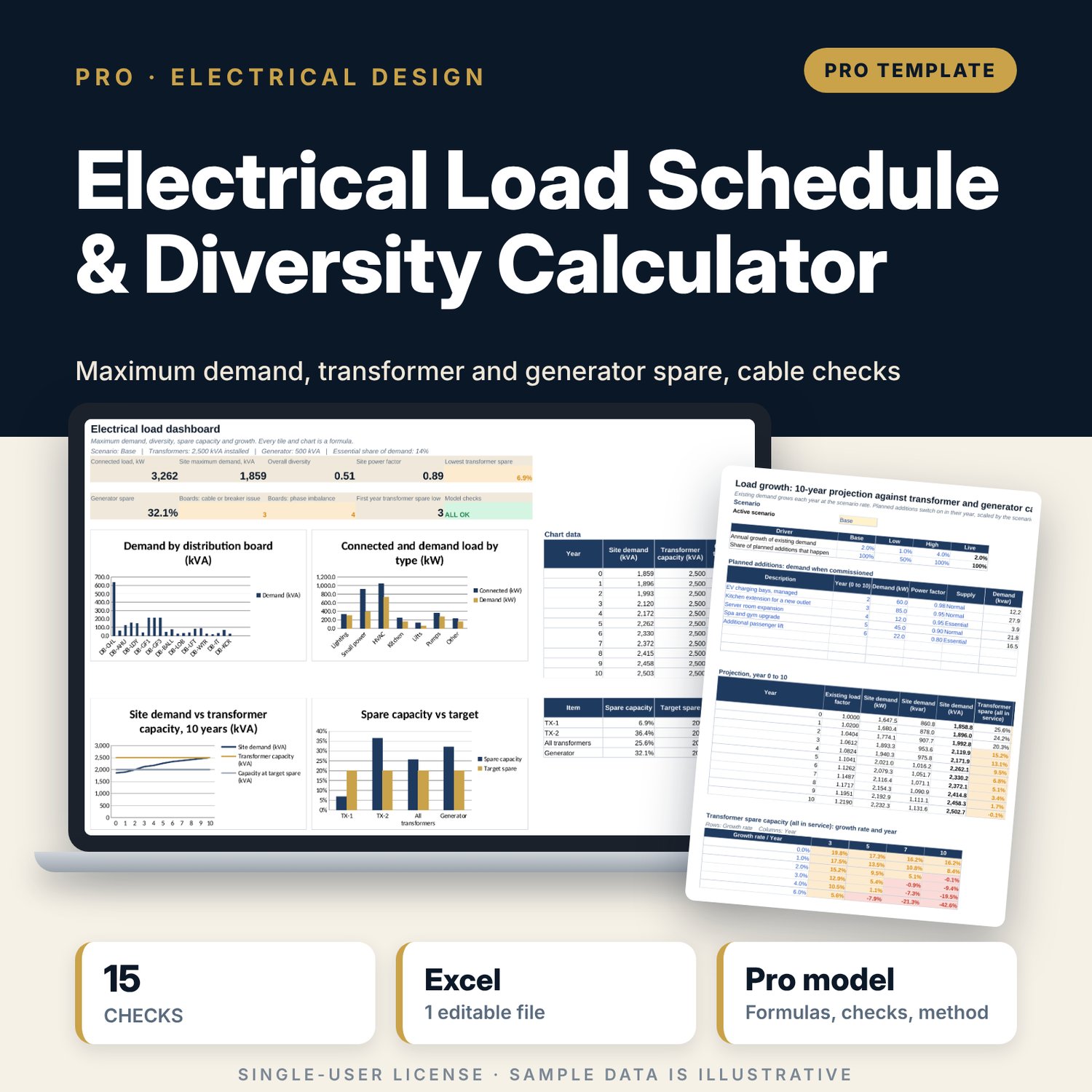
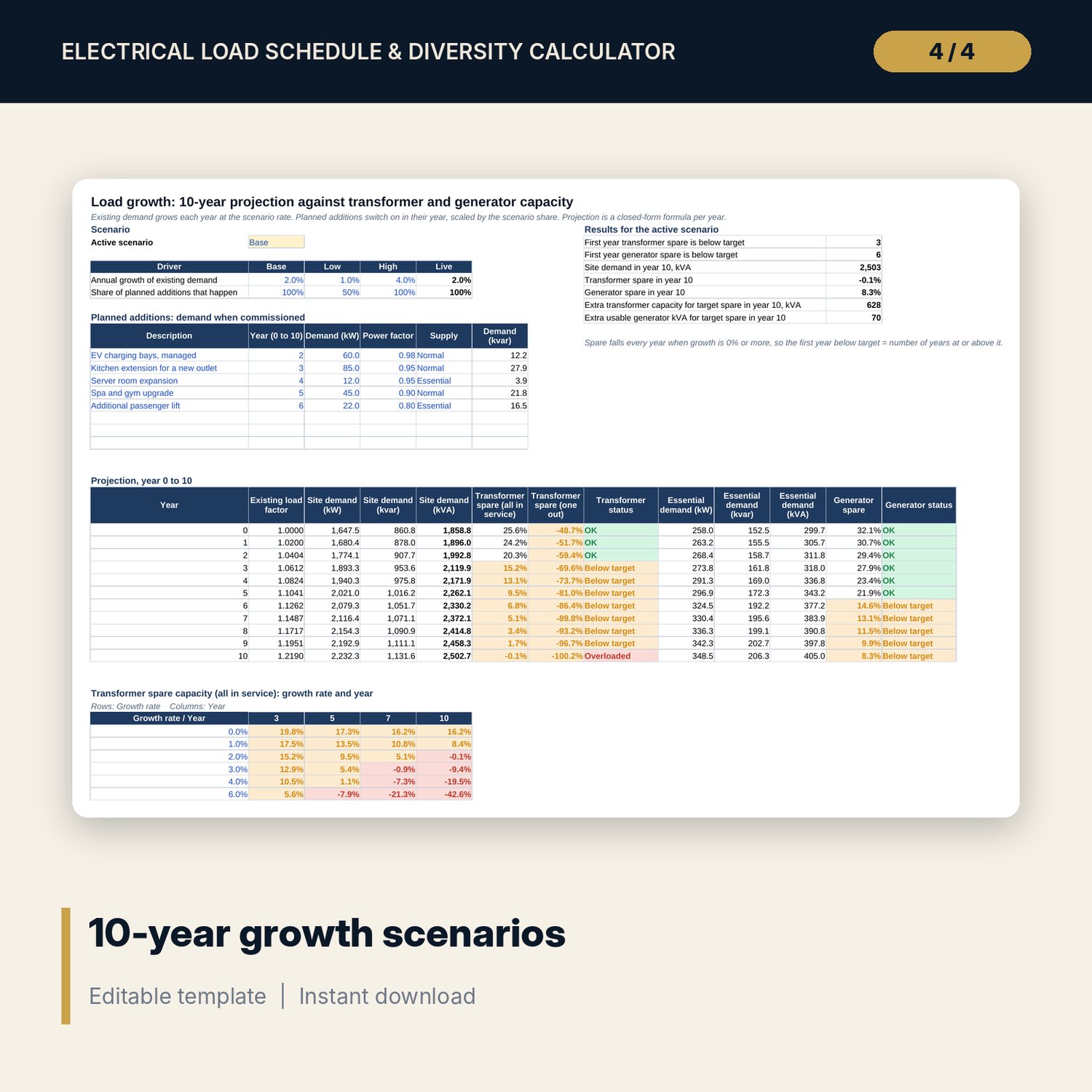
For chief engineers, electrical engineers, asset managers and general managers who need to know whether a hotel's transformers and standby generator still have room. You list distribution boards and loads by type, phase, quantity and kW, with demand and power factors that you can override per row. The workbook calculates demand kW, kvar and kVA, current on each phase and phase imbalance, then checks each board's breaker and cable against Ib <= In <= Iz and voltage drop. Switchboard diversity rolls up to site maximum demand, which is tested against transformer and generator capacity with a spare target, with and without one transformer out. It splits essential from non-essential load and projects demand over 10 years under Low, Base and High growth with planned additions.
Save with a bundle: this workbook is also in the Hotel Engineering & MEP Pro Bundle, 25 workbooks for $59 instead of $319. All 100 Pro workbooks are in the Pro Library for $119, and all 241 templates and workbooks are in the Ultimate Hospitality Library for $149.
What is inside
- Electrical_Load_Schedule_Diversity_Calculator.xlsx: 12 tabs, 5,277 formulas, 4 native charts, 27 drop-down and input rules
- Load_Schedule with room for 260 load rows (183 sample rows across 21 sample boards) and Load_Calc, which shows every step per row
- Boards register for 30 boards with installed breaker, cable size, parallel cables, length and grouping factor
- Board_Loads: kW, kvar, kVA, power factor, current per phase, design current and phase imbalance per board
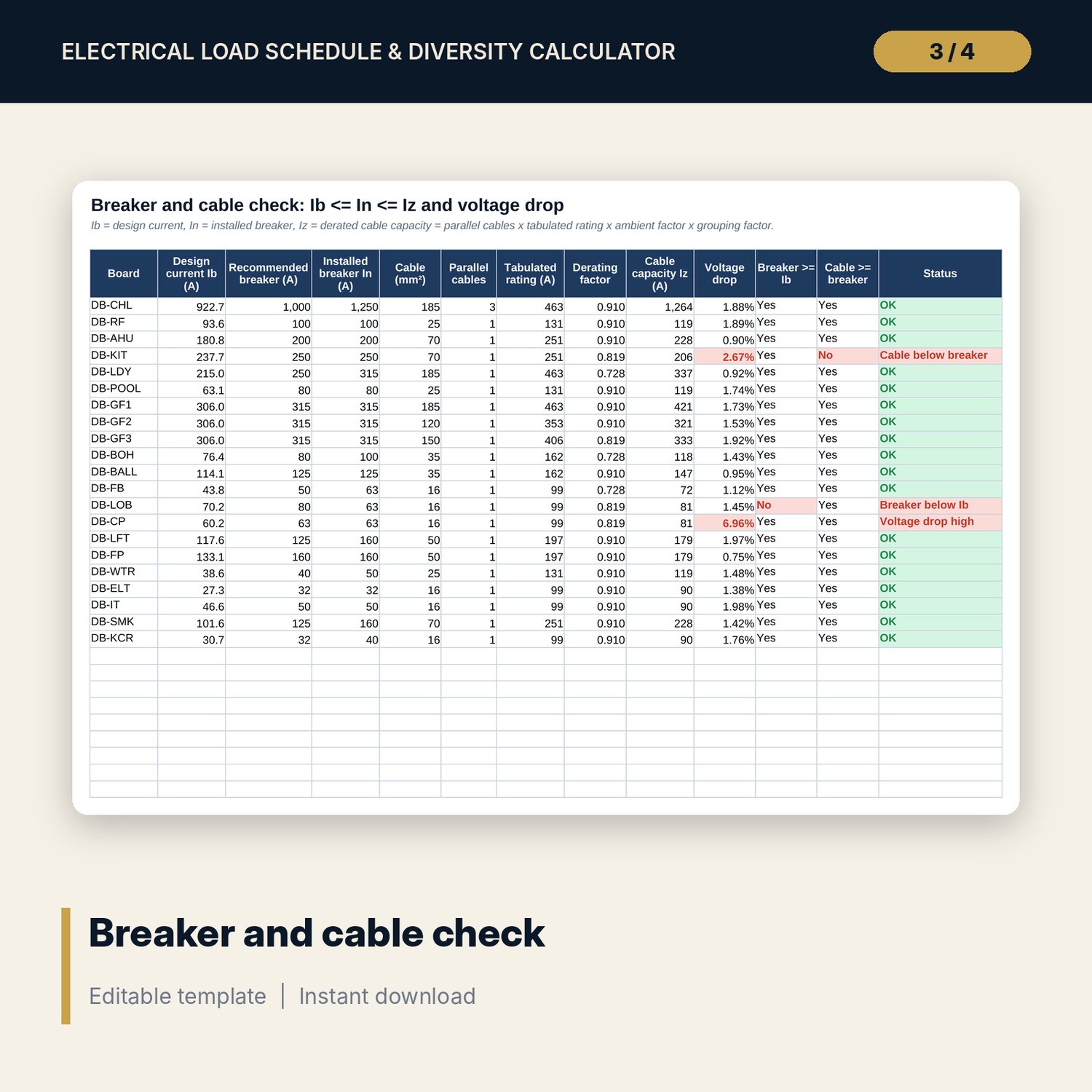
- Cable_Check: recommended breaker, derated cable capacity, voltage drop and status; three planted problems show the flags
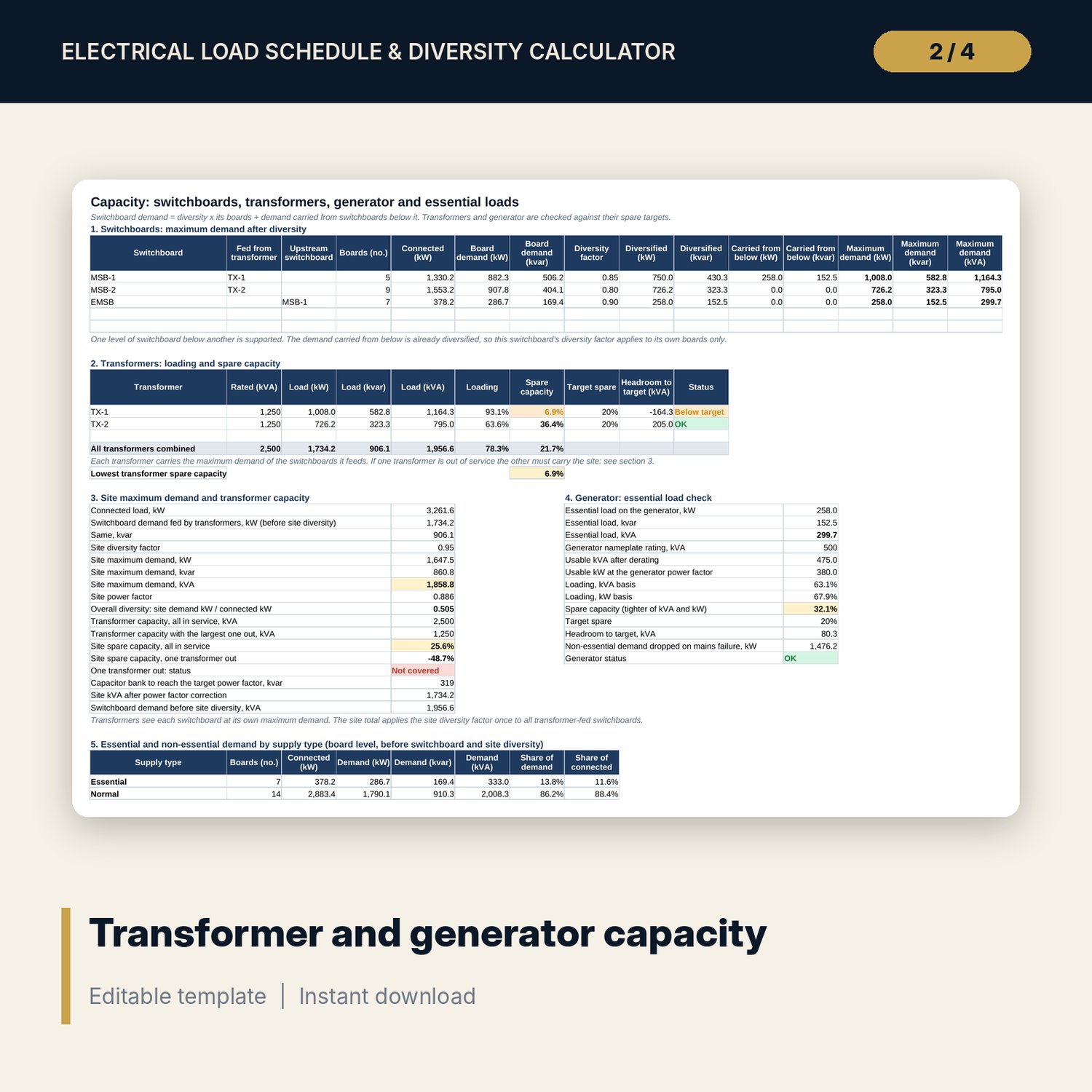
- Capacity: switchboard diversity, transformer and generator checks, one transformer out, power factor correction, essential vs non-essential, load by type and a sensitivity grid
- Growth: three scenarios, 8 rows for planned additions, a 10-year projection and two grids (transformer and generator spare)
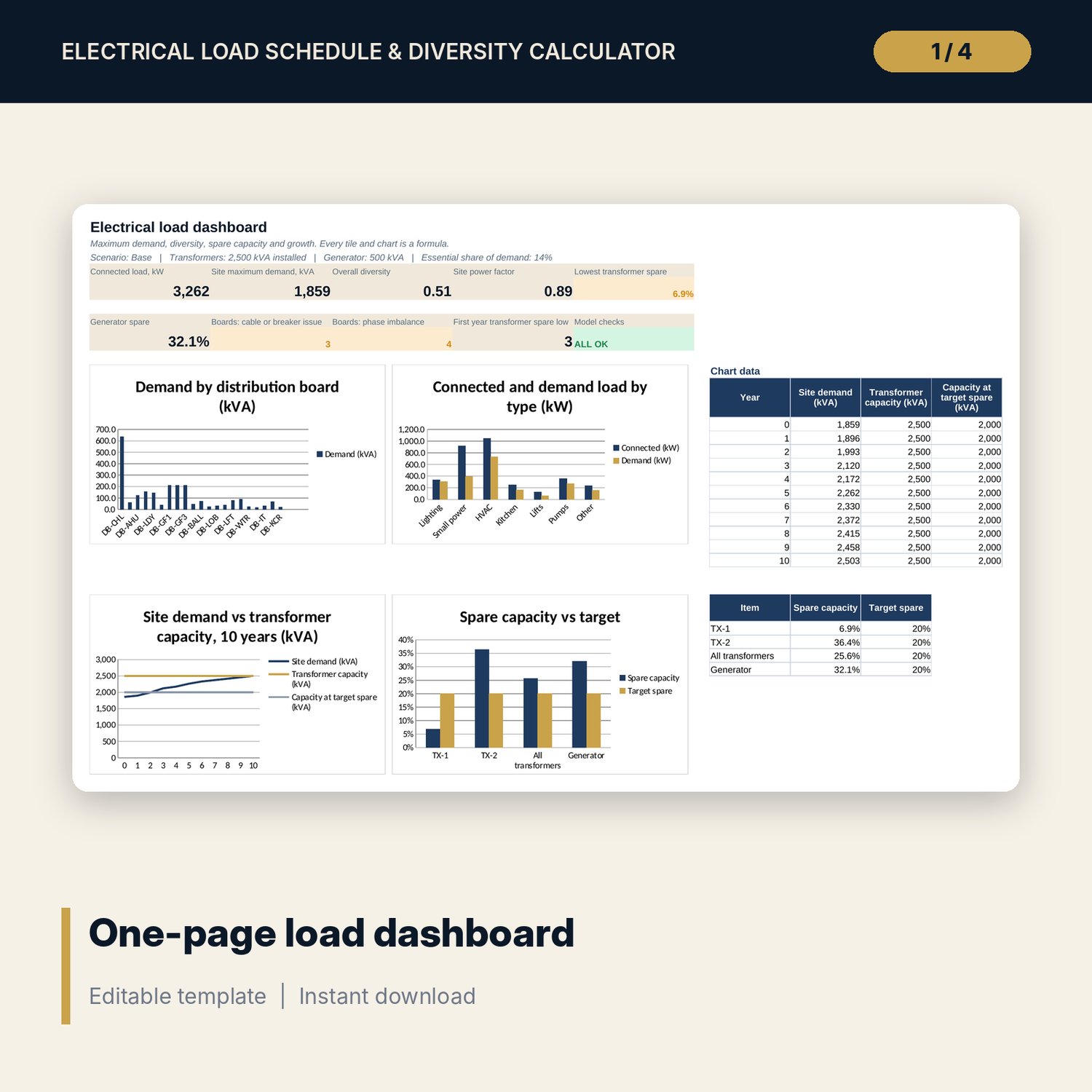
- One-page Dashboard with 9 KPI tiles and 4 charts, 15 integrity checks and a Method tab with 20 documented calculations
- README.txt and LICENSE-and-Terms.txt
How it works
- Enter voltage, limits, load type factors, switchboards, transformers, the generator and your cable table on Assumptions.
- List your distribution boards on Boards and your loads on Load_Schedule.
- Read Board_Loads and Cable_Check for imbalance, breaker, cable and voltage drop flags.
- Read Capacity for switchboard, transformer and generator spare against your targets.
- Pick a growth scenario, enter planned additions and see the first year each capacity falls below target.
Details
- Format: .xlsx workbook, English
- Software: Excel 2016 or later, or LibreOffice Calc 7 or later
- No macros, no external links, no data tables, no array formulas
- Instant digital download
Good to know
- Sample data is illustrative. Replace it with your own schedule.
- Voltages, demand and diversity factors, cable ratings, derating factors and spare targets are editable inputs. Verify local requirements and supplier data.
- This is a design aid, not engineering advice. Protection, short-circuit and earth fault studies need a licensed electrical engineer.
- Single-user license. Do not redistribute.
FAQ
Can I change the demand and diversity factors?
Yes. Demand and power factors are set per load type and can be overridden per row. Diversity factors are set per switchboard, plus one site factor.
How does it handle essential loads and a standby generator?
Mark a board as Essential and a switchboard as generator-backed. The essential demand is compared with the generator's usable kVA and kW, with a spare target.
Does it check cables?
It checks Ib <= In <= Iz with ambient and grouping factors, parallel cables and voltage drop against your limit. Short-circuit and earth fault checks are not included.
What does the growth tab do?
It grows existing demand at a Low, Base or High rate and adds planned loads in the year you set. It shows spare capacity for 10 years and the first year each falls below target.
Can I use it for a building that is not a hotel?
Yes. Edit the load types, boards and factors. The method is the same for any building with several distribution boards.