
Emoticon System
Overview
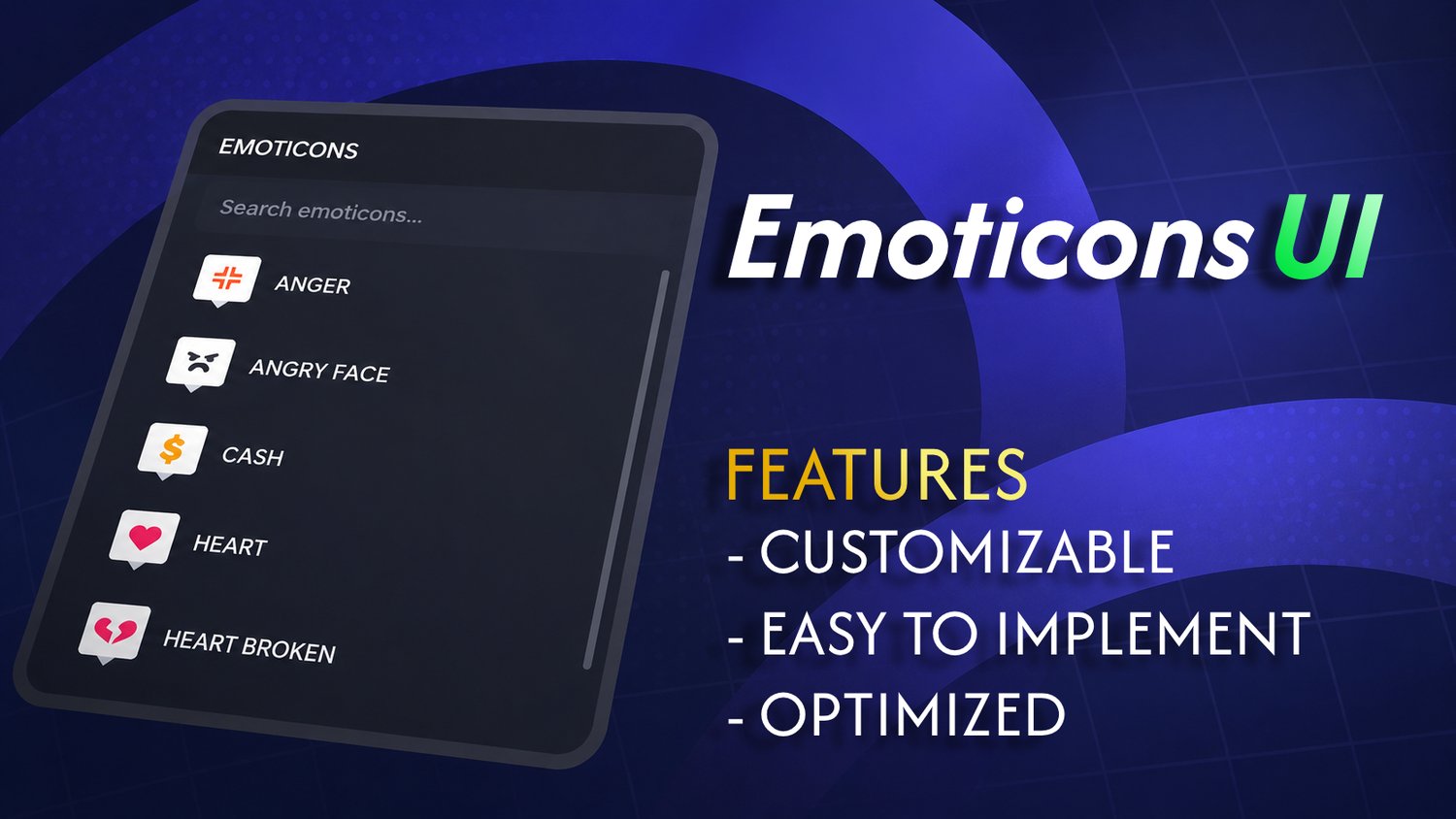
An advanced, server-authoritative emoticon system that fills the communication gap and brings high-quality expressiveness back to your Roblox experience. This modular framework dynamically renders sleek, native-style menus for players and seamlessly replicates beautiful, animated overhead emoticon bubbles across the server.
Built with mobile-first responsiveness and clean, open-source Luau, this system provides zero-setup optimization for games of any size.
Features
- Roblox CoreGui Aesthetic & Search Engine
- 1:1 Native Style — Styled flawlessly with Roblox’s modern dark neutral colors, precise drop-shadow strokes, and the system-native BuilderSansMedium typography.
- Real-Time Dynamic Search — Features a responsive text filtering bar that immediately filters large icon libraries on the fly as the player types.
- Automated Canvas Calculations — No layout truncation. The vertical scrolling interface automatically updates its boundary height depending on your total asset count.
- 100% Scale-Driven Responsiveness
- Screen-Safe Constraints — Hard-coded boundary parameters maintain structural integrity, ensuring the interface looks identical on a mobile viewport, tablet, console, or an ultrawide desktop monitor.
- Bug Free
- Anti-Spam Cooldown Guard — Includes a server-side timestamp delta engine to prevent malicious network triggers or visual overhead spam.
File Structure & Installation
Manual Installation (Drop-In Ready):
- ReplicatedStorage.Emoticons (Folder) ── Drop your raw Decal or Texture assets directly in here. Name the decal what you want it to say in the menu.
- ReplicatedStorage.EmoteModule (ModuleScript) ── Governs duration, layout speed, and asset indexing.
- StarterPlayer.StarterPlayerScripts.EmoteClient (LocalScript) ── Mounts the sleek UI and manages keybind triggers.
- ServerScriptService.EmoteServer (Script) ── Governs validation and 3D overhead bubble replication.
Frequently Asked Questions
How do I add new emoticons to the menu?
There is no coding required to expand your library. Simply drop any standard Roblox Decal into the designated Emoticons folder, name it, and the modular layout engine will compile it into the interface, assign text labeling, and index its Texture ID instantly.
Will this impact game memory or cause server lag?
Not at all. The client script stays completely dormant until the user interacts with the system, and the server script uses highly efficient garbage-collection logic paired with garbage destruction) to clean up 3D objects immediately after their display duration expires.
Can I change the activation keybind?
Yes. By default, the menu opens globally using the standard Z key, but you can change this to any keycode or mobile button layout inside the lightweight input block of the client controller script.
What's Included
- 📜 EmoteModule.lua — Main settings module and folder indexer.
- 📜 EmoteClient.lua — Completely fluid, input-blocking list menu UI.
- 📜 EmoteServer.lua — Server-authoritative anti-spam replication script.
- 📝 README.txt — Step-by-step installation overview and custom asset tutorial.