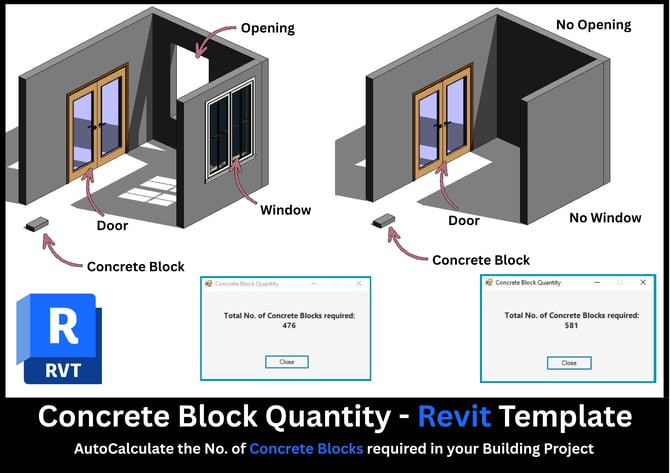
Concrete Block Qty Calculator - Revit Template
By
Revit Hacks
Concrete Block Quantity Calculator – Revit Template
Accurately calculate concrete block quantities directly from your Revit model with this lightweight, practical Revit template. This tool is designed for architects, BIM modelers, and quantity surveyors who want fast, reliable block counts without exporting schedules or doing manual take-offs.
What’s Included
- Revit Architectural Template (.RTE)
- Standard Revit Architecture template with the system already set up.
- Concrete Block Family
- A ready-to-use Concrete Block family required for the calculation logic.
- Dynamo Script
- Automatically reads the model, filters Wall elements only, and calculates total Concrete Block quantities.
- On-Screen Quantity Display
- Displays the total number of concrete blocks required based on the current model state.
Key Features
- Automatically updates quantities as walls are added, removed, or modified
- Eliminates manual counting and schedule errors
- Works fully inside Revit using Dynamo (no external software required)
- Ideal for early-stage estimates and quick quantity checks
Best For
- Architects preparing preliminary cost estimates
- Quantity Surveyors doing quick checks
- BIM users who want a simple, repeatable workflow
- Small projects, residential houses, and masonry-based designs
Requirements
- Autodesk Revit (2021 or later recommended)
- Dynamo (comes bundled with Revit)

 Save
Save
 Share
Share
 Tweet
Tweet