
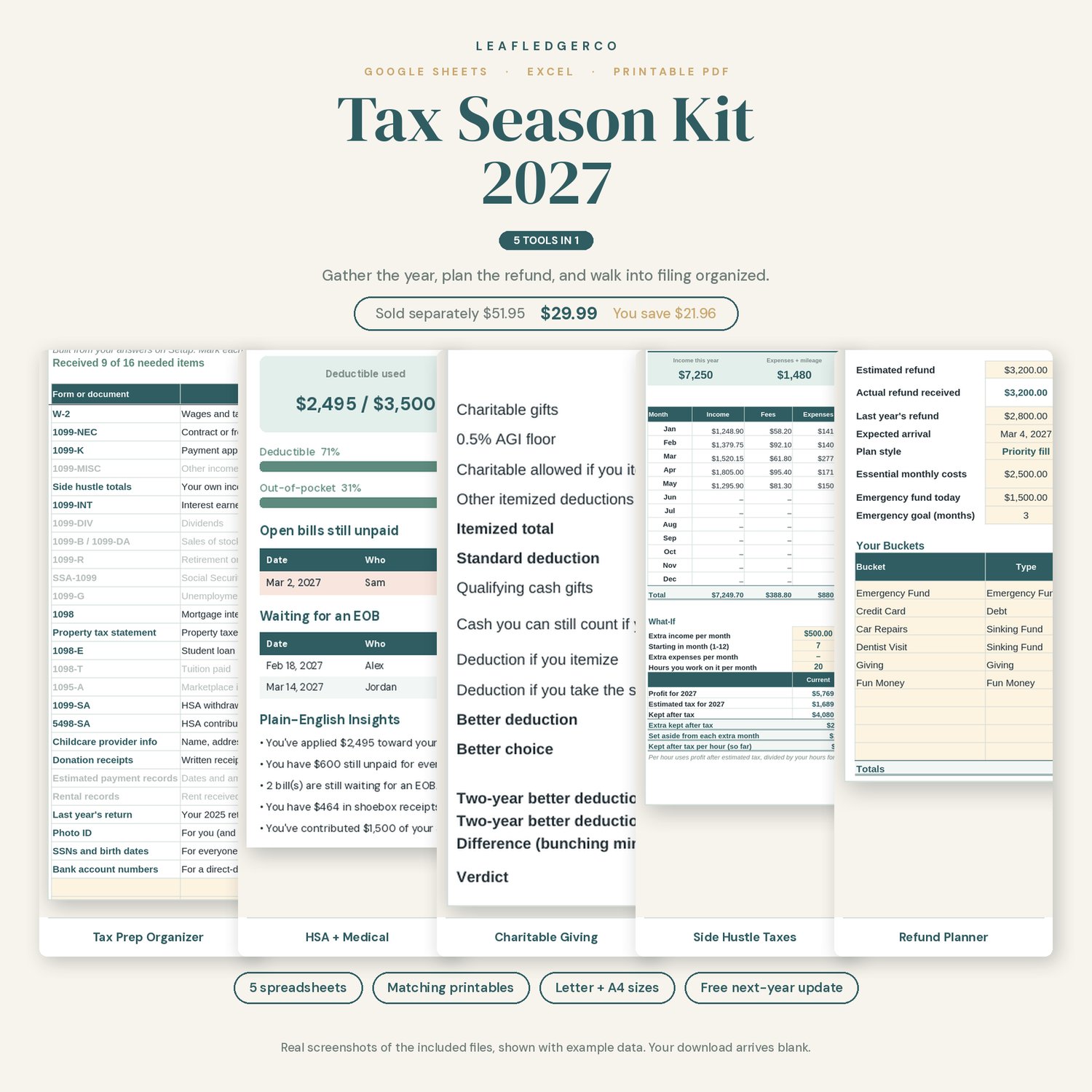

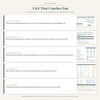
Tax Season Kit 2027 — 5 Tax Prep Spreadsheets
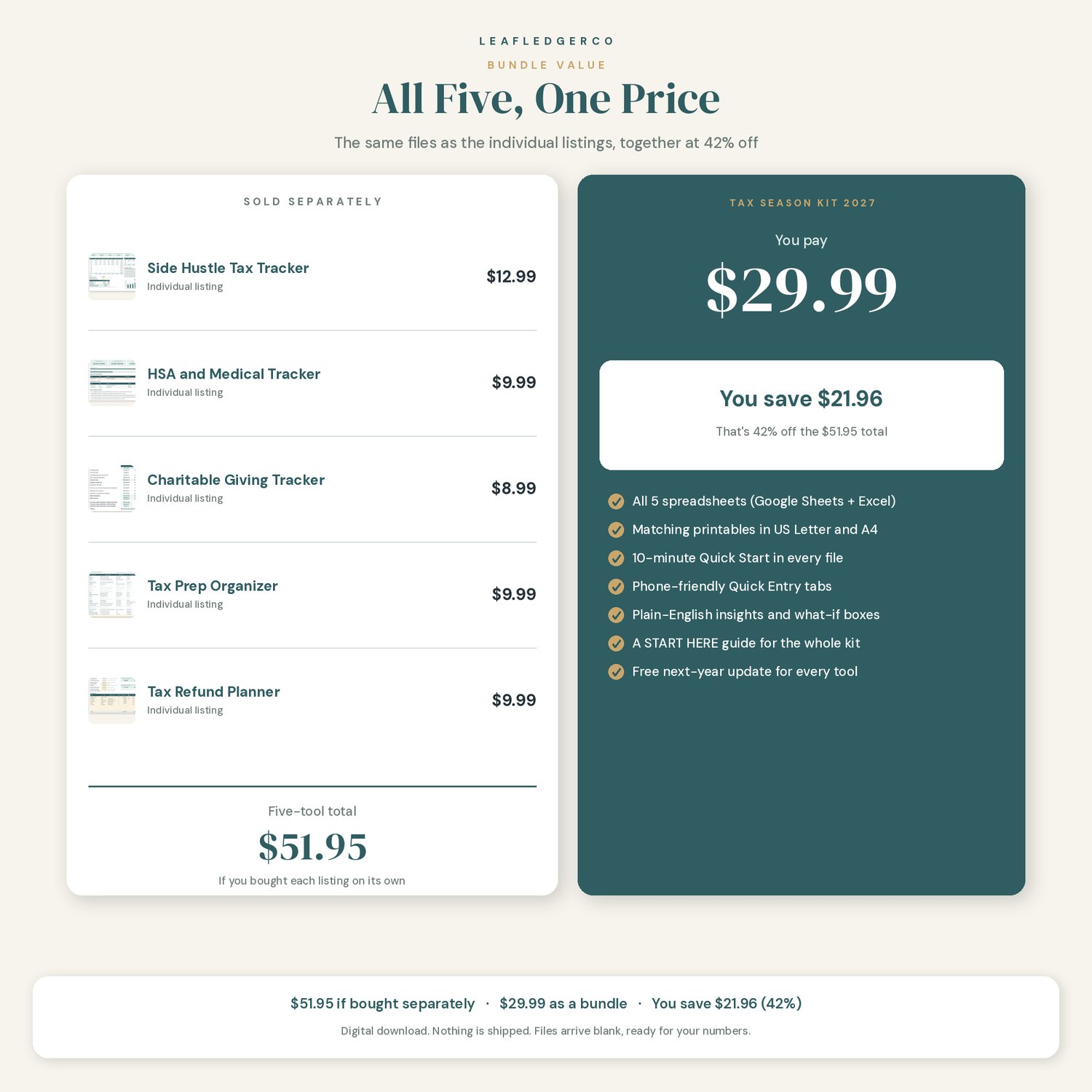
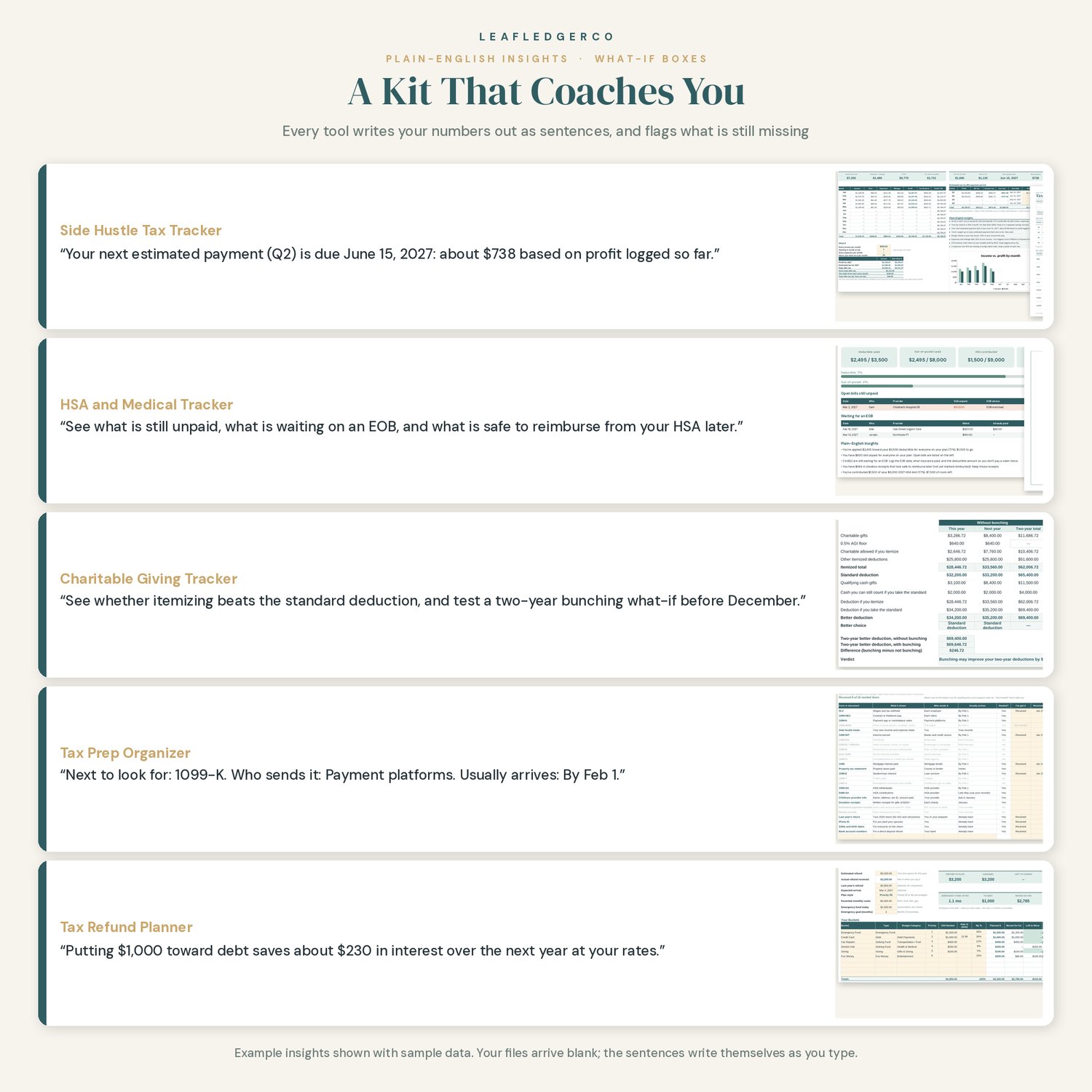
Walk into the 2027 filing season with five LeafLedgerCo tools that work as one system. You get the Tax Prep Organizer (2026 tax year), the HSA and Medical Expense Tracker, the Charitable Giving Tax Receipt Tracker, the Side Hustle Income and Tax Tracker, and the Tax Refund Planner — the same files as the individual listings — together for $29.99. Bought separately they are $51.95, so you save $21.96 (42%).
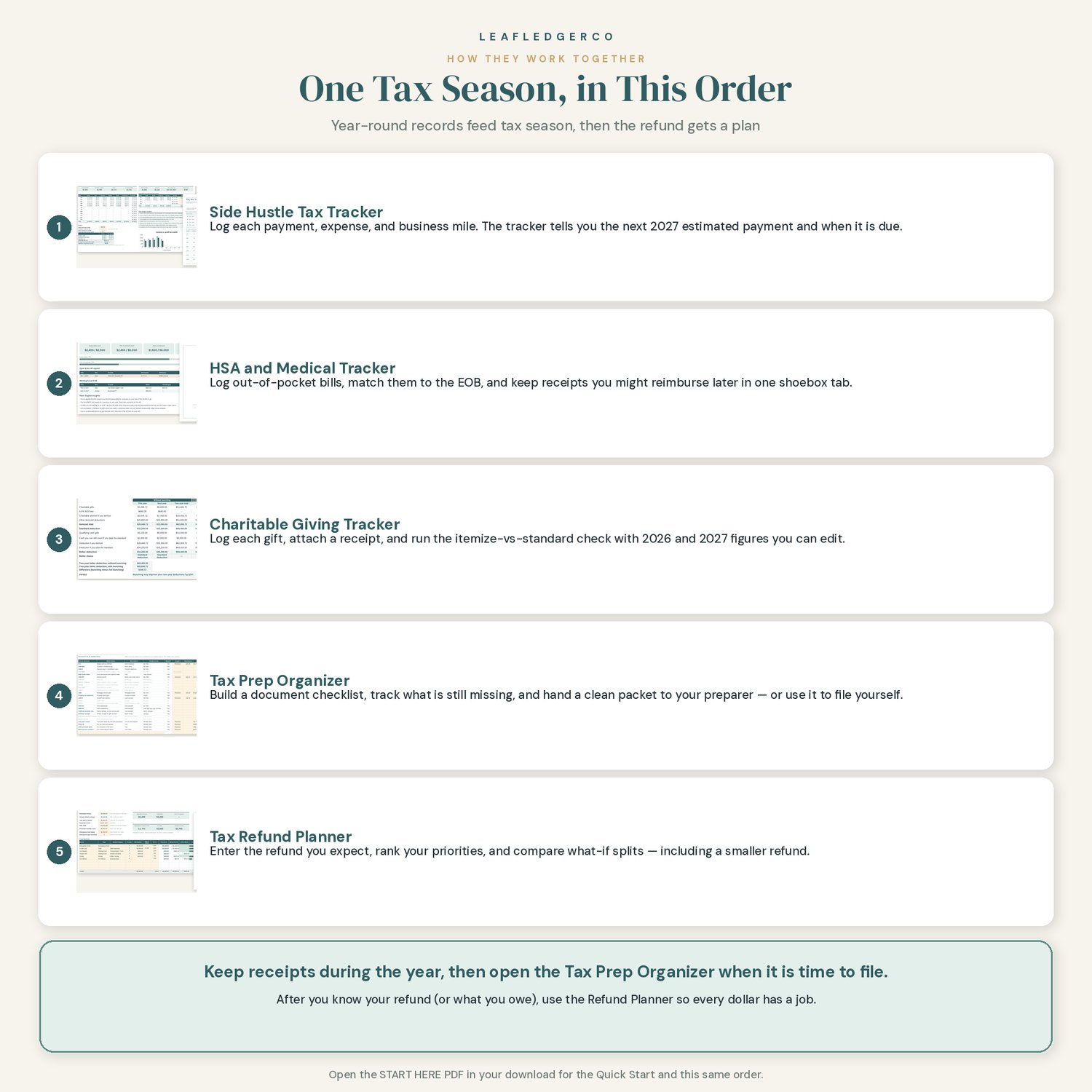
A START HERE guide is included so you know the order to use them and can get the whole kit talking in about 10 minutes.
★ WHY THIS KIT STANDS OUT
• Five tools for one tax season: year-round logs for medical bills, donations, and side-hustle income, a 2026 tax-year organizer, and a plan for the refund.
• Plain-English Insights in every spreadsheet, written by formulas as you type.
• Itemize vs. standard checks, quarterly estimate math, and what-if boxes you can actually use.
• A 10-minute Quick Start in every file, plus phone-friendly Quick Entry tabs.
• Matching printable PDFs in US Letter and A4 for every tool.
• Free next-year update for every tool in the kit.
★ WHAT'S INCLUDED
START HERE GUIDE (open this first)
• A 1-page PDF that welcomes you, lists what's included, gives the order to use the tools, and shows how to unzip the files and open them in Google Sheets or Microsoft Excel.
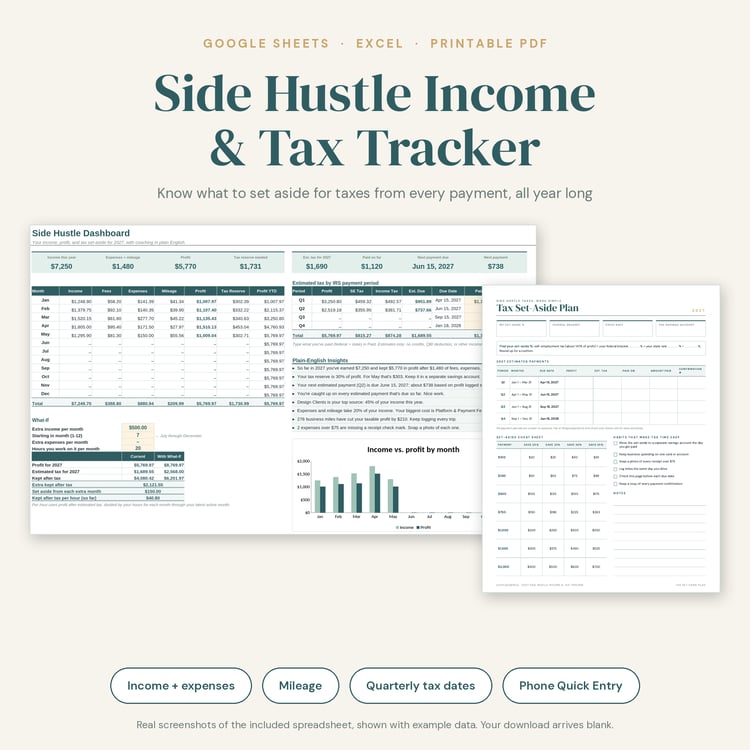
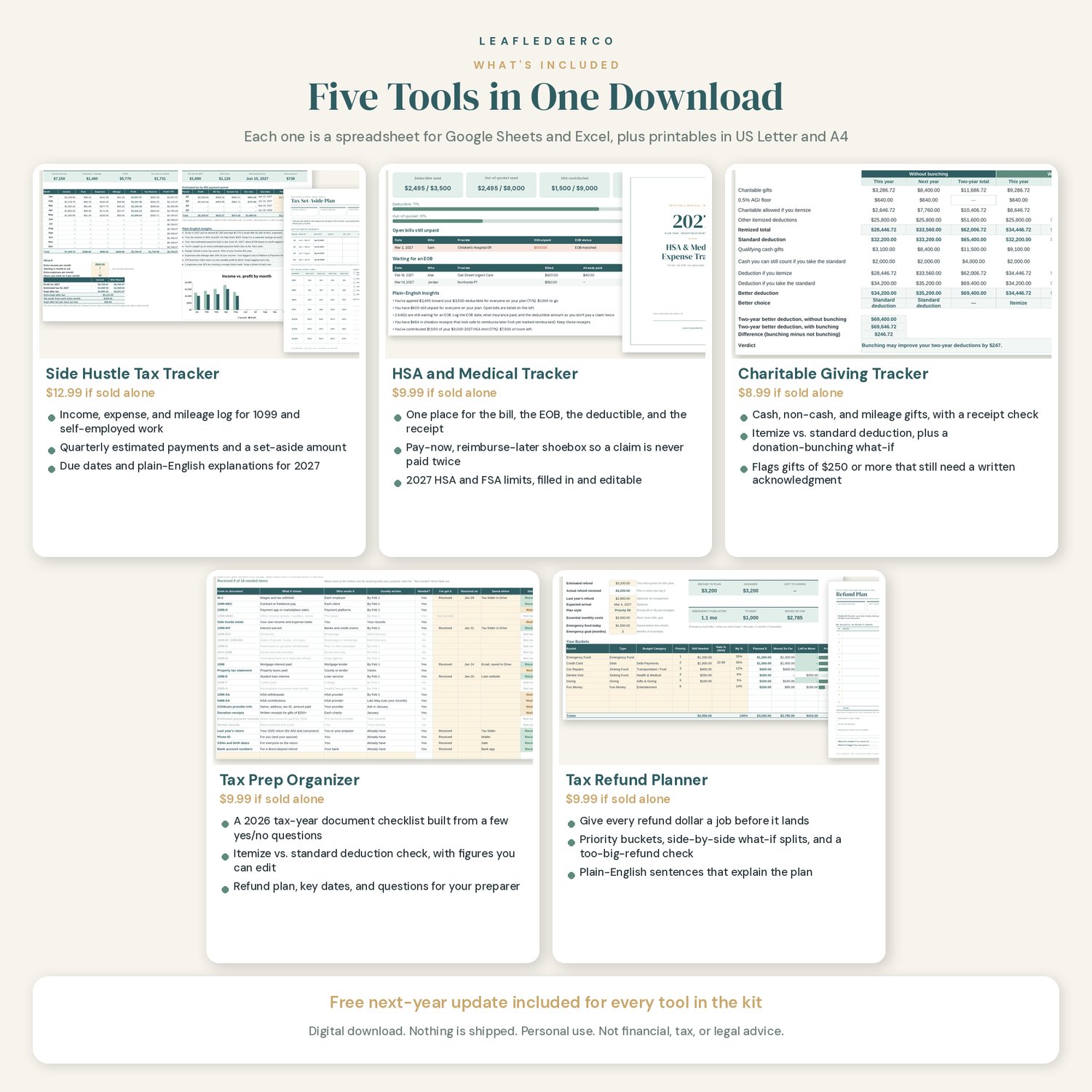
1. SIDE HUSTLE TAX TRACKER ($12.99 value)
Spreadsheet (one .xlsx file for Google Sheets and Microsoft Excel) and matching printable PDFs in US Letter and A4.
• Income, expense, and mileage log for 1099 and self-employed work
• Quarterly estimated payments and a set-aside amount
• Due dates and plain-English explanations for 2027
Log payments, expenses, and miles, and see what to set aside for quarterly estimates.
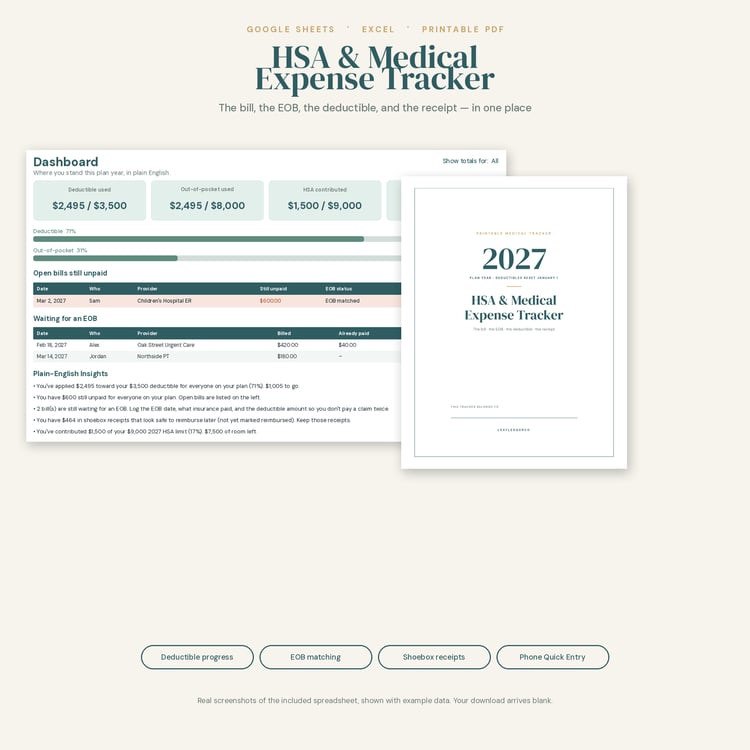
2. HSA AND MEDICAL TRACKER ($9.99 value)
Spreadsheet (one .xlsx file for Google Sheets and Microsoft Excel) and matching printable PDFs in US Letter and A4.
• One place for the bill, the EOB, the deductible, and the receipt
• Pay-now, reimburse-later shoebox so a claim is never paid twice
• 2027 HSA and FSA limits, filled in and editable
Log medical bills, match each one to its EOB, and watch deductible progress — including pay-now, reimburse-later.
3. CHARITABLE GIVING TRACKER ($8.99 value)
Spreadsheet (one .xlsx file for Google Sheets and Microsoft Excel) and matching printable PDFs in US Letter and A4.
• Cash, non-cash, and mileage gifts, with a receipt check
• Itemize vs. standard deduction, plus a donation-bunching what-if
• Flags gifts of $250 or more that still need a written acknowledgment
Keep a receipt for every gift and see whether itemizing or the standard deduction comes out ahead.
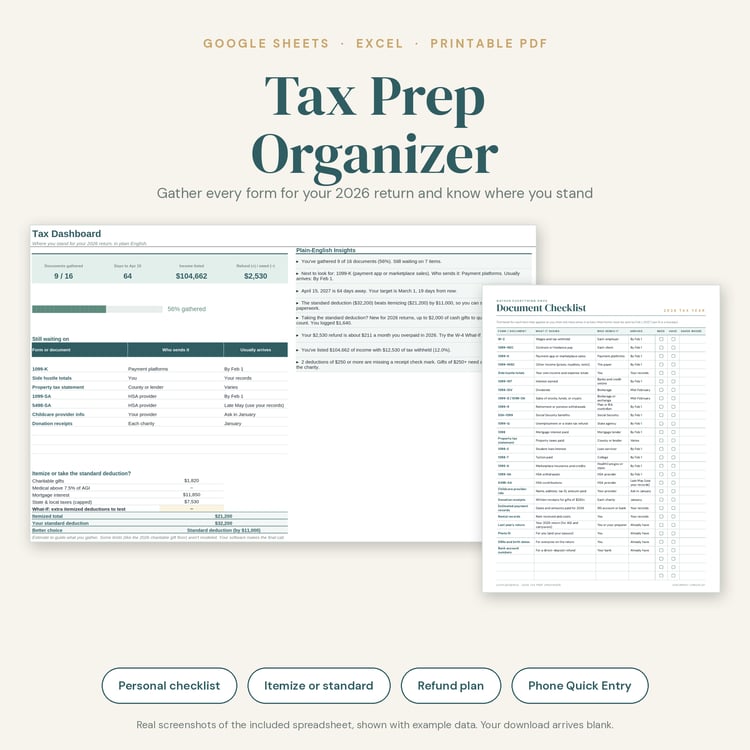
4. TAX PREP ORGANIZER ($9.99 value)
Spreadsheet (one .xlsx file for Google Sheets and Microsoft Excel) and matching printable PDFs in US Letter and A4.
• A 2026 tax-year document checklist built from a few yes/no questions
• Itemize vs. standard deduction check, with figures you can edit
• Refund plan, key dates, and questions for your preparer
Answer a few yes/no questions and get a checklist of only the forms you need for your 2026 return.
5. TAX REFUND PLANNER ($9.99 value)
Spreadsheet (one .xlsx file for Google Sheets and Microsoft Excel) and matching printable PDFs in US Letter and A4.
• Give every refund dollar a job before it lands
• Priority buckets, side-by-side what-if splits, and a too-big-refund check
• Plain-English sentences that explain the plan
Type your estimated refund, rank what matters, and split it across emergency fund, debt, and goals.
★ HOW TO USE THE SPREADSHEETS IN GOOGLE SHEETS
1. Download the files from your Payhip receipt email or your Payhip library (a computer is easiest).
2. Unzip each product zip into one folder.
3. In Google Drive, click New > File upload and choose an .xlsx file.
4. Open it and choose File > Save as Google Sheets. Work in that copy.
5. On your phone, open that copy in the free Google Sheets app and use the Quick Entry tab.
★ HOW TO USE THE SPREADSHEETS IN MICROSOFT EXCEL
1. Unzip the files, then open the .xlsx file in Excel (desktop, web, or mobile).
2. If you see a Protected View bar, click Enable Editing.
3. Save a personal copy, then follow the 10-minute Quick Start on the Start Here tab.
★ PRINTING
Print the PDFs at home or at a print shop. Choose "Actual size" or "Fit" in your print settings. Print every page or only the ones you need. The pages use thin lines and little color to save ink.
★ PLEASE NOTE
• This is a DIGITAL DOWNLOAD. Nothing will be shipped to you.
• The listing photos show example data so you can see how the tools work. Your files arrive blank, ready for your numbers.
• These are the same files as the individual listings in this shop.
• FREE UPDATE: when the next-year edition of each tool is ready, it will be added to this listing and you can download it at no extra cost from your Payhip library, or message LeafLedgerCo with your order number.
• Amounts are shown in US dollars. You can change the currency format in your spreadsheet app.
• You need a free Google account or Microsoft Excel to use the spreadsheets, and a PDF reader to print.
• These are organizing tools, not tax, legal, or accounting advice. They do not file a return or decide whether a deduction is allowed. Your tax software or a tax professional makes the final calculation. Standard deduction figures, HSA and FSA limits, and related amounts come from IRS announcements as of November 2026 and are editable if anything changes. The files do not ask for or store Social Security numbers, bank-account numbers, or tax-ID numbers. Please keep those somewhere secure.
• For personal use only. Please do not share or resell the files.
• Colors may look slightly different on screen than on paper.
★ ABOUT HOW THIS WAS MADE
This product was designed with AI assistance under my direction. I planned the kit, set its features and look, and reviewed and tested the spreadsheet formulas and printable pages before listing.
Questions? Reply to your Payhip receipt email, or use the contact form on this store. I'm happy to help you get set up.