
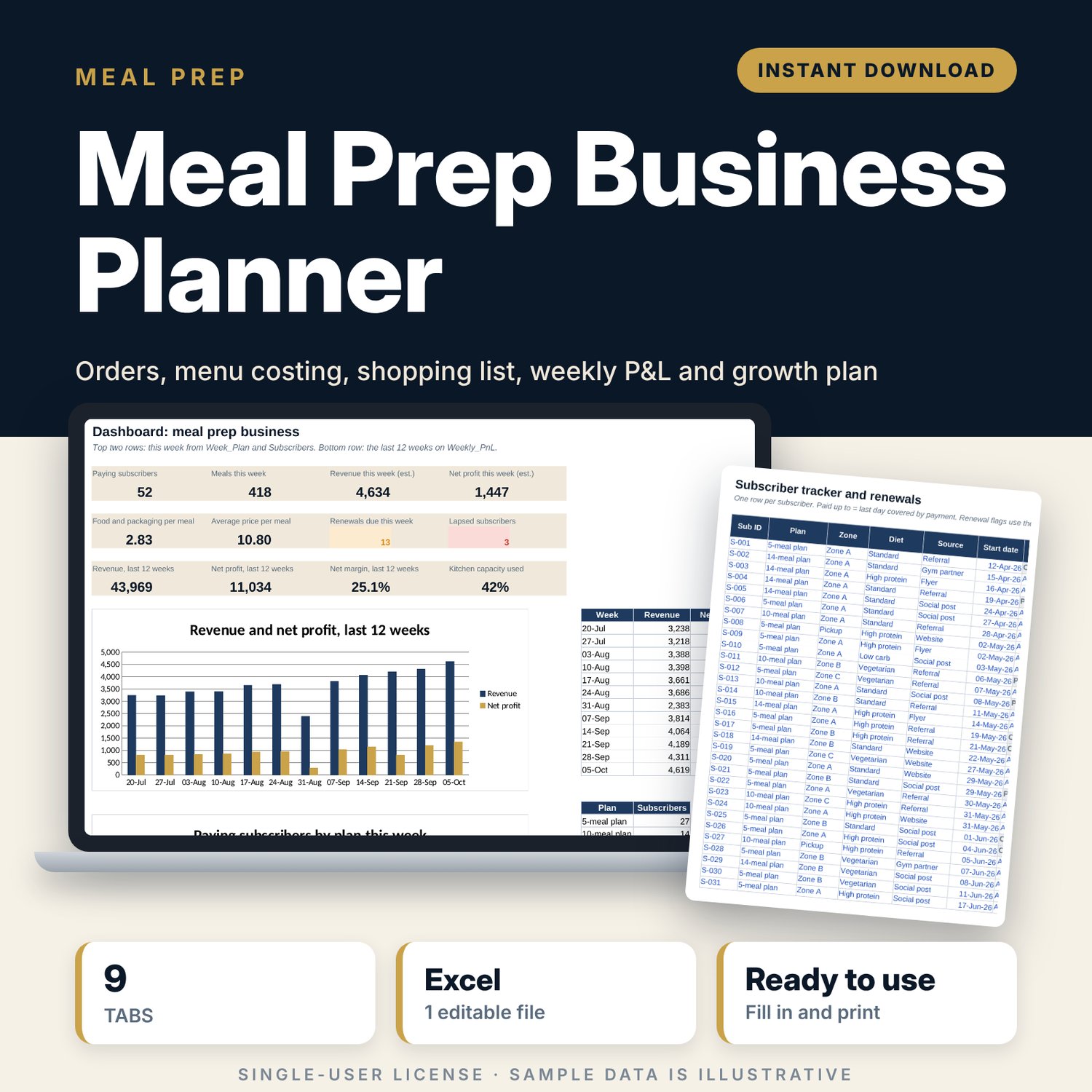
Meal Prep Business Planner: Meal Prep Subscription Spreadsheet with Cost per Meal and Weekly P&L
Full description
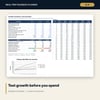
For meal prep cooks and small kitchens that sell weekly meal plans by subscription and want one place to plan the week and see what it earns. You keep a list of subscribers with their plan, delivery zone and paid-up date. The workbook counts this week's paying orders by plan size and zone, splits the meals across your menu, turns recipe grams into a shopping list, and works out cost per meal, delivery fees and costs, and the week's profit. A weekly P&L tracks the real results, and a growth sheet tests new-subscriber, churn and price ideas over 26 weeks.
Save with a bundle: this template is also in the Food & Leisure Business Startup Bundle, 14 templates for $35 instead of $103. All 141 templates are in the All-Access Hospitality Template Library for $79.
What is inside
- Meal_Prep_Business_Planner.xlsx: 9 tabs, 3,769 formulas, 3 native charts, 18 drop-down or number rules. No macros.
- Settings: 13 inputs (week start, deliveries per week, kitchen capacity, buffer, labour, payment fee and targets), 4 plans with prices, 4 delivery zones with fees and drop costs, 6 packaging items, monthly fixed costs, a list of 14 dishes, and 5 drop-down lists.
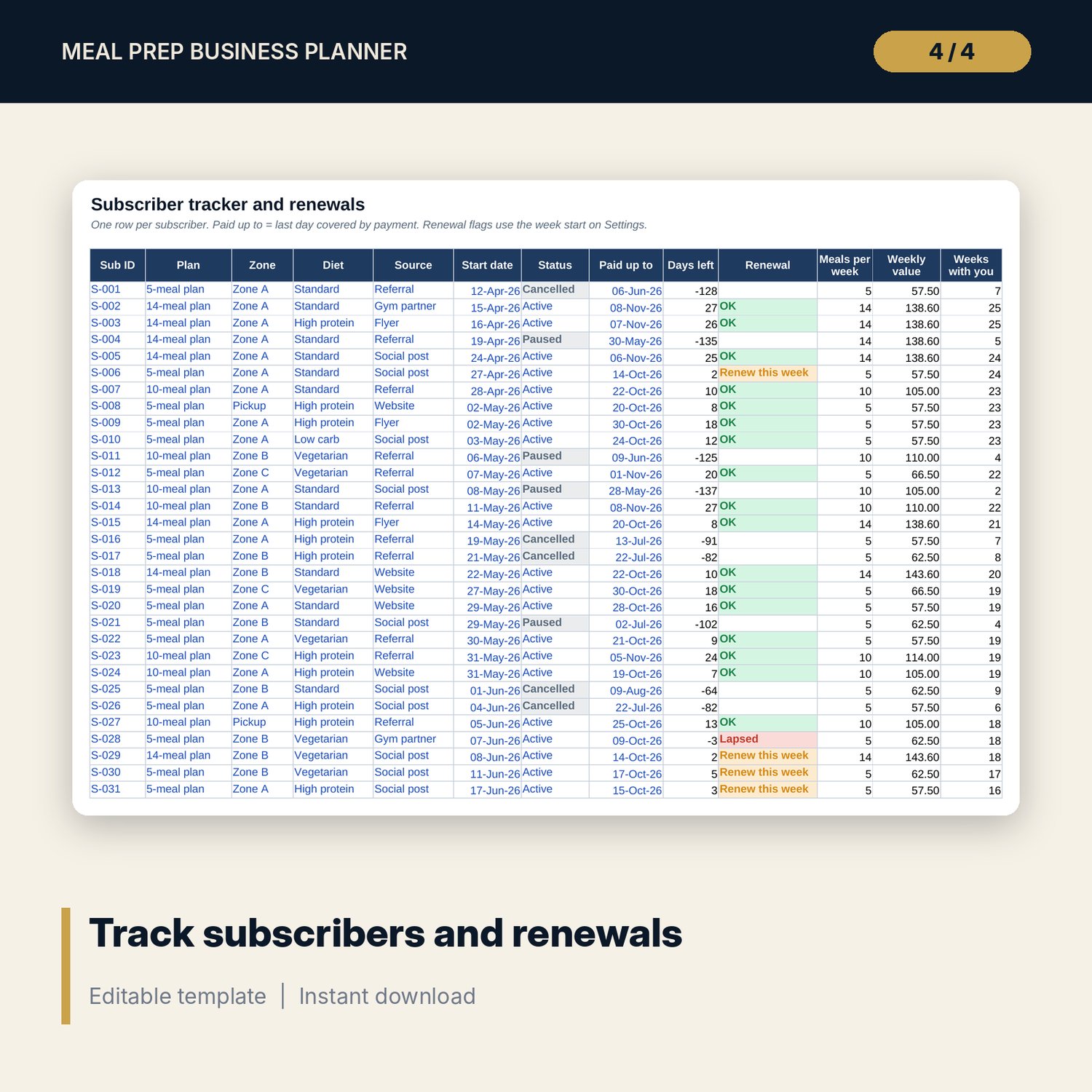
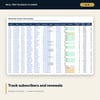
- Subscribers: room for 300 subscribers (66 sample rows) with plan, zone, diet, source, status, paid-up date, renewal flag, weekly value and weeks subscribed.
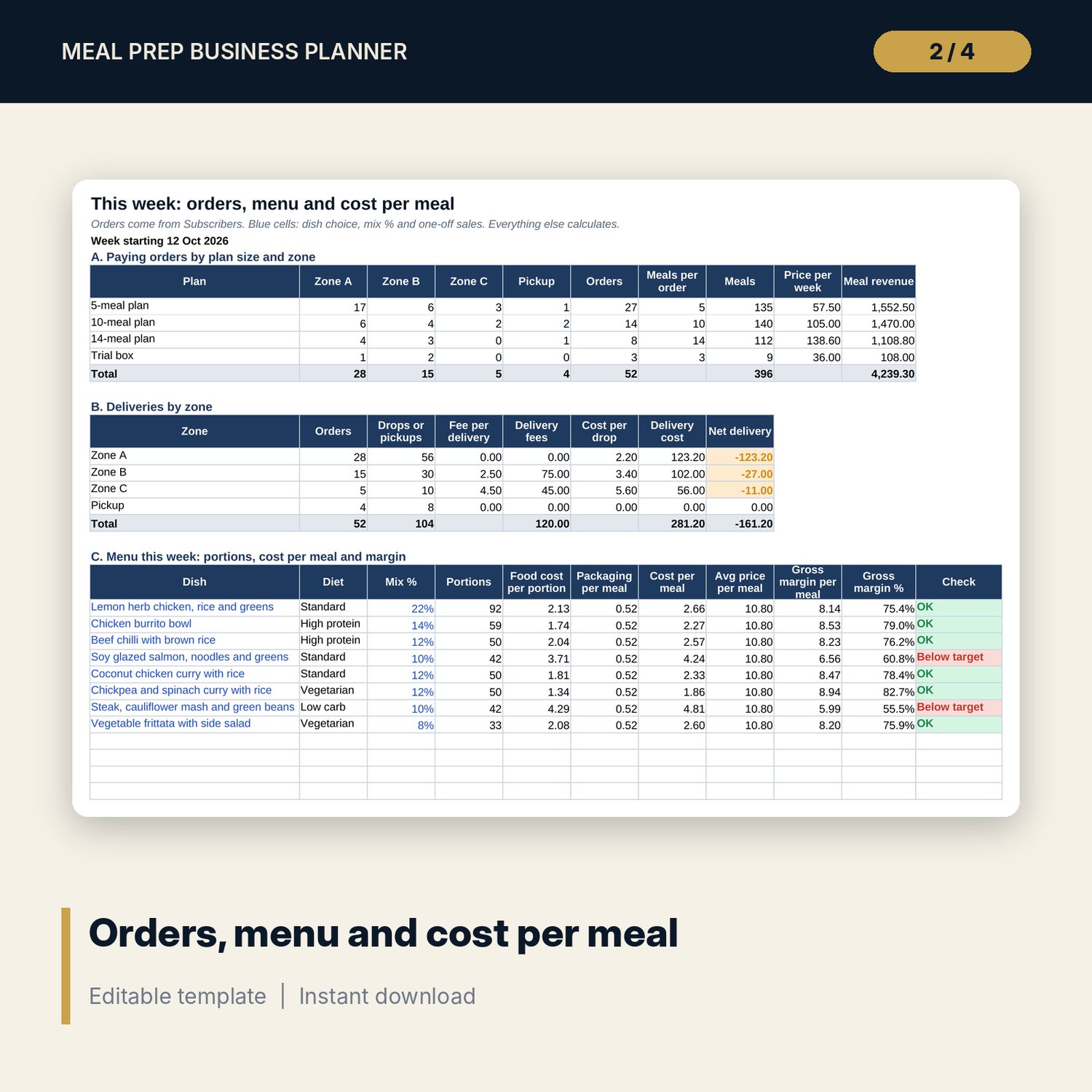
- Week_Plan: paying orders by plan size and zone, deliveries and fees by zone, the menu mix for up to 12 dishes with portions, cost per meal and margin check, and a 19-line week estimate.
- Recipes: room for 250 recipe lines (85 sample lines for 14 dishes) with cost per portion and kilos needed this week.
- Ingredients: room for 80 ingredients (38 sample) with price, yield, kilos to buy, stock on hand and the order list.
- Weekly_PnL: room for 52 weeks (12 sample weeks) with net profit, net margin and a status flag: loss, food cost high, below target or on target.
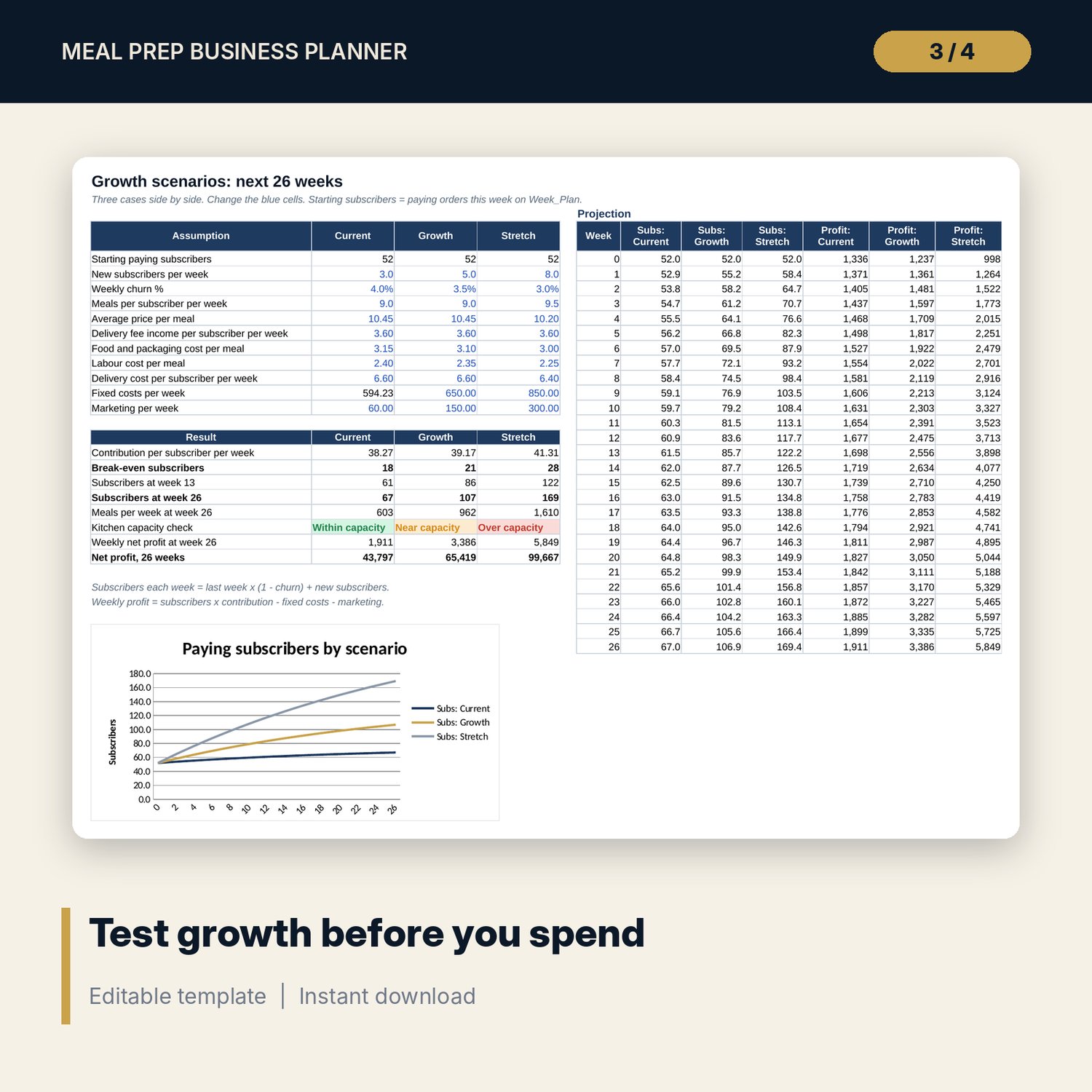
- Growth_Scenarios: 3 cases, 11 assumptions, 8 results including break-even subscribers and a kitchen capacity check, a 26-week projection and a chart.
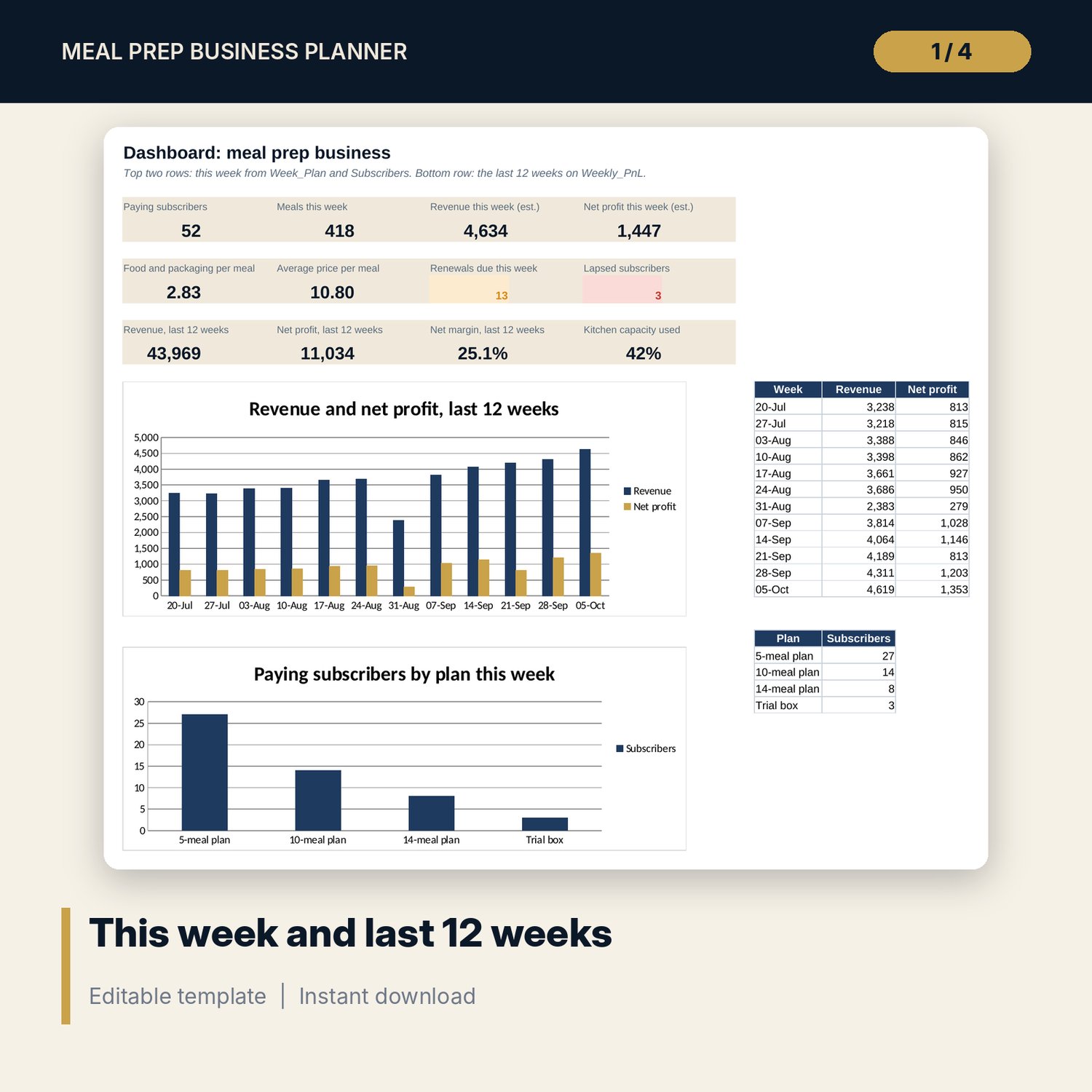
- Dashboard: 12 KPI tiles and 2 charts.
- README.txt and LICENSE-and-Terms.txt.
How it works
- Enter your week start, plans, delivery zones, packaging and fixed costs on Settings.
- Keep Subscribers current, including the paid-up date for each subscriber.
- Choose this week's dishes and mix % on Week_Plan, then order from the Ingredients list.
- After the week, add the actual figures to Weekly_PnL.
- Test changes to price, churn or marketing on Growth_Scenarios.
Details
- Format: Excel workbook (.xlsx). No macros.
- Language: English. Currency is a label you choose.
- Software: Excel 2016 or later, or a spreadsheet program that opens .xlsx files.
- Delivery: instant digital download. Nothing is shipped.
Good to know
- All sample subscribers, recipes, prices and results are illustrative. Replace them with your own figures.
- Fees, food safety rules and labelling rules differ by location. Verify local requirements.
- This is a planning tool, not accounting or legal advice.
- Single-user license. Do not share or resell the files.
FAQ
Who counts as a paying order this week?
A subscriber with status Active or Trial whose paid-up date is on or after the week start on Settings.
Can I change the plan sizes and prices?
Yes. Edit the plans table on Settings. Orders, revenue and the growth sheet update.
How does it work out the shopping list?
Portions per dish come from the menu mix. Recipes turns them into usable kilos, and Ingredients adds yield loss and your buffer, then subtracts stock on hand.
Does it work in Google Sheets?
It opens in Google Sheets and the formulas calculate. Check the drop-downs after import.
Is this a physical product?
No. It is a digital download. Refund terms follow the store policy at the time of purchase.