






Net Worth Tracker Spreadsheet, Assets and Debts Dashboard
You pay the bills, put a little into savings and chip away at the loans every month, so why is it still so hard to tell if you are actually getting ahead?
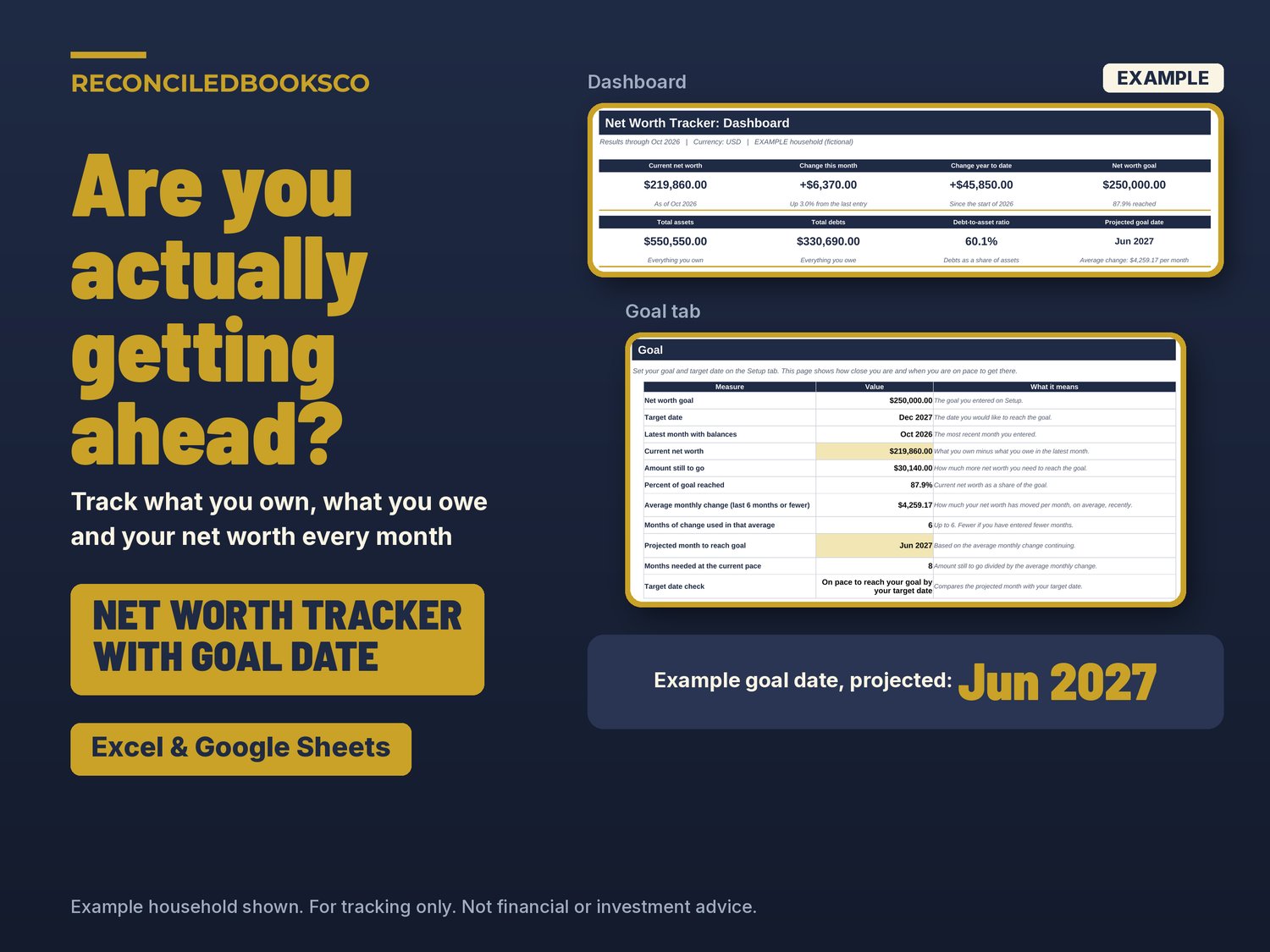
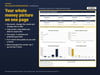
This net worth tracker spreadsheet gives you one clear number each month: what you own minus what you owe. Type your account balances once a month and it shows your net worth, how much it changed this month and this year, and when you are on pace to reach your goal. It works with Excel & Google Sheets.
WHY THIS ONE
• One clear answer each month: up or down, by how much, and why.
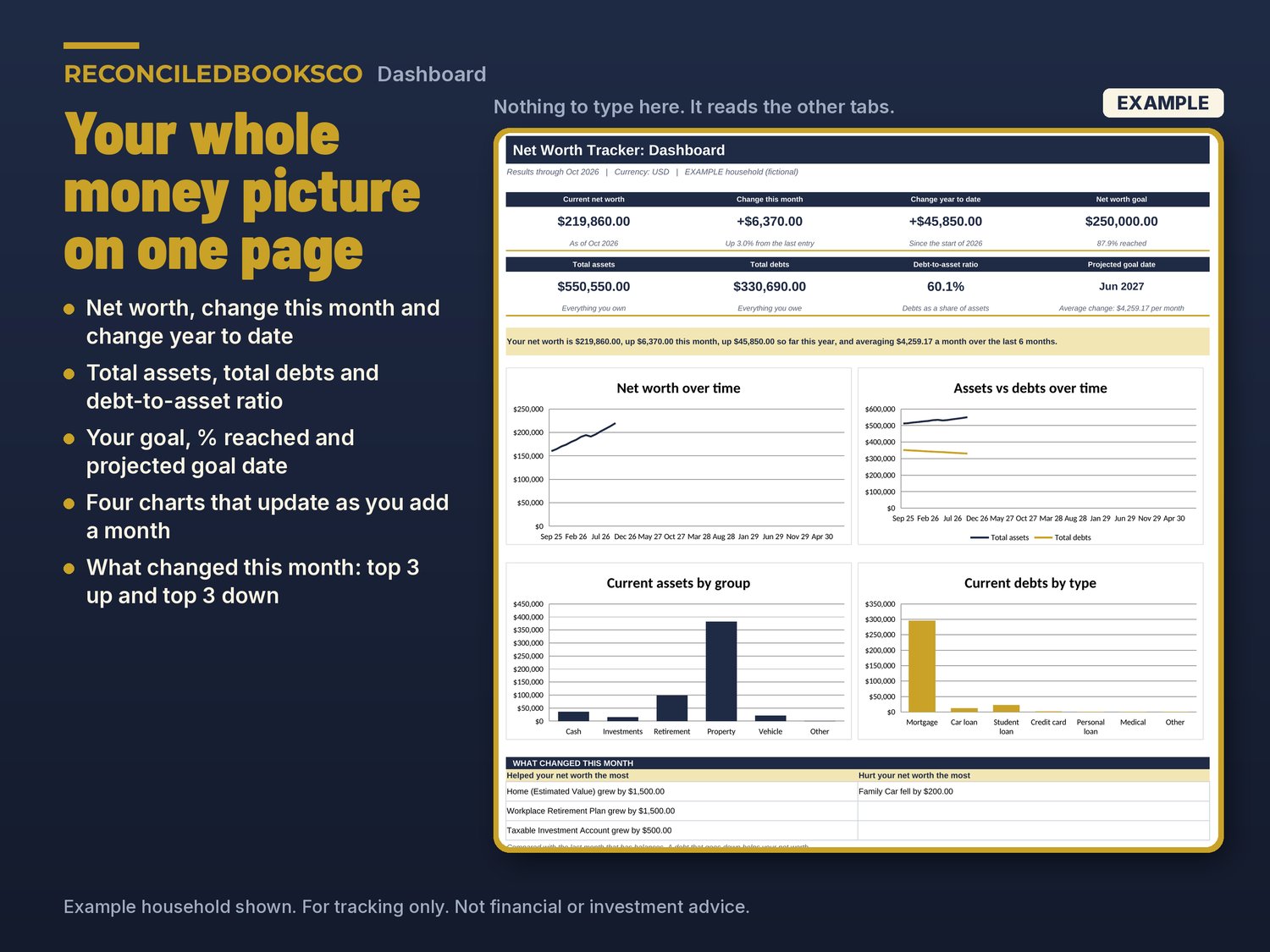
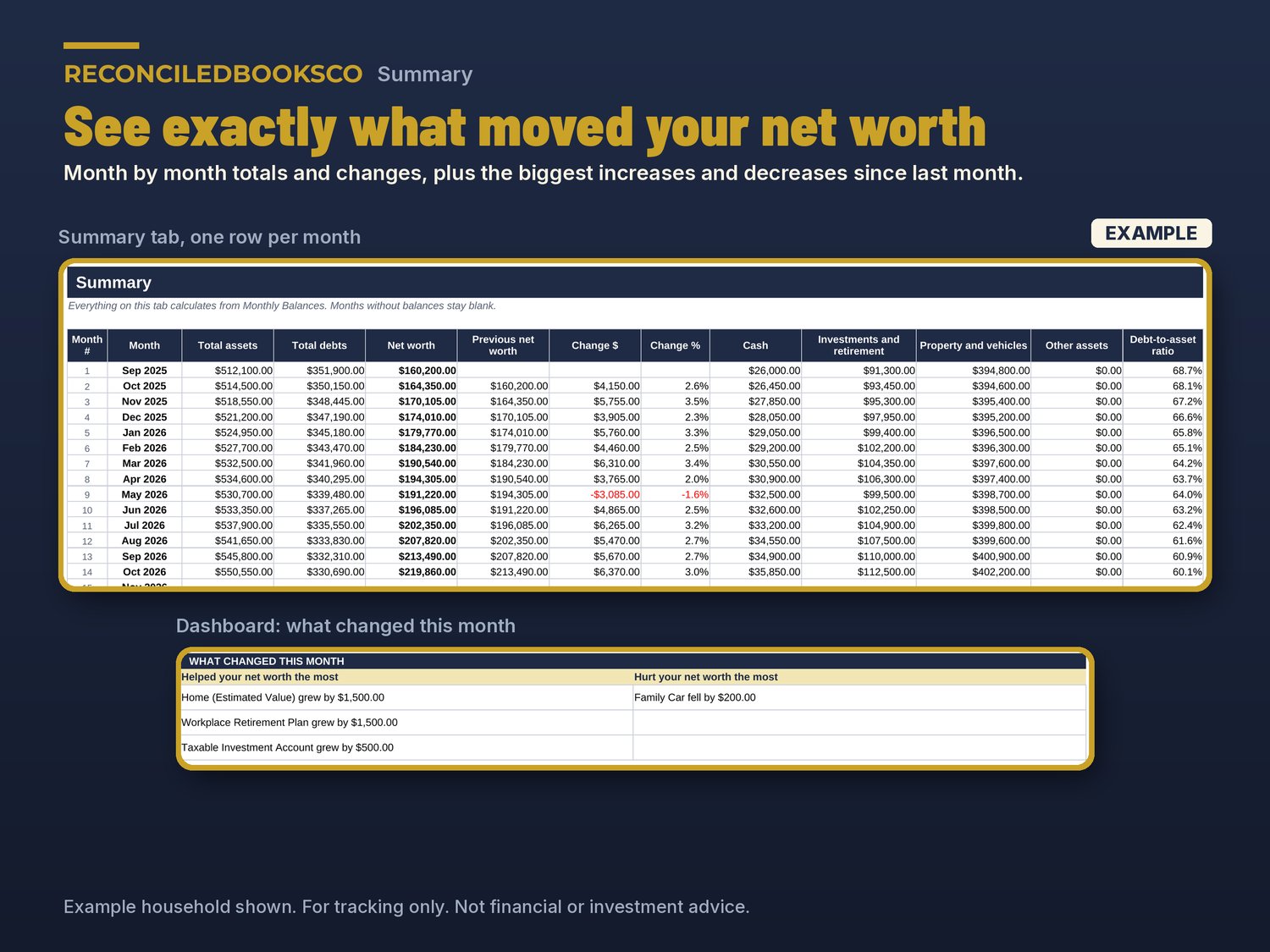
• A "What changed this month" box lists the 3 accounts that helped most and the 3 that hurt most.
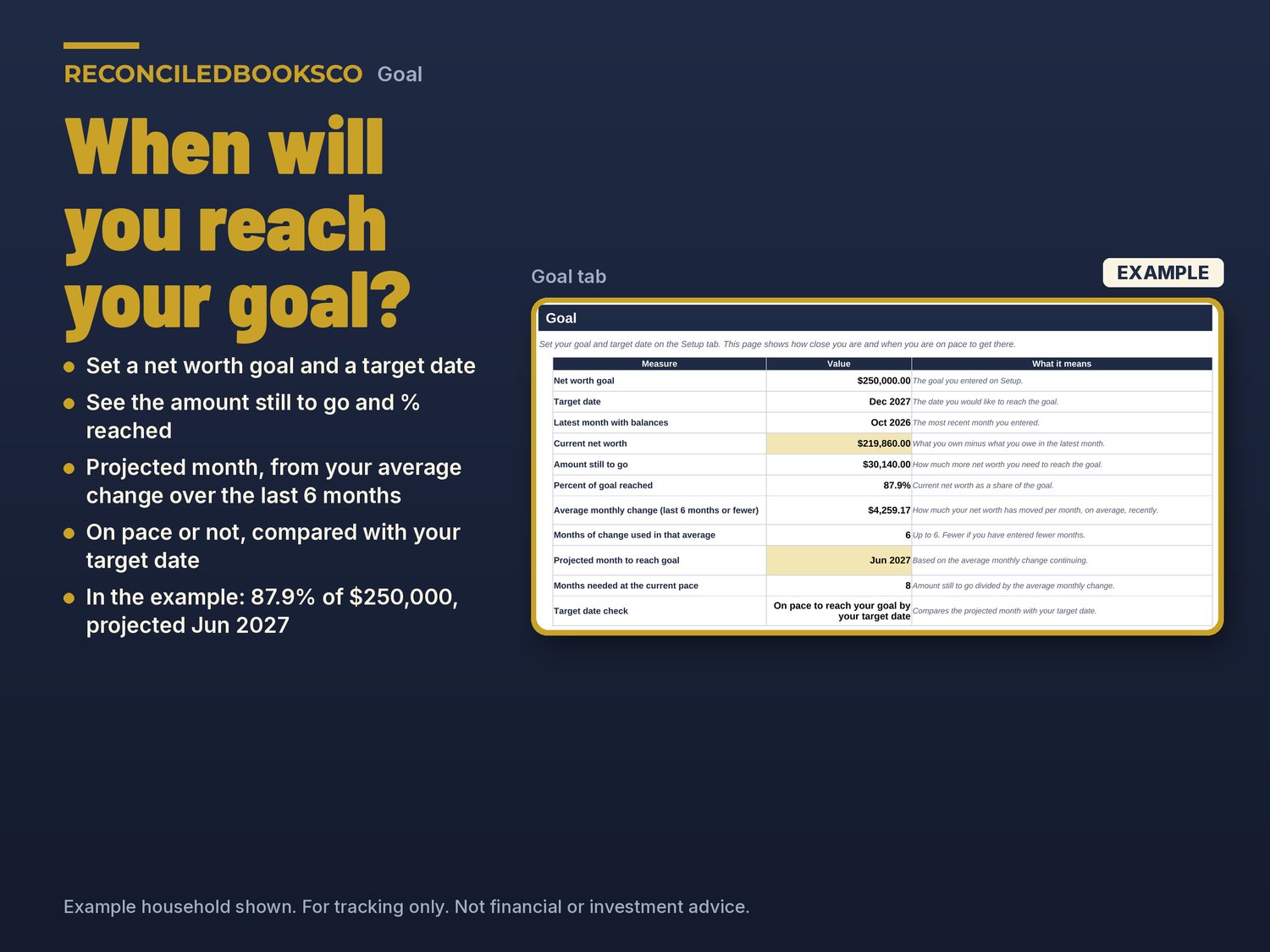
• A goal date you can trust: it uses your average change over the last 6 months to project the month you reach your goal, and tells you if you are on pace for your target date.
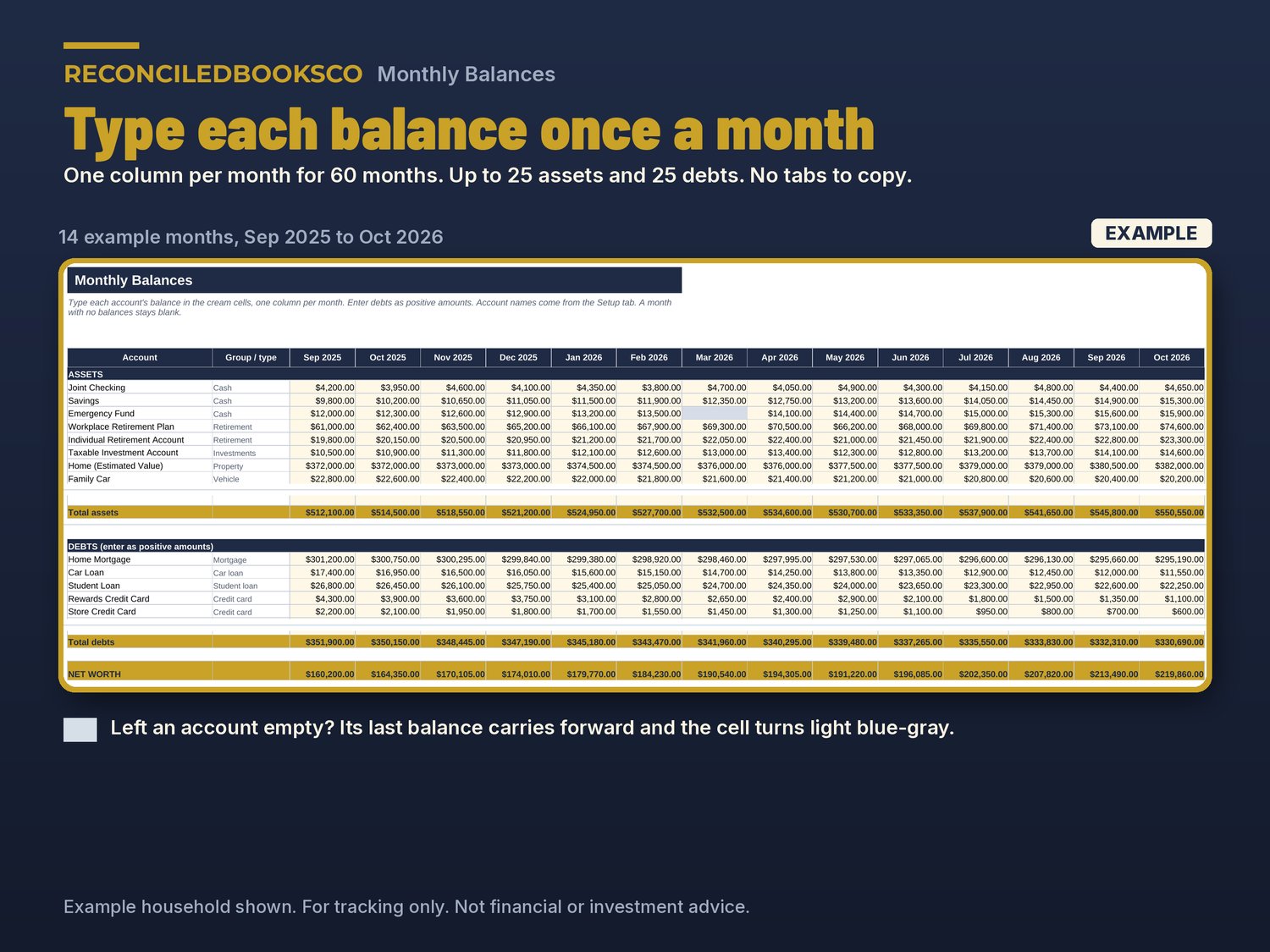
• Forgot an account one month? Its last balance carries forward and the cell is shaded, so your totals never drop to zero by mistake.
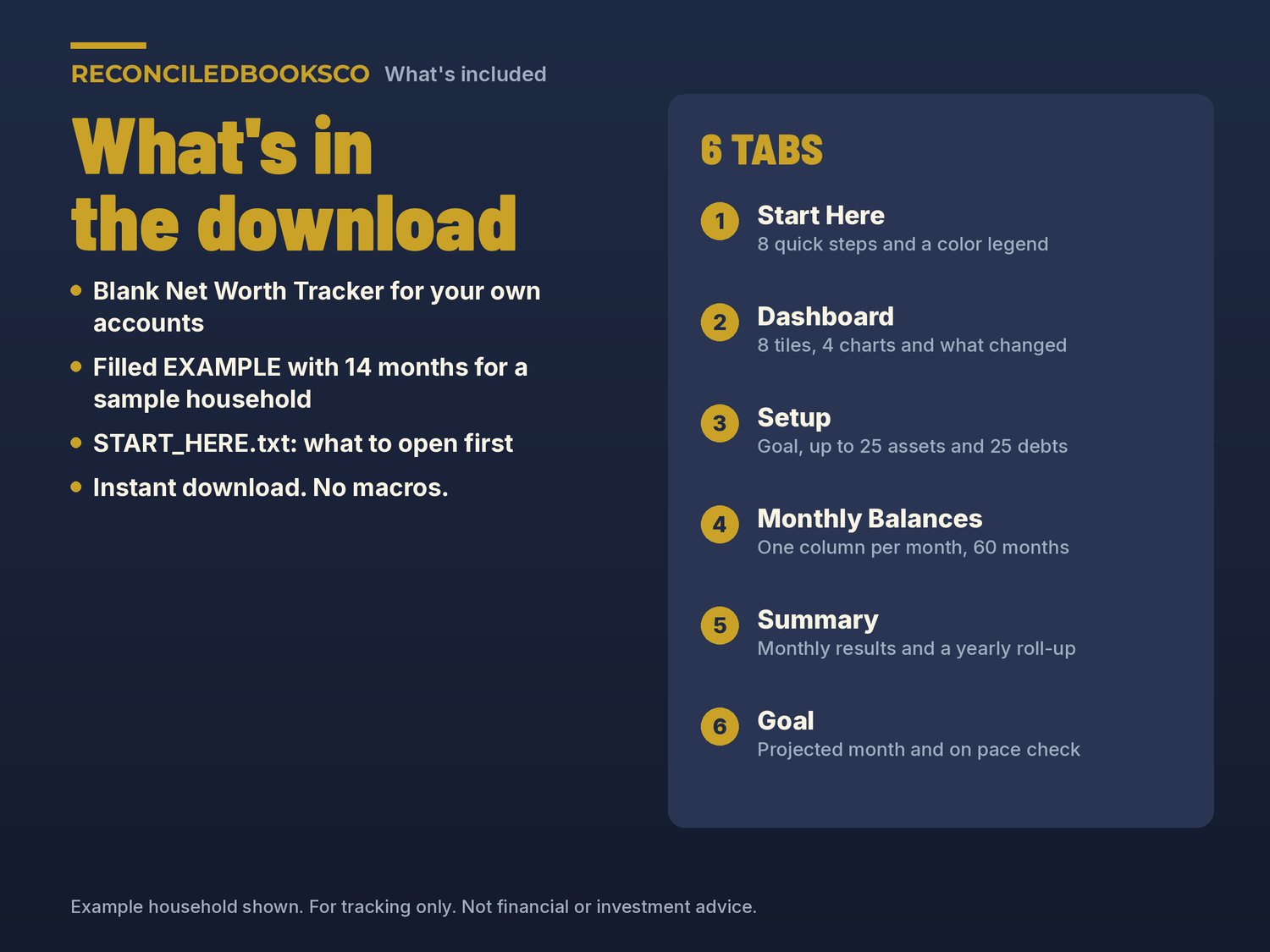
WHAT'S INCLUDED (3 files)
• Net_Worth_Tracker.xlsx: the blank workbook for your own accounts
• Net_Worth_Tracker_EXAMPLE.xlsx: the same workbook filled in with 14 months for a made-up household, so you can see a finished Dashboard before you start
• START_HERE.txt: what to open first and how to open it in Google Sheets
THE 6 TABS
• Start Here: 8 quick steps, a color legend and tips
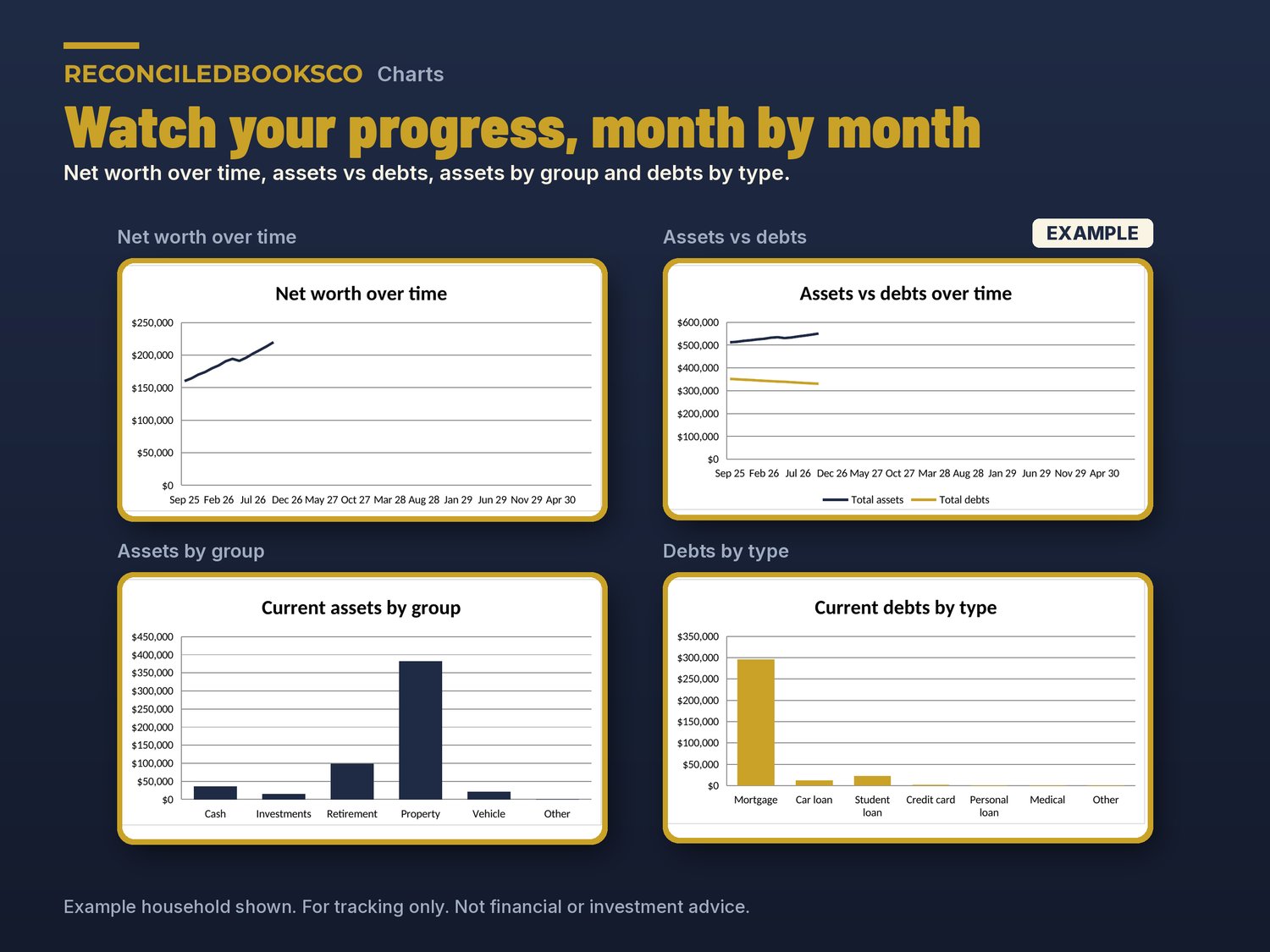
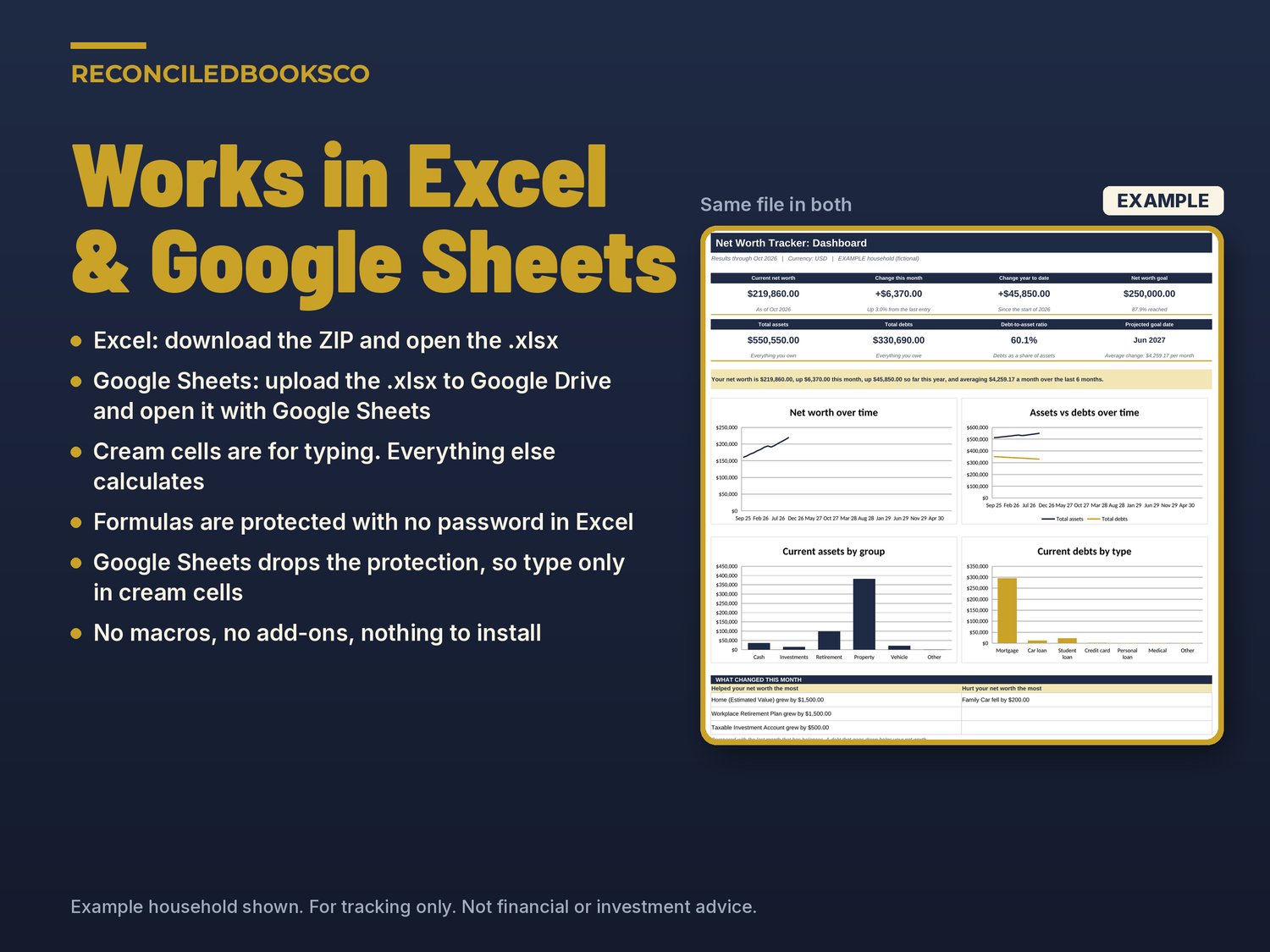
• Dashboard: current net worth, change this month ($ and %), change year to date, total assets, total debts, debt-to-asset ratio, goal with % reached and projected goal date, plus 4 charts (net worth over time, assets vs debts, assets by group, debts by type) and the "What changed this month" box
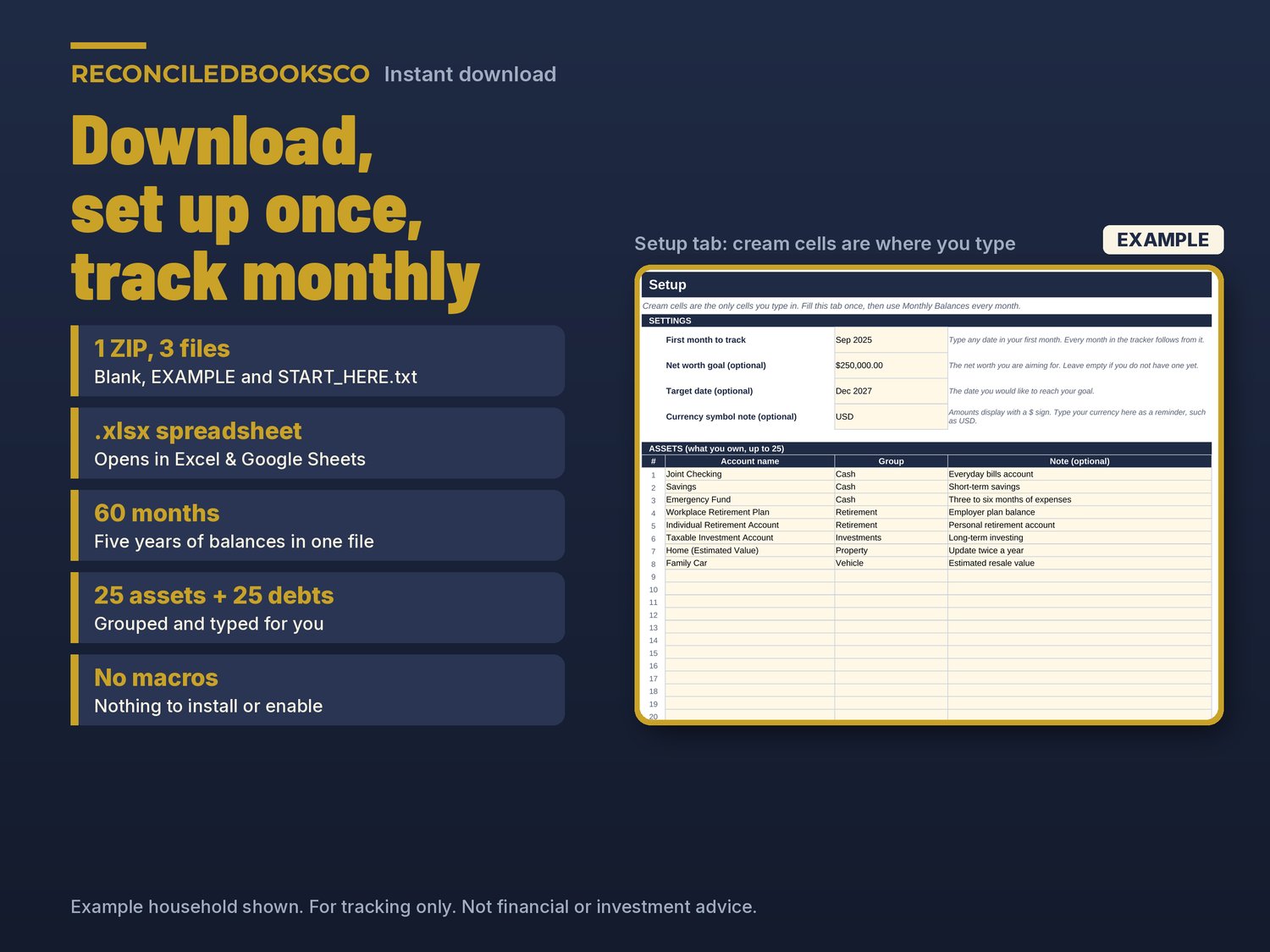
• Setup: first month, an optional goal and target date, up to 25 assets (cash, investments, retirement, property, vehicle, other) and up to 25 debts (mortgage, car loan, student loan, credit card, personal loan, medical, other)
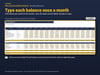
• Monthly Balances: one column per month for 60 months (five years)
• Summary: one row per month with totals, change, cash, investments and retirement, property and vehicles and debt-to-asset ratio, plus a yearly roll-up
• Goal: amount still to go, % reached, average monthly change, projected month to reach your goal and an on pace check
HOW IT WORKS
1. Look through the EXAMPLE file for a few minutes.
2. In the blank file, list what you own and what you owe on Setup. Add a goal if you like.
3. Once a month, type each balance in the next column on Monthly Balances.
4. Check the Dashboard, Summary and Goal to see your progress.
Cream cells are the ones you type in. Everything else is calculated. No macros. It follows your first month, so you can start any month of any year.
WORKS WITH EXCEL & GOOGLE SHEETS
Excel: download the ZIP and open the blank .xlsx (Excel 2016 or later). Formula cells are protected with no password so they don't get typed over by accident.
Google Sheets: upload the .xlsx to Google Drive and open it with Google Sheets, or use File > Import > Upload. Google Sheets doesn't keep the sheet protection, so type only in the cream cells there.
INSTANT DOWNLOAD · DIGITAL DOWNLOAD ONLY · FINAL SALE
This is a digital download. No physical item will be shipped. Files are available right after purchase. Because of the nature of digital downloads, all sales are final (see shop policies for detail).
DISCLAIMER
For tracking only. Not financial or investment advice. Values are estimates based on the numbers you enter, including your own estimates for things like home and vehicle values.
Built by ReconciledBooksCo, a small shop run by an experienced accountant.
Disclaimer: These templates are organizational tools only and are not tax, legal or accounting advice. Check with a qualified professional for your situation.