
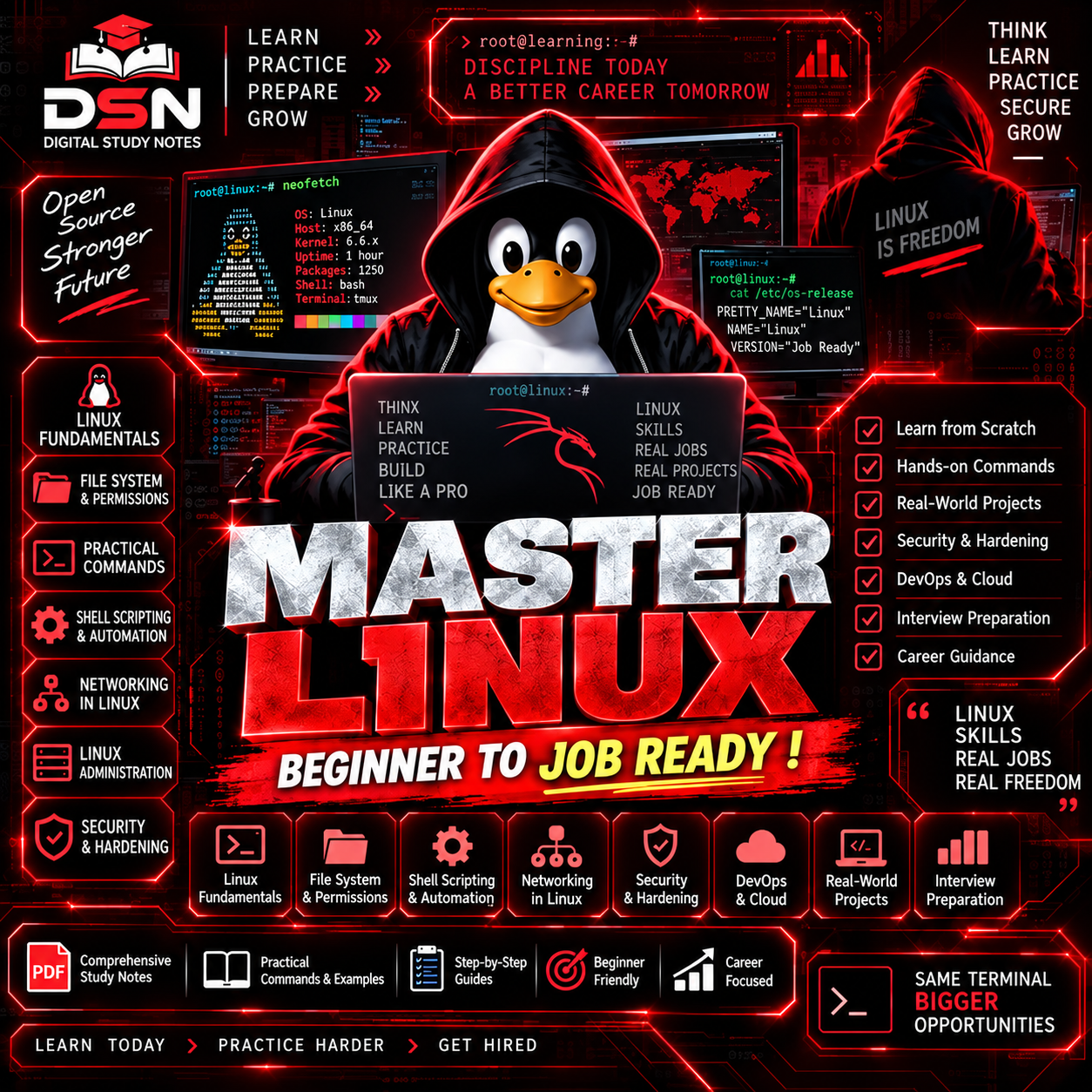
MASTER LINUX & BEGINNER TO JOB READY !
The Complete All-in-One Linux Learning Bundle — From Beginner to Interview-Ready!
🎯 WHAT YOU GET
This massive 2-in-1 bundle combines:
✅ Top 100 Linux Interview Questions & Answers — Ace your next interview!
✅ Complete Linux Notes + Hands-On Labs — 100+ pages of structured learning!
Total Value: 200+ Pages of Expert-Curated Linux Knowledge!
📚 WHAT'S INSIDE?
📗 PART 1: TOP 100 LINUX INTERVIEW QUESTIONS & ANSWERS
#TopicWhat You'll Learn🔧Essential Commandsgrep, chmod, chown, df, du, find, rsync, tar & more📂File ManagementSymbolic links, hard links, permissions, ownership⚙️Process Managementps, top, kill, nohup, systemctl, cron jobs🌐NetworkingSSH, SCP, netstat, IP configuration, NFS🔐SecuritySELinux, sudo, user management, password policies📊System MonitoringDisk usage, memory, logs, performance tuning
Perfect for: Job interviews, certification prep, quick reference!
📘 PART 2: COMPLETE LINUX NOTES + HANDS-ON LABS
🔹 UNIT 1: LINUX FUNDAMENTALS
- ✅ What is Linux? History, Architecture, Components
- ✅ Kernel, Shell & System Calls Explained
- ✅ CLI vs GUI — When to Use Which
- ✅ Linux Distributions (Ubuntu, Fedora, RHEL, Kali, Arch)
🔹 UNIT 2: INSTALLATION & SETUP
- ✅ VirtualBox & VMware Step-by-Step Guides
- ✅ BIOS vs UEFI, MBR vs GPT Explained
- ✅ Dual Boot Installation Guide
- ✅ Complete Boot Process Demystified
🔹 UNIT 3: FILE SYSTEM & PERMISSIONS
- ✅ Linux File System Hierarchy (FHS)
- ✅ File Viewing Commands (cat, less, more, head, tail)
- ✅ chmod, chown, chgrp — Complete Guide
- ✅ SUID, SGID, Sticky Bit — Special Permissions
- ✅ ACL (Access Control Lists) & umask
🔹 UNIT 4: USER & GROUP MANAGEMENT
- ✅ User Account Management (useradd, usermod, userdel)
- ✅ Group Management (groupadd, gpasswd, newgrp)
- ✅ Password Policies & Aging
- ✅ sudo Configuration & Best Practices
- ✅ Root User — Power & Responsibility
🔹 UNIT 5: PROCESS MANAGEMENT
- ✅ Process States & Life Cycle
- ✅ ps, top, htop, pstree Commands
- ✅ jobs, bg, fg — Job Control
- ✅ kill, killall, pkill, renice, nohup
- ✅ systemctl & journalctl
🔹 UNIT 6: PACKAGE MANAGEMENT
- ✅ apt, apt-get, dpkg (Debian/Ubuntu)
- ✅ RPM, YUM, DNF (RHEL/CentOS/Fedora)
- ✅ Repository Management
- ✅ GPG Keys & Offline Installation
- ✅ Package Troubleshooting
🔹 UNIT 7: NETWORKING FUNDAMENTALS
- ✅ OSI Model & TCP/IP Model
- ✅ IPv4 & IPv6 Addressing
- ✅ CIDR, Subnetting & Network Classes
- ✅ MAC Address & ARP
- ✅ NIC Configuration (ip, ifconfig, nmcli, hostnamectl)
- ✅ Routing Basics
🔹 UNIT 8: NETWORK TROUBLESHOOTING
- ✅ ping, traceroute, tracepath
- ✅ netstat & ss Commands
- ✅ DNS Configuration & Troubleshooting
🔹 UNIT 9: SERVICES & AUTOMATION
- ✅ systemctl — Complete Service Management
- ✅ journalctl — Log Analysis
- ✅ Cron Jobs — Task Automation
🔹 UNIT 10: SHELL SCRIPTING
- ✅ Variables, Input/Output
- ✅ Loops, Functions, Conditionals
- ✅ Automation Scripts
- ✅ Error Handling & Best Practices
🔹 UNIT 11: STORAGE MANAGEMENT
- ✅ Disk Partitions (fdisk, lsblk, blkid)
- ✅ Mounting File Systems (mount, umount, fstab)
- ✅ LVM (Logical Volume Manager)
- ✅ Swap File Creation & Management
🔹 UNIT 12: BACKUP & COMPRESSION
- ✅ tar, gzip, zip — Complete Guide
- ✅ Backup Strategies & Best Practices
✅ HANDS-ON LABS INCLUDED
✅ 1. Install Linux in a Virtual Machine
✅ 2. File System Navigation
✅ 3. File Management
✅ 4. Directory Management
✅ 5. File Viewing
✅ 6. File Search
✅ 7. Text Processing
✅ 8. Advanced Text Processing
✅ 9. User Management
✅ 10. Group Management
✅ 11. File Permissions
✅ 12. Special Permissions
✅ 13. Package Management
✅ 14. Process Management
✅ 15. Service Management
✅ 16. Network Configuration
✅ 17. Network Troubleshooting
✅ 18. SSH Configuration
✅ 19. SCP & SFTP
✅ 20. Disk Management
✅ 21. Mounting File Systems
✅ 22. LVM Configuration
✅ 23. Swap File
✅ 24. Backup & Compression
✅ 25. Shell Scripting Basics
✅ 26. Advanced Shell Scripting
✅ 27. Web Server Setup
✅ 28. User & Group Project
🎁 BONUS CONTENT INCLUDED
BonusDescription🎁Interview Questions at end of each unit🎁Quick Revision sections for fast review🎁Troubleshooting Guides for common issues🎁Command Cheat Sheets throughout🎁Real-World Scenarios & use cases🎁Best Practices from industry experts
👥 WHO IS THIS FOR?
AudienceWhy This Bundle?🎓 StudentsComplete study material for Linux courses💼 Job SeekersAce Linux interviews with 100+ Q&A👨💻 DevelopersEssential Linux skills for DevOps🔧 SysAdminsComprehensive reference & lab practice🏆 Certification AspirantsRHCSA, RHCE, LPIC, CompTIA Linux+ prep🚀 BeginnersZero to hero structured learning path
✨ WHY CHOOSE THIS BUNDLE?
✅ Feature✅ Benefit✅ 200+ PagesMost comprehensive Linux bundle✅ 100+ Q&AInterview-ready preparation✅ 28 Hands-On LabsPractical, job-ready skills✅ Visual DiagramsComplex concepts made simple✅ Command ExamplesCopy-paste ready commands✅ Troubleshooting TipsReal-world problem solving✅ Best PracticesIndustry-standard approaches✅ Instant DownloadStart learning immediately✅ Lifetime AccessLearn at your own pace
📥 WHAT YOU'LL RECEIVE
Upon purchase, you'll get instant access to:
- 📄 Top 100 Linux Interview Questions & Answers (PDF)
- 📄 Complete Linux Notes + Hands-On Labs (PDF)
- 📄 200+ Pages of Expert-Curated Content
- 📄 28 Practical Lab Exercises
- 📄 Quick Reference Cheat Sheets
- Limited-time offers increase by $ 10 hurry up!