Digital Following Work Directions: 1, 2 and 3 Step Drag-and-Drop PowerPoint, Ages 14 to 21
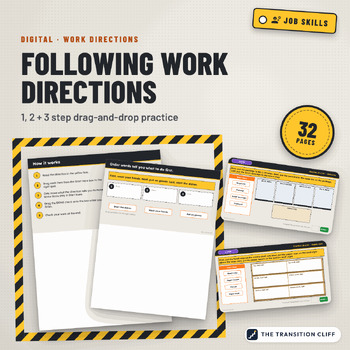
These digital following work directions activities are drag and drop PowerPoint slides (they also work in Google Slides) where students read 1, 2, and 3 step directions and move items into place on four work mats.
Why I made this: On a job site, following directions means doing exactly what was asked, in order, and not touching what was not mentioned. I built every slide with one extra item that should stay put, because that is the mistake I see most.
What’s included:
• 24 direction slides: 8 one step, 8 two step, and 8 three step
• 4 work mats: mailroom, supply shelf, front desk, and packing station
• Practice slides for order words (first, next, last) and place words (above, under, between)
• A write a direction slide for partners
• 3 Check Your Work slides and a teacher guide PDF with an answer key
How to use it: Open the file in PowerPoint or Google Slides and assign it with a copy for each student. Do one level a day and record correct out of 8. Then try the same directions with real objects.
Who it’s for: special education, transition, life skills, and vocational classes in grades 9 to 12 and 18 to 21 programs.
Format: 32 slide PowerPoint file (.pptx), widescreen, plus a teacher guide PDF with the answer key. Open it in PowerPoint, or upload it to Google Drive and open it with Google Slides. The mats are built from simple shapes and words and are locked on each slide's layout with the directions, so students only move the items and type.
Prefer task cards and a printed mat?
Part of the Transition Cliff Digital series.
Made by Jeremy D. Gooch, special education teacher and transition coordinator. Drafting and layout had AI assistance; every page was checked by me.