
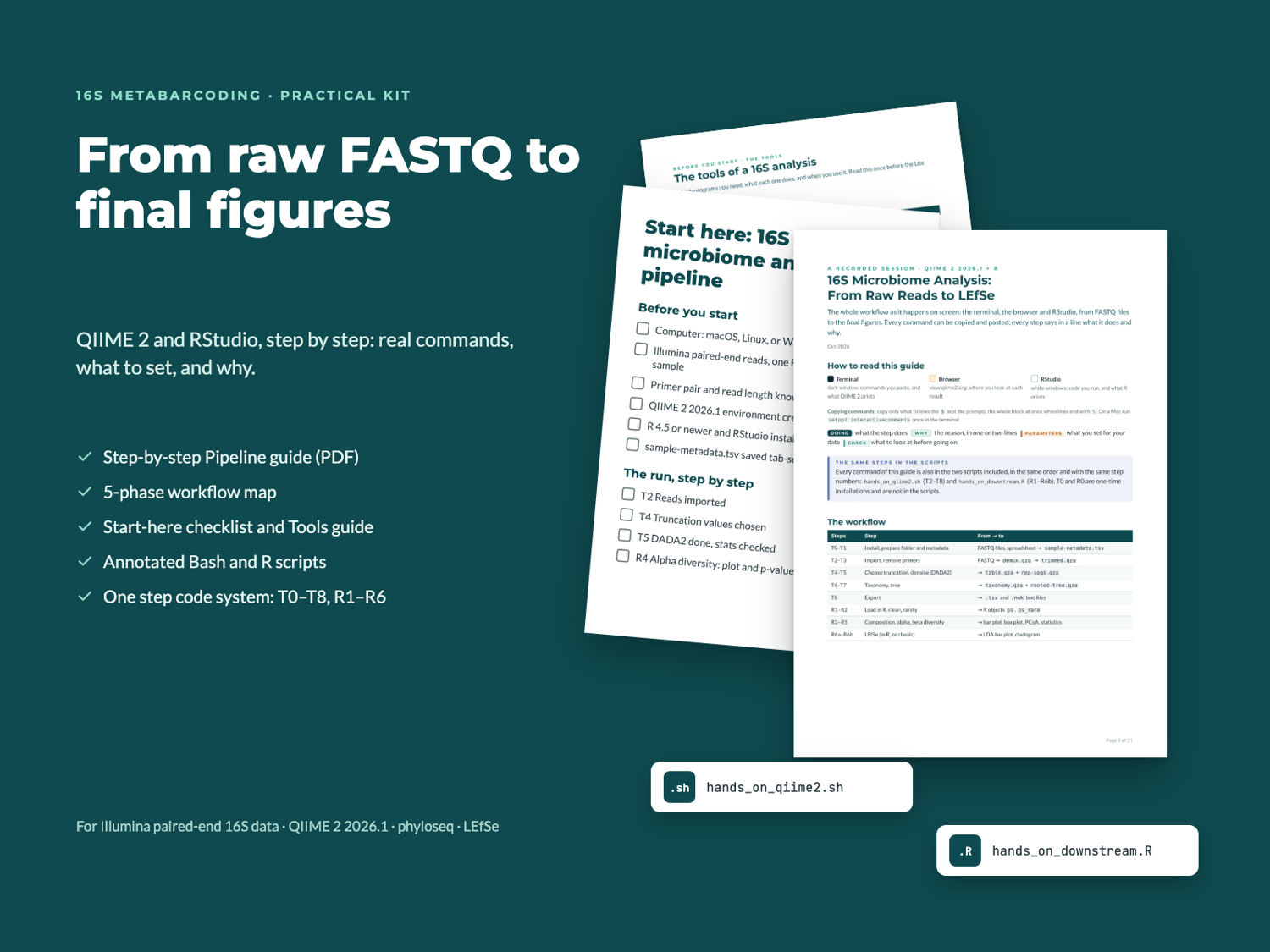

16S Microbiome Analysis – DIY Learning Bundle (Scripts + PDF guide)
Learn to analyze your own 16S metabarcoding data, step by step, in the Terminal, QIIME 2 and RStudio.
A hands-on, sequential kit designed to guide you step-by-step through the Terminal, QIIME 2, and RStudio. A practical package built to help you understand every step of the pipeline and provide real, ready-to-run commands.
👉 Get the Practical Kit — $149
⚡ Instant Download • Based on QIIME 2 & phyloseq
Learning 16S analysis on your own shouldn't be a trial-and-error obstacle course.
When starting out with meta-barcoding analysis, researchers often face the same hurdles:
- 🔴 Long, abstract commands without clear explanations of what is actually happening to the data.
- 🔴 Constant context-switching between different environments (Terminal, Browser, RStudio) without a guiding thread.
- 🔴 Cryptic error messages or selecting parameters "in the dark" without knowing where to make adjustments.
- 🔴 Lack of an overarching roadmap before diving into individual lines of code.
This kit is built to give you a clear method: structure your workflow, understand the logic, and run the analysis yourself.
What’s Included:
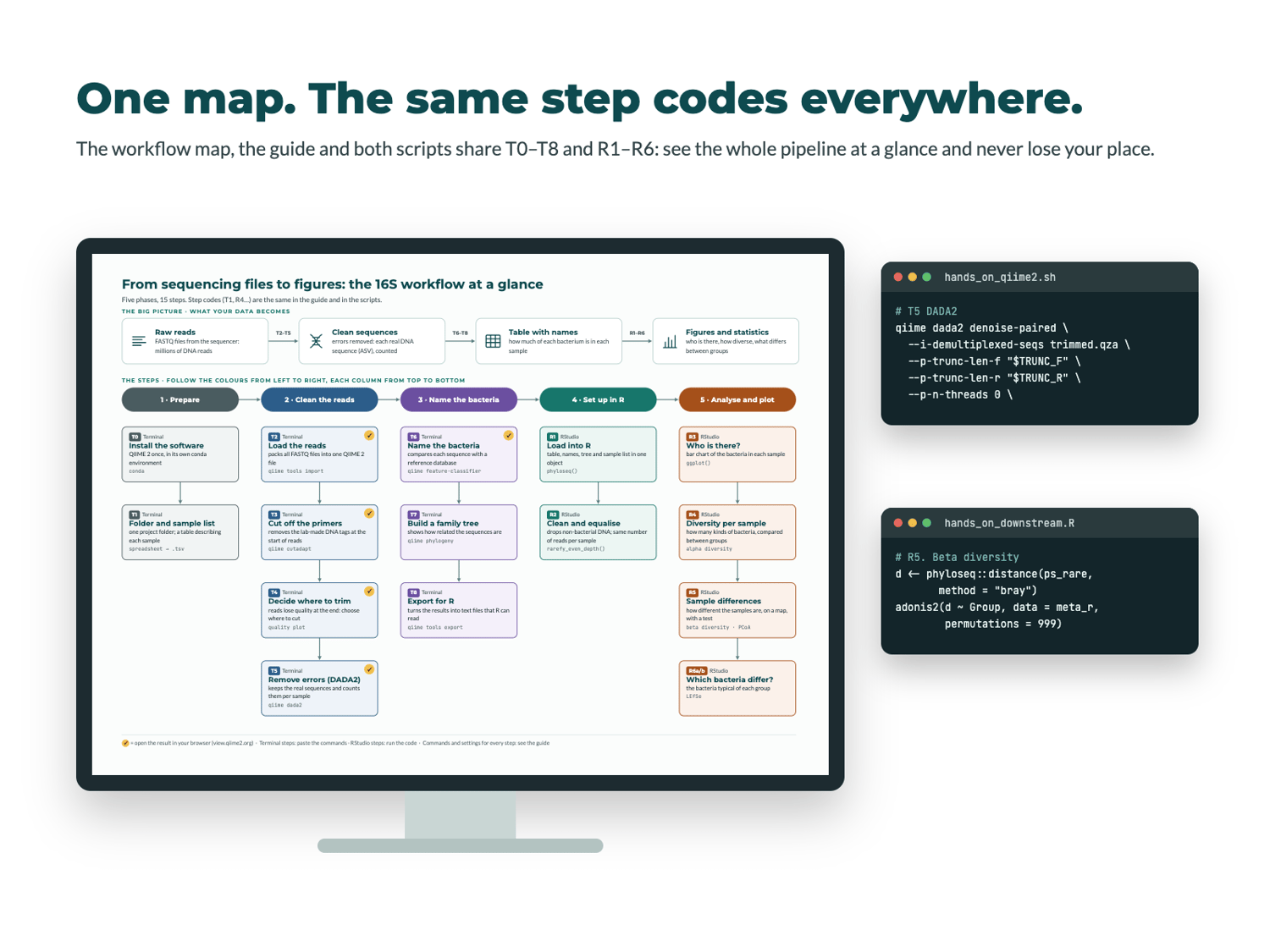
The bundle relies on a single, consistent step-numbering system (T0–T8 for the Terminal, R1–R6 for R) used simultaneously across the guide, workflow map, and scripts — so you never lose your place.
📦 The Complete Package:
1. "Start Here" Checklist & Tool Guide
- The Execution Order: An initial checklist telling you which order to use the files in, what to prepare before starting, and where to look if something goes wrong.
- A clear explanation of the tools involved with a short kitchen analogy (Terminal, QIIME 2, browser with QIIME 2 View, spreadsheet, RStudio) so you immediately understand the purpose of each environment.
2. Visual Conceptual Map (Workflow Map)
A single-page roadmap designed for beginners or anyone wanting a clear high-level view of the entire pipeline
3. Core "Pipeline" Guide (PDF)
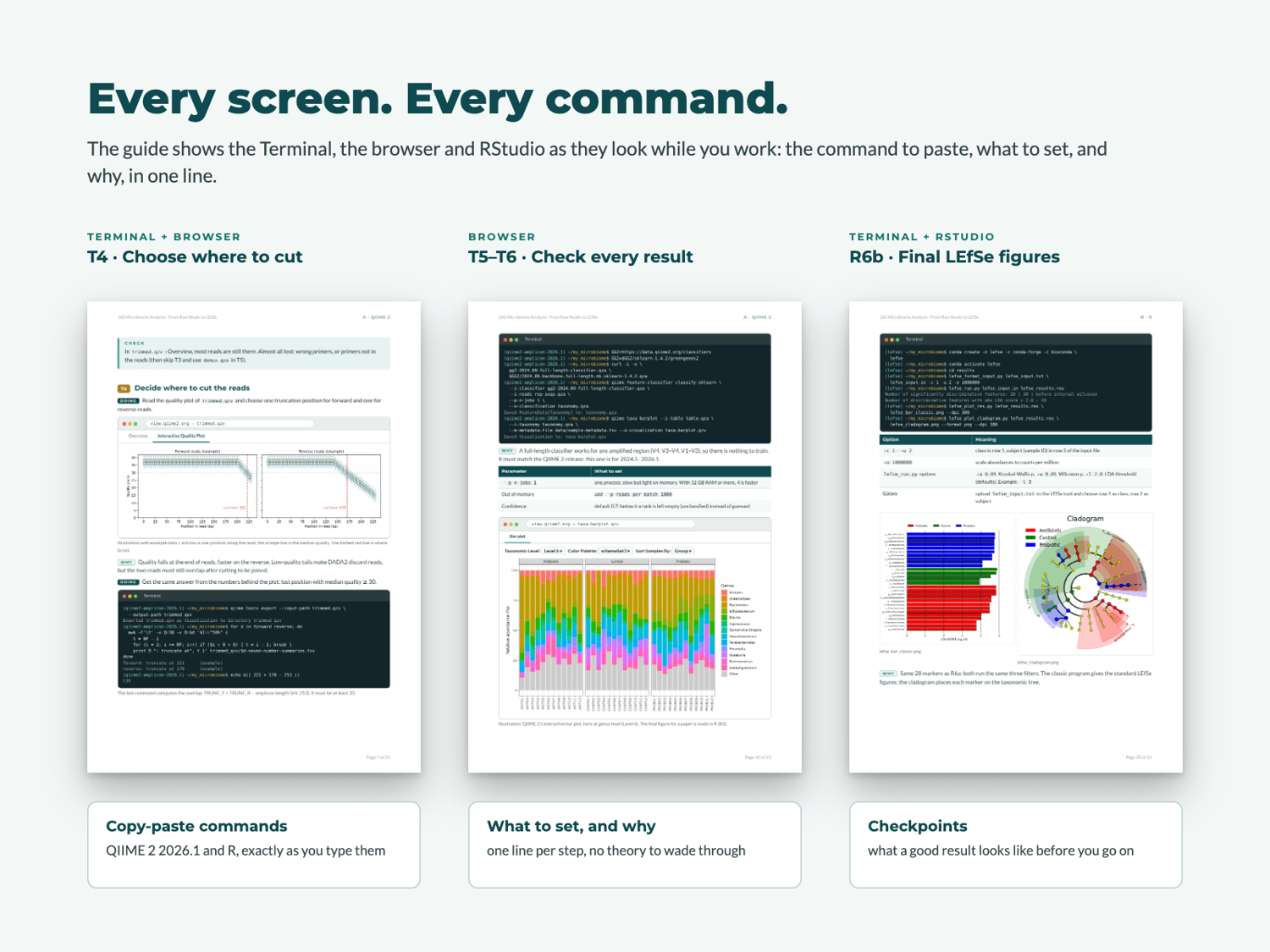
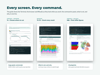
The educational heart of the kit. It shows you exactly what your screen should look like in the Terminal, Browser, and RStudio, complete with real copy-paste commands, single-line explanations for every step, and parameter choices. It covers:
- Terminal & QIIME 2 (2026.1): Installation (T0), file import, primer removal, truncation points and denoising with DADA2, taxonomy assignment using a pre-trained Greengenes2 classifier (valid for any region), phylogenetic tree construction, and file export.
- RStudio: Taxonomic composition, alpha and beta diversity with statistical testing, and LEfSe analysis both natively in R and via classic formatting (including exact input file formatting).
4. Annotated Execution Scripts (.sh & .R)
Two fully commented scripts (hands_on_qiime2.sh and hands_on_downstream.R) containing the exact same commands and step-numbering as the PDF guide.
How to Use the Kit in 3 Steps
- Orient Yourself: Open the "Start Here" checklist and review the Workflow Map to understand how your data evolves.
- Execute and Understand: Follow the PDF guide or open the annotated scripts. Run commands step-by-step while understanding what each line does.
- Analyze Independently: Check intermediate outputs at the designated inspection points and generate your downstream plots in RStudio.
One-Time Investment: $149
- ✅ "Start Here" Checklist & Tool Guide
- ✅ 5-Phase Visual Workflow Map
- ✅ Step-by-Step "Pipeline" PDF Guide (FASTQ to R)
- ✅ Annotated Bash Script (hands_on_qiime2.sh)
- ✅ Annotated R Script (hands_on_downstream.R)
- ✅ Instant Digital Download
🚀 Download the Complete Kit ($149)
TECHNICAL COMPATIBILITY DISCLOSURE:
This bundle is specifically designed for short-read Illumina paired-end 16S sequencing data (such as V1–V3 or V3–V4 regions) requiring overlapping Forward (R1) and Reverse (R2) reads for DADA2 denoising and merging.
It is NOT compatible with long-read platforms (e.g., Oxford Nanopore or PacBio HiFi) or full-length single-end workflows.
PREREQUISITES & REQUIRED KNOWLEDGE: This bundle is designed to be a step-by-step guide, but it is not an intro-to-coding course.
To use this workflow effectively, you should already be comfortable with:
- Navigating directories, managing file paths, and running basic commands in the Terminal/Command Line.
- Loading datasets, installing packages, and running scripts in RStudio.
No advanced programming or bioinformatic expertise is required, but basic hands-on experience with both tools is essential.
The conceptual map and simple analogies help you get oriented before executing any commands.
⚠️ SYSTEM REQUIREMENTS & HARDWARE WARNING:
This workflow requires macOS, Linux, or Windows (via WSL) with at least 16 GB of RAM recommended (8 GB systems may experience memory limits during heavy processing steps) and ~50 GB of free disk space. A stable internet connection is required to install QIIME 2 (15–40 min) and download the taxonomic classifier.
Frequently Asked Questions (FAQ)
Q: Which QIIME 2 version is supported?
A: The pipeline is tested and updated for QIIME 2 2026.1.
Q: Does this only work for V1–V3 regions?
A: While the bundle has been tested end-to-end on a public V1–V3 dataset, the core pipeline logic and the pre-trained Greengenes2 classifier used in the guide (downloaded with one command) apply to standard Illumina paired-end short-read data.
Q: What format will I receive?
A: Upon purchase, you will receive a PDF guide, a bash script, an R script, a PNG workflow map, a PDF "Start here" checklist and a PDF Tools Guide.
Files:
16S_Microbiome_Analysis_Pipeline.pdf — (1,2 MB)
16S_The_Tools_Guide.pdf — (345 KB)
16S_Workflow_Map.png — (313 KB)
16S_Start_Here.pdf — (151 KB)
hands_on_downstream.R — (7 KB)
hands_on_qiime2.sh — (5 KB)
Non refundable • No individual support
Not affiliated with or endorsed by the QIIME 2 project.