

The Signal: Daily IT & Cybersecurity Briefing (Oct 26, 2026)
FOR EVERYONE AT WORK—NO TECH DEGREE REQUIRED.
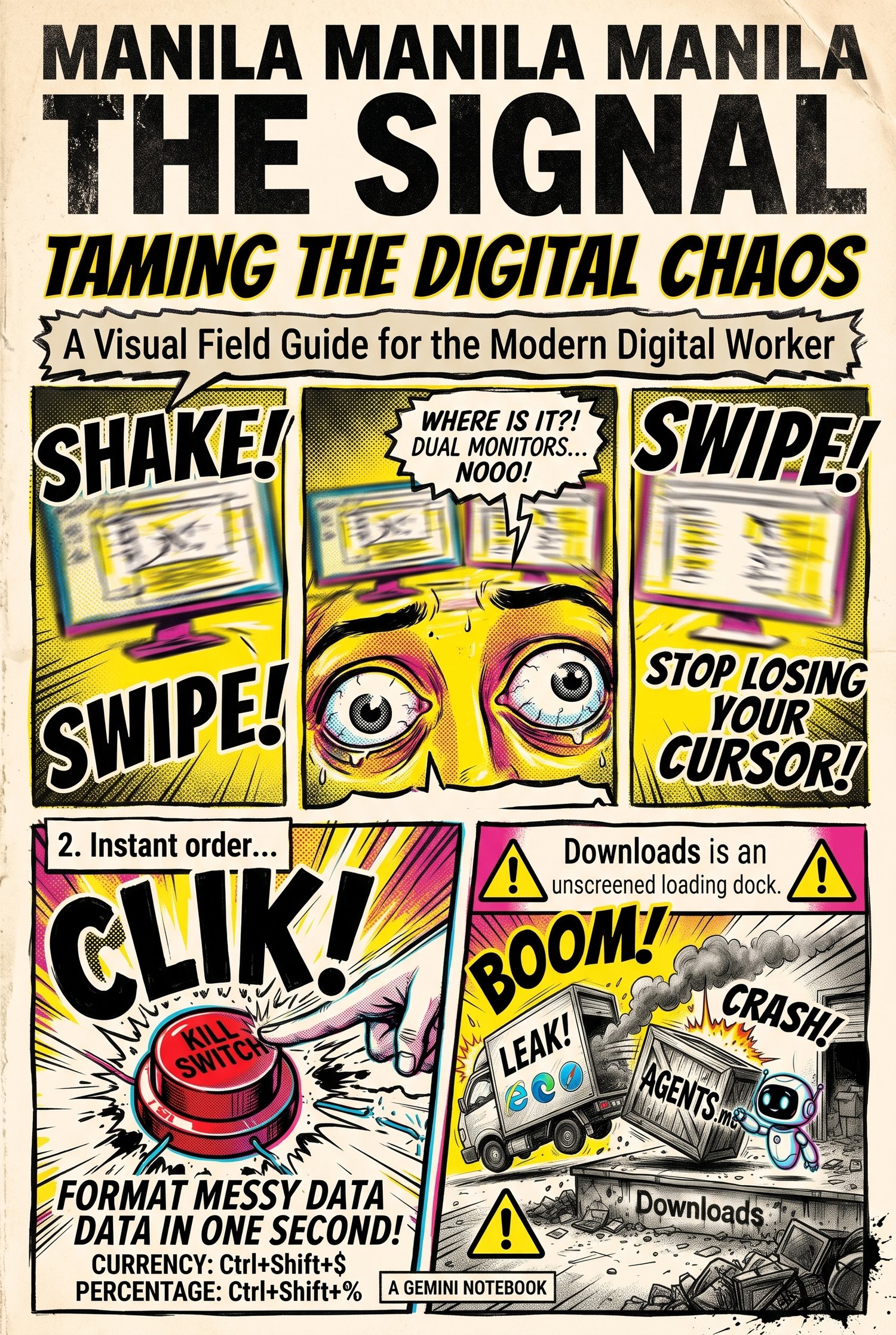
Welcome to The Signal: Taming the Digital Chaos (Monday, 26 October 2026 Edition)—the visual IT field guide and full-text companion manual designed to help everyday professionals outsmart modern AI traps, format messy spreadsheets in one second, and master the tools on their screens.
Why is launching an AI assistant inside your computer's messy Downloads folder like letting a helpful intern take orders from random sticky notes left on the sidewalk? And how did hiding rows in an Excel spreadsheet instead of deleting them accidentally saddle a major bank with 179 toxic contracts during a midnight deal? This edition pairs bold pop-art comic panels with an in-depth, plain-English manual to turn complex tech alerts into 30-second workplace habits.
Inside Today’s Visual Field Guide & Deep-Dive Manual:
- Active Threat Intelligence & AI Security Habits:
- The Unscreened Loading Dock (AGENTS.md in Downloads): How a booby-trapped webpage can silently drop a rogue AGENTS.md or CLAUDE.md file into your ~/Downloads folder—and why launching AI agents (like OpenAI Codex, Claude Code, or Cursor CLI) inside Downloads lets attackers execute commands or steal OAuth login tokens.
- Enterprise AI vs. Public AI Chatbots: Why pasting a confidential client contract or salary sheet into a free public chatbot risks exposing company secrets to human reviewers and public training pipelines (like the real-world Samsung code leak), and how to use placeholders (Client A, $10,000) safely.
- Payment & Data Tokenization Explained: How Apple Pay, Google Pay, and modern virtual cards lock your real 16-digit card number in a vault and hand merchants "casino poker chip" stand-in tokens that are useless to hackers if breached.
- The "Sign Out Everywhere" Kill Switch: Why changing your password doesn't always kill active session cookies on old hotel PCs, conference kiosks, or borrowed tablets—and how to hit the emergency "Sign Out Everywhere" button in Microsoft 365 and Google Workspace.
- 1-Second Productivity Upgrades & Desk Rescue:
- Windows 11’s Native Cursor Crosshairs (Win + Ctrl + X): Stop losing your mouse pointer across dual monitors or during Teams screen-shares using Windows 11 Build 28120.3272's built-in Mouse Pointer Indicator.
- The 1-Second Excel Currency & Percentage Formatter: Transform messy raw numbers (14250.5 and 0.185) into boardroom-ready Currency ($14,250.50) and Percentages (19%) on both Windows and Mac using Ctrl + Shift + $ (4) and Ctrl + Shift + % (5).
- When Your Keyboard Suddenly Learns French: Solve the Monday morning panic when typing ? or / suddenly outputs É or é because a stray thumb grazed Win + Spacebar and switched your layout from ENG to FRA.
- Three Specialized Browser Tools: Build zero-signup budget and workflow diagrams at SankeyMATIC.com, find the exact word on the tip of your tongue with the OneLook.com reverse dictionary, and sharpen business writing at WordHippo.com.
- Tech History, Quiet Heroes & Future Horizon:
- The 2008 Barclays–Lehman Brothers "179 Hidden Excel Rows" Disaster: How hiding nearly 200 rows of unwanted toxic contracts instead of deleting them caused the hidden rows to reappear during an 11:00 PM PDF conversion for federal bankruptcy court.
- On This Day in Tech (26 October 2012): How the dual launch of Windows 8 and the original magnesium-alloy Microsoft Surface (with its built-in kickstand and magnetic snap-on keyboard cover) invented the modern 2-in-1 hybrid laptop.
- Quiet Hero of IT (Sister Mary Kenneth Keller): How a Catholic nun became the first woman in the U.S. to earn a Ph.D. in Computer Science (1965) and helped develop the BASIC programming language at Dartmouth so non-specialists could command computers in plain English.
- Future Tech (Digital Twins): How living, real-time virtual clones fed by live sensors predict jet engine wear, prevent hospital ER bottlenecks, and optimize smart office buildings.
Complete with "Today’s 30-Second Challenge" and 14 primary source references, this guide gives you three immediate wins you can apply at your desk in half a minute