EXPORT DOCUMENTATION CONTROL & INTELLIGENCE LAB
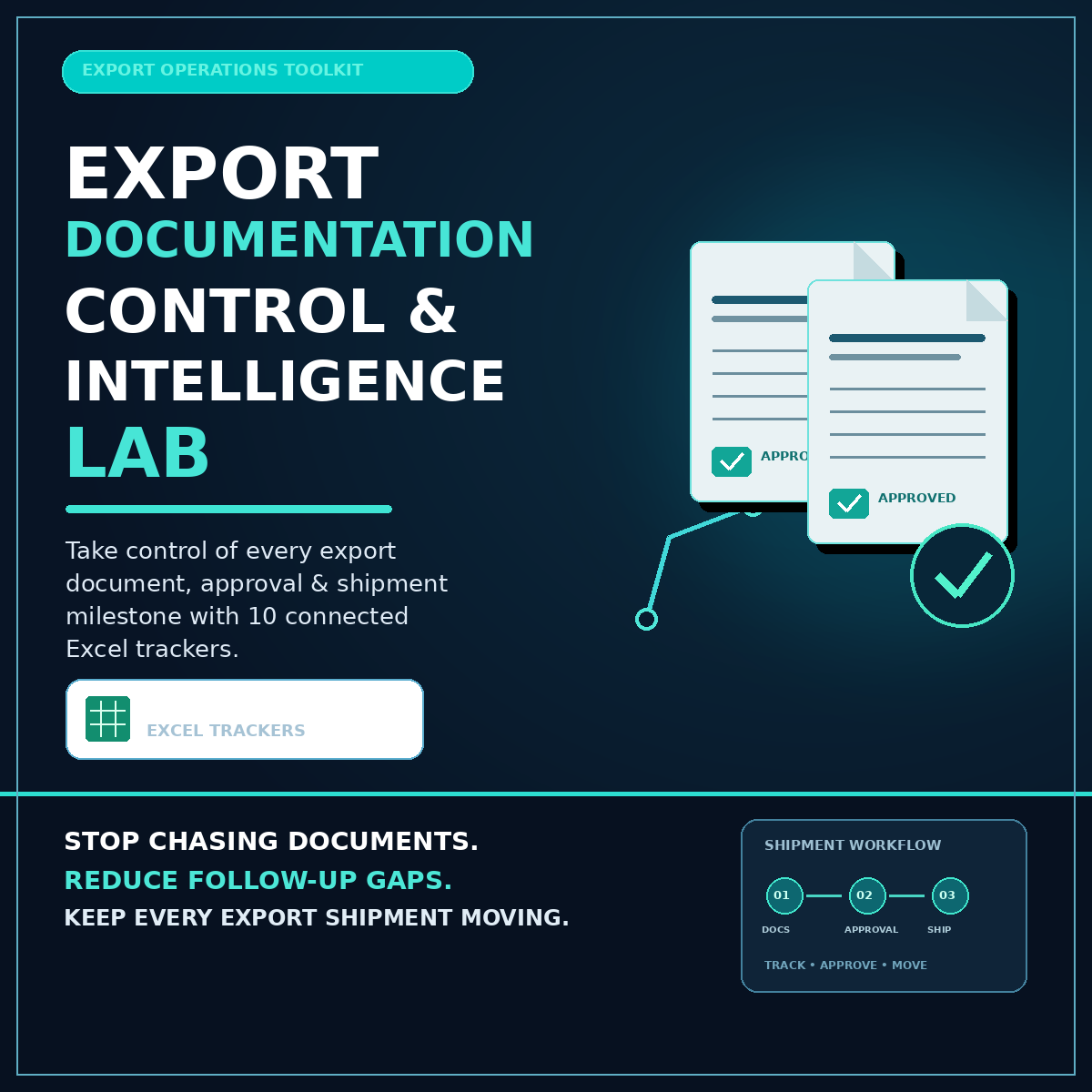
Take Control of Every Export Document, Approval & Shipment Milestone with 10 Connected Excel Trackers
Stop Chasing Documents. Reduce Follow-up Gaps. Keep Every Export Shipment Moving.
Export shipments involve multiple documents, approvals, financial records, customs milestones, and compliance requirements.
One missing document. One delayed approval. One overlooked expiry date. One pending Let Export Order (LEO).
Small documentation gaps can create unnecessary follow-ups, operational delays, and confusion across export teams.
The Export Documentation Control & Intelligence Lab gives you a structured, Excel-based system to organize export documentation, monitor shipment progress, follow up on pending activities, and maintain visibility from initial document registration through shipment closure.
With 10 practical trackers and a live dashboard, you can bring essential export documentation activities into one connected spreadsheet environment.
No complicated software implementation. No macros to enable. No need to build multiple tracking sheets from scratch.
Organize Better. Follow Up Faster. Keep Your Export Operations Under Control.
GET INSTANT ACCESS — $10.99
10 Export Documentation Trackers · Live Dashboard · Macro-Free Excel Workbook
Export Documentation Should Not Be a Daily Exercise in Chasing Updates
An export shipment is more than moving cargo from one country to another.
Behind every shipment is a sequence of documentation and operational activities that must be completed, checked, approved, and monitored.
These may include:
- Commercial invoices
- Packing lists
- Shipping bills
- Let Export Orders (LEO)
- Bills of Lading
- Air Waybills
- Certificates of Origin
- Customs clearance documentation
- Compliance records
- Internal approvals
- Shipment closure records
When these activities are maintained in separate spreadsheets, email conversations, or individual follow-up lists, it becomes difficult to maintain a complete picture.
You may find yourself asking:
- Which shipment documents are still pending?
- Has the shipping bill been processed?
- Is the LEO received?
- Which approvals are overdue?
- Have all required certificates been obtained?
- Are any certificates approaching expiry?
- Have invoice and payment records been updated?
- Which shipments are ready for closure?
- What needs immediate attention from the export team?
The Export Documentation Control & Intelligence Lab helps bring these activities into a structured tracking environment.
Instead of searching across multiple files and conversations, you can use dedicated trackers to organize information and monitor progress.
One Connected System for Your Export Documentation Workflow
The toolkit includes 10 practical trackers designed around important export documentation and shipment-control activities.
01. Master Export Document Register
Your central reference point for export documentation.
Maintain a structured record of shipment-related documents and monitor their completion status.
Use the master register to identify outstanding documentation and understand the overall progress of each shipment.
Key benefit: Better visibility into document completeness and outstanding requirements.
02. Shipping Bill & LEO Tracker
Keep important shipping bill and Let Export Order milestones organized.
Record relevant details and monitor processing status, submission dates, and pending follow-ups.
Overdue items are highlighted in red to make delayed activities easier to identify.
Key benefit: Improved visibility into important export documentation milestones.
03. Export Invoice & Payment Tracker
Organize export invoice information and payment follow-ups.
Record invoice values and monitor relevant payment information.
The accompanying foreign exchange sheet supports invoice value conversion into USD.
Key benefit: A more structured view of invoice and payment-related information.
04. Export Packing List Tracker
Maintain visibility over packing list documentation associated with export shipments.
Organize shipment and packing information in a structured format to support documentation coordination.
Key benefit: Better organization of shipment packing documentation.
05. Bill of Lading Tracker
Monitor Bill of Lading documentation and its associated status information.
Maintain a convenient reference for important shipment documentation details and follow-ups.
Key benefit: Easier monitoring of essential ocean freight documentation.
06. Air Waybill Tracker
Organize Air Waybill information and monitor the documentation status of air freight shipments.
Use the tracker to maintain visibility into relevant shipment records and outstanding activities.
Key benefit: More organized air export documentation tracking.
07. Certificate of Origin Tracker
Maintain records of Certificates of Origin and monitor relevant certificate information.
The tracker includes an expiry monitoring feature with a 30-day early warning to help identify certificates approaching their recorded expiry dates.
Key benefit: Better visibility into certificate validity and renewal follow-ups.
08. Customs Clearance Tracker
Organize customs clearance activities and monitor relevant shipment milestones.
Use the tracker to maintain a structured view of clearance-related progress and pending activities.
Key benefit: Better coordination of customs clearance follow-ups.
09. Export Compliance Tracker
Maintain a structured record of export compliance-related documentation and activities.
Use the tracker to organize relevant records and monitor their completion status.
Key benefit: A more organized approach to export compliance administration.
10. Export Approvals & Shipment Closure Tracker
Bring approvals and final shipment closure activities into a structured tracking process.
Monitor outstanding approvals and maintain visibility over completion activities.
Key benefit: Fewer overlooked follow-ups and better visibility into shipment closure.
See Your Export Documentation Status on One Live Dashboard
Tracking individual documents is important.
But understanding the overall status of your export operations is equally important.
The toolkit includes a live dashboard designed to bring important tracking information together.
What Can You Monitor?
Document Completion Percentage
Understand the level of documentation completion across your registered shipment records.
Pending Documentation
Identify documents and activities that still require attention.
Overdue Follow-ups
Spot overdue LEO and approval-related items through red highlighting.
Certificate Expiry Warnings
Identify certificates approaching their recorded expiry dates with a 30-day early warning.
Shipment Documentation Progress
Review the status of export documentation activities across your tracking workflow.
Financial Documentation Visibility
Maintain organized invoice and payment records, including USD-converted invoice values using the FX sheet.
The dashboard helps turn individual tracking entries into a more convenient operational overview.
From Document Registration to Shipment Closure
The toolkit supports a structured approach to export documentation management.
Step 1 — Register Your Shipment Documents
Start by maintaining relevant shipment and documentation information in the master register.
Step 2 — Update Individual Documentation Trackers
Record the required information in the relevant shipping bill, LEO, invoice, packing list, B/L, AWB, and certificate trackers.
Step 3 — Monitor Customs and Compliance Activities
Use the customs clearance and compliance trackers to maintain visibility over relevant activities.
Step 4 — Follow Up on Pending Approvals
Monitor approval status and identify overdue activities that require attention.
Step 5 — Review the Dashboard
Use the dashboard to understand documentation completion, pending activities, and important follow-ups.
Step 6 — Record Shipment Closure
Maintain the final shipment documentation and closure status in the relevant tracker.
The objective is simple: create a more structured and consistent export documentation workflow.
Why Choose This Export Documentation Toolkit?
10 Dedicated Trackers in One Package
Instead of creating separate spreadsheets for every documentation activity, access a collection of dedicated trackers in one package.
Centralized Documentation Visibility
Use the master register and dashboard to maintain a broader view of documentation progress.
Automated Status Monitoring
Use the workbook's built-in calculations and conditional highlighting to make important follow-ups easier to identify.
Overdue Activity Identification
Red highlighting helps bring overdue LEO and approval items to your attention.
Certificate Expiry Monitoring
The 30-day early-warning feature helps you identify certificates approaching their recorded expiry dates.
Foreign Exchange Support
The FX sheet supports invoice value conversion into USD.
Macro-Free Spreadsheet Environment
No macros need to be enabled to use the supplied macro-free XLSX files.
Familiar Spreadsheet Applications
The files are designed for Microsoft Excel, Google Sheets, and LibreOffice, although some features may behave differently across applications.
Who Is This Export Documentation System For?
Export Documentation Executives
Organize documents, monitor completion, and manage daily export documentation follow-ups.
Export Coordinators
Maintain shipment documentation visibility and coordinate pending activities across different stages.
Export Managers
Obtain a structured overview of documentation progress, outstanding approvals, and shipment closure.
Freight Forwarding Professionals
Improve coordination of export documentation activities associated with customer shipments.
Customs and Logistics Coordinators
Maintain organized records of customs-related documentation and clearance milestones.
Export Business Owners
Develop a more consistent documentation tracking process without immediately investing in specialist software.
Small and Medium-Sized Export Businesses
Introduce structured spreadsheet-based documentation tracking into everyday operations.
What You Receive
Your purchase includes:
- 10 export documentation trackers.
- Master export document register.
- Shipping Bill & LEO tracker.
- Invoice & payment tracker.
- Packing list tracker.
- Bill of Lading tracker.
- Air Waybill tracker.
- Certificate of Origin tracker.
- Customs clearance tracker.
- Export compliance tracker.
- Approvals and shipment closure tracker.
- Live dashboard.
- FX conversion sheet.
- Automated calculations and status highlighting.
Product Format: Downloadable XLSX spreadsheet file.
File Size: Approximately 44 KB.
Price: $10.99.
Compatibility: Microsoft Excel, Google Sheets, and LibreOffice.
Macros: Not required.
Frequently Asked Questions
1. What exactly is this product?
It is an Excel-based export documentation tracking system containing 10 dedicated trackers and a live dashboard.
2. Do I need advanced Excel knowledge?
No. Basic spreadsheet knowledge is sufficient to get started.
3. Do I need to enable macros?
No. The supplied workbook is macro-free.
4. Can I use it in Google Sheets?
The files are designed for Google Sheets as well as Excel and LibreOffice. However, some formatting and spreadsheet features may behave differently across applications.
5. Does the dashboard update automatically?
The workbook includes a live dashboard designed to reflect the tracking information entered into the workbook. Spreadsheet recalculation and feature compatibility depend on the application being used.
6. Can I monitor overdue LEO activities?
Yes. The Shipping Bill & LEO tracker includes overdue-item highlighting.
7. Can I monitor certificate expiry dates?
Yes. The Certificate of Origin tracker includes a 30-day early-warning feature.
8. Does the workbook support currency conversion?
Yes. The invoice tracker includes an FX sheet for converting invoice values into USD.
9. Does this system automatically submit documents to customs?
No. It is a documentation tracking and organization tool. It does not replace customs portals, regulatory systems, or document submission processes.
10. Does it replace export compliance software?
No. It supports internal documentation organization and follow-up. Regulatory requirements should always be verified with relevant authorities or qualified professionals.
11. How will I receive the product?
After purchasing through Payhip, you can access the downloadable XLSX file through the platform's delivery process.
Stop Managing Export Documentation Through Scattered Spreadsheets
Every export shipment has documents to complete, milestones to monitor, and follow-ups to manage.
The challenge is not simply preparing the documents. It is maintaining visibility over the entire process.
The Export Documentation Control & Intelligence Lab gives you 10 practical trackers and a live dashboard to help organize documentation, monitor pending activities, identify overdue items, and maintain a clearer view of shipment progress.
Bring your export documentation workflow into one structured spreadsheet environment.
Less Chasing. Better Tracking. More Control.
GET INSTANT ACCESS TO THE EXPORT DOCUMENTATION CONTROL & INTELLIGENCE LAB
Only $10.99
10 Excel Trackers. One Live Dashboard. A More Organized Export Documentation Workflow.
Important Product Disclaimer
This product is an internal documentation organization and tracking tool. It does not provide customs clearance, regulatory certification, automatic document submission, or legal compliance approval. Users remain responsible for verifying applicable export documentation requirements, regulatory obligations, and deadlines with relevant authorities and qualified advisers.