
Daily Planner & Time Blocker Pro — Pomodoro, Day Templates (Works Offline · No Login)
The Standard Daily Planner works. The Pro version helps you replicate your best days.
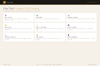
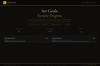
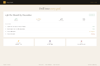
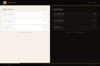
Start with the complete Standard edition—time blocks, task categorisation, priority ranking, habit tracker, daily reflection, mood and energy tracking, weekly overview, date navigation, dark/light mode, export/import. Then unlock Pro: a built-in Pomodoro timer (25-minute focus sessions, 5-minute breaks, session counter) keeps you in flow. Day templates let you save your best day layouts—when you've blocked time perfectly once, save it as a template and load it again with one click (perfect Mondays look like last Monday, right?). Task carry-forward automatically suggests unfinished tasks from yesterday—so good intentions don't disappear. Focus Mode (Ctrl+F) strips the interface to just your today's priorities. Printable daily sheet lets you take your plan offline. Session quotes on load. Keyboard shortcuts (Ctrl+H) for faster navigation. Streak tracking with confetti milestones (7, 14, 30, 60, 90 days) for your habits. Premium visuals—subtle animations, frosted glass, textured background—make planning feel purposeful.
Everything saves locally to your device. No Google account. No app. Your schedule is entirely yours.
◈ KEY FEATURES
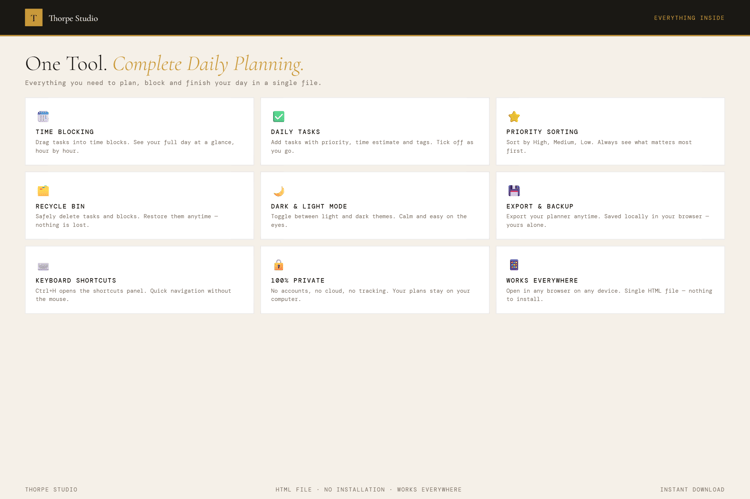
★ Everything from Standard Edition Time blocks (Morning, Afternoon, Evening), task categorisation (Work, Personal, Health, Break, Focus), priority ranking (High, Medium, Low), habit tracker grid, daily reflection, mood selector, energy slider, weekly overview, date navigation, smart insights, dark/light mode, export/import.
★ Built-In Pomodoro Timer 25-minute focus sessions with 5-minute breaks. Session counter tracks how many pomodoros you've completed. Scientifically-backed time management embedded in your planner.
★ Day Templates Design a perfect day once. Save it as a template. Load it again tomorrow or next week. Your best Monday becomes a blueprint. Same time blocks. Same task distribution. One click to replicate.
★ Task Carry-Forward Unfinished tasks from yesterday auto-suggest the next morning. Good intentions don't disappear into the void. Your planner reminds you what didn't finish.
★ Focus Mode Ctrl+F strips everything except today's priorities and your time blocks. No sidebar, no weekly view, no distractions. Just this day. Exit anytime.
★ Printable Daily Sheet Export a clean, printable version of today's plan. Take it offline. Hand-write notes. Print your week and tape it to your wall. Old school works.
★ Session Motivational Quotes Each time you open the tool, a fresh quote appears. Subtle encouragement for the day ahead.
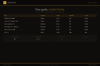
★ Habit Streak Tracking Watch your daily habit streaks grow. 7 days, 14 days, 30 days, 60 days, 90 days—confetti celebrates each milestone. Streaks are weirdly powerful.
★ Keyboard Shortcuts Ctrl+H opens the shortcuts panel. Navigate between dates and views faster. Power users love this.
★ Premium Visual Layer Subtle animations when you complete tasks. Frosted glass effects on blocks. Textured background. Planning feels premium because it is.
★ Pro Badge Your planner shows a Pro badge. Proof you invest in your daily performance.
◈ YOUR DATA — HOW IT WORKS
Your schedule, templates, habits, and reflections live locally on your device using browser storage (localStorage). Nothing is sent to servers. Nothing is shared. When you close the tool, it's all there. When you open it tomorrow, next week, next month—your complete planning history is intact. Want a backup before switching devices? Export your entire planner as a JSON file. Your day templates, your habit streaks, your reflections—completely portable and yours.
◈ WHO IS THIS FOR
→ Freelancers and solopreneurs managing their own time without team oversight → People building consistent daily habits who need a tracking system → Anyone with recurring tasks that repeat across similar days → Entrepreneurs tracking energy and productivity alongside tasks → Focus-seekers who use the Pomodoro technique and need it integrated
◈ WHAT YOU RECEIVE
- 1 × HTML file — Daily Planner & Time Blocker Pro
- Works in any modern browser: Chrome, Edge, Firefox, Safari
- No installation. No account. No internet connection required after download
- Built-in welcome guide on first open
- Lifetime use. No subscription. No expiry
- Designed for desktop use — best experienced on a laptop or computer
◈ HOW TO USE IT
- Download the file and save it on your Desktop
- Double-click to open in your browser
- The welcome guide introduces Standard features first
- Design your ideal day: add time blocks, tasks, priorities, habits
- Complete a few days of planning to establish a pattern
- When you've nailed a good day layout, save it as a template
- Use the Pomodoro timer for deep work focus sessions
- At day's end, complete your reflection and mood check
- Watch unfinished tasks auto-suggest the next morning
- Use Ctrl+F for focus mode when distractions hit
- Watch your habit streaks grow and celebrate milestones
◈ IMPORTANT — PLEASE READ BEFORE PURCHASING
This is a digital HTML file—not a Notion template, not a Google Calendar, not a time tracking app. You download it once and it lives on your device forever. Your schedule, templates, and habit data are stored locally using browser storage (localStorage)—completely private on your computer. This tool does not sync to a phone or smartwatch. If you clear your browser storage, data is lost—use the export function to back up regularly. There are no refunds on digital products. For technical help, contact us and we'll assist. This tool works offline; no internet required after download.
◈ ABOUT THORPE STUDIO
Thorpe Studio builds premium browser-based productivity tools for freelancers and solopreneurs. Every tool opens instantly in your browser, works offline, requires no account, and keeps your data private on your device. No subscriptions. No cloud. No friction. Just you, your ideas, and the tools you need to move forward.
£1.99