


Pattern Creation Kit Procreate And Adobe Fresco
Unlock your creative potential with this comprehensive Pattern Creation Kit! Whether a beginner or an experienced designer, this kit equips you with everything you need to effortlessly and efficiently create beautiful patterns on your iPad using Procreate and Adobe Fresco.

What You Will Get
Pattern Creation Canvases
- Procreate: Square and Rectangle
- Adobe Fresco: Square and Rectangle
Pattern Layout Templates
- 40 Layouts for Square Canvas
- 40 Layouts for Rectangle Canvas
Procreate Brushes
- 47 Brushes (7 Drawing/Texture Brushes and 40 Stamp Brushes)
Color Palettes
- 18 Palettes (both seasonal and non-seasonal)
Instructional Videos/Guidebook
- 4 comprehensive instruction videos for Procreate and Adobe Fresco
- Step-by-step guidebook with cheat sheets

Learn Pattern Creating Workflows
Save yourself the trouble of searching through various workflows
Speed up your creative process and experiment with a variety of workflows before selecting the one that works best for you.
Explore all the workflows and start making stunning patterns easily and efficiently without any overwhelm.
These classes are beginner friendly and easy to follow with step-by-step instructions.
With clear and concise steps to follow, maximize your workflow of creating seamless patterns.
Sneak Peek Of Classes
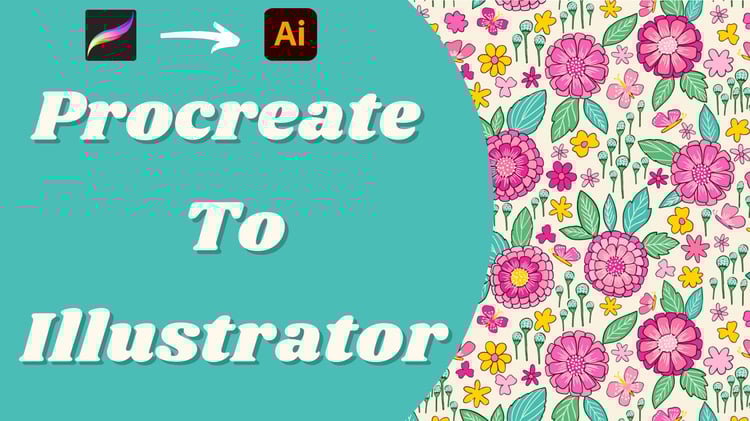
Procreate To Illustrator Workflow
In this class, I will show you my workflow from preparing the files in Procreate, to image tracing the elements in Illustrator and then making patterns in two different methods, one using the manual way and the other using the pattern tool in illustrator.

Procreate To Affinity Designer Workflow
In this class, you will learn to bridge the gap between efficiency and affordability by converting your Procreate drawings into vectors using Adobe Capture and then making a pattern using Affinity Designer.

Procreate To Photoshop Workflow
In this class, you will learn how to take your hand-drawn textured motifs from Procreate and make a pattern in Adobe Photoshop using the Pattern Preview option.

Mrunmayee
I am Mrunmayee, a self-taught artist and surface designer behind ‘Kala By Mrunmayee’ (Kala means Art in Sanskrit language).
My work is mostly inspired from nature and the simple joys of life.