

IBotta Coupon Clipper
On Sale
$6.99
$6.99
Ibotta Digital Offer Auto-Matcher (Google Chrome Extension)
Hi savings fans! 👋
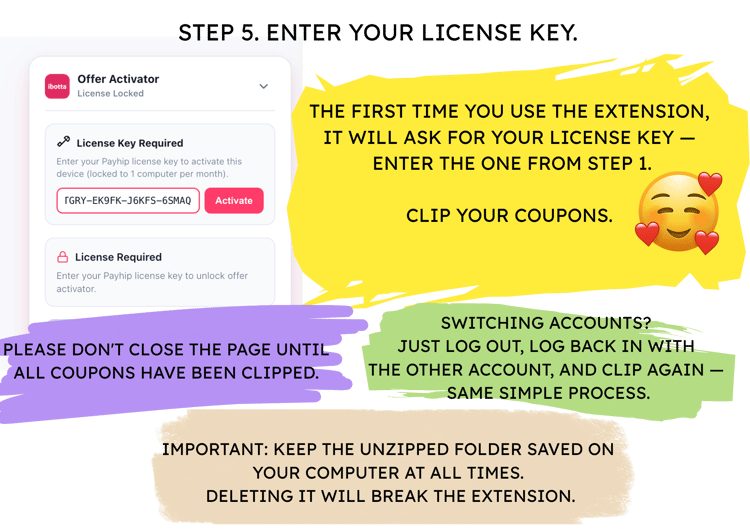
I created this Google Chrome Extension to take the hassle out of rebate matching on Ibotta. Instead of spending 20–30 minutes searching for cash-back offers and clicking manually before every grocery trip, this extension does the heavy lifting for you in seconds.
🔑 Key Features & Important Details:
- Desktop Chrome Exclusive: Designed specifically for Google Chrome on desktop (Windows / Mac / Chromebook). It is not compatible with mobile browsers or phone apps due to Chrome’s technical limits on mobile.
- Lifetime License (One-Time Payment): No recurring fees or hidden charges. Buy it once and use it forever for your personal deal hunting.
- Personal Single-User License: This license is tied to one individual user. It is not allowed to share, bundle, or distribute this tool to groups, savings clubs, or third parties.
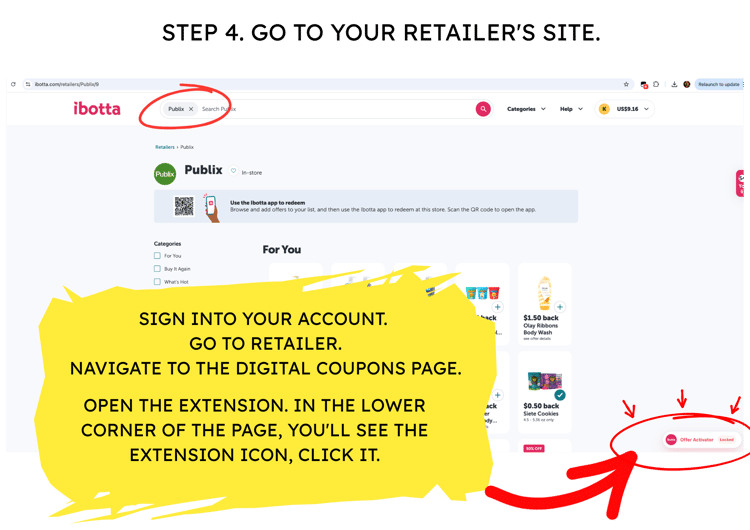
- Supports Multiple Accounts: If you maintain more than one rebate account on your computer, you can easily use this tool for all of them. Simply log out of one account, log into the next, and click the extension.
- Privacy-First Design: Runs locally in your Chrome browser. Your private data and credentials stay 100% safe on your device.
🛠 What’s Included in the Download:
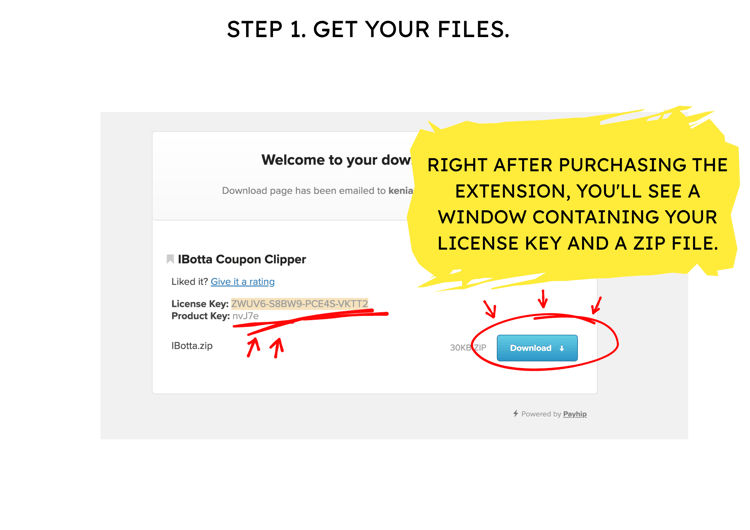
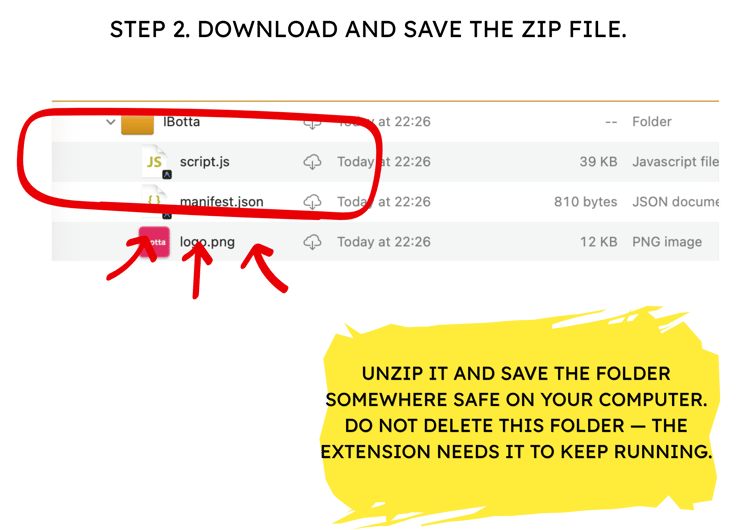
- The extension source files (.zip)
- Lifetime free updates for this store extension
Disclaimer – Extension Functionality & Compatibility
This product is a browser extension designed to work with activation coupon system as it currently operates.
Please note:
- Third-party platforms frequently update their systems, security measures, and policies without notice.
- We actively monitor for such changes and will make reasonable efforts to update and maintain this extension to keep it functional.
- However, we cannot guarantee uninterrupted or permanent compatibility. If a platform update prevents the extension from working and we are unable to restore functionality, the product may be discontinued without further notice.
- This is a digital product delivered upon purchase. Due to its nature, all sales are final.