Your Cart
Loading

Automate your Digital Coupon Clipper in 1 Click (Google Chrome Extension)

100% Safe & Secure. Doesn't collect your personal data or store passwords. It just automates clipping standard store coupons.

Automate your Digital Coupon Clipper in 1 Click (Google Chrome Extension) 100% Safe & Secure. Doesn't collect your personal data or store passwords. It just automates clipping standard store coupons.
How to Install and Use the Extension

  • Get your files.

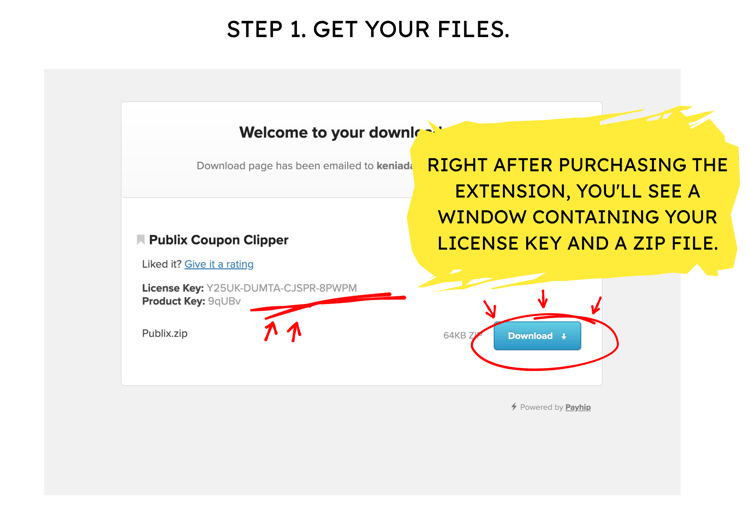
    Right after purchasing the extension, you'll see a window containing your License Key and a Zip file.
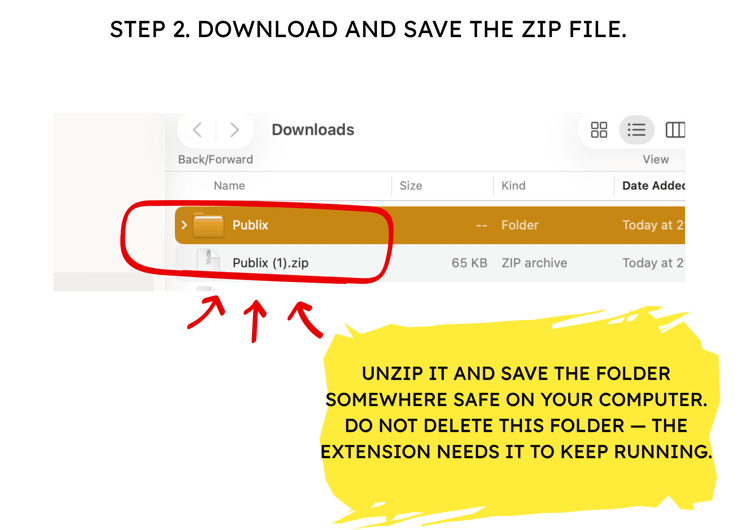
  • Download and save the zip file.

    Unzip it and save the folder somewhere safe on your computer. Do not delete this folder — the extension needs it to keep running.
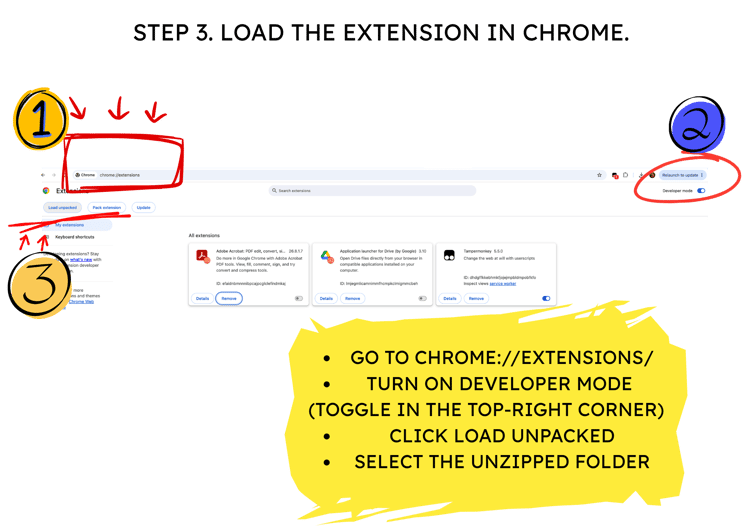
  • Load the extension in Chrome:

    Go to chrome://extensions/

    Turn on Developer mode (toggle in the top-right corner)

    Click Load unpacked

    Select the unzipped folder
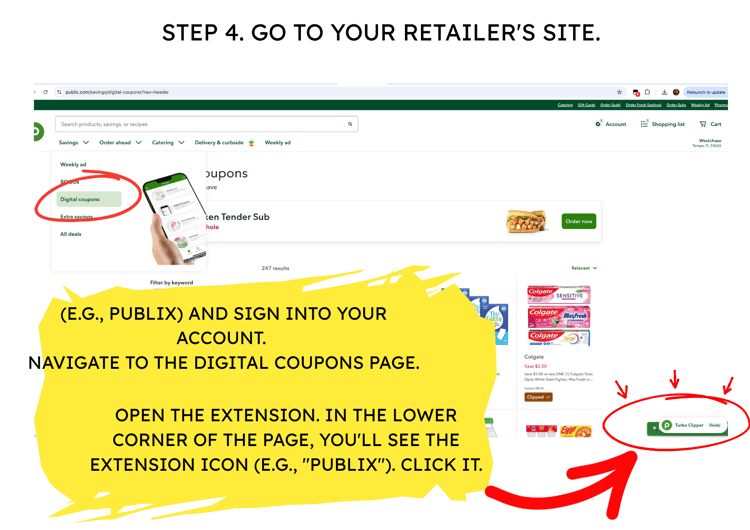
  • Go to your retailer's site (e.g., Publix)

    sign into your account. Navigate to the Digital Coupons page.

    Open the extension. In the lower corner of the page, you'll see the extension icon (e.g., "Publix"). Click it.
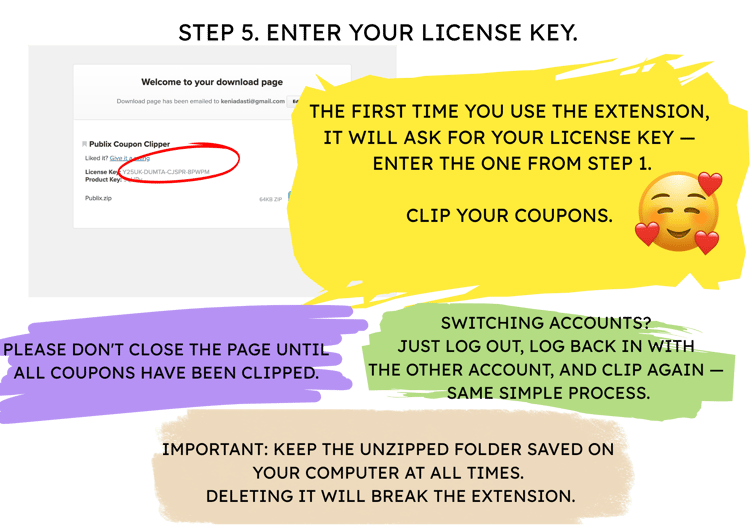
  • Enter your License Key.

    The first time you use the extension, it will ask for your License Key — enter the one from Step 1.

    Clip your coupons. Please don't close the page until all coupons have been clipped.

How to Install and Use the Ibotta Extension

  • Get your files.

    Right after purchasing the extension, you'll see a window containing your License Key and a Zip file.

  • Download and save the zip file.

    Unzip it and save the folder somewhere safe on your computer. Do not delete this folder — the extension needs it to keep running.

  • Load the extension in Chrome:

    Go to chrome://extensions/

    Turn on Developer mode (toggle in the top-right corner)

    Click Load unpacked

    Select the unzipped folder

  • Go to your retailer's site (e.g., Publix)

    sign into your account. Navigate to the Digital Coupons page.

    Open the extension. In the lower corner of the page, you'll see the extension icon. Click it.

  • Enter your License Key.

    The first time you use the extension, it will ask for your License Key — enter the one from Step 1.

    Clip your coupons. Please don't close the page until all coupons have been clipped.

About Me

Hi! If you love shopping like I do, you know how much time gets wasted clicking through digital coupons just to get a good price. If you miss one, you're literally paying extra for nothing! So, I made this extension for a very simple reason: to give you back your time and save your money. It automatically activates all the digital coupons across your store account in seconds. One click, instant savings, and zero hassle!

Key Features & Important Details

  • Desktop Chrome Exclusive

    This is a Google Chrome Extension for PC and Mac desktop computers. Please note: Google Chrome does not support extensions on mobile devices (iOS/Android smartphones or tablets).

  • One-Time Purchase / Lifetime Access

    Your purchase includes a single-user lifetime license. Pay once and enjoy unlimited clipping for life—no monthly subscriptions!

  • Single User License Policy

    Each purchase grants a license for one individual customer. Sharing, redistributing, or using a single license across groups, forums, or multiple households is strictly prohibited.

  • Multiple Store Accounts Supported

    Do you manage multiple accounts for your family? No problem! You don't need extra licenses. Simply log out of one account on your desktop browser, log into the other, and run the extension again. It works seamlessly across all your personal accounts on your computer.

  • Safe & Lightweight

    The extension directly interacts with the official coupon page in your browser. It does not collect, store, or transmit your password or personal information anywhere.