
Receipt Splitter & Reimbursement Tracker for Windows | Shared Expense Calculator
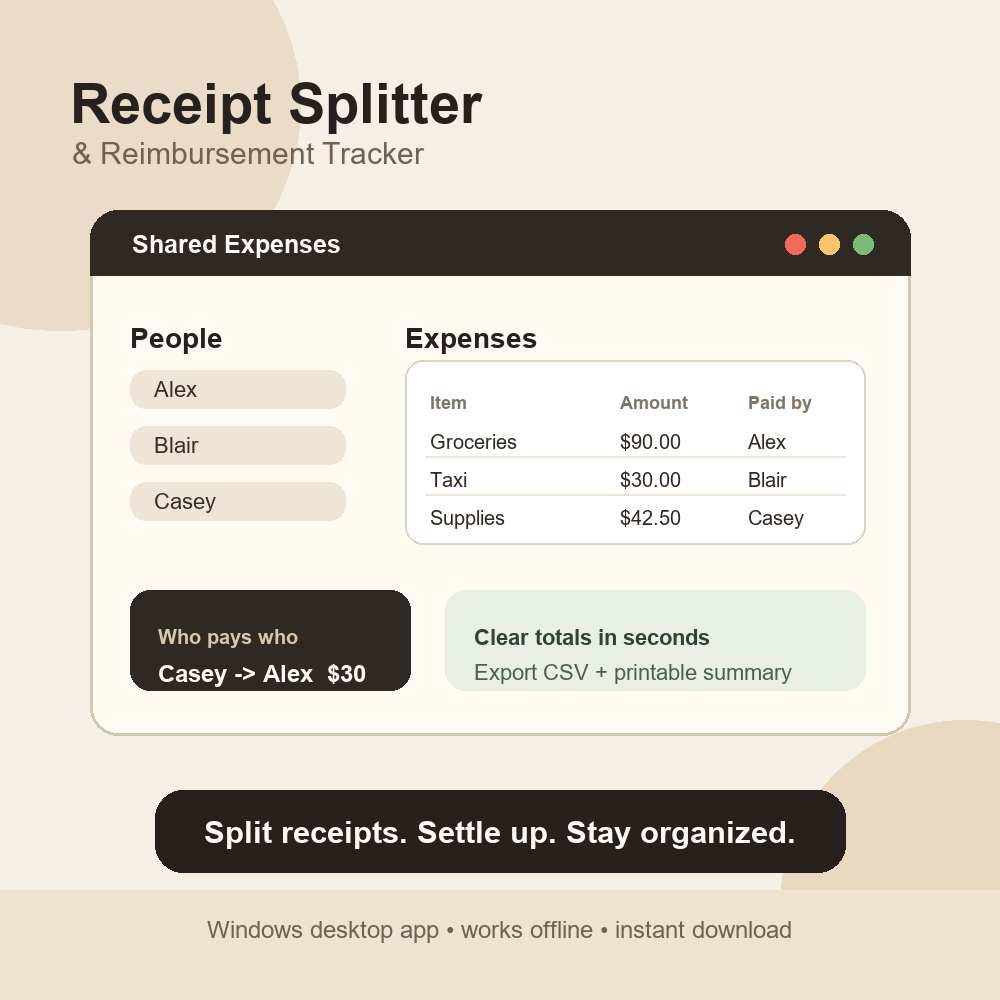
Receipt Splitter & Reimbursement Tracker is a lightweight Windows desktop utility built for roommates, students, friend groups, trip planners, clubs, freelancers, and small teams who need a faster way to split shared expenses.
Stop trying to calculate shared receipts in notes, group chats, or messy spreadsheets. Add each person, enter who paid, choose who should split the expense, and the app automatically calculates balances and the cleanest reimbursement plan.
Use it for roommate bills, grocery runs, weekend trips, group dinners, event costs, client expenses, creator project budgets, club purchases, and any situation where several people need to settle up clearly.
Key features:
- Add unlimited people and shared expenses
- Choose who paid and who each expense is split with
- Automatically calculate each person's balance
- Generate clear who pays who reimbursement steps
- Save and reopen projects
- Export a CSV reimbursement summary
- Export a printable HTML summary
- Works offline
- No login, subscription, or cloud account required
- Beginner-friendly Windows app
What you get:
- ReceiptSplitter.exe Windows desktop app
- Quick-start README instructions
- Instant digital download
How it works:
1. Download the ZIP file.
2. Unzip the folder.
3. Double-click ReceiptSplitter.exe.
4. Add people and expenses.
5. Export your reimbursement summary when everyone is ready to settle.
System requirements:
- Windows 10 or newer
- No installation required
- No internet connection required after download
Important notes:
This is a digital product. No physical item will be shipped.
This app is a simple organization and reimbursement calculator. It does not provide financial, accounting, legal, or tax advice.