


Reseller Inventory & Profit Tracker Spreadsheet (Google Sheets & Excel)
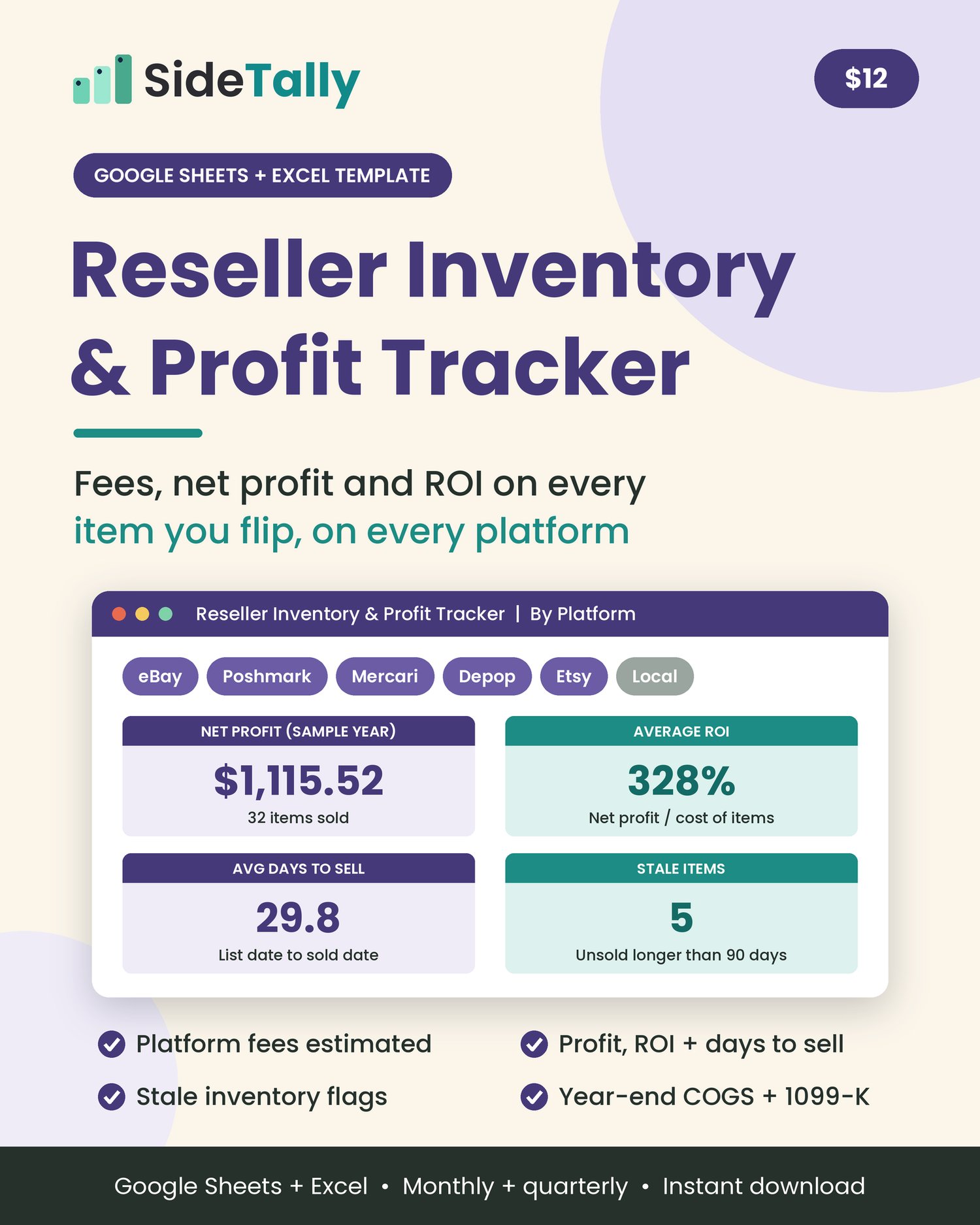
Reseller spreadsheet that shows your real profit on every item after eBay, Poshmark, Mercari, Depop and Etsy fees, shipping and cost, with ROI, days to sell and stale-stock flags. Google Sheets & Excel, instant download.
An inventory and profit spreadsheet for resellers. Log each item from purchase to payout, and see platform fees, net profit, ROI and days to sell, with stale-stock flags. It adds up results by platform, month and quarter, and gives you a year-end summary with gross sales, cost of goods sold and a 1099-K check. For Google Sheets or Excel.
Sales numbers can look great until you take out fees, shipping labels and what you paid for the item. This tracker does that for every item you flip.
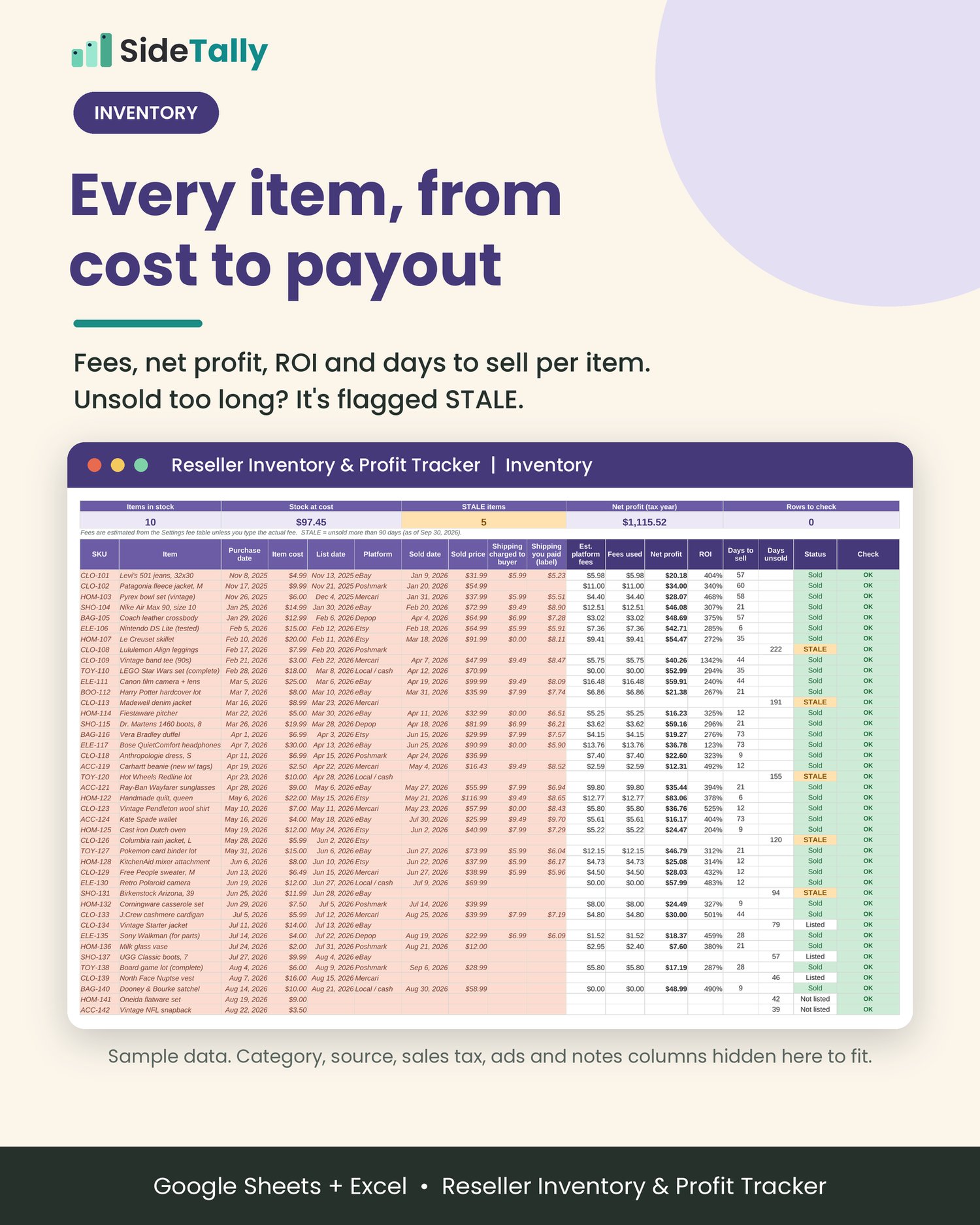
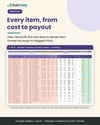
One row per item, start to finish.
SKU, item, category, source, purchase date and cost when you buy. List date and platform when you list. Sold date, sold price, shipping charged and shipping paid when it sells. There is room for 1,000 items.
Platform fees estimated for you.
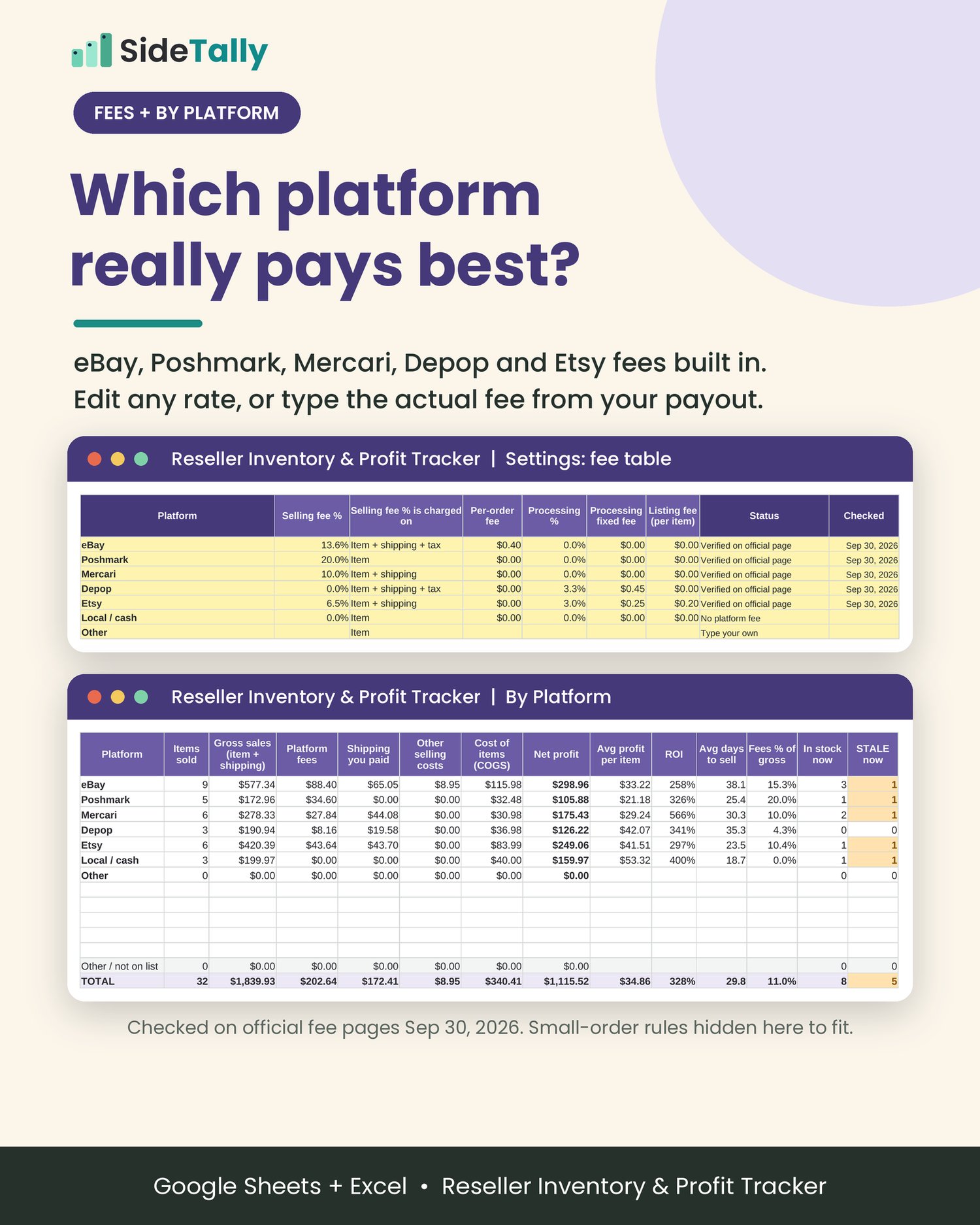
eBay, Poshmark, Mercari, Depop and Etsy fee rules are built into an editable fee table, checked against each platform's official fee page on September 30, 2026. It handles small-order rules too (eBay's $0.30 per-order fee on orders of $10 or less, and Poshmark's $2.95 flat fee under $15). Know the exact fee? Type it from your payout and it replaces the estimate.
Net profit, ROI and days to sell.
Net profit = sold price + shipping charged - shipping paid - fees - ads or boosts - item cost. ROI and days to sell are worked out for every item.
Spot stale inventory.
Set your stale-after days (90 is preset). Anything unsold longer than that is flagged STALE, and the top of the Inventory tab shows items in stock, stock at cost and how many are stale.
Which platform really pays best?
The By Platform tab compares items sold, gross sales, fees, shipping, cost of goods, net profit, average profit per item, ROI, average days to sell, fees as a percentage of sales and stock on hand, with a chart.
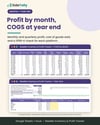
Monthly and quarterly profit.
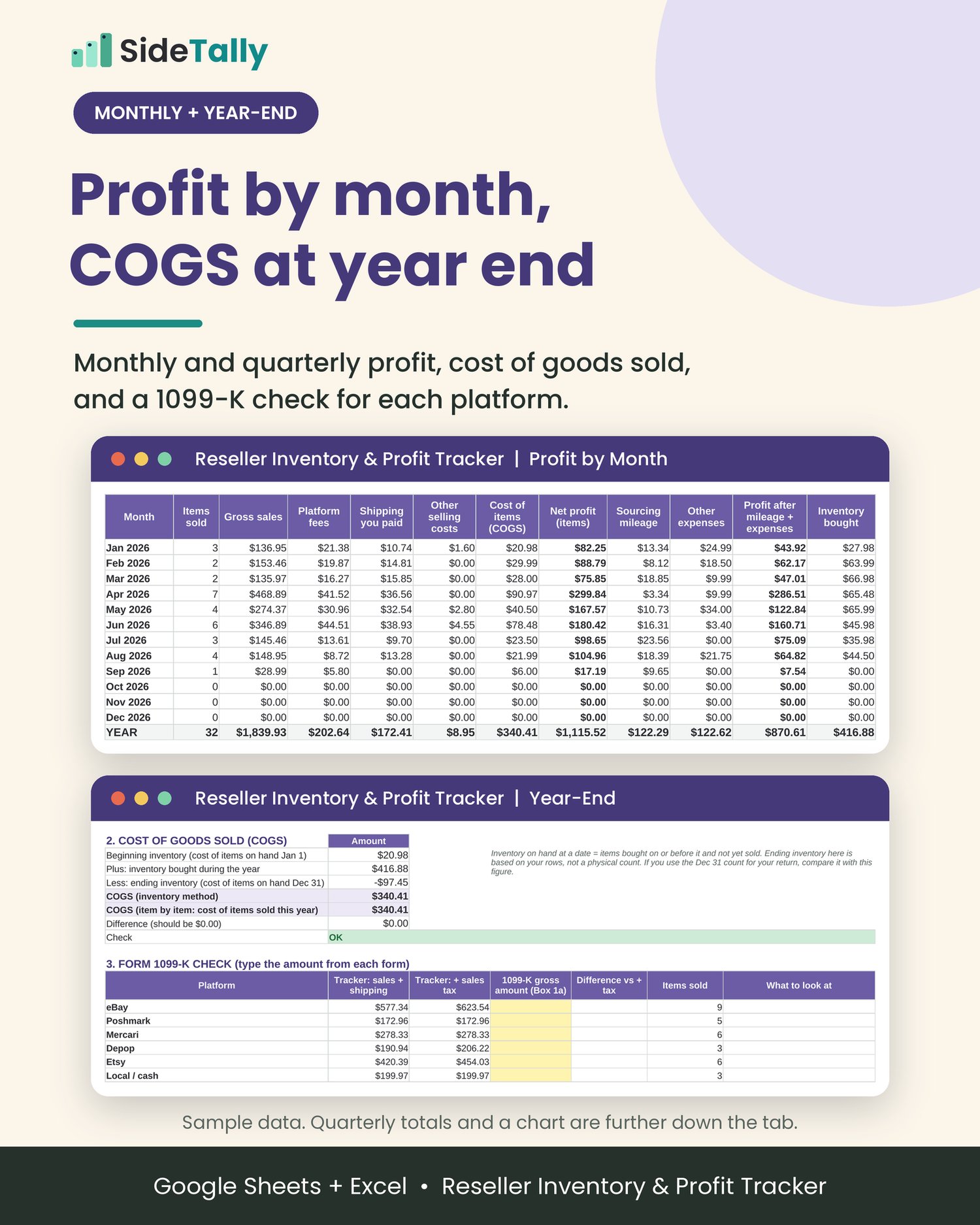
Totals by sold date for every month and calendar quarter, plus sourcing mileage, other expenses and cash spent on new inventory.
Year-end ready.
The Year-End tab takes you from gross sales to estimated net profit. It works out cost of goods sold two ways (beginning inventory + purchases - ending inventory, and item by item) and checks that they match. There is also a Form 1099-K comparison: type the amount from each platform’s form and see it next to your own sales.
Optional sourcing mileage and expenses.
Log sourcing trips and post office runs at the 2026 IRS business mileage rate for each trip’s date (72.5¢ a mile through June 30, 76¢ from July 1). Log supplies, packaging and subscriptions too. For a dedicated mileage log, see https://payhip.com/b/9JHnk.
Sample data is filled in so you can see how it works. Clear it in three selections (the Start Here tab and the guide show exactly which cells).
What's included
• Reseller-Inventory-Profit-Tracker.xlsx: an 8-tab spreadsheet
• Start Here: 5-step quick start, color key, how to clear the sample data, notes on fees
• Settings: tax year, stale-after days, platform fee table with sources, 2026 IRS mileage rates, your sources and expense categories
• Inventory: 1,000 item rows with automatic fees, net profit, ROI, days to sell, days unsold, status (Sold, Listed, Not listed, STALE) and a row check
• Sourcing Mileage: optional, 300 trips at the IRS rate for each date
• Expenses: optional, 200 rows for supplies, packaging, subscriptions and more
• By Platform: results per platform with a chart
• Profit by Month: monthly and quarterly totals with a chart
• Year-End: gross sales to net profit, COGS with a built-in check, Form 1099-K comparison
• How-to-Guide.pdf: a 5-page setup and use guide for Google Sheets and Excel
• README.txt: quick start
Who it's for
• eBay, Poshmark, Mercari, Depop and Etsy sellers, plus people who also sell locally for cash
• Thrift, garage sale, estate sale, bins and retail-arbitrage flippers
• Part-time and side-hustle resellers who want profit, not just sales, and clean numbers at tax time
It's probably not what you need if you want automatic imports. This is a spreadsheet you fill in. It does not connect to any selling platform.
How it works
- Download the ZIP and unzip it.
- 2. Open the spreadsheet. In Google Sheets, upload it to Google Drive, choose Open with > Google Sheets, then File > Save as Google Sheets. In Excel, just open the file (click Enable Editing if you see Protected View).
- 3. Set it up in about 10 minutes. Check the fee table against your account, set your stale-after days and edit your sources list.
- 4. Add items as you buy them and fill in the sale when they sell. Everything else calculates.
Format and delivery
• Instant digital download: one ZIP file (spreadsheet, PDF guide, README)
• Spreadsheet format: .xlsx, built for Microsoft Excel and Google Sheets (also opens in LibreOffice Calc)
• Amounts are in US dollars. Fee presets are for US sellers.
• Software is not included. You need Excel, a free Google account for Google Sheets, or another spreadsheet app that opens .xlsx files.
• Nothing physical will be shipped.
FAQ
Which platforms does it include?
eBay, Poshmark, Mercari, Depop and Etsy fee presets, a Local / cash row with no fees, and empty rows for any other platform (Facebook Marketplace, Whatnot, your own site and so on). Type in those fee rules yourself.
Are the fees exact?
They're estimates from the fee table. Fees vary by category, store subscription, promotions and country, and platforms change them. For exact numbers, type the actual fee from your payout on each item. The presets were checked on each platform's official fee page on September 30, 2026.
Does it work in Google Sheets?
Yes. Upload the .xlsx to Google Drive, open it with Google Sheets, and save it as a Google Sheet. It only uses standard functions that both Excel and Google Sheets support.
Does it import my sales automatically?
No. You type each item (or paste from a platform’s sales report). It does not connect to any platform.
What does “stale” mean?
An item that has not sold after your stale-after days (90 unless you change it), counted from the list date, or the purchase date if it is not listed yet.
How is cost of goods sold worked out?
Item by item: the cost of the items you sold in the tax year. The Year-End tab also works it out as beginning inventory + purchases - ending inventory and checks that the two match.
Will it match my 1099-K?
Usually not exactly, and that is normal. A 1099-K reports gross payments. It does not subtract fees, shipping or item cost, and what it includes varies by platform. The Year-End tab puts your numbers next to each form so you can see and explain the difference.
Can I use it next year?
Save a copy, change the tax year and check the fee table. Unsold items carry over as beginning inventory.
Is it on Mac?
Yes. Use Excel for Mac or Google Sheets in your browser.
Can I get a refund?
Because this is a digital download, all sales are final. If a file won’t open, message us through the Contact link at the top of the store and we'll fix it.
License
For your own personal or business record-keeping. Please do not resell, share or redistribute the file (blank or edited) as a template, or upload it to any template or marketplace site.
Disclaimer
Not tax advice.
This tracker is a record-keeping and estimating tool, not tax, legal or financial advice. Fees, profit, cost of goods sold and mileage figures are estimates based only on the numbers you enter and the fee table. Tax treatment depends on your situation. Talk to a qualified tax professional or see irs.gov.
Not affiliated with or endorsed by eBay, Poshmark, Mercari, Depop, Etsy or the IRS. Platform names are used only to describe what the tracker works with.
Tracking all your side-hustle income and expenses too? Pair it with the Side Hustle Income Tracker ($17): https://payhip.com/b/IYNhH.