





SolfaNote (Font)
SolfaNote (font)
A hand-drawn solfa font for music teachers
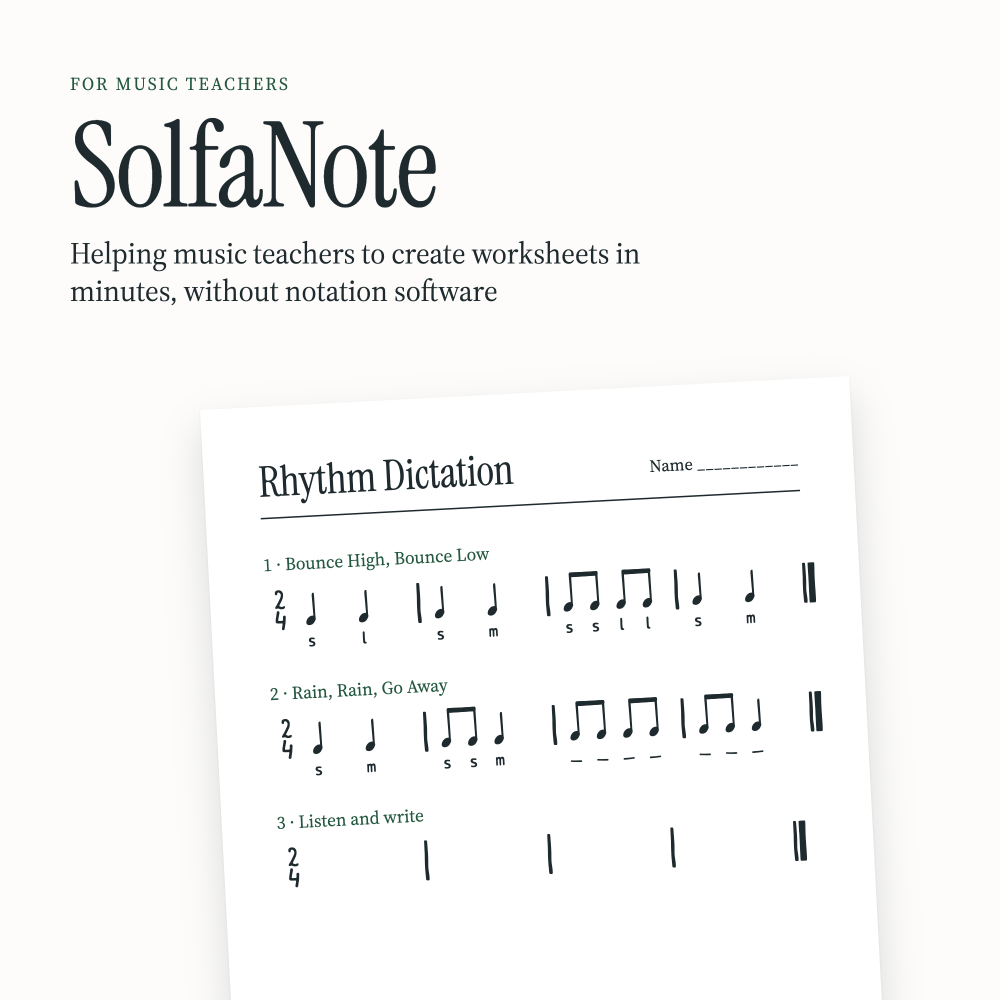
Create beautiful musicianship materials just by typing in Word, Pages, PowerPoint, Keynote, Photoshop, InDesign, etc. Type rhythms both with noteheads (SolfaNote) and with stick notation (SolfaNote Stick).
You can type solfa letters underneath the notes or solfa numbers within the same font! SolfaNote is a standard font (TTF), so it works in almost any program that lets you choose a font.
Worksheets
Turn any line into a fill-in exercise. The solfa letters become blanks for your students to fill in. Same text, new worksheet.
Stick notation
Kodály stick notation without noteheads, perfect for young readers.
Solfa (and numbers) in three octaves
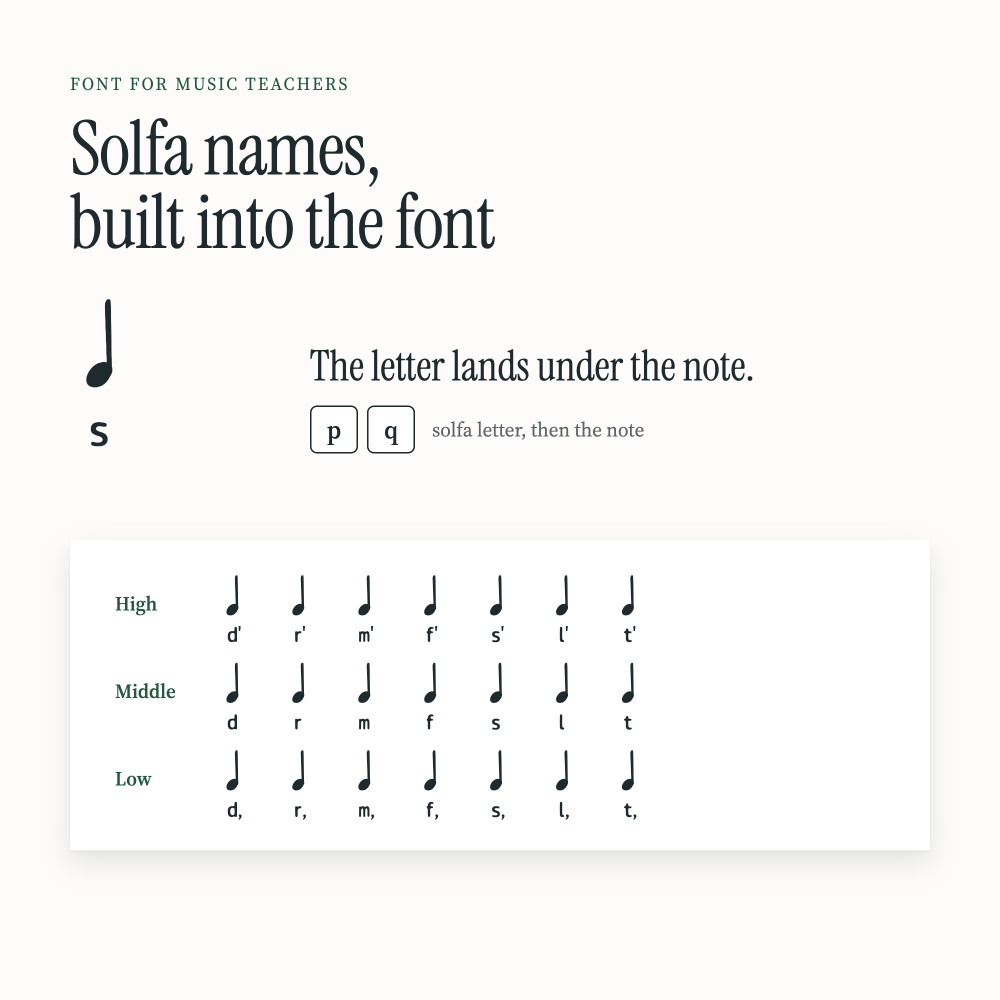
Type the solfa letter, then the note and the letter lands neatly underneath. Low, middle and high octaves are all on the keyboard:
- Low: d, r, m, f, s, l, t,
- Middle: d r m f s l t
- High: d’ r’ m’ f’ s’ l’ t’
The same goes for numbers:
- Low: 1, 2, 3, 4, 5, 6, 7,
- Middle: 1 2 3 4 5 6 7
- High: d' r' m' f' s' l' t'
Time signatures
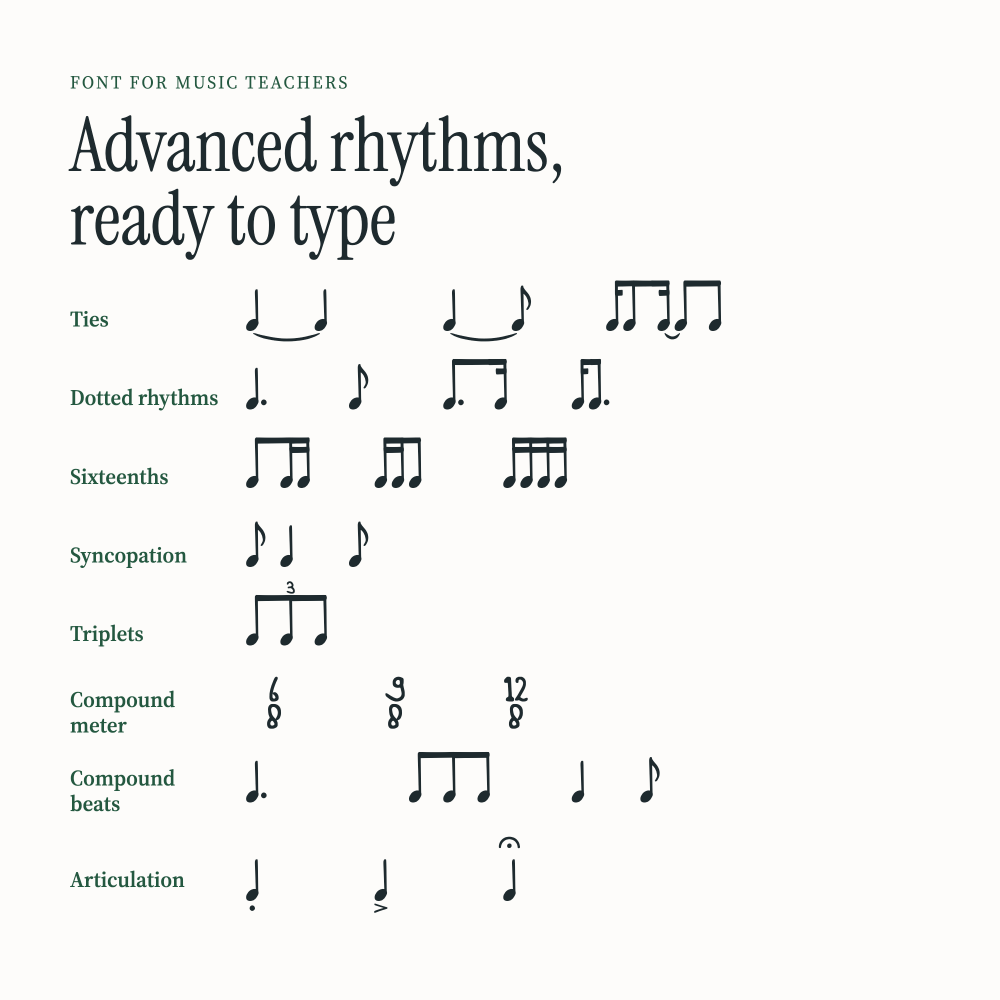
From 2/4 and 3/4 to 5/4, 6/8 and 12/8. Type the top number, then the bottom one, and they stack up like a real time signature.
Sharps and flats
Write fi, si, ta and more. Add a sharp or flat sign under any solfa letter with a single key.
Modulation
Show pivot notes like r = d for key changes and modulation exercises. Perfect for advanced musicianship lessons.
Steady beat
Put a heart above every beat to show the pulse.
Slashes
Show the pulse without a rhythm: one slash per beat, dotted slashes for 6/8, and slashes with solfa underneath for inner hearing.
License
You can use the font for your own teaching materials. Worksheets, slides, flashcards, songbooks and more. Share the materials you make with all of your students or online on your socials. Do not share the font itself.
Are you using the font with a team or school? Choose the multi-user license. Any questions about the multi-user license, contact me!
Good to know
- In Canva your own fonts require a Pro account
- Google Docs doesn't support custom fonts, so SolfaNote won't work there
- Works on Windows, Mac and Linux computers