


Contractor & Trades Business Kit — Estimates, Invoices, Change Orders & Job Costing in Excel
🔥 Contractor & Trades Business Kit: Instant Download
Quote faster, bill accurately and know your profit on every job.
Your price list and labor rates feed printable estimates, invoices and change order forms. Every lead and job is tracked from first call to final payment, estimated and actual costs sit side by side, and a live Dashboard sums it up. Seven working tabs plus START HERE and Settings, in one file that is yours to keep.
✨ What It Does for You
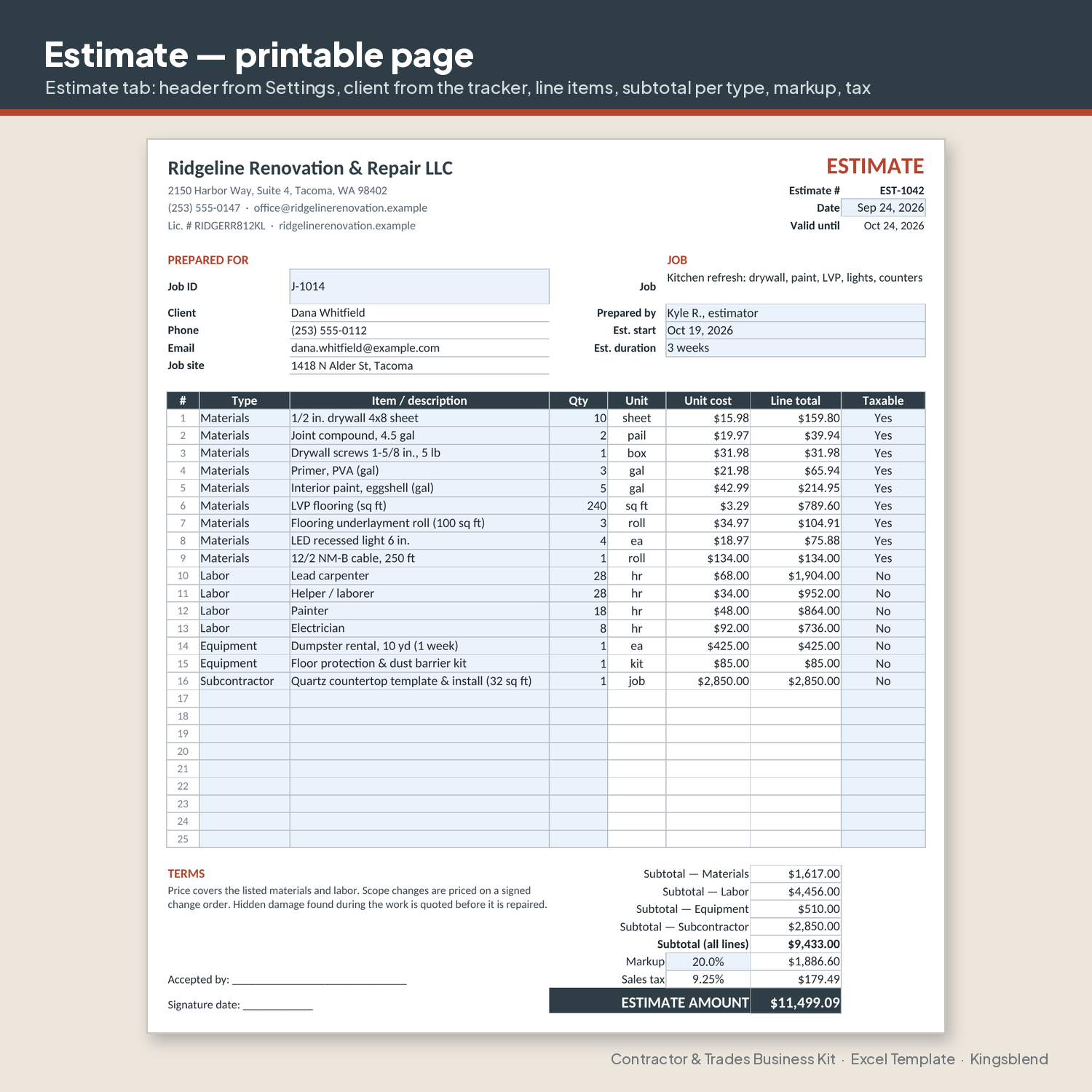
- Faster estimates: pick items from your price list and labor rates; subtotals, markup, tax and total fill in
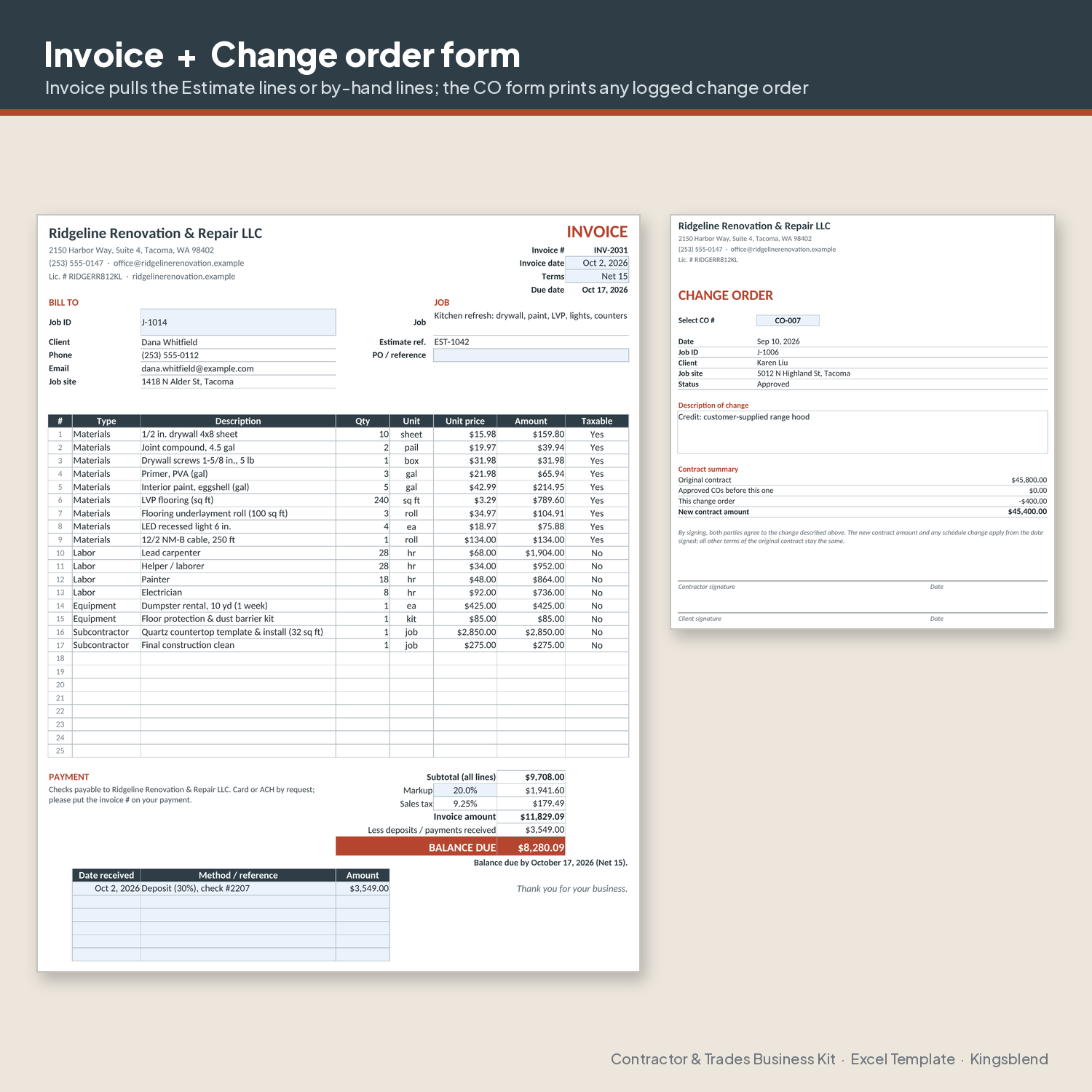
- Fewer billing gaps: change orders get logged, printed and added to a running contract total for each job
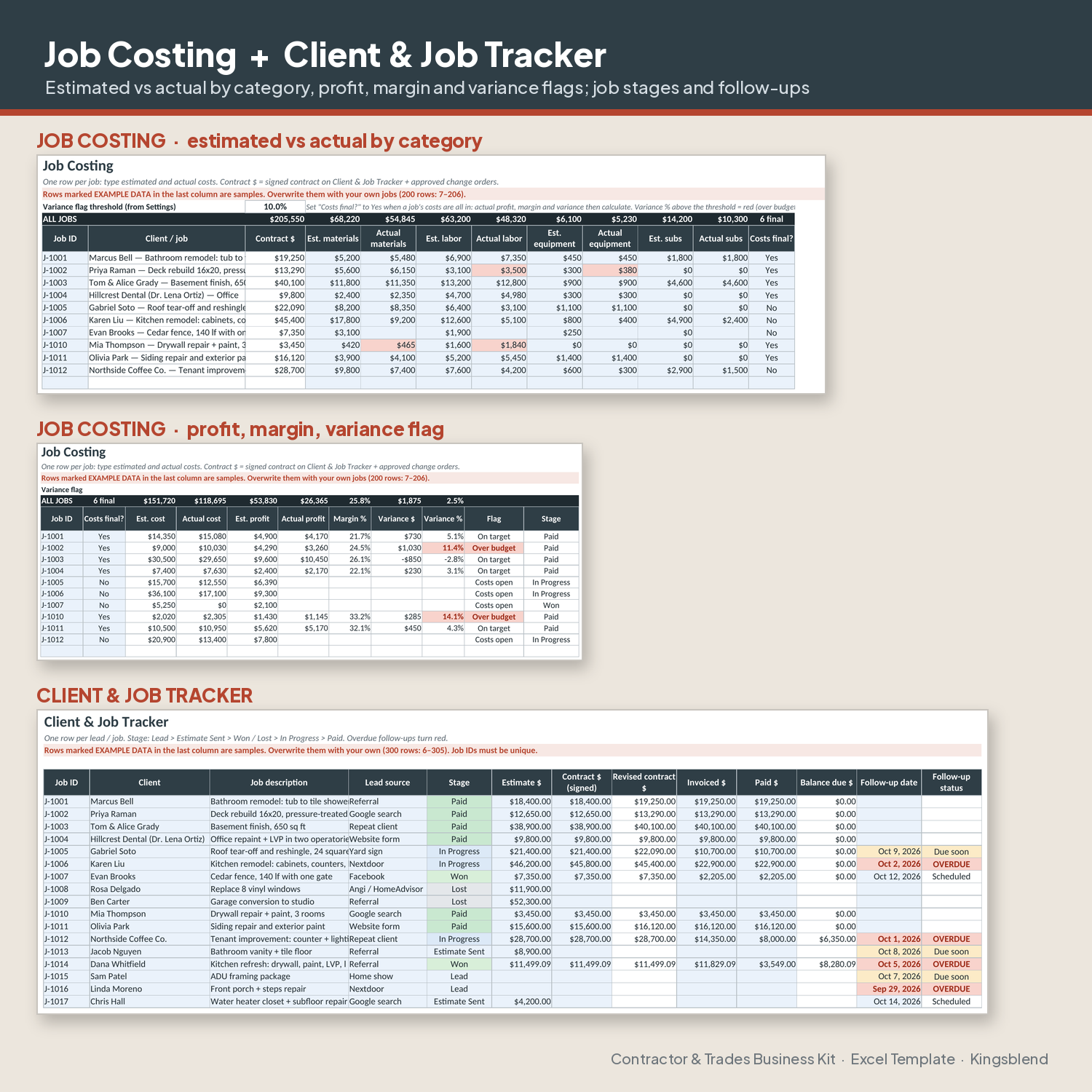
- Clear profit picture: estimated vs actual costs per job, with profit, margin % and an Over budget flag
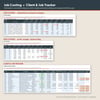
- Fewer missed follow-ups: overdue and due-soon follow-up dates highlight in the tracker
📦 What You Get Inside
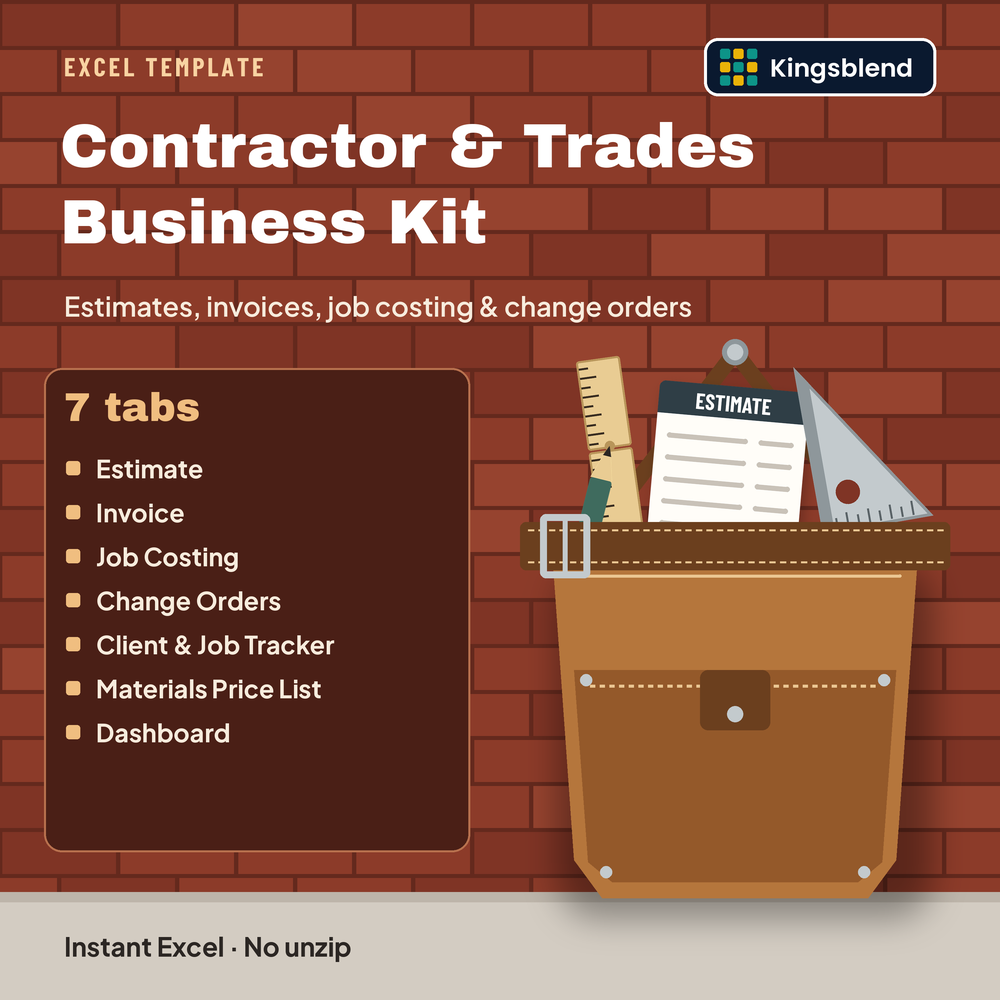
- START HERE: 7 setup steps, a guide to every tab, and notes on example data, protection, your logo, printing and Google Sheets
- Settings: company details, logo area, sales tax rate, default markup, payment terms, estimate valid days, number prefixes, a variance threshold, a 15-row labor rates table and editable dropdown lists
- Estimate (printable, one page): 25 line items typed as Materials, Labor, Equipment or Subcontractor, subtotal per type, markup, tax on taxable lines and total
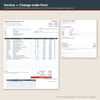
- Invoice (printable, one page): pull the estimate lines with one Yes / No switch or type up to 25 lines, plus a 6-row deposits and payments table, balance due and due date
- Job Costing: 200 job rows comparing estimated and actual materials, labor, equipment and subs, with profit, margin % and a variance flag
- Change Orders: 300-row log with Approved / Pending / Rejected status, a running contract total and a printable change order form
- Client & Job Tracker: 300 rows from Lead to Paid, with lead source, amounts, balance due and follow-up dates
- Materials Price List: 300 rows for item, category, unit, unit cost and supplier, feeding the Estimate dropdown
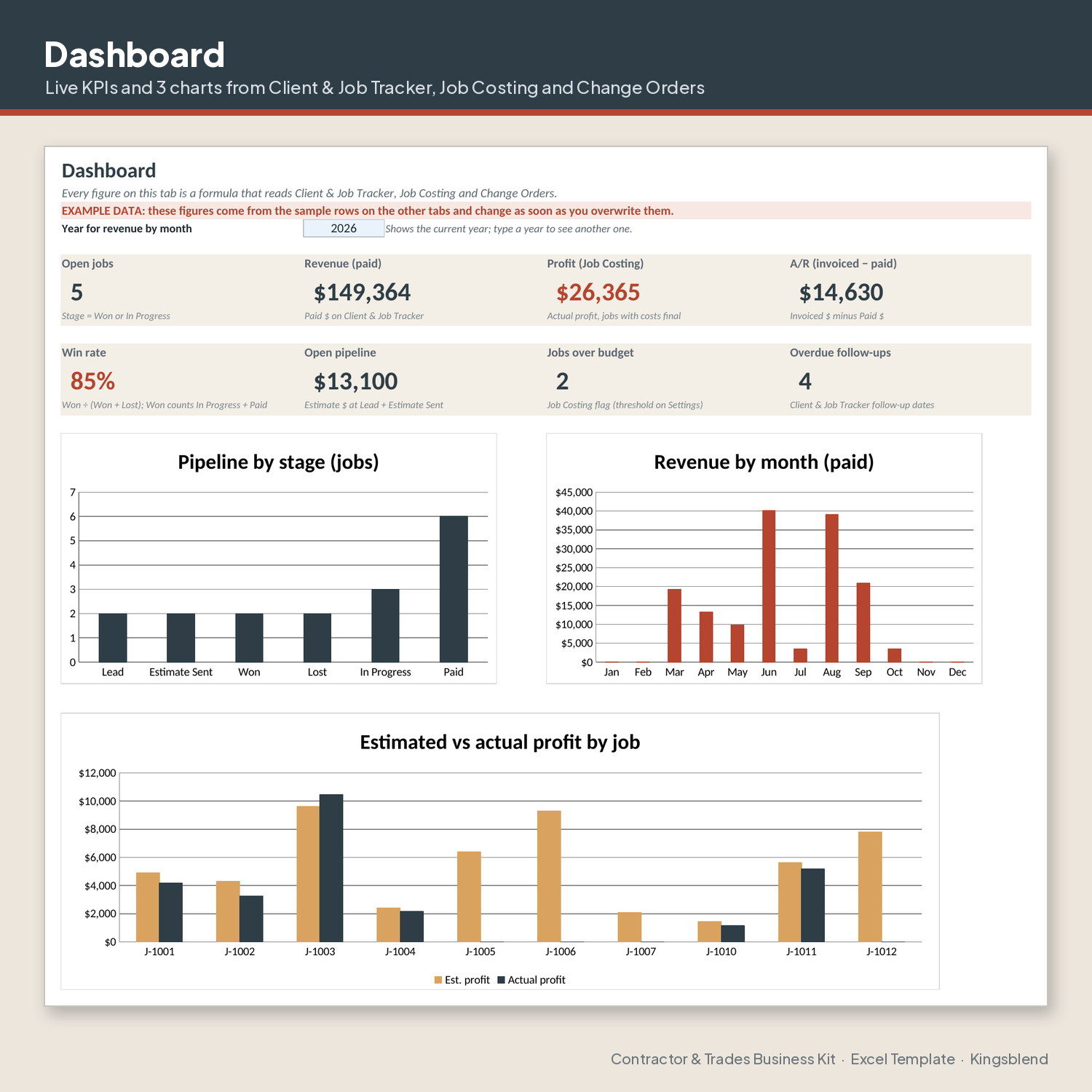
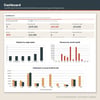
- Dashboard: 8 live figures and 3 charts (jobs by stage, paid revenue by month, estimated vs actual profit for the last 10 jobs)
💡 Who This Is For
- Remodelers and general contractors running residential jobs
- Carpentry, painting, flooring, tile, roofing, electrical and plumbing businesses
- Owner-operators who write their own estimates and chase their own payments
- Small crews that want estimates, change orders and job costs in one file
🏆 Built In
- Connected tabs, live formulas and 3 printable forms
- Every dropdown list lives on Settings, so you can rename items to fit your business
- Formula cells are pre-locked and shaded gray; turn on sheet protection to prevent accidental edits
- Rows marked EXAMPLE DATA show how each tab works
- One ready .xlsx file, no zip to unpack
⚡ Get Started in Minutes
- Download instantly
- Fill in Settings and add your price list
- Replace the EXAMPLE DATA rows with your jobs
Compatibility: Excel 2019 or later, Microsoft 365, or Google Sheets. No macros.
Your logo: add it by hand. Paste it over the LOGO AREA box on the Settings tab, then place a copy in the top-right corner of the Estimate, the Invoice and the change order form so it prints. It is a one-time manual step.
Google Sheets: formulas, dropdowns and data work the same, but Sheets may restyle the charts, so colors and fonts can look a little different.
Sample data is fictional. Replace it with yours.
Organization tool only; not tax, legal, accounting or financial advice.
🔒 Instant Access
Once you purchase, you get immediate access to your files.
Need it tailored? Get a Custom Build of this kit built around your business: https://payhip.com/b/Vs6m3
We’re a new store, but our digital tools are built to save you time, simplify your workflow, and help your business grow. Your trust matters — and every product is designed to deliver real results.
Thank you for supporting a growing brand.
— Kyle P. Herrick, Founder
✔️ Satisfaction Guarantee
If this template doesn’t help you save time or improve your workflow, message me and I’ll make it right. Your success matters.
💬 Need Help?
Message me anytime. I’m here to help you get the most out of your templates. Email herrickkyle87@outlook.com (it is on the START HERE tab too).