



Airhand
AirHand — Control Your PC with Hand Gestures
Your computer, at your fingertips.
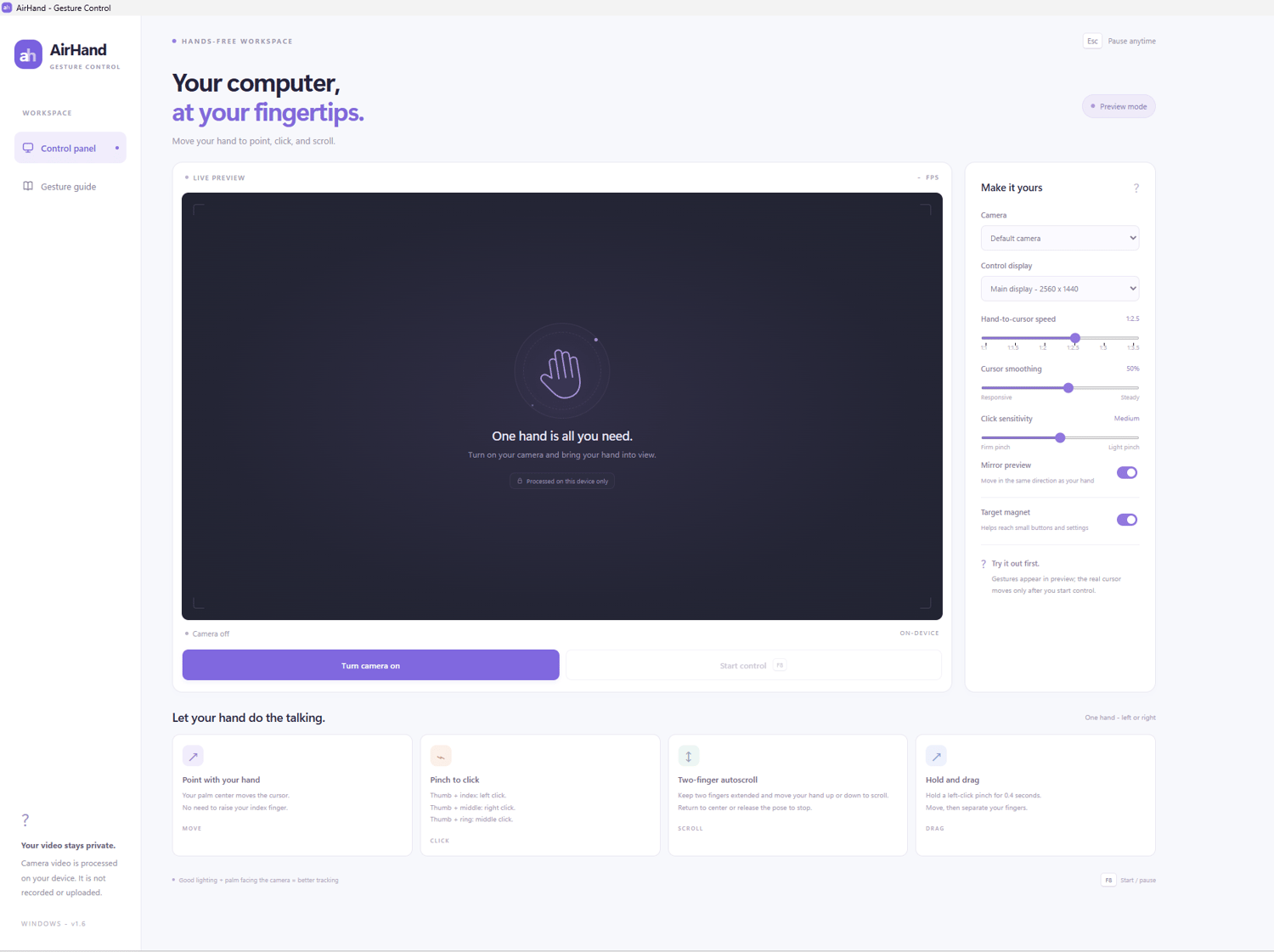
Meet AirHand, a Windows application that lets you control your mouse using nothing but your hand and a webcam.
Move your cursor, click, scroll, and drag — all through natural hand gestures. No special controllers, sensors, or additional hardware required.
Everything You Need, in One Hand
🖐 Natural Cursor Control
Move your hand in front of your webcam to control your mouse cursor. AirHand tracks the center of your palm for smooth, intuitive navigation.
👆 Three Mouse Clicks, Simple Gestures
- Thumb + index finger → Left click
- Thumb + middle finger → Right click
- Thumb + ring finger → Middle click
↕ Two-Finger Scrolling
Extend two fingers and move your hand up or down for continuous scrolling. Return to the center or release the gesture to stop.
✋ Drag & Drop
Hold a left-click pinch briefly, move your hand to drag, and release to drop.
Make It Your Own
Customize AirHand to suit your preferences:
- Adjustable hand-to-cursor speed
- Cursor smoothing controls
- Adjustable click sensitivity
- Camera and display selection
- Mirrored camera preview
- Target assistance for smaller on-screen elements
Designed with Privacy in Mind
AirHand's interface is designed around on-device camera processing. Your webcam footage stays on your computer rather than being recorded or uploaded.
Easy to Get Started
- Open AirHand on your Windows PC.
- Select your webcam and turn on the camera.
- Start controlling your cursor with hand gestures.
A built-in gesture guide helps you learn the controls.
Requirements
- Windows computer
- Working webcam
- Camera permissions
- Adequate lighting for hand tracking
Pay once. No subscriptions. No additional hardware.