
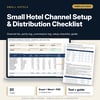
Small Hotel Channel Setup & Distribution Checklist: Hotel Distribution Setup, Parity and Commission Tracker
Full description
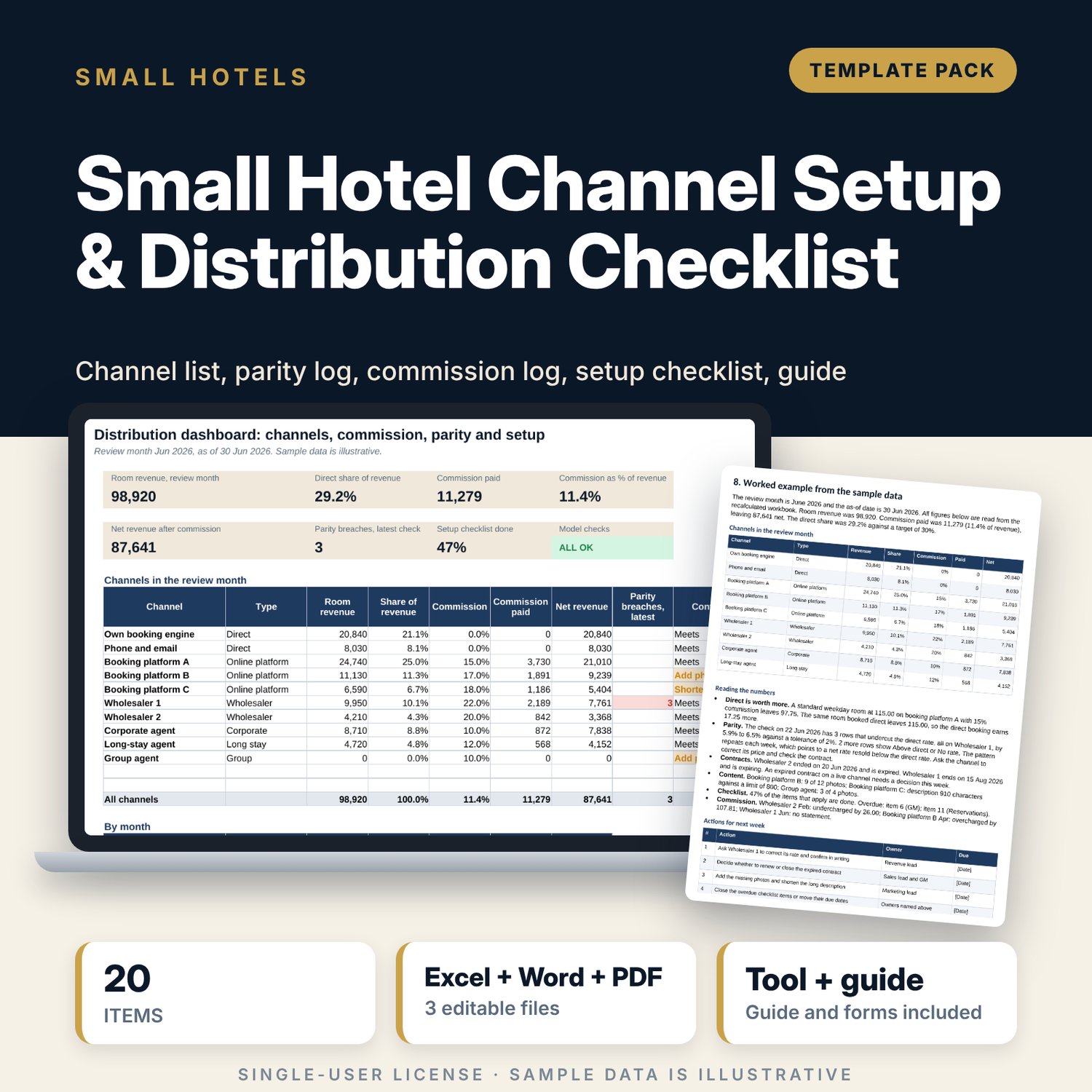
For small hotel owners, revenue leads and general managers who sell through their own site and several outside channels and need to know that each channel is set up correctly, priced consistently and paid correctly. The workbook holds a channel list with commission, policy, contract dates and content requirements, a 20-item setup checklist with owners and due dates, a rate plan family with non-refundable and breakfast plans, stacked discounts that multiply, a dated parity log that flags gaps against the direct rate, and a monthly commission log that compares statements with the amount due. The Word guide gives the channel roles, the content pack, a go-live sheet, the weekly and monthly routines and a worked example.
What is inside
- Channel_Setup_and_Distribution_Tracker.xlsx: 7 tabs, 1,170 formulas, 2 native charts, 27 drop-down and input rules, no macros
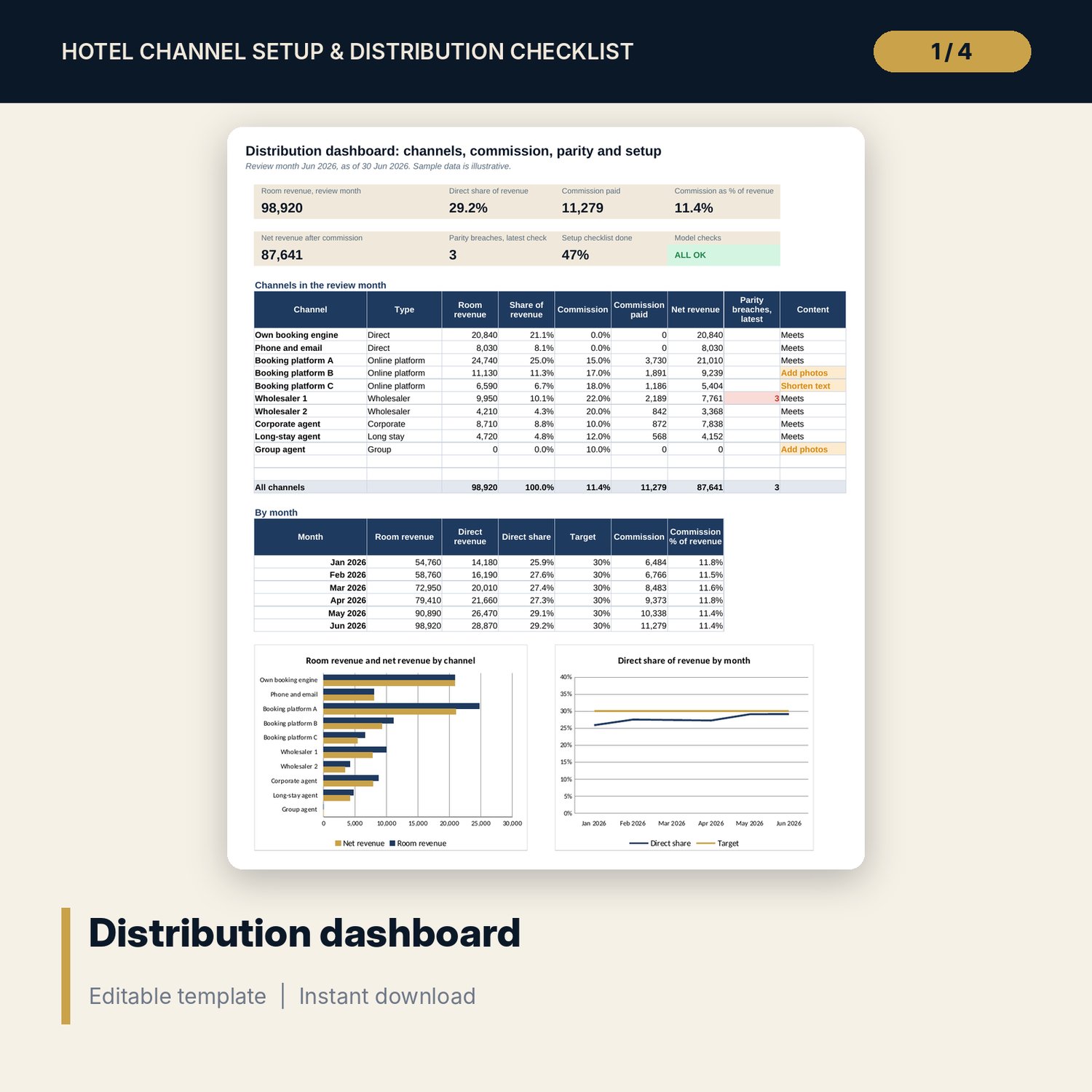
- Settings: 10 sample channels (12 rows) with type, commission, cancellation policy, contract dates, black-out dates, photo and description limits, content and contract status
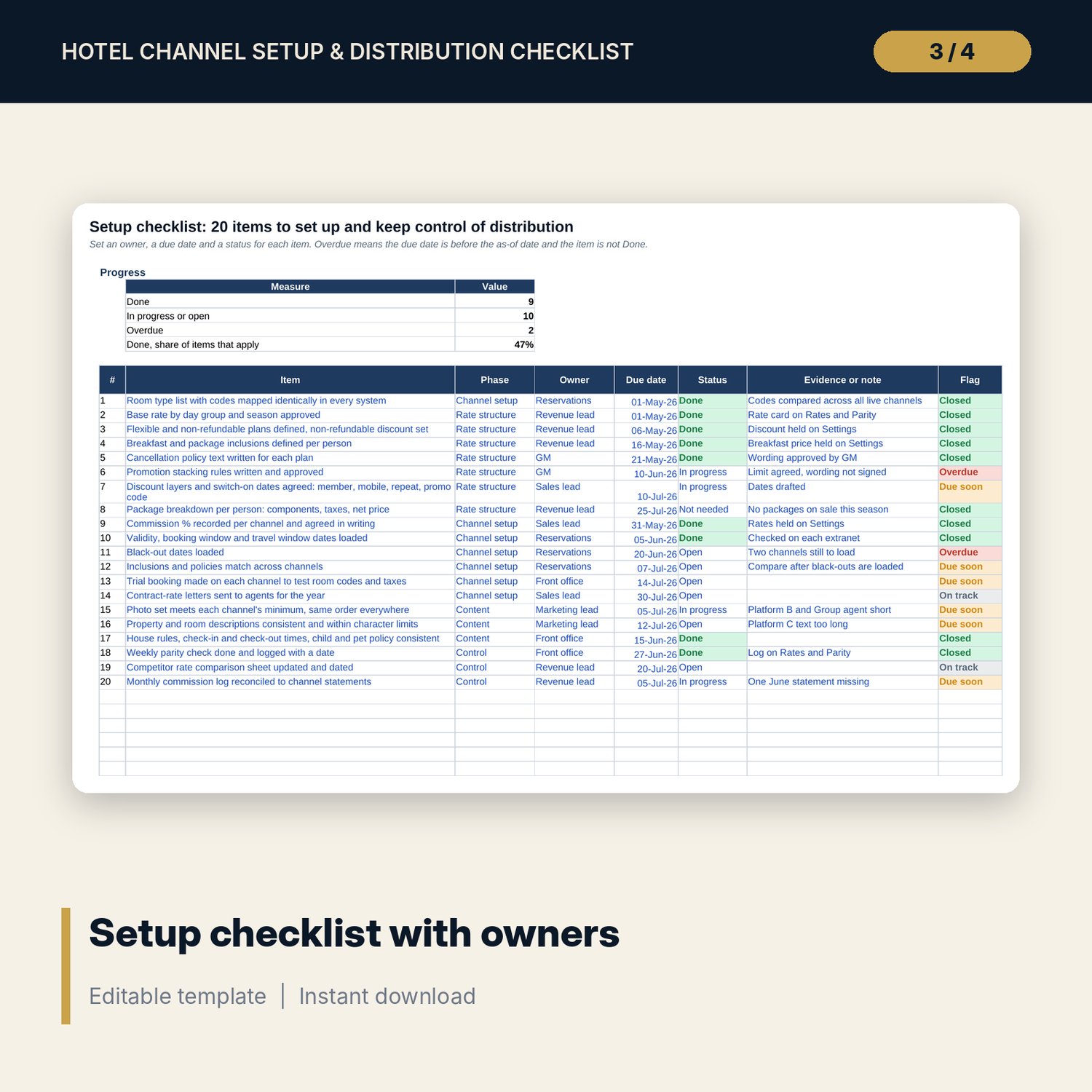
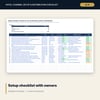
- Setup Checklist: 20 items in 4 phases with owner, due date, status, evidence and an overdue flag
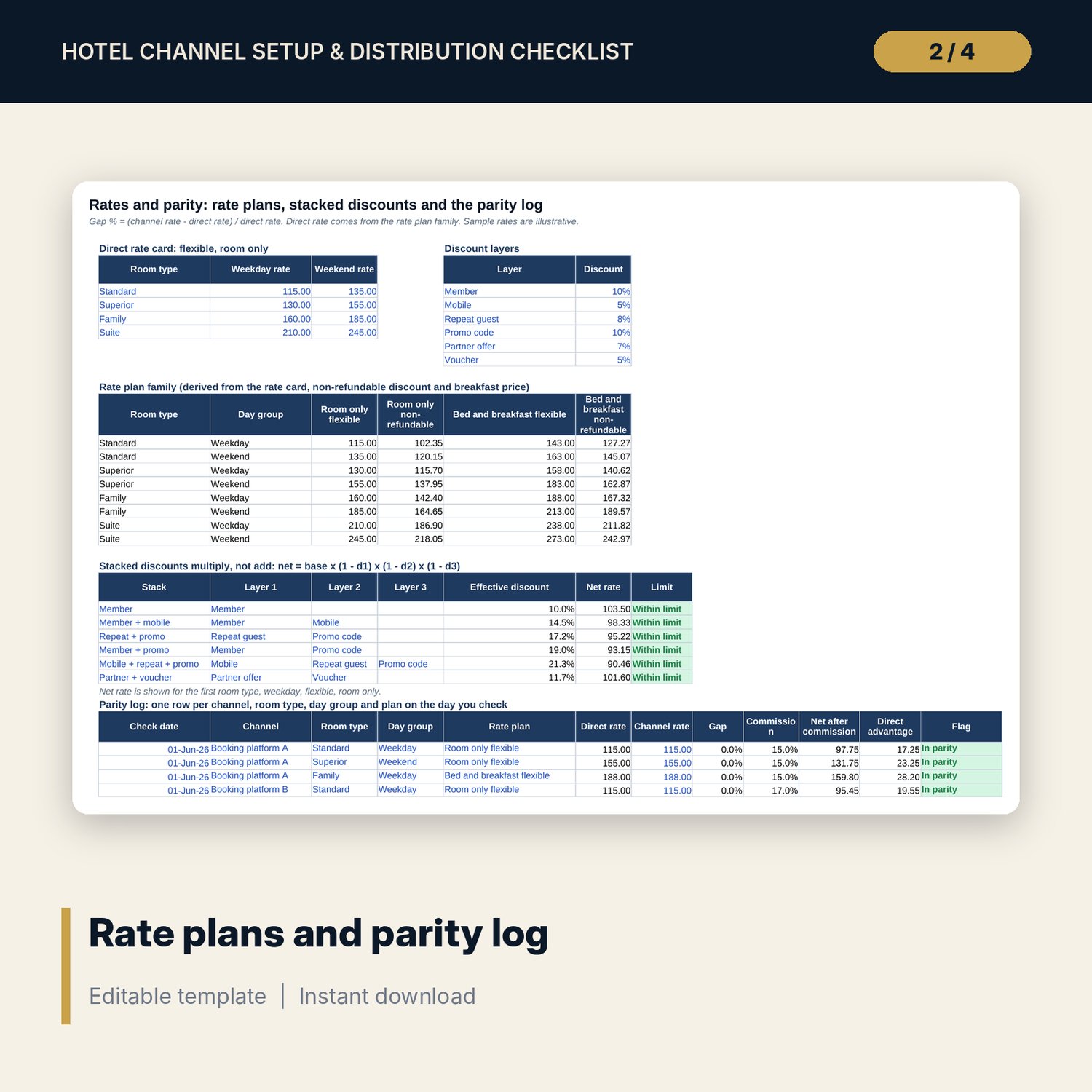
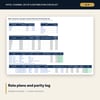
- Rates and Parity: rate card for 4 room types, a derived plan family (8 rows, 4 plans), 6 discount stacks and a parity log of 60 sample checks
- Commission Log: 54 sample rows (9 channels x 6 months) with commission due, statement variance and net revenue
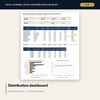
- Dashboard: 7 KPI tiles, a check tile, a channel table, a month table and 2 charts; Checks: 8 integrity checks, all OK on the sample data
- Distribution_Guide.docx and PDF: 7 pages with channel roles, rate structure, content pack, go-live sheet, parity and commission routines, policy wording library and a worked example
- README.txt and LICENSE-and-Terms.txt
How it works
- List your channels on Settings with commission, policy, contract date and content limits.
- Work the setup checklist and enter your direct rates on Rates and Parity.
- Log a weekly parity check and a monthly commission row for each channel.
- Read the Dashboard, act on the flags and follow the routines in the guide.
Details
- Formats: 1 Excel workbook (.xlsx) and 1 guide in Word (.docx) and PDF, English
- Software: Excel 2016 or later, or LibreOffice Calc 7 or later; any word processor that opens .docx
- No macros, no external links, no data tables, no array formulas
- 3 files plus README and license; instant digital download
Good to know
- Sample data is illustrative. Replace it with your own channels, rates and statements.
- Commission levels, photo counts and character limits in the sample are placeholders. Verify the current rules with each channel.
- Not legal, tax or financial advice. Verify contract terms, tax display and local requirements.
- Single-user license. Do not redistribute.
FAQ
How many channels does it hold?
The channel list has 12 rows (10 in the sample). The parity log has 10 spare rows and the commission log has 12 spare rows.
How is rate parity measured?
Gap % = (channel rate - direct rate) / direct rate. Beyond your tolerance in either direction the row is flagged Undercuts direct or Above direct.
How do discount stacks work?
They multiply: net = base x (1 - d1) x (1 - d2) x (1 - d3). You set the layers and a maximum stacked discount, and each stack shows Within limit or Over limit.
Does it connect to my channels?
No. You type the rates and statement amounts. The workbook does the arithmetic and the flags.
Do I need macros?
No. Every result is a standard worksheet formula.