Digital Job Interview Practice: PowerPoint with Self-Check, High School
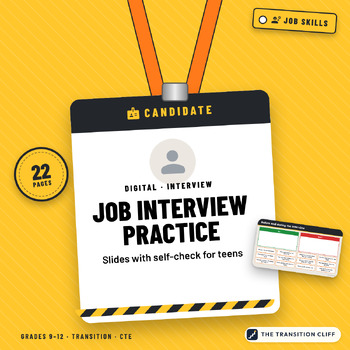
This digital job interview practice is a set of PowerPoint slides (they also work in Google Slides) where students drag, sort, and type their way through getting ready for an interview and answering 12 common questions, with a self check on every answer.
Why I made this: Most students I work with have never been on the other side of an interview table. They need to see what a strong answer sounds like, write their own, and practice it out loud before the real thing. The self check list gives them a way to judge their own answer instead of waiting for me.
What’s included:
• A do and don’t sort with 12 tiles
• A what to bring checklist and a put the steps in order slide for first impressions
• 12 interview question slides, each with 3 sample answers, a drag on STRONG ANSWER star, a type in box with a sentence starter, and a 4 line self check
• A sort for good questions to ask the interviewer
• A thank you message slide, a self rating slide, and a partner checklist for practice interviews
• A Check Your Work slide and a teacher guide with pacing, accommodations, and an answer key
How to use it: Open the file in PowerPoint or Google Slides and assign it with a copy for each student. Work through 4 questions a day, then hold a practice interview using the answers students wrote.
Who it’s for: special education, transition, life skills, and CTE classes in grades 9 to 12 and 18 to 21 programs.
Format: 22 slide PowerPoint (.pptx) zip with a teacher guide. Open in PowerPoint or upload to Google Drive and open with Google Slides.
Prefer paper?
Made by Jeremy D. Gooch, special education teacher and transition coordinator. Drafting and layout had AI assistance; every page was checked by me.