
Staff Rota and Shift Planner for Small Businesses
On Sale
ZAR149.00
ZAR 149.00
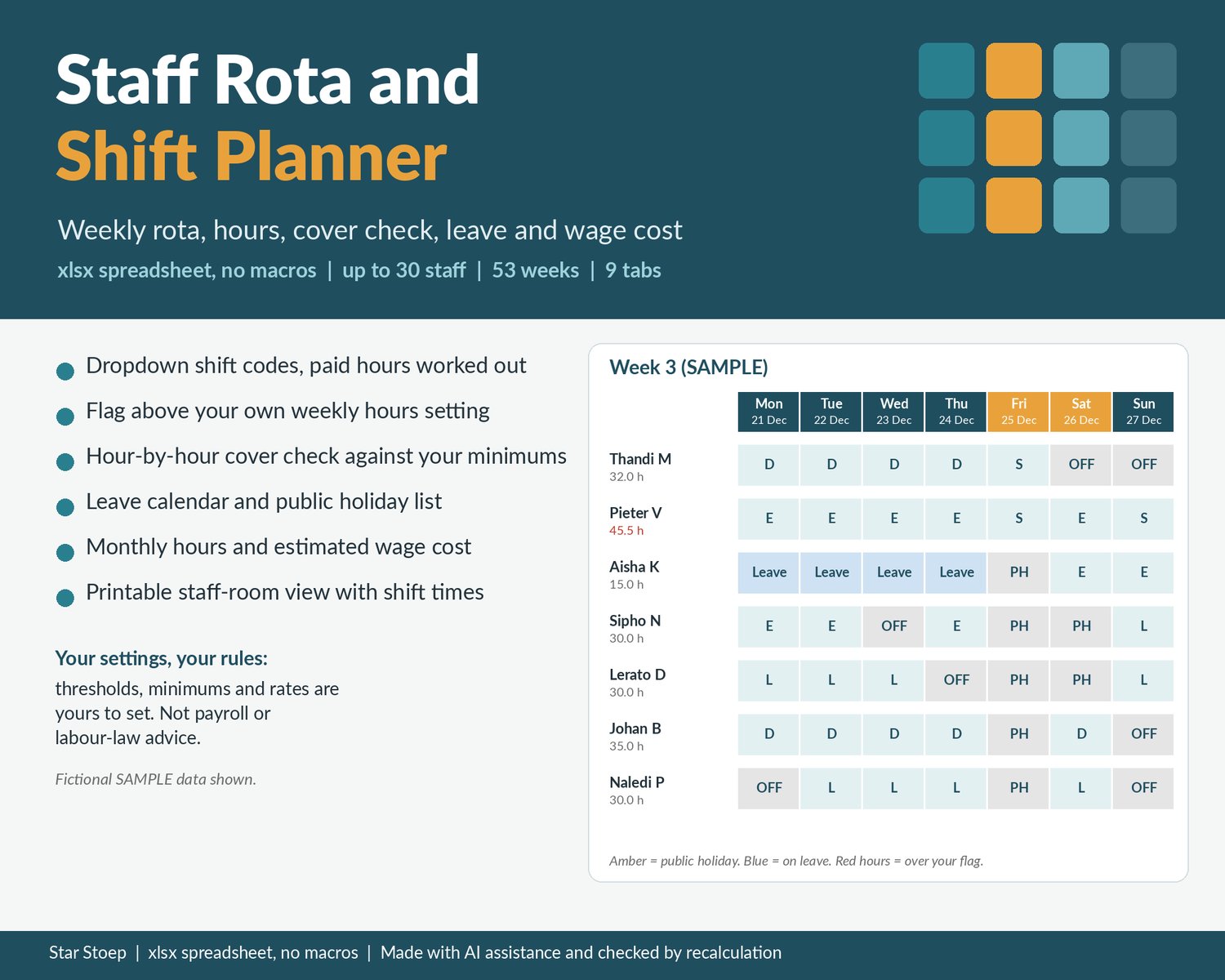
A weekly staff rota for small teams that works out the hours for you. Type or pick a shift code for each person and day, and the planner adds up paid hours, flags anyone above the weekly hours limit you choose, checks hour by hour whether you have the cover you want, shows who is on leave and estimates the wage cost from your own hourly rates. Made for small shops, cafes, restaurants, salons and practices with up to 30 staff.
WHAT IT DOES
- Setup: business name, rota start date, week starting Monday or Sunday, any currency symbol, your own weekly hours flag, up to 30 staff with role and hourly rate, up to 10 roles and up to 20 shift codes with start time, end time and unpaid break minutes. Paid hours per code are worked out for you, including shifts that run past midnight.
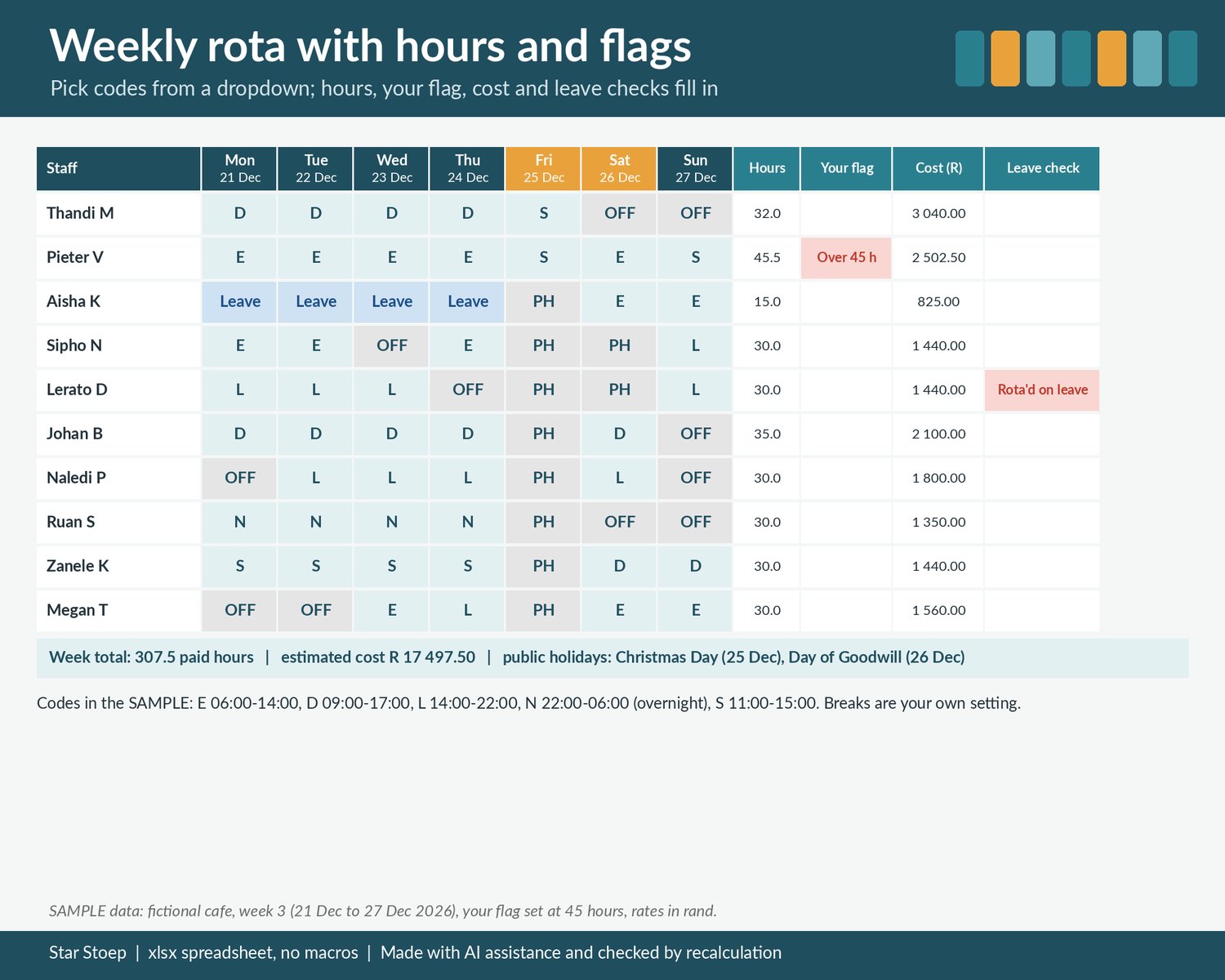
- Rota: 53 weeks laid out one under the other from your start date, with a dropdown of your codes in every cell. Each person's weekly hours, your flag, estimated cost and an "Unknown code" check fill in on the right. Public holidays are shaded.
- Week View: type a week number to see that week with leave and public holidays shown, hours per person, your flag, estimated cost, unknown codes and anyone rostered on a day they are on leave.
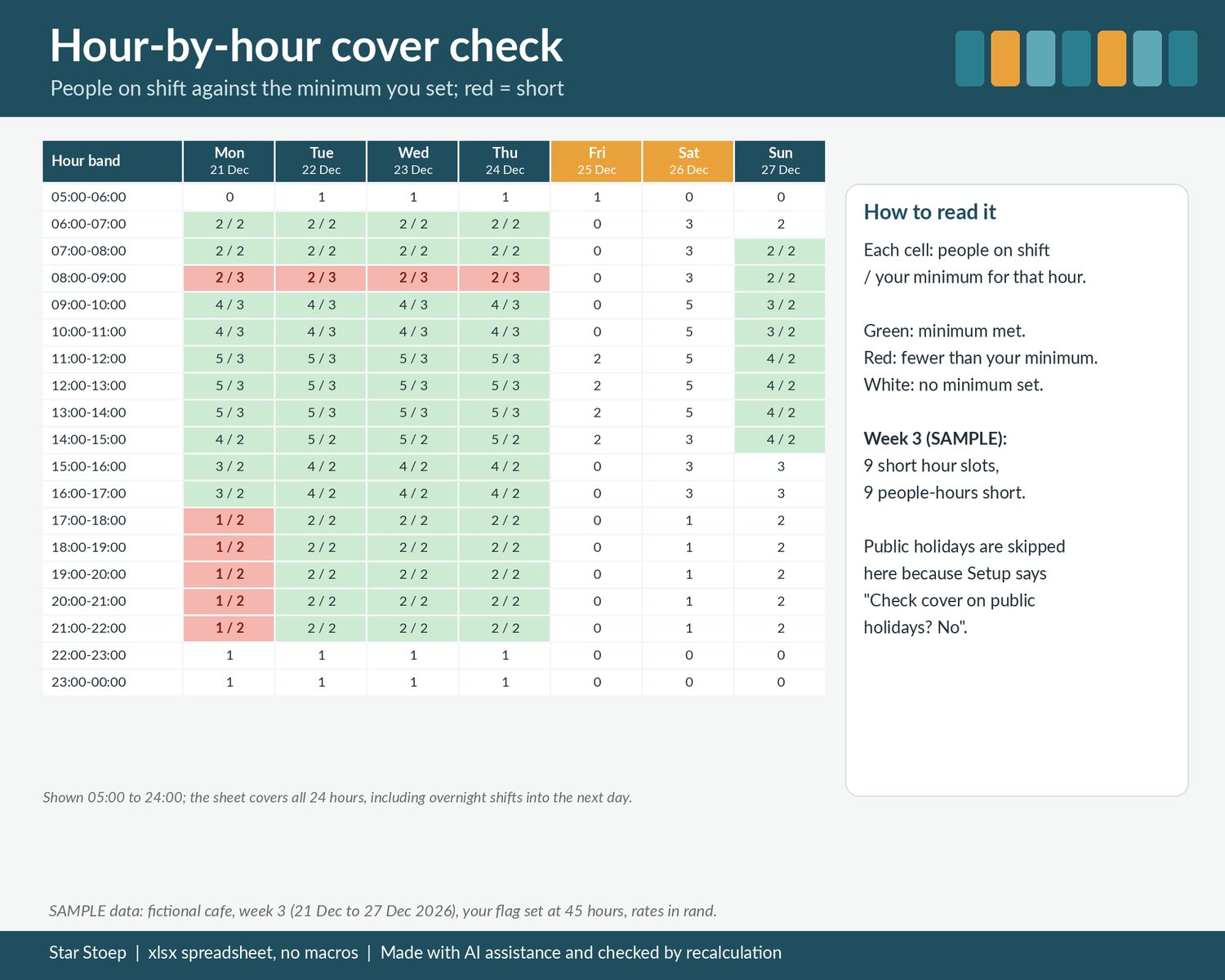
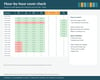
- Cover Check: 24 hour bands x 7 days, showing how many people are on shift against the minimum you set for each hour and weekday. Red = short, with a count of short slots. Overnight shifts count into the next morning. You choose whether public holidays are checked.
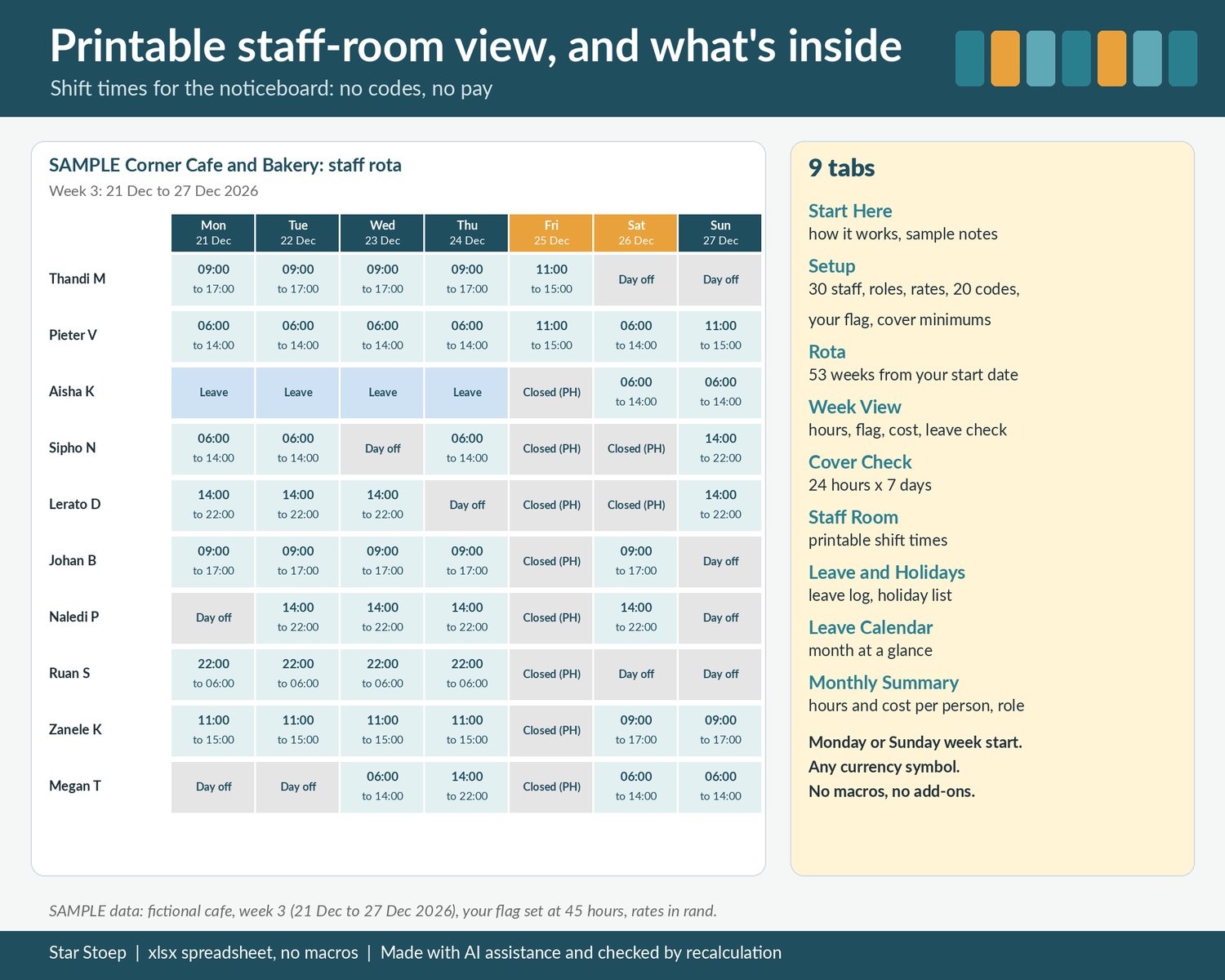
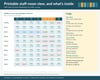
- Staff Room: a clean printable page for the noticeboard with shift times (for example 06:00 to 14:00), not codes or pay.
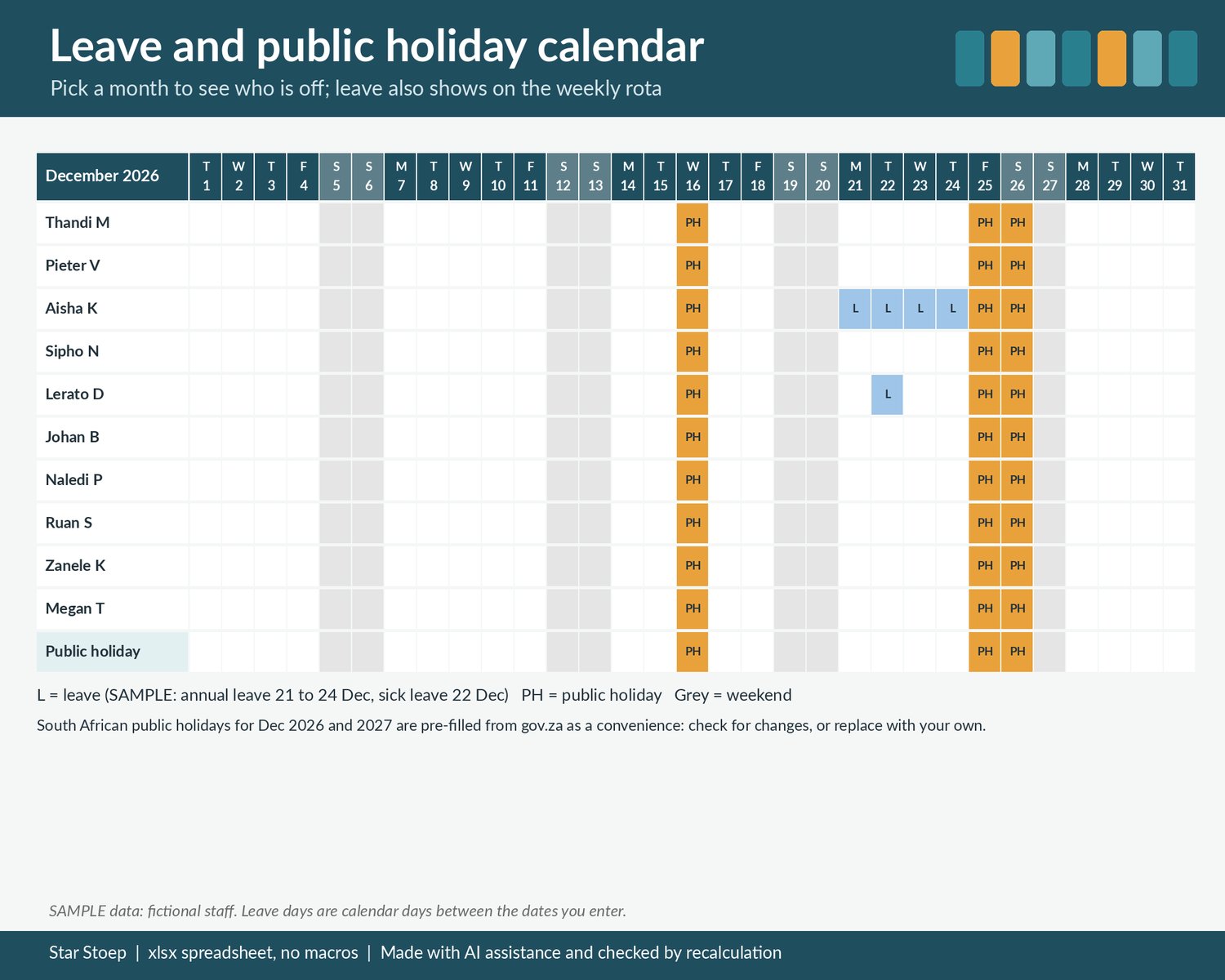
- Leave and Holidays: a leave log (staff, type, from, to) and a public holiday list. South African public holidays for December 2026 and all of 2027 are pre-filled as a convenience from gov.za; check for changes, or replace them with your own country's holidays.
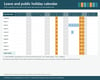
- Leave Calendar: pick a month to see who is off on which day, with public holidays and weekends shaded.
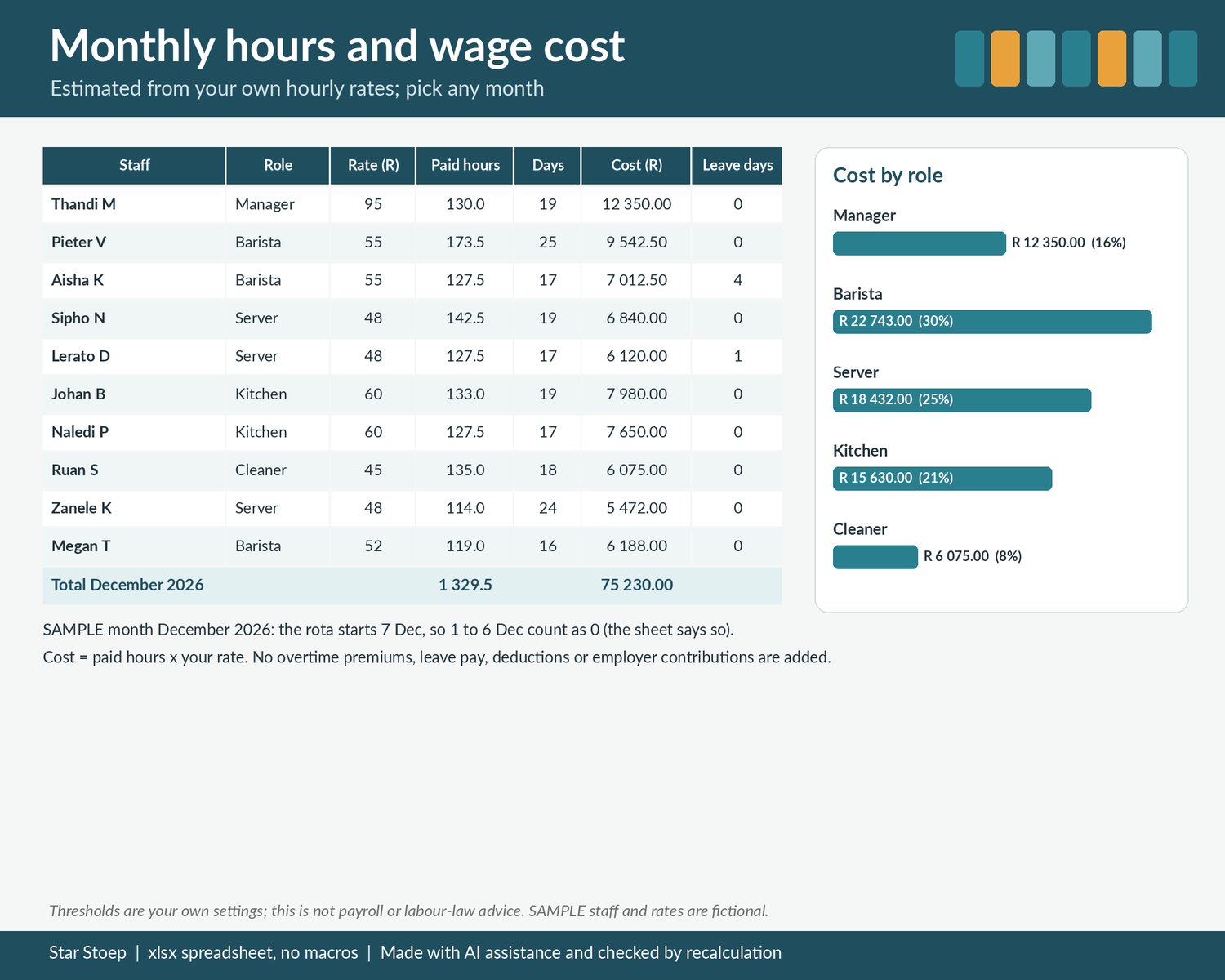
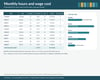
- Monthly Summary: pick a month for paid hours, days worked, estimated cost and leave days per person, plus hours and cost by role.
WHAT'S INSIDE
- 1 .xlsx spreadsheet with 9 tabs: Start Here, Setup, Rota, Week View, Cover Check, Staff Room, Leave and Holidays, Leave Calendar, Monthly Summary (plus 2 hidden helper tabs)
- Clearly labelled SAMPLE data (a fictional cafe with 10 staff, 4 weeks of rota and 3 leave entries) so you can see how it works, with a short list of what to clear
- Cream cells for your input, white cells that calculate. No macros, no add-ons.
HOW TO USE IT
- An .xlsx spreadsheet with no macros. Tested in LibreOffice Calc; not yet opened in Excel or Google Sheets.
- Start with the Start Here tab, then fill in Setup.
GOOD TO KNOW
- Digital download, nothing is posted.
- Checked by recalculation.
- Thresholds are your own settings; this is not payroll or labour-law advice. The weekly hours flag, cover minimums and rates are whatever you enter. The planner does not know or apply any law, agreement or contract, and the cost is an estimate (paid hours x your rate) without overtime premiums, holiday or leave pay, deductions or employer contributions.
- A shift's hours count on the day it starts. In the cover check a person counts in an hour only if their shift covers the whole hour; breaks are not taken out of cover.
- Public holiday dates are a convenience copy; check for changes.
- Not affiliated with Google or Microsoft.