
Stop Wasting Hours on Technical Reports: A Faster Way to Work
Your technical work is finished. Why is the paperwork taking so long?
If you're an electrician, CCTV installer, HVAC technician, maintenance professional or independent contractor, you probably know this situation.
You've completed the installation, checked the equipment and finished the job. But before you can move on, you still need to write the technical report.
You open Word, search for an old template, enter customer details, organize inspection results, attach photographs and try to make everything look professional.
Sometimes, the paperwork takes longer than expected.
What if creating technical reports could be simpler?
That's the problem NEXORA TechDocs Offline was designed to solve.
Why Traditional Technical Reporting Wastes Time
Many technical professionals still rely on separate tools for their daily documentation.
Customer information is stored in one place, inspection checklists in another, calculations in spreadsheets and photographs in separate folders.
Putting everything together into a professional PDF report becomes repetitive administrative work.
For small service businesses and independent technicians, this means less time available for actual technical work.
A better solution is to keep all the essential documentation tools in one workspace.
Meet NEXORA TechDocs Offline
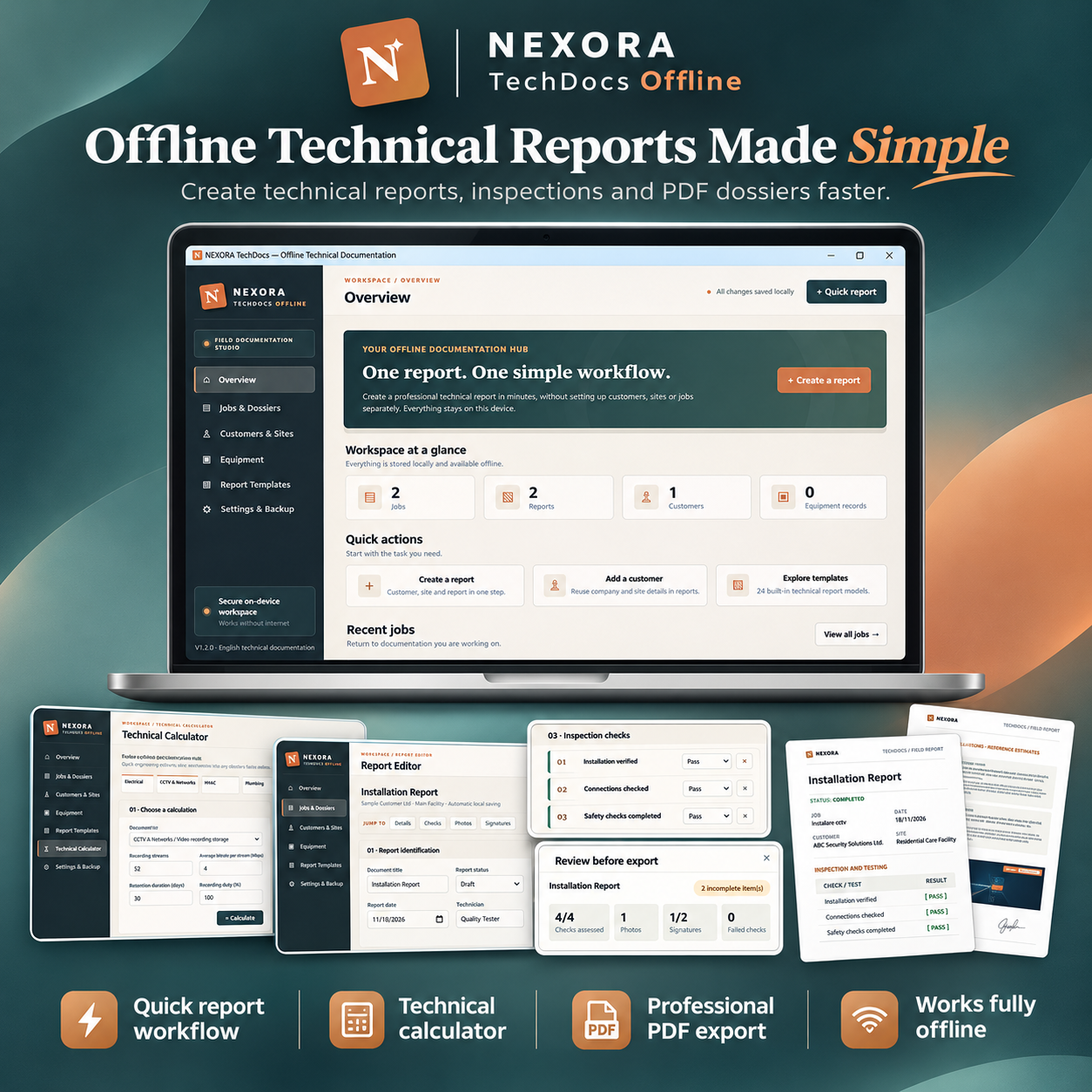
NEXORA TechDocs is Windows technical report software designed to simplify inspections, maintenance records, installation documentation and PDF report generation.
Instead of switching between multiple applications, you can prepare your documents from a single offline workspace.
The software includes:
- 24 technical report templates for installation, inspection, maintenance, service and handover documentation.
- A simple report editor for customer details, work descriptions and technical information.
- Inspection checklists with Pass, Fail and N/A results.
- Corrective action tracking for documenting defects and required follow-up.
- 14 technical calculators covering electrical, CCTV, networking, HVAC, plumbing, dimensions and costs.
- Photo evidence and digital signatures for supporting your technical documentation.
- Professional PDF exports for sharing reports with customers.
- Local data storage and backup without depending on cloud services.
Everything is designed to help technicians spend less time organizing paperwork.
Create Professional Inspection Reports in a Few Simple Steps
Imagine you've completed a CCTV installation.
You need to document the installed equipment, verify connections, record inspection results and prepare a report for the customer.
With NEXORA TechDocs, you can start an installation report, enter the work details and record the inspection checklist in the same workspace.
Need to estimate video storage requirements? Use the built-in CCTV storage calculator and attach the calculation to your report.
Need to document a problem? Record the failed inspection, describe the defect and add a recommended corrective action.
Need to deliver the documentation? Export the report as a professional PDF.
One workflow, from job details to finished documentation.
Technical estimates remain advisory and must be checked against actual equipment specifications and applicable requirements.
Technical Report Software That Works Offline
Not every job site has reliable internet access.
Some technical environments also require local handling of customer information, installation records and equipment documentation.
NEXORA TechDocs runs locally on compatible Windows computers, allowing everyday reporting and calculations without an internet connection.
Your work records remain on your device, and you can create local backups.
There is no cloud account required for normal operation after license activation.
Who Can Benefit from NEXORA TechDocs?
The application is suitable for a wide range of technical professionals, including CCTV and security installers, electricians, HVAC technicians, plumbers, industrial maintenance workers, IT technicians, facility maintenance teams and independent service contractors.
Whether you're creating an installation report, recording a service visit or documenting an equipment inspection, the goal remains the same:
Less paperwork. More productive technical work.
A Practical Alternative to Complicated Reporting Workflows
Professional technical documentation should not require a complicated software system.
NEXORA TechDocs focuses on the functions technicians use when preparing reports: structured forms, checklists, customer details, photographs, calculations and PDF documents.
It also helps keep previous job records organized for future reference.
For independent professionals and small businesses, this can simplify reporting without introducing a recurring subscription.
Save Time on Your Next Technical Report
If you're looking for offline technical report software, an inspection PDF generator or an easier way to prepare maintenance and installation reports, explore NEXORA TechDocs.
NEXORA TechDocs Offline Pro
Windows 10/11 · English · One-time purchase · One-computer license
After purchase, activation is performed manually using a signed license file.
Explore NEXORA TechDocs on Payhip:
https://payhip.com/nexoradigitalstoree
Work smarter. Document faster. Stay offline.
Discover how to create technical reports faster with offline software. Simplify inspections, maintenance checklists, calculations and PDF reporting.