

Creating engaging fitness content can be tough, especially if you’re managing multiple social media accounts while trying to attract clients or grow your brand. Between planning, designing, and posting, it can quickly become overwhelming. But with the right tools, you can save time, maintain consistency, and stand out from the crowd.
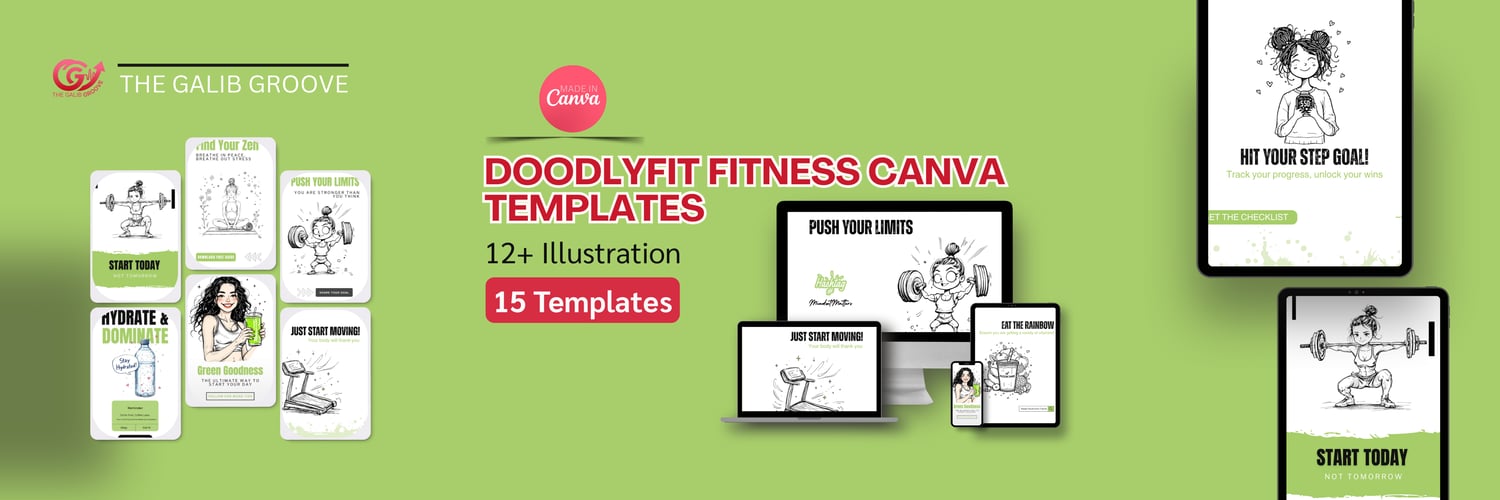
Enter the DoodlyFit Fitness Canva Template Pack — a set of 15 fully editable social templates (10 Instagram posts + 5 stories) and 12 doodle-style fitness illustrations that makes content creation fast, fun, and effective. In this post, we’ll explore tips and strategies to maximize these templates to create scroll-stopping fitness content.
Tip 1: Plan Your Content Ahead
One of the biggest mistakes fitness creators make is posting randomly without a content plan. By planning ahead, you can ensure your posts align with your brand, cover important topics, and maintain engagement throughout the week.
How to use DoodlyFit templates for planning:
- Create a weekly content calendar and assign each template a specific topic (e.g., motivation, workout tips, nutrition advice).
- Use the templates’ pre-written headlines as inspiration for your captions.
- Schedule posts using social media tools like Later or Buffer to automate your workflow.
Having a clear plan reduces stress and ensures your feed always looks cohesive and professional.
Tip 2: Customize Templates to Match Your Brand
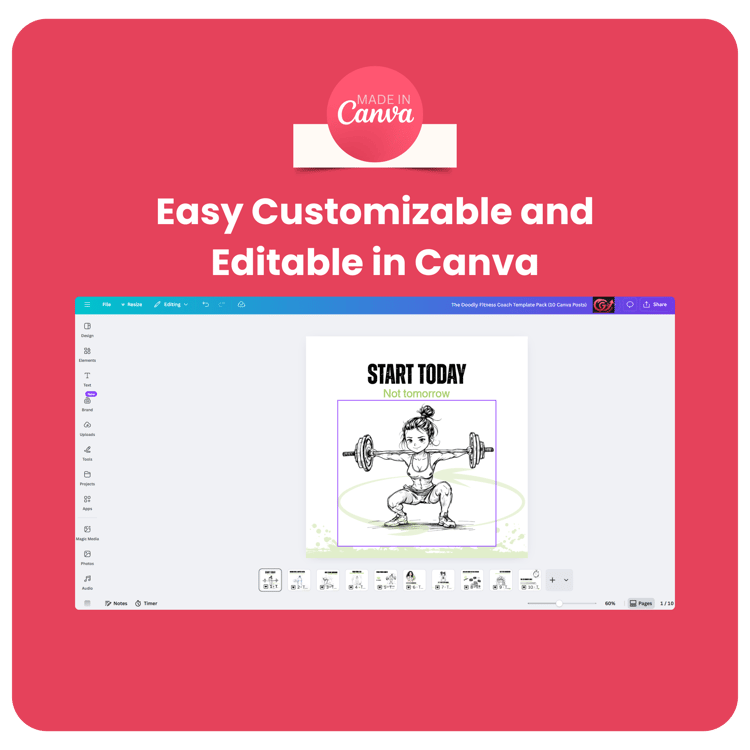
The DoodlyFit templates are fully editable in Canva, which means you can easily change colors, fonts, text, and images to reflect your unique brand style.
Customization tips:
- Use your brand colors in each post to create a consistent visual identity.
- Swap out template fonts for those that match your style and are easy to read.
- Add your logo or watermark subtly on posts to increase brand recognition.
- Replace placeholder images with your own photos or stock images for authenticity.
By personalizing these templates, you create a professional and recognizable feed that resonates with your audience.
Tip 3: Use Doodle Illustrations to Stand Out
Hand-drawn, playful doodle illustrations are eye-catching and unique. They break the monotony of standard fitness graphics and can make your content more memorable.
Ways to use the 12 included doodles:
- Highlight important information in your posts (e.g., tips, steps, or motivational quotes).
- Use doodles in Instagram Stories for stickers, highlights, or swipe-up callouts.
- Combine doodles with text to create visually appealing carousel posts.
- Mix and match doodles across posts to maintain a consistent doodly theme.
The fun, sketchy style instantly grabs attention while keeping your content friendly and approachable.
Tip 4: Repurpose Templates Across Platforms
One of the best things about Canva templates is their flexibility. You can use a single template across multiple platforms with minor adjustments.
Ideas for repurposing:
- Convert an Instagram post into a Facebook post or LinkedIn update.
- Turn a story template into a vertical video using Canva’s animation features.
- Create Pinterest graphics using the same illustrations and layout.
- Adapt templates into newsletters, blog graphics, or challenge announcements.
Repurposing saves time and ensures your brand message reaches multiple channels consistently.
Tip 5: Stay Consistent With a Posting Schedule
Even the most beautiful templates won’t help if you post inconsistently. A consistent posting schedule builds trust with your audience and increases engagement over time.
Using DoodlyFit templates to maintain consistency:
- Dedicate certain templates to recurring themes (e.g., Motivational Monday, Workout Wednesday, Meal Prep Friday).
- Keep a folder of your templates ready in Canva so you can update and post quickly.
- Track engagement metrics to see which types of posts perform best and adjust accordingly.
Consistency not only improves brand recognition but also shows your audience you’re reliable and professional.
Bonus Tips: Maximize Engagement
- Add Calls-to-Action: Encourage your followers to comment, save, or share posts.
- Use Canva Animations: Simple animated graphics increase engagement on Instagram and Facebook.
- Mix Template Types: Alternate between posts and stories to create variety and maintain audience interest.
- Test Color Schemes: Experiment with different combinations to see which ones get the most engagement.
- Use Hashtags Strategically: Combine broad and niche hashtags to reach a wider audience.
These small adjustments can dramatically improve the visibility and performance of your content.
Why DoodlyFit Templates Are a Game-Changer
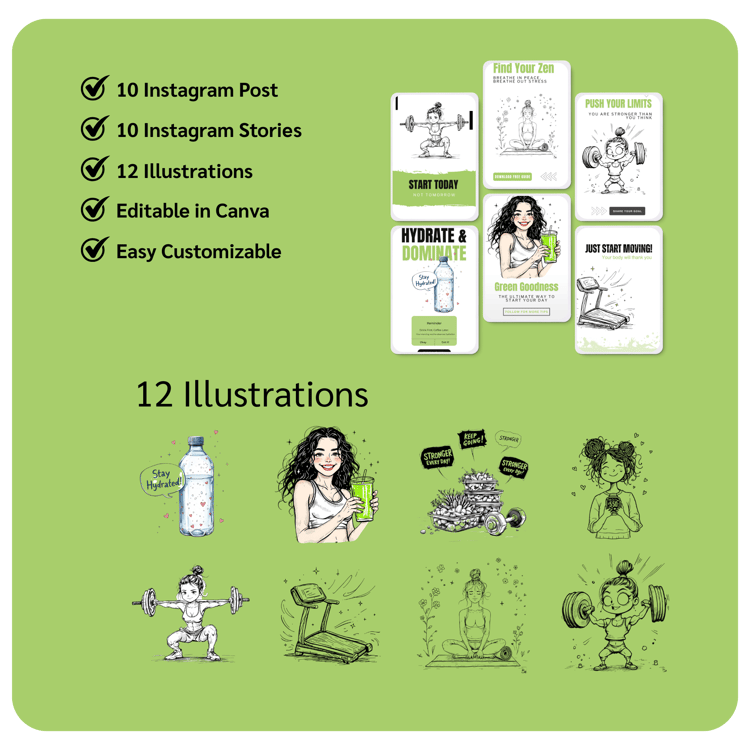
The DoodlyFit Social Canva Template Pack offers:
- 15 ready-to-use templates (10 posts + 5 stories)
- 12 hand-drawn doodle illustrations
- Fully editable in Free & Pro Canva
- Beginner-friendly designs that save time
- A playful doodle style that stands out from generic fitness content
By using these templates, you can focus less on designing and more on connecting with your audience, sharing valuable content, and growing your fitness brand.
Conclusion
Creating professional, eye-catching fitness content doesn’t have to be complicated or time-consuming. With the DoodlyFit Fitness Canva Template Pack, you have a ready-made toolkit to plan, customize, and publish posts that attract attention, engage followers, and build a consistent brand.
Follow these tips — plan your content, customize templates, use doodle illustrations, repurpose across platforms, and post consistently — and you’ll see your engagement and brand visibility soar.
🎯 Ready to create scroll-stopping fitness content?
Download your DoodlyFit Fitness Canva Template Pack today and start posting like a pro!
Comments ()