

If you're new to the world of social media management, creating a professional portfolio can feel intimidating. You might worry that you don’t have enough experience, enough clients, or enough “big results” to showcase.
But here’s the truth: every social media manager—beginner or experienced—needs a clean, organized portfolio to stand out. In 2026, clients and employers want proof of creativity, strategy, and results. And your portfolio is the fastest way to demonstrate all three.
This guide will walk you through everything you need to build a polished, client-ready social media portfolio—even if you’re starting from zero. And if you want to skip the design hassle, you can instantly create a professional presentation using this ready-made Social Media Manager Portfolio Template | Canva UGC Portfolio (10 Pages)
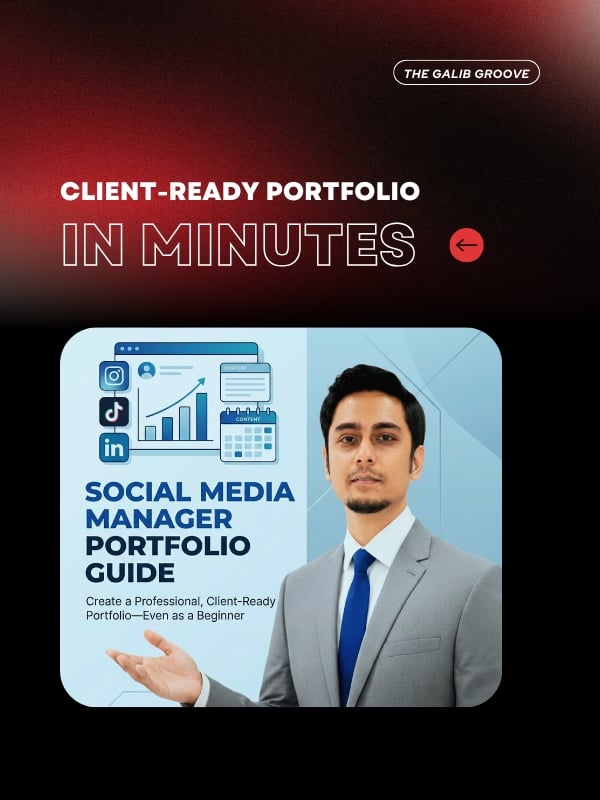
What Is a Social Media Portfolio?
A social media portfolio is a curated collection of the work that best represents your skills. It can include:
- Sample posts or mock campaigns
- UGC-style content
- Strategies you’ve developed
- Analytics screenshots
- Case studies
- Captions, scripts, or copywriting samples
- Testimonials
Your portfolio can be a PDF, Canva presentation, Notion page, or website—whatever best communicates your style and strengths.
Why Beginners Need a Social Media Portfolio
You don’t need years of agency experience to build a great portfolio. In fact, beginners often benefit the most from having a clean, well-structured presentation.
A portfolio helps you:
- Show clients how you think and create
- Build credibility, even with limited experience
- Demonstrate professionalism
- Stand out from other beginners
- Pitch confidently and secure higher-value opportunities
Even small wins—like improving a personal account or designing mock campaigns—can make a strong impression.
Build a Client-Ready Portfolio in Minutes (Beginner-Friendly Process)
Below are easy steps that beginners can follow to create a polished, professional portfolio.
1. Start With a Professional Template
One of the biggest struggles beginners face is designing layouts that look clean, modern, and consistent. Most new or freelance social media managers spend hours trying to format slides—often resulting in inconsistent designs that undervalue their work.
To solve this, I created the Social Media Manager Portfolio Template | Canva UGC Portfolio (10 Pages)—a ready-made, fully editable Canva template built specifically for social media managers and UGC creators.
Why this template is perfect for beginners:
- Clean, modern and minimal layout
- Drag-and-drop image placeholders
- 10 professionally designed slides
- Sections for services, workflow, case studies, analytics & UGC
- Compatible with Canva Free
- Instant access—paste your content and you’re done
This template saves you hours of design time so you can focus on what matters—getting clients.
2. Add a Simple and Professional Introduction
Your first slide should quickly answer:
- Who you are
- What you do
- Who you help
- Your social media or UGC style
- Your mission or values
A short, clear introduction builds trust and sets the tone for the rest of your presentation.
3. Showcase Sample Work or Mock Campaigns
If you don’t have client projects yet, create:
- Instagram carousel mockups
- Reels or TikTok ideas
- UGC-style product photos or videos
- A mini strategy for a favorite brand
Mock work is completely acceptable—and often highly effective—for beginners.
The template includes dedicated spaces to display:
- UGC samples
- Post designs
- Story concepts
- Analytics mockups
- Campaign visuals
Simply drag your content into the placeholders.
4. Highlight Your Strategy Skills
A strong portfolio goes beyond visuals. Add short explanations about:
- Content pillars
- Audience targeting
- Brand tone of voice
- Hashtag strategy
- Sample posting schedule
- How you optimize for engagement
This shows clients that you think like a strategist, not just a designer.
5. Use Analytics to Prove Your Growth Mindset
If you manage a personal account or a small page, include:
- Follower growth screenshots
- Engagement improvements
- Reel views or viral content
- Click-through performance
Clients care more about your ability to grow and optimize content—not how big the account is.
6. Add Testimonials (Even One Helps)
If you have:
- Helped a friend
- Done volunteer work
- Managed a school or university page
- Interned somewhere
Ask for a short testimonial. Even one positive quote strengthens your portfolio instantly.
The template includes a ready-made testimonials section for quick editing.
7. Showcase Your Social Media Toolbox
List the platforms and tools you’re familiar with:
- Canva
- CapCut
- Meta Business Suite
- TikTok Insights
- Buffer / Later / Hootsuite
- Notion
- ChatGPT for content drafting
This demonstrates your technical readiness.
8. Keep It Short, Clean & Easy to Browse
A beginner-friendly portfolio should be:
- 8–12 pages
- Minimal and clean
- Organized by clear sections
- Optimized for both clients and employers
Design consistency is essential—this is exactly why a template helps accelerate your growth.
Why This Template Is the Best Starting Point for Beginners
The Social Media Manager Portfolio Template | Canva UGC Portfolio (10 Pages)
solves every common beginner problem:
✔ Saves hours of design work
No need to start from scratch.
✔ Polished, minimal, and modern
Looks like an agency-made portfolio.
✔ Fully editable
Change colors, fonts, content, and images.
✔ Optimized for client pitching
Perfect for freelancers, UGC creators, and agencies.
✔ Helps you show your best work confidently
Whether you’re applying for a job, pitching a client, or presenting your UGC samples.
What’s Included:
- 10-page Canva portfolio template (1920×1080px)
- Editable fonts, colors, layouts
- Image placeholders for posts, UGC, and analytics
- Instant PDF with Canva access link
It’s the fastest and easiest way to build a professional Freelance Social Media Portfolio, even as a total beginner.
FAQs
Do social media managers need a portfolio?
Yes. Clients want to see proof of your skills, creativity, and past results. A portfolio builds trust instantly and often determines whether you get hired.
What is a portfolio template?
A portfolio template is a ready-made layout where you simply replace text, images, and colors. It helps you build a modern, professional portfolio quickly—especially if you don’t have design experience.
Conclusion
Building a professional social media portfolio as a beginner doesn't have to be difficult. With the right structure—and the right tools—you can create a clean, confident, client-ready presentation in minutes.
If you want to save time, avoid design stress, and impress clients from the start, use the Social Media Manager Portfolio Template | Canva UGC Portfolio (10 Pages)
to build a portfolio that looks polished, credible, and strategically designed.
Show your best work with confidence.
Build your unique style easily in Canva today.
Comments ()