

In today’s fast-paced social media landscape, simply posting fashion videos isn’t enough. To stand out, your content must capture attention, hold it, and convert viewers into followers and customers. Instagram Reels and TikTok have become powerful tools for fashion brands to showcase products, launch collections, and build engagement. But not all videos go viral—or even perform well—without strategy.
This guide will show you how to style and edit your raw fashion clips to create cinematic, scroll-stopping content, and help you turn them into high-performing Reels and TikTok videos.
“A video isn’t just visuals; it’s storytelling, marketing, and brand identity all rolled into one.”
Step 1: Plan Your Content Before Shooting
Before you even press record, it’s crucial to plan your video content carefully. Many fashion creators make the mistake of shooting without a storyboard, leaving editors with clips that are hard to structure.
Tips for planning:
- Highlight your key products: Decide which clothing items or accessories are the focus.
- Define the mood and style: Is it luxury, edgy, casual, or minimalistic?
- Consider your platform: Reels and TikTok favor fast-paced, visually engaging videos under 60 seconds.
- Storyboard your shots: Plan your hook (first 3 seconds), mid-sequence visuals, and closing moments.
This planning ensures every shot you take can seamlessly fit into a polished edit later.
Step 2: Capture Cinematic Footage
Even before editing, your raw footage matters. Quality clips make it much easier to create cinematic, luxury-looking videos.
Filming tips:
- Use natural or soft lighting for fashion shoots—avoid harsh shadows.
- Keep the camera steady or use stabilizers for smooth motion.
- Record multiple angles for each shot to give flexibility in editing.
- Capture details and textures, like fabric patterns, accessories, and design elements.
Tip: Close-up shots of textures or unique design features often grab attention faster than full-body shots.
Step 3: Organize Your Footage
Once you’ve shot your clips, it’s time to organize them for editing. A well-structured folder system saves time and ensures nothing gets missed.
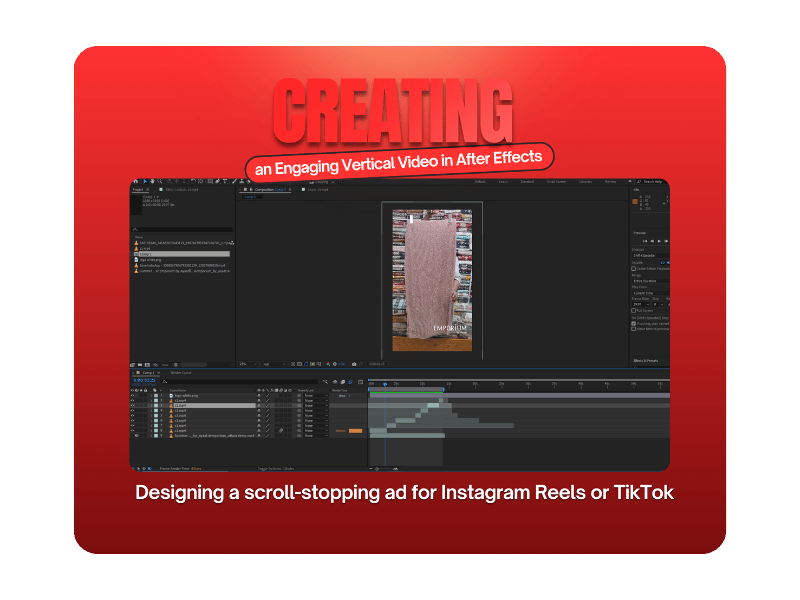
Suggested folder structure:
- Main Footage (Raw Clips)
- Close-ups / Details
- Brand Assets (Logos, Fonts, Brand Colors)
- Reference Clips / Inspiration
Organizing files will make the editing process smoother and more efficient, whether you’re doing it yourself or hiring a professional.
Step 4: Editing & Styling Your Video
This is where the magic happens. Editing transforms raw clips into scroll-stopping Reels and TikTok videos. Here’s how to style your videos for maximum engagement:
A. Hook Viewers Fast
The first 3 seconds are critical. Use dynamic transitions, fast cuts, or zoom-ins to grab attention immediately.
B. Color Grading
Apply premium color grading to elevate your fashion footage. Subtle enhancements highlight your product’s textures and make your videos feel polished and cinematic.
C. Transitions & Effects
Use smooth transitions and light effects that feel professional, but don’t distract from the clothing. Minimal overlays or elegant text animations can reinforce your brand identity.
D. Audio & Music Syncing
Trending audio or music synced to your cuts increases engagement and retention. Match key movements or transitions to the beats for a professional finish.
E. Brand Consistency
Incorporate brand colors, fonts, and logo placements subtly to create a cohesive style. Consistency builds recognition and trust among viewers.
Step 5: Optimize for Reels & TikTok
Each platform has its nuances. Ensure your edited video aligns with best practices:
- Aspect Ratio: 9:16 vertical format works best.
- Video Length: Keep it under 60 seconds for Reels; TikTok can allow slightly longer if engaging.
- Captions & Text: Short, bold captions highlight product features or call-to-action messages.
- Hashtags: Use niche fashion hashtags for discoverability.
By optimizing your video for the platform, you increase the chances of organic reach and engagement.
Step 6: Include Calls-to-Action
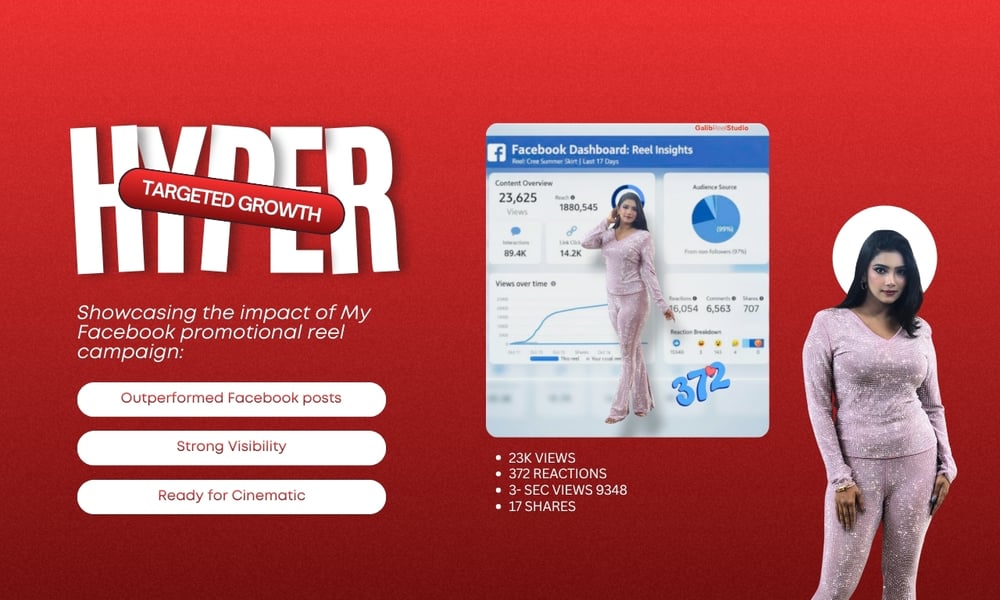
Every video should have a subtle call-to-action:
- “Check out our full collection”
- “Shop this look now”
- “Follow for more fashion inspiration”
CTAs guide viewers toward engagement or conversion, turning casual viewers into followers or customers.
Step 7: Professional Editing Services
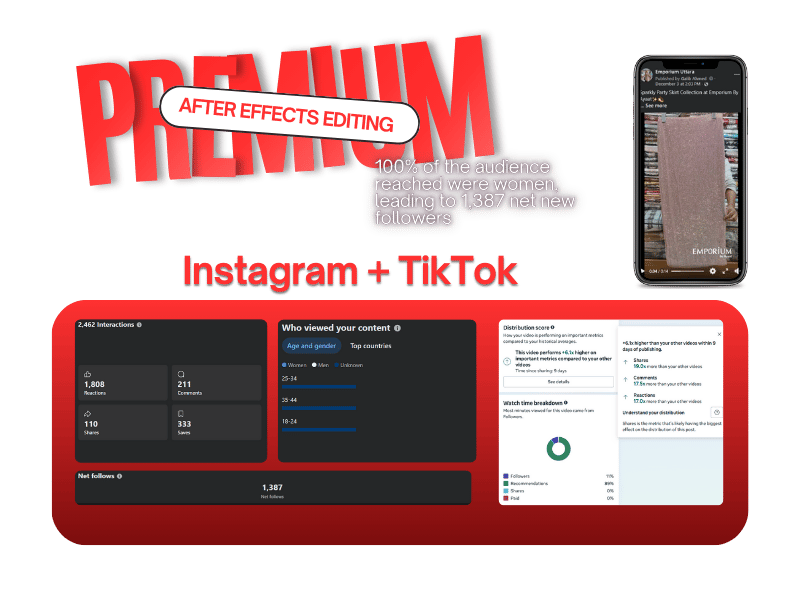
If you want cinematic, luxury fashion Reels and TikTok videos without spending hours editing, working with a professional is the fastest way to get results. A professional editor will:
- Turn raw clips into scroll-stopping content
- Apply color grading, transitions, and brand elements
- Ensure videos are optimized for Reels and TikTok algorithms
You can check my professional service here: Cinematic Fashion Reels & TikTok Editing
This service is perfect for fashion brands, boutiques, and designers who want elevated, high-performing video content that drives engagement and builds their audience.
Step 8: Test & Learn
Even after posting, analyze the performance of your videos:
- Views & Reach: How many people are watching?
- Engagement: Likes, saves, shares, comments
- Watch Time: Are viewers watching till the end?
Use this data to refine your future video strategy, from hooks and pacing to style and music choices.
Step 9: Bonus Tips for Styling Fashion Videos
- Focus on Details: Small things like stitching, textures, and patterns create visual interest.
- Keep Cuts Dynamic: Fast-paced editing keeps the audience engaged.
- Mix Close-ups and Full Shots: Alternate between detailed shots and full-body looks for variety.
- Brand Your Content Subtly: Don’t overpower the fashion—integrate your logo or text in a tasteful way.
- Stay Trendy: Watch viral Reels and TikTok videos for inspiration—but adapt trends to your brand’s aesthetic.
Why Professional Video Editing Matters
Editing is more than aesthetics—it’s marketing, storytelling, and brand positioning. Well-edited videos:
- Grab attention in the first few seconds
- Showcase your products in the best light
- Drive engagement and follower growth
- Make your brand appear polished and premium
Working with a professional service ensures your videos look great and perform well without spending hours learning complex editing software.
Step 10: Take Action
Stop posting raw footage that blends in. Turn your fashion clips into cinematic, luxury Reels and TikTok videos that capture attention, showcase detail, and elevate your brand.
Check out my service here: Cinematic Fashion Reels & TikTok Editing
With professional editing, your videos become scroll-stopping marketing assets that grow your brand, engage your audience, and drive results.
Final Thoughts
Social media is crowded—but with the right planning, styling, and editing, your fashion content can stand out. Focus on:
- Planning your shots
- Capturing cinematic footage
- Editing with professional style
- Optimizing for Reels and TikTok
- Using subtle CTAs
If you want a shortcut to high-performing videos, professional services like mine can turn your raw clips into viral-ready content in just a few days.
“Your fashion videos should not just be seen—they should be remembered.”
Start creating your cinematic, luxury fashion videos today: Cinematic Fashion Reels & TikTok Editing
Comments ()