
In the fast-paced business world, time is money. Yet, creating polished, client-ready proposals often takes hours — sometimes even days. What if you could cut that time down to mere minutes, while still delivering professional, visually compelling proposals?
With the Company Project Proposal Kit – Canva, you can craft proposals that impress clients, investors, and partners without spending countless hours formatting slides or worrying about design. Here’s how you can elevate your proposals and save time with this 20-page Canva template.
Why Most Proposals Fail
Before diving into the solution, it’s important to understand why many proposals don’t achieve their purpose:
- Poor Structure: Pages scattered without a clear flow make it hard for clients to understand your value.
- Unprofessional Design: A proposal that looks rushed or inconsistent diminishes credibility.
- Time-Consuming: Manually designing proposals in Word, PowerPoint, or even Canva from scratch can take hours.
- Missed Key Sections: Critical elements like budgets, timelines, and case studies are often incomplete or poorly presented.
By addressing these common problems, you can dramatically improve your proposal success rate — and the Company Project Proposal Kit is built specifically to solve these issues.
The Power of a Pre-Built Proposal Template
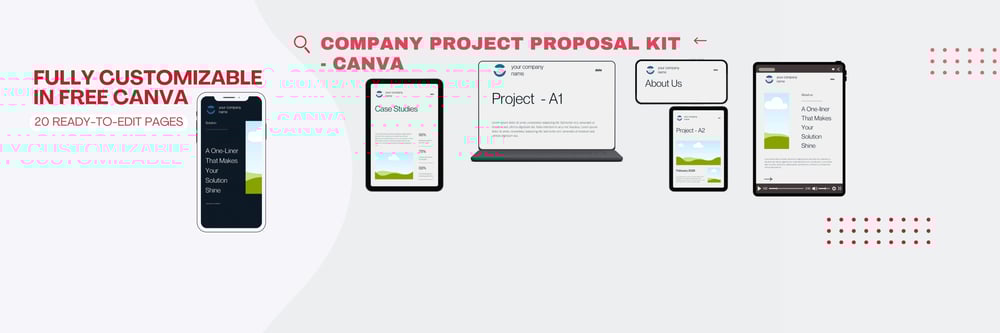
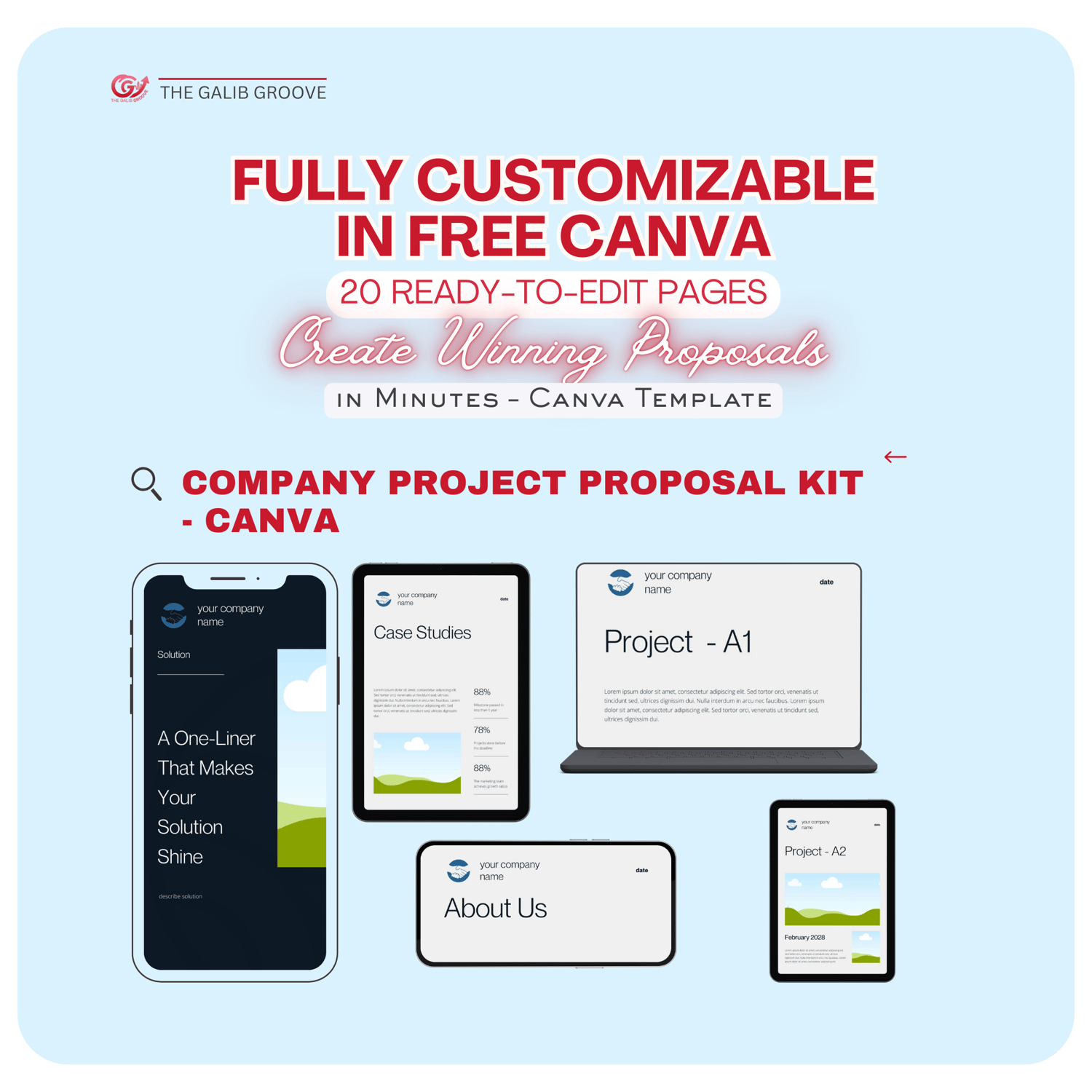
Imagine having a ready-made, 20-page proposal with every essential section included: Introduction, Problem, Solution, About Us, Case Study, Budget, Timeline, and more. Each page is fully editable in Canva, so you can:
- Customize fonts, colors, and branding to match your company
- Insert client-specific details without worrying about layout
- Add visuals and graphics to make your proposal more compelling
This approach saves hours of formatting time while ensuring your proposals remain polished and professional.
Tip: Clients subconsciously judge the professionalism of your proposal based on its design and organization. A visually appealing, structured proposal creates confidence in your expertise.
Why Canva is the Ideal Tool for Proposals
Canva has become the go-to tool for creative teams, freelancers, and business professionals because:
- It’s intuitive and beginner-friendly
- Offers drag-and-drop editing with no design skills required
- Provides professional templates for business documents, presentations, and social media
- Works for both free and paid users, so you don’t need a Canva Pro account to get started
By combining Canva’s ease-of-use with a pre-structured proposal template, you get professional results in minutes, not hours.
Features of the Company Project Proposal Kit – Canva
The Company Project Proposal Kit
is designed for agencies, freelancers, startups, and corporate teams. Key features include:
- 20 Fully Editable Pages: Covers all sections clients expect
- Ready-Made Structure: Clean, modern layout built for clarity and impact
- Customizable Design: Change fonts, colors, images, and branding effortlessly
- Instant Access: Start editing immediately after purchase
Each page of the template is thoughtfully crafted to guide the client through your story — from understanding the problem to seeing the solution and the value you bring.
How to Use the Template Effectively
Even with a ready-made template, there are strategic ways to use it for maximum impact:
1. Personalize for Each Client
Generic proposals rarely impress. Update your template with client-specific data, branding, and messaging. Tailoring content shows that you understand their needs and challenges.
2. Highlight Your Unique Value
Use the “Solution” and “About Us” sections to emphasize why your approach is different. Include your expertise, past successes, and what sets your team apart.
3. Visuals Matter
The template allows easy insertion of images, charts, and graphics. Visual representation of timelines, budgets, and project outcomes helps clients quickly grasp your ideas.
4. Keep it Concise
Even with 20 pages, clarity is key. Focus on essential information that demonstrates professionalism and aligns with client priorities.
5. Review and Refine
Even pre-made templates require a final review. Check text, branding consistency, and client-specific adjustments before sending.
Who Can Benefit from This Template?
The beauty of this template is its versatility. It works for:
- Creative Agencies: Pitch marketing, design, or content projects
- Freelancers: Present client projects, timelines, and deliverables
- Corporate Teams: Standardize proposals for internal or external stakeholders
- Startups & Entrepreneurs: Pitch investors, grant committees, or clients
- Non-Profits: Create clear, professional project plans for donors or partners
No matter your industry, the template provides a framework to communicate your ideas effectively.
Key Benefits of Using This Template
⏱️ Save Time
Create client-ready proposals in minutes instead of hours. Focus on pitching, not formatting.
🎨 Professional Look
A clean, modern design ensures your proposals look polished, credible, and visually compelling.
✏️ Fully Editable
Easily customize fonts, colors, images, and layout in Canva — no premium account required.
📑 Structured Layout
Includes all essential proposal sections, reducing mistakes and ensuring clarity for your clients.
⚡ Instant Access
Start creating immediately after purchase — no waiting, no downloads, no delays.
Step-by-Step Guide: From Template to Client-Winning Proposal
1️⃣ Download the Template
Get instant access to the Company Project Proposal Kit – Canva and start creating right away.
2️⃣ Customize Branding
Add your logo, brand colors, and fonts to make the proposal uniquely yours.
3️⃣ Insert Client Details
Personalize the introduction, problem statement, and solution sections with client-specific information.
4️⃣ Add Visuals
Enhance your proposal with images, charts, and infographics to make it engaging and easy to understand.
5️⃣ Review & Finalize
Proofread all text, ensure visuals are aligned, and double-check client-specific information for accuracy.
6️⃣ Send Professionally
Export your proposal as a PDF or share via Canva link — now it’s client-ready and polished.
Tips for Maximizing Proposal Success
- Use Case Studies: Include a previous project example that demonstrates results.
- Keep it Visual: Use charts and graphics instead of long paragraphs.
- Highlight ROI: Show clients the tangible benefits of choosing your services.
- Follow Up: Don’t just send a proposal — schedule a follow-up to discuss and answer questions.
Why Agencies & Freelancers Love This Template
Many professionals struggle with time-consuming proposal design, inconsistent branding, and incomplete project layouts. This Canva template solves these problems:
- Streamlines the proposal process
- Ensures brand consistency across proposals
- Allows teams to standardize proposal creation
- Improves presentation quality, increasing chances of approval
Where to Get the Template
Ready to stop wasting hours formatting proposals and start impressing clients instantly?
Grab the Company Project Proposal Kit – Canva
and create professional, client-ready proposals in minutes.
Short FAQ Section
Q1: Do I need a Canva Pro account to use this template?
A: No, the template is fully editable in Free Canva, so anyone can customize it.
Q2: Can I edit fonts, colors, and images?
A: Yes! Every page is fully customizable to match your brand or client requirements.
Q3: How long does it take to create a proposal?
A: With this template, you can have a polished, client-ready proposal in minutes, not hours.
Q4: Who is this template suitable for?
A: Agencies, freelancers, startups, corporate teams, consultants, and small business owners who need professional proposals fast.
Q5: How do I get access?
A: Instant access is provided immediately after purchase via your Payhip download link.
Comments ()