
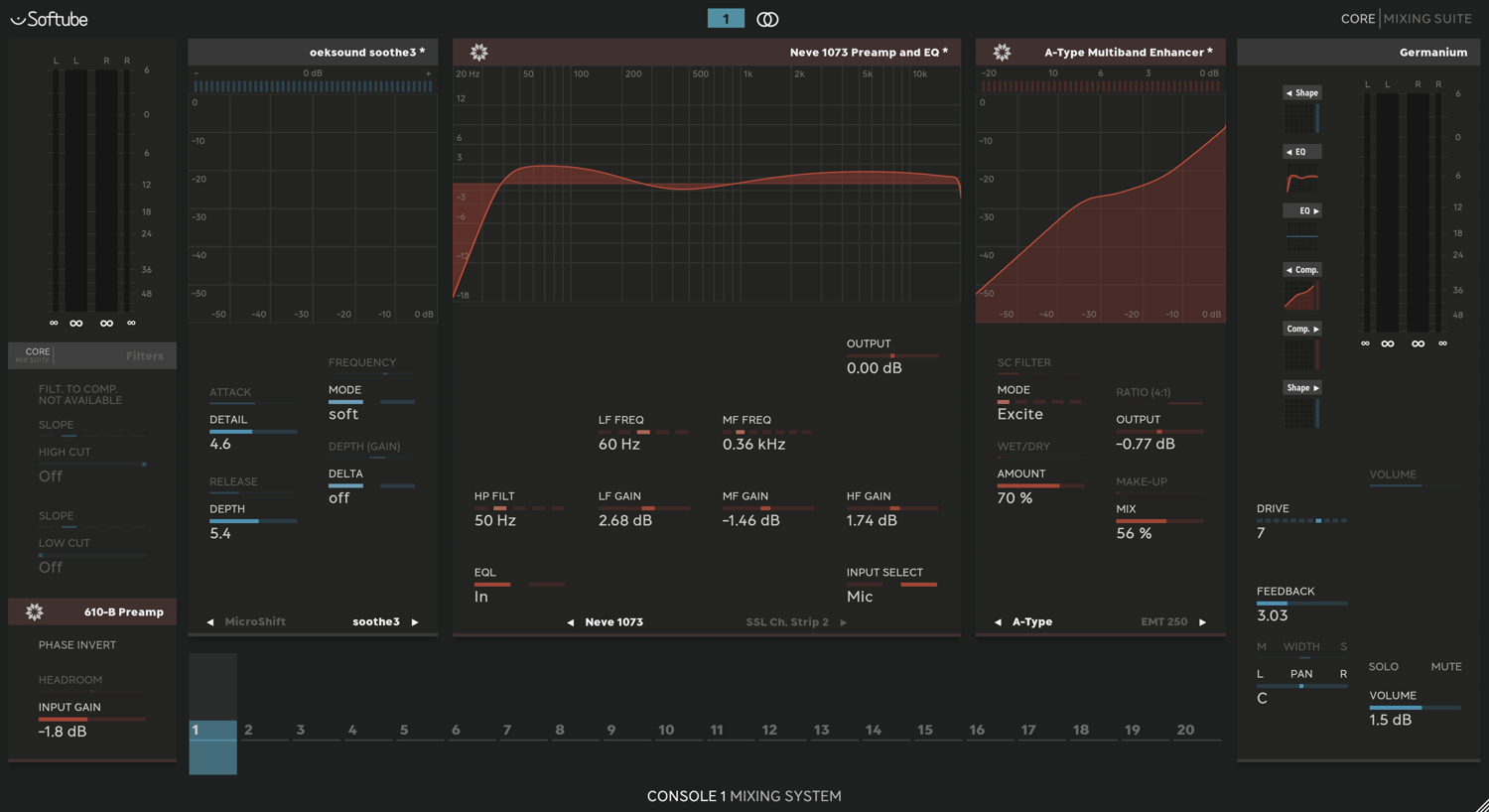
If you want your Console 1 to look like this, then read on.
First and foremost, thank you for visiting our site.
Before proceeding, please read the following information carefully.
If, like us, you were initially thrilled and excited when you purchased your Console 1 from Softube, but gradually became dissatisfied with the product, we may have the solution for you.
We firmly believe that Console 1 is an exceptional product created by Softube. It offers a unique and liberating experience, allowing you to mix with your ears and not your eyes, while turning the knobs with both hands. It’s truly something you must experience for yourself.
Having conducted a thorough investigation of the product before buying, we were pleasantly surprised to discover that even if you own a substantial number of Softube’s plug-ins, they are mapped in a way that makes it more practical to use the standard plug-ins.
For instance, consider comparing Core Suite Bus Compressor with Bus Compressor, which you must purchase separately. You’ll find that the Bus Compressor lacks certain parameters that are available in the Core Suite Bus Compressor. Despite Softube’s claim that Core Suite Bus Compressor is based on that version, this discrepancy is puzzling.
Similarly, if you want to utilize the built-in sidechain in a compressor, but it’s not mapped, you’re forced to use filters as a sidechain. However, you’re left without filters for lowcut and highcut.
Recognizing these limitations, we embarked on a mission to create ‘presets’ for Softube Console 1 that can leverage many of the parameters not mapped to Console 1. These ‘presets’ are designed to address the constraints of Console 1’s button layout and provide users with more flexibility to choose for themselves.
Before purchasing from us, please read the other sections to understand what has been done and what can't be done, which system we tested it on and installation instructions. Please try the free test file available in the shop.
We hope you enjoy experimenting with these new ‘presets’ and create some beautiful and unique music.
What can and cannot be done, and how we did it.
We want to emphasize that no plug-ins were damaged, altered, or opened up and turned inside out during our efforts ;-)
We also did not use AI tools, except for altering the text you are currently reading. Instead, we employed a traditional text editor to meticulously write these ‘presets’. While this process may have taken some time, we believe it was worth the effort to enhance the user experience.
Before we delve into that, let’s clarify that not all plug-ins are created equal.
Not all of them are compatible with Console 1.
While SSL has enabled the possibility of mapping plug-ins to their hardware, we understand Softube’s decision not to do so and have carefully considered whether we should make these ‘presets’ available to others.
When plug-ins are designed to run in Console 1, which essentially functions as a plug-in wrapper (simplified), it reads the parameters available to the plug-in. These parameters are the ones that can be automated by your DAW.
However, not all elements clickable in the plug-in GUI are available as parameters for automation. Therefore, it wouldn’t be logical to expect all plug-ins globally to be compatible with Console 1.
For instance, if a link button in an EQ plug-in only is accessible in the plug-in GUI and not as a parameter that can be automated, it becomes challenging to control the plug-in in Console 1.
Not all plug-ins transmit gain reduction; for example, UADx does not. Consequently, Softube calculates this in many instances and displays the estimated calculation in the comps gain reduction meter. However, it doesn’t do this for ‘shape’, so if you load a comp plug-in in that module, it will only show gain reduction if the plug-in transmits it.
Additionally, Console 1 only transmits DAW Sync to Softube’s own plug-ins and not those loaded as VST3, which makes it difficult to use tempo sync for release or predelay.
Even though we’ve now made these ‘presets’ available, we strongly advise you to familiarize yourself with the EQs, comps, and other plugins you’ll use in different situations. Limit your toolbox to a few high-quality plug-ins. Just like a carpenter doesn’t carry 100 different hammers to the job, you don’t need a vast collection of plugins.
If some parameters don’t make sense, open the original plug-in and learn the different buttons to understand what each one does in Console 1.
We highly recommend Softube’s own plugins in combination with UA plus a handful or two from other companies for the everyday mixing needs inside Console 1.
And after you are done in Console 1, you can always sprinkle some fairy dust from other plugins inside the normal plug-in insert slots in your DAW.