
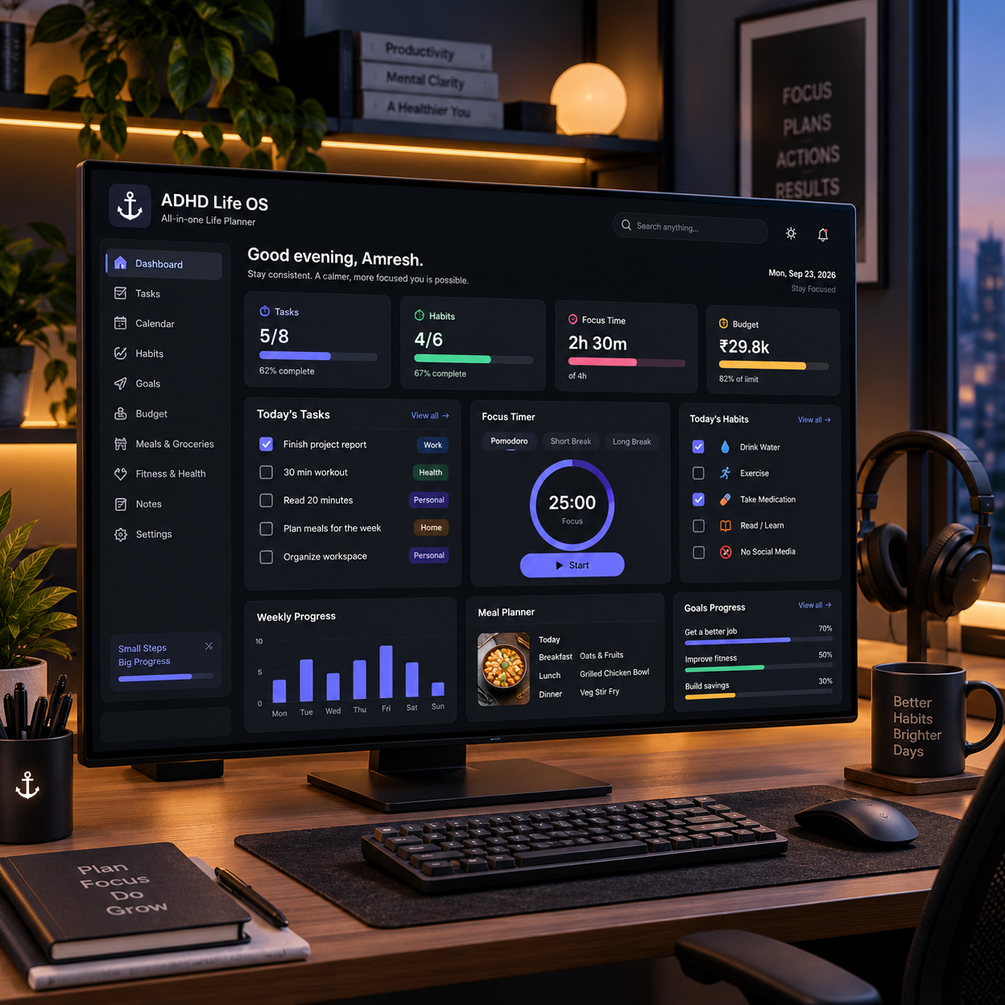




Anchor — Private Offline ADHD Life Planner OS
Anchor — Private Offline ADHD Life Planner OS web app
🔥 LIMITED-TIME OFFER 🔥
$19.99 → $14.99 💥
🎉 Save $5.00 Today!
⏳ Offer available for a limited time only.
🎥 See the Product Overview: 👉Watch the Product Overview
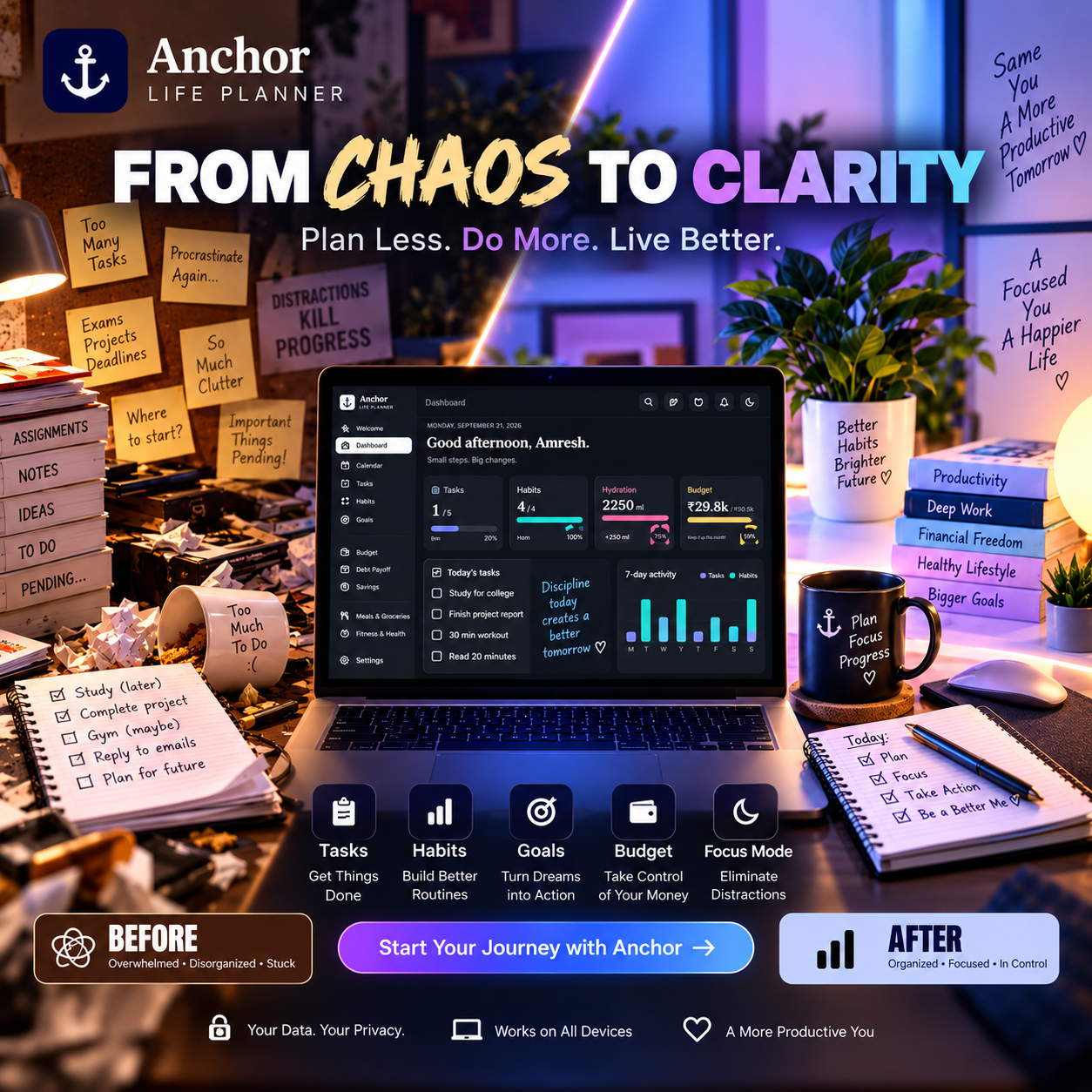
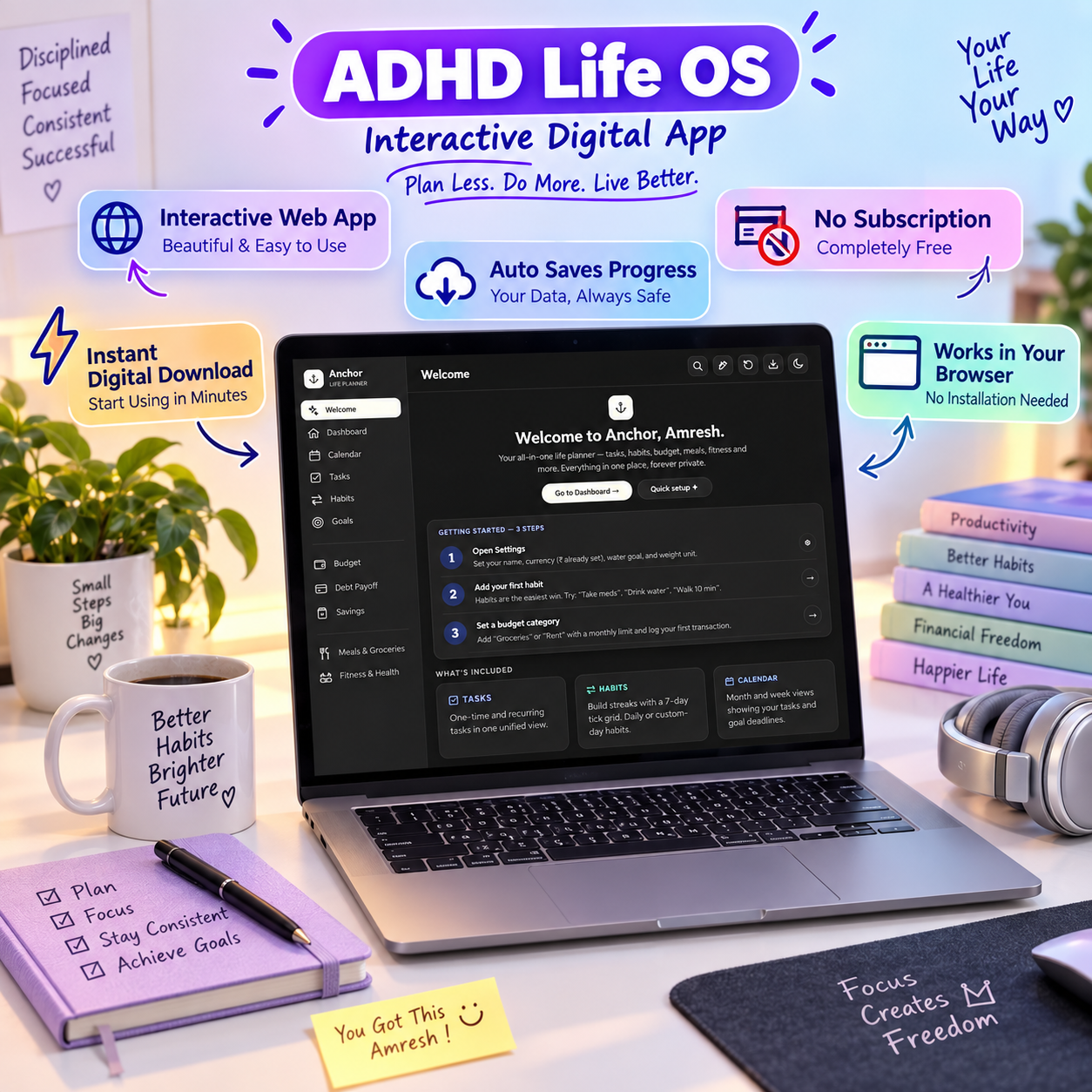
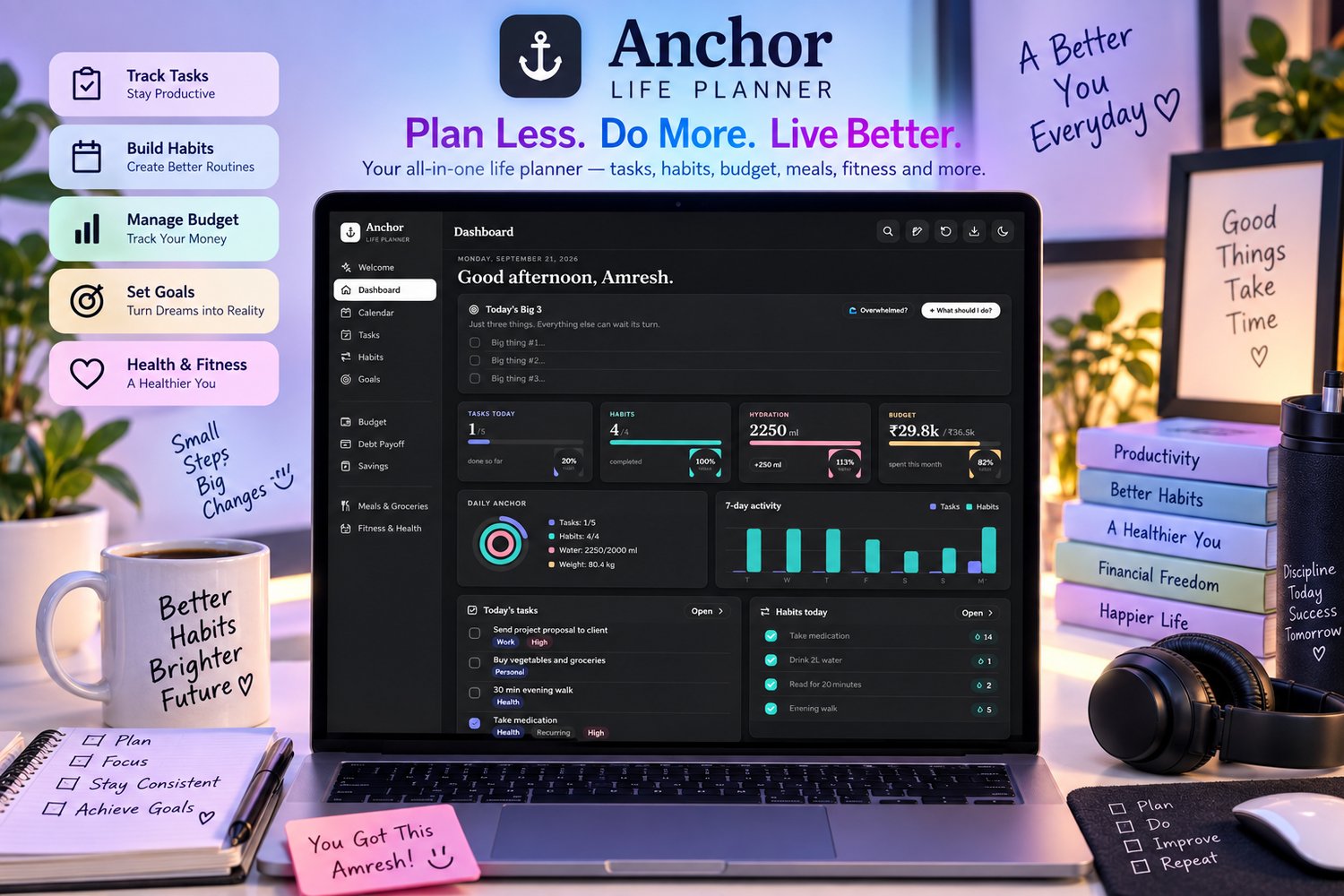
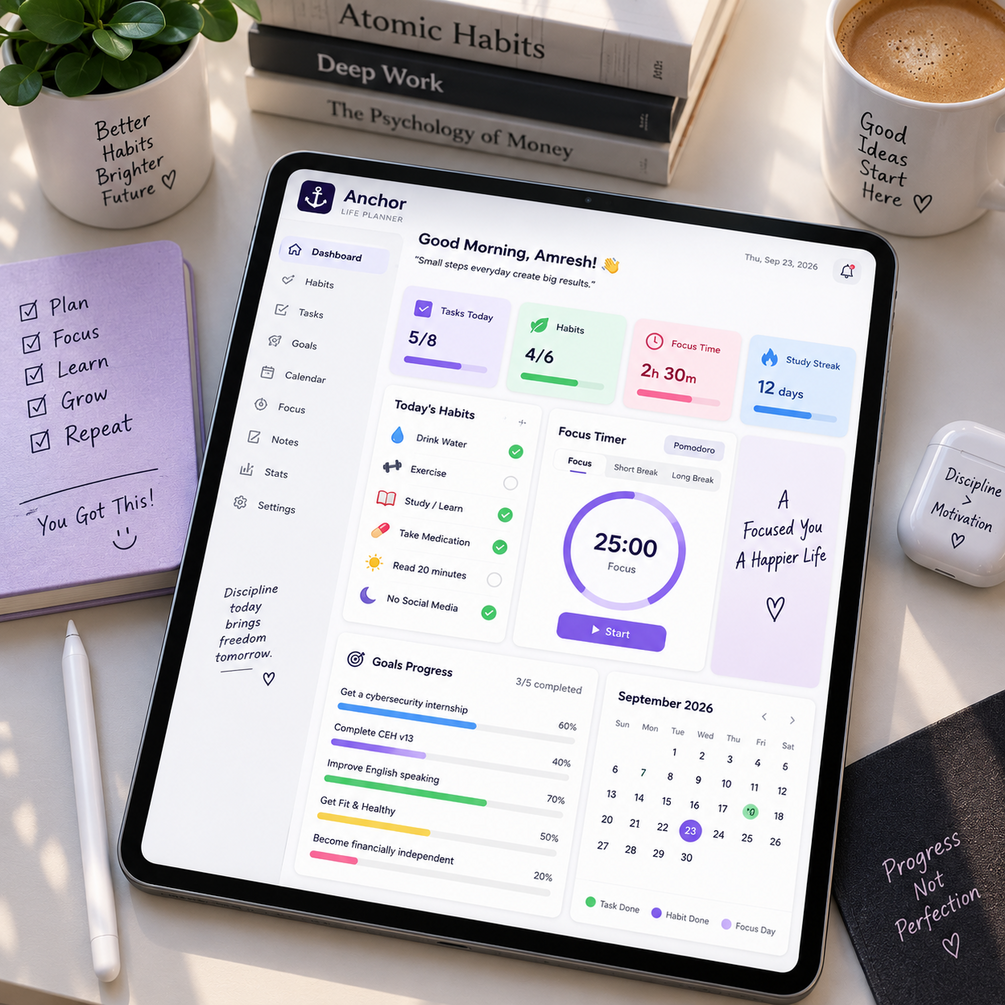
⚓ Your Life, Anchored in One Place
Anchor brings together the areas that are easy to let become scattered:
- 🏠 Dashboard
- 📅 Calendar
- ✅ Tasks
- 🔁 Habits
- 🎯 Goals
- 💰 Budget
- 💳 Debt Payoff
- 💵 Savings
- 🍽️ Meals & Groceries
- 🏋️ Fitness & Health
- 💡 Tips & Resources
Instead of jumping between different apps, you can keep your personal planning system together in one place.
🧠 Built for Real-Life Overwhelm
Anchor isn't designed around the idea that every day will be perfectly productive.
Some days you have energy.
Some days you don't.
That's why the planner includes features designed to help you decide what to do next instead of simply giving you another giant list.
Today's Big 3
Choose the three things that matter most today.
Instead of trying to finish everything, give yourself a clear priority.
"What Should I Do?"
When you're stuck deciding what to work on, Anchor can help surface one small next step.
Overwhelm Reset
When everything feels like too much, use the built-in 60-second breathing prompt to pause and reset.
Brain Dump / Parking Lot
A stray thought doesn't have to interrupt what you're doing.
Capture it quickly with the floating Brain Dump button and come back to it later.
Low-Energy Mode
Not every day is a high-energy day.
Low-Energy Mode helps filter your task list toward lower-effort tasks when that's what you can realistically handle.
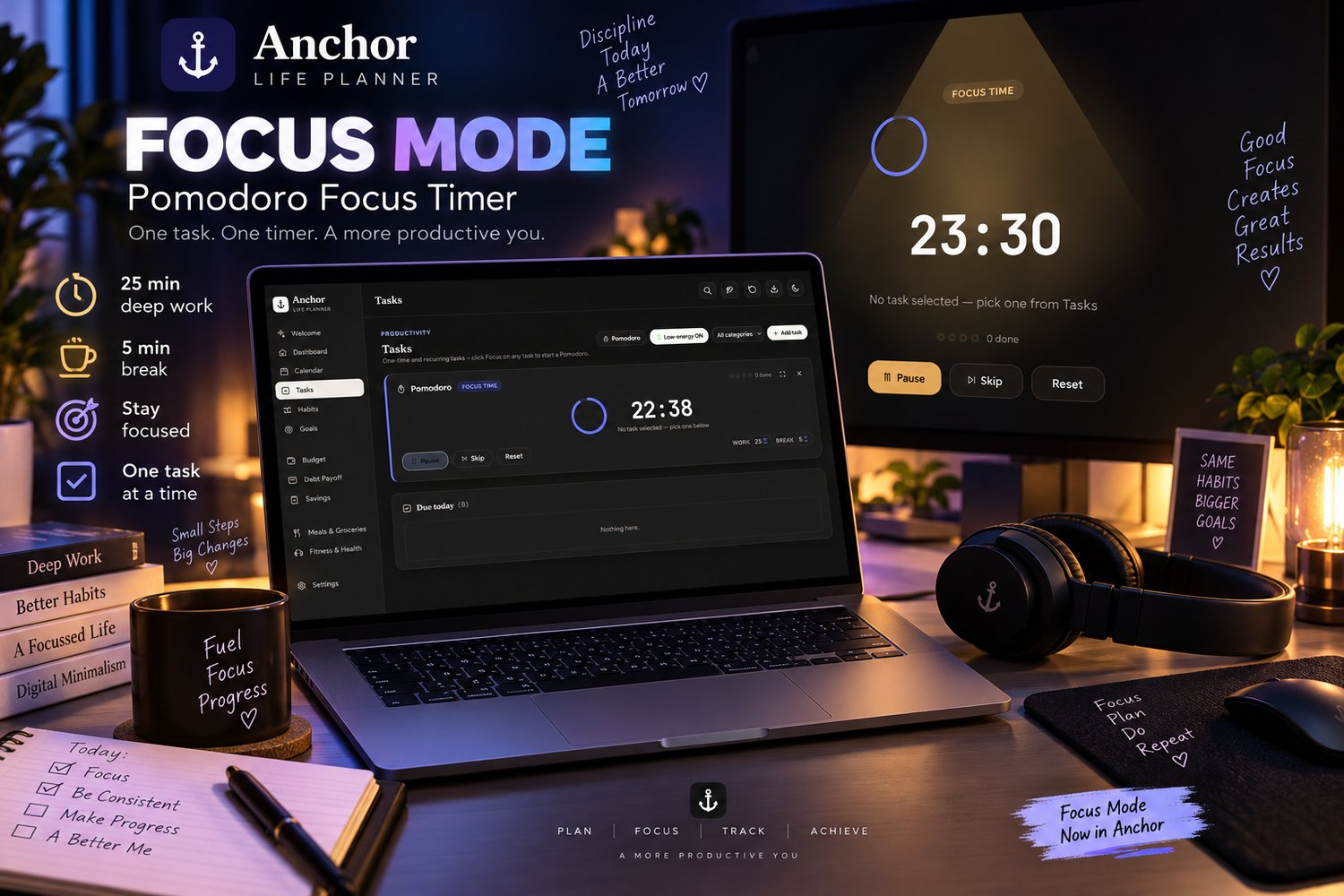
Focus Timer
Use the built-in Pomodoro-style focus timer directly from the Tasks area to create focused work sprints.
📊 Plan More Than Just Your To-Do List
Anchor goes beyond basic task management.
Goals
Keep important goals visible and track your progress.
Habits
Create habits and monitor consistency over time.
Budget
Organize categories and transactions so your financial planning has a dedicated space.
Debt Payoff
Keep debt-related planning separate and visible instead of letting it disappear into your general finances.
Savings
Track savings goals and progress.
Meals & Groceries
Plan meals and keep your grocery planning organized.
Fitness & Health
Keep workout, weight and hydration information together with the rest of your personal planning system.
🔒 Private by Design
One of Anchor's biggest differences is how it handles your data.
Your planner data is stored in the browser on the device you're using.
There is:
- No login required
- No subscription required
- No cloud account required
- No internet connection required after downloading
This makes Anchor a strong option for people who prefer keeping their personal planning information local rather than putting it into another online productivity platform.
💾 Automatic Saving + Backup
You don't need to constantly press a Save button.
Your entries automatically save in the browser as you work.
For additional protection, Anchor includes an Export JSON Backup workflow so you can save your planner data and restore it later through Import.
Important:
Because your data is stored locally, your planner data does not automatically sync between browsers or devices.
If you clear your browser's site data, your stored planner information may be removed.
If you move to another device or browser, export your backup first and import it there.
That's the trade-off for keeping the system local and private.
📱 Works Across Your Everyday Devices
The planner is designed to work in modern browsers including:
- Chrome
- Safari
- Firefox
- Edge
It can be used on:
- Desktop
- Laptop
- Tablet
- Phone
Simply open the HTML file in your browser and start using it.
What You Get
Your purchase includes the Anchor Life Planner files and supporting documentation.
Core Planner
A browser-based life planning workspace containing:
- Dashboard
- Calendar
- Tasks
- Habits
- Goals
- Budget
- Debt Payoff
- Savings
- Meals & Groceries
- Fitness & Health
- Tips & Resources
Productivity Tools
- Today's Big 3
- "What Should I Do?"
- Overwhelm Reset
- Brain Dump / Parking Lot
- Low-Energy Mode
- Pomodoro-style Focus Timer
Data Tools
- Automatic browser saving
- JSON data export
- Data import
- Reset functionality
- Light / Dark theme
- Search
- Demo data option
Who Is Anchor For?
Anchor is a great fit if you:
✓ Want one place for everyday planning
✓ Feel overwhelmed by scattered tasks and responsibilities
✓ Prefer simple systems over complicated productivity setups
✓ Want to manage goals, habits and tasks together
✓ Want to keep personal planning information local to your device
✓ Prefer an offline-first productivity tool
✓ Want dedicated spaces for money, meals and fitness
✓ Like having a "Big 3" instead of an endless priority list
✓ Want a productivity system that acknowledges low-energy days
✓ Want a downloadable tool without a recurring subscription
Who Should NOT Buy Anchor?
Anchor may not be right for you if you:
✗ Need automatic cloud synchronization between devices
✗ Need a collaborative team workspace
✗ Need a mobile app from the App Store or Google Play
✗ Want your data automatically synced across multiple browsers
✗ Need professional financial, medical or clinical software
✗ Want a fully managed online productivity service
If automatic cloud sync is essential to you, Anchor's local-first design may not be the right fit.
How It Works
Step 1 — Download
Download the files after purchase.
Step 2 — Open
Open the Anchor HTML file in your browser.
Step 3 — Start Planning
Use the Welcome screen to get started and move into your Dashboard.
Step 4 — Build Your System
Add tasks, habits, goals, financial information, meal plans and fitness information.
Step 5 — Back Up
Export your data regularly so you can restore it if needed or move it to another browser/device.
Why Anchor?
Most productivity systems give you another place to manage tasks.
Anchor is designed to give you a central place to manage your life.
The goal isn't to fill every minute of your day.
It's to make it easier to answer:
What matters today?
What should I do next?
What am I working toward?
Where does this thought go?
How am I doing with my habits, money, health and goals?
When those questions have a home, everyday planning becomes easier to navigate.
Start Small
You don't need to organize your entire life on day one.
Open Anchor.
Pick your Big 3.
Capture what's on your mind.
Choose one next step.
Then keep going.
Your life doesn't need more noise. It needs an anchor. ⚓
Frequently Asked Questions
Is Anchor an online service?
No. Anchor is a downloadable browser-based planner. After downloading, it does not require an internet connection to use.
Do I need an account?
No account or login is required.
Do I need a subscription?
No. Anchor is designed as a downloadable product rather than a recurring subscription service.
Where is my data stored?
Your planner data is stored in the browser on the device where you use Anchor.
Does it sync automatically between devices?
No. There is no automatic cloud synchronization. Use the Export/Import backup feature when moving your data between devices or browsers.
What happens if I clear my browser data?
Because Anchor stores your planner data locally in your browser, clearing relevant browser/site data can remove your stored planner information. Keep regular backups.
Does Anchor work offline?
Yes. The planner is designed to work offline after you download it.
Which browsers can I use?
The included instructions specify Chrome, Safari, Firefox and Edge.
Can I use Anchor on my phone?
Yes. Anchor is designed to work on desktop, laptop, tablet and phone browsers.
Is Anchor an ADHD treatment?
No. Anchor is a productivity tool, not medical advice, diagnosis or treatment.
It includes several features designed around common productivity challenges, including Big 3 prioritization, low-energy mode, brain dumping and a focus timer.
Can I resell or share Anchor?
No. The included license is for personal, single-user use. You may not resell, redistribute, share or repost the product or modified versions of it.
Are digital purchases refundable?
The included license states that digital purchases are final and non-refundable once the file has been accessed. If you experience an issue, contact the seller for help before leaving a review.
Your Next Step
Download Anchor, open it in your browser, and start with one simple question:
What are the three things that matter most today?
⚓ Get Anchor and build a calmer, clearer system for everyday life.