
HSZSolutions™ Incident Report Pack. v1
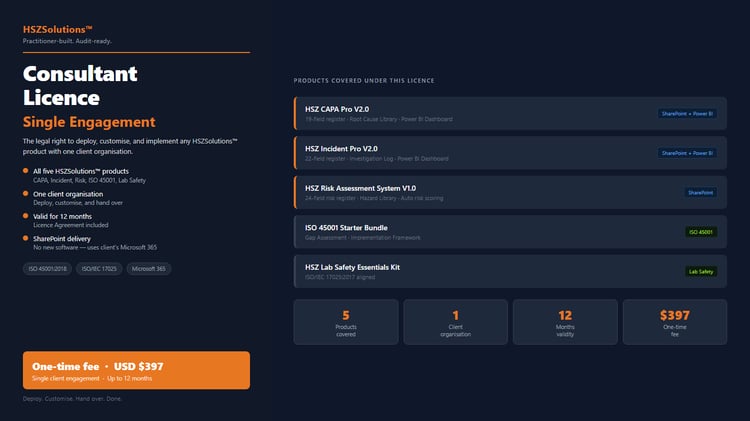
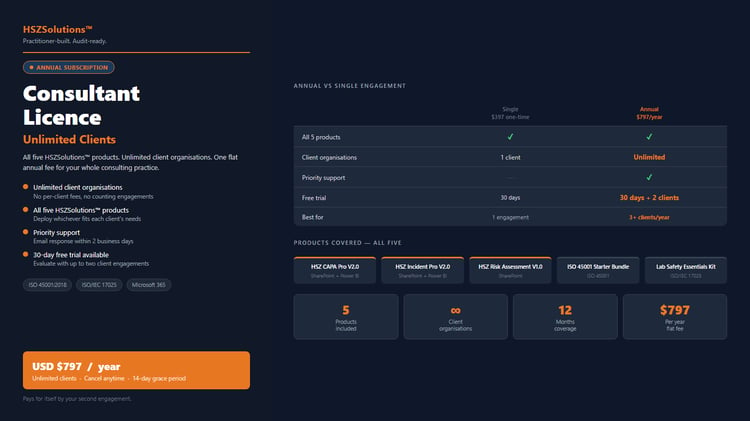
⚠️ LICENCE NOTICE: This product is sold under a non-exclusive, non-transferable Standard Client Licence for internal use only. Redistribution, resale, or use with paying clients requires a Consultant Licence. Full terms below. Questions: support@hszsolutions.com
© 2026 HSZSolutions™ | Trinidad and Tobago | All rights reserved.
Your team is logging incidents. But are they logging them in a way that will hold up at an audit?
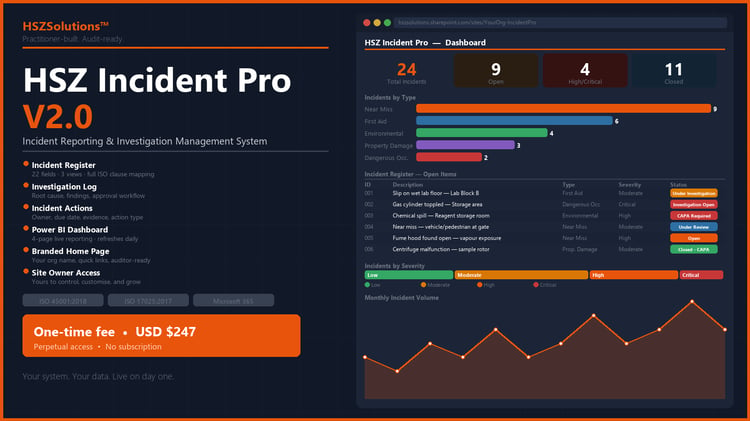
The HSZSolutions™ Incident Report Pack gives you a complete, five-list incident management system built in Microsoft SharePoint — covering the full workflow from first report through investigation, root cause, corrective action, and closure. Aligned to ISO 45001 and ISO/IEC 17025. Ready to deploy in under 45 minutes.
THE SYSTEM — HOW IT WORKS
Most incident logs capture what happened. This system captures what happened, who investigated it, what the root cause was, what action was taken, and whether that action worked.
That's the difference between a log and a management system. And it's the difference auditors are looking for.
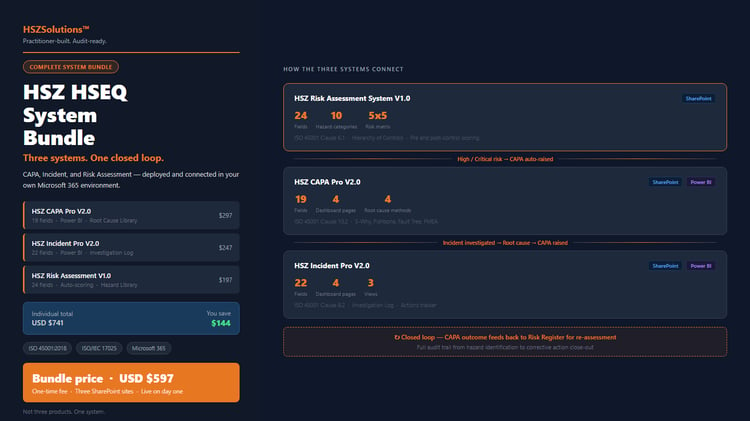
Five interconnected SharePoint lists, deployed in sequence:
- HSZ_Lookup_Severity — Minor / Moderate / Major / Critical
- HSZ_Lookup_IncidentType — Near Miss / First Aid / Property Damage / Environmental / Dangerous Occurrence / Serious Bodily Injury / Other
- HSZ_Incident_Log — your primary reporting register (14 columns, 4 views)
- HSZ_Investigation_Log — linked investigation records with root cause, causal factors, and closure tracking
- HSZ_Action_Log — corrective actions linked back to investigations, with owner, due date, priority, and effectiveness verification
Every record in the system traces back to the original incident. Every action traces back to a root cause. That's the traceability chain ISO 45001 requires.
WHAT'S INCLUDED
→ SharePoint Deployment Guide v2 (PDF, 9 pages) — step-by-step instructions for building all five lists from scratch, including column schemas, view configurations, lookup dependencies, and an end-to-end verification test. Written to be followed by the person doing the setup.
→ Sample Data CSV (15 records) — 15 pre-built incident records spanning all incident types and severity levels. Use these to test views, filters, and list links before accepting live data.
→ Google Lite Version (Excel/Google Sheets) — for organisations not yet on Microsoft 365. Full incident log in Excel format, compatible with Google Sheets. Open, rename, use. No setup required.
→ Quick Start Guide (PDF) — setup and usage guide for the Google Lite version
→ Branded Pack List and Licence Agreement (PDF)
EVERY FIELD IS AUDIT-MAPPED
All 14 fields in HSZ_Incident_Log, all 12 in HSZ_Investigation_Log, and all 13 in HSZ_Action_Log map directly to ISO 45001:2018 and ISO/IEC 17025:2017 clauses — documented in the Appendix of the Setup Guide. Your auditor asks for incident records. You open the list.
Designed by an HSE professional with 20+ years of experience building and auditing management systems in laboratories, environmental operations, and offshore oil and gas.
BUILT FOR
→ ISO/IEC 17025 accredited laboratories → Environmental consultancies → Teams with 10–50 staff on Microsoft 365 → Organisations currently using paper forms, Word documents, or a basic spreadsheet for incident tracking
Not on SharePoint yet? The Google Lite version (Excel/Google Sheets) is included in the pack and requires zero setup.
DEPLOYMENT REQUIREMENTS (SharePoint version)
→ Microsoft 365 subscription with SharePoint Online → Site Owner or Site Collection Administrator permissions → No premium licences required → Lists must be created in order — the Setup Guide walks you through this exactly
Google Lite version: no requirements. Download, open, use.
AFTER PURCHASE
Immediate download. Follow the Deployment Guide — most installations are complete within 45 minutes. Optional guided setup: calendly.com/hszsolutions1/30min
HOW ACCESS WORKS
After purchase, you will receive a Microsoft SharePoint invitation at the email used at checkout. Click the link, sign in with any Microsoft account, and you have immediate access to your product files and setup guide — no software installation required.
WHAT YOU GET:
✔ Non-exclusive, non-transferable licence for 1 user, 1 organisation
✔ Perpetual SharePoint hosted access — pay once, access forever
✔ Editable templates (Word/Excel) and reference PDFs hosted on SharePoint
✔ Internal business use within your own organisation
WHAT IS NOT PERMITTED:
✘ Sharing your SharePoint access link or credentials with others
✘ Reselling or redistributing any part of this product
✘ Using this product with paying clients (requires a Consultant Licence)
✘ Removing HSZSolutions™ copyright notices or branding
ACCESS: Your SharePoint access is perpetual — it never expires. No renewal required.
CONSULTANTS: Use this product with paying clients by upgrading to a Consultant Licence (annual subscription).
Email support@hszsolutions.com — 30-day free trial available.
© 2026 HSZSolutions™ | Trinidad and Tobago | support@hszsolutions.com
Unauthorised use or redistribution of this product is strictly prohibited.