








Debt Payoff Spreadsheet, Snowball and Avalanche Calculator
A debt payoff tracker spreadsheet for anyone paying off credit cards, car loans, student loans or medical bills who feels stuck and wants a clear plan. It works with Excel & Google Sheets.
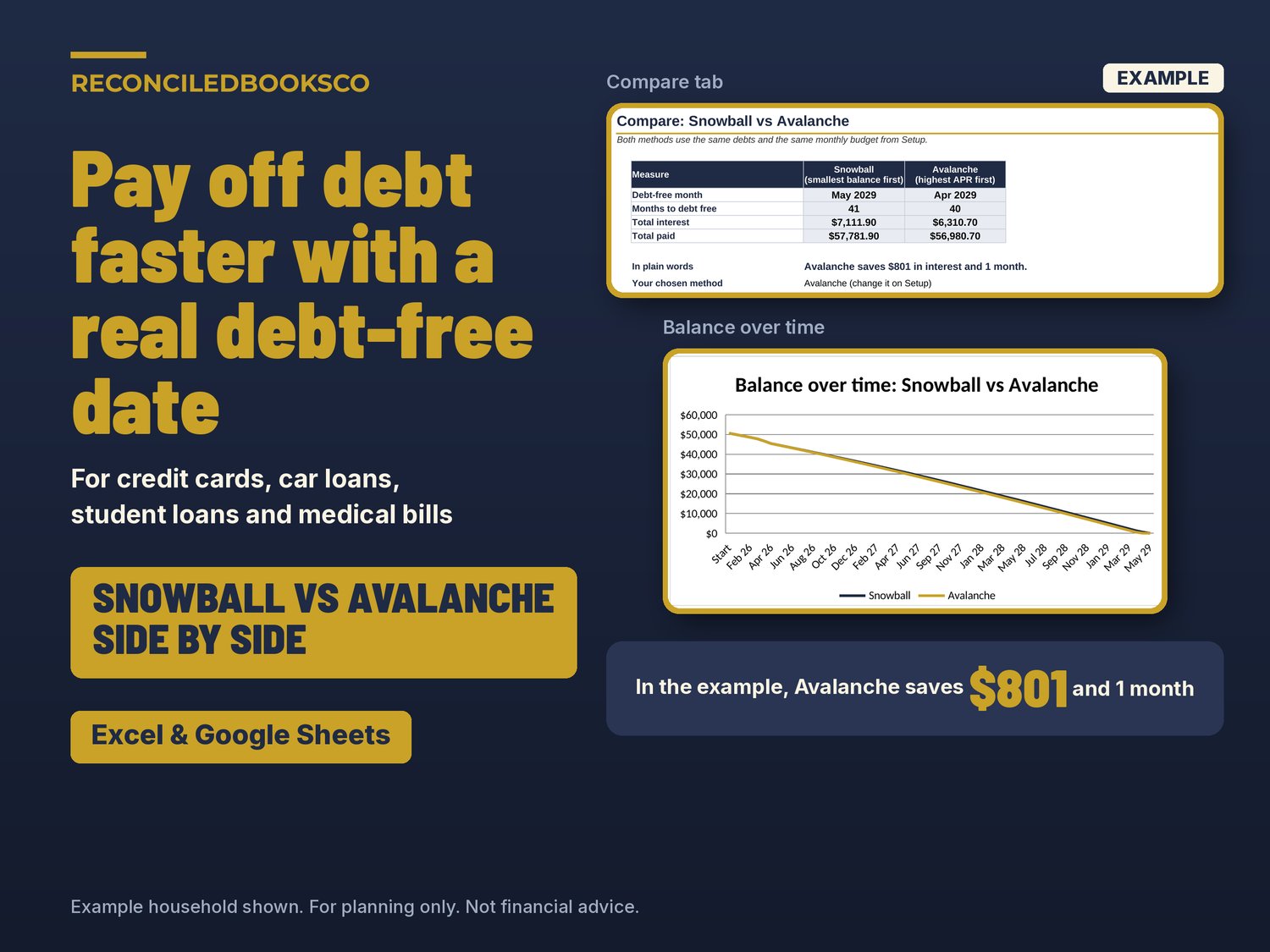
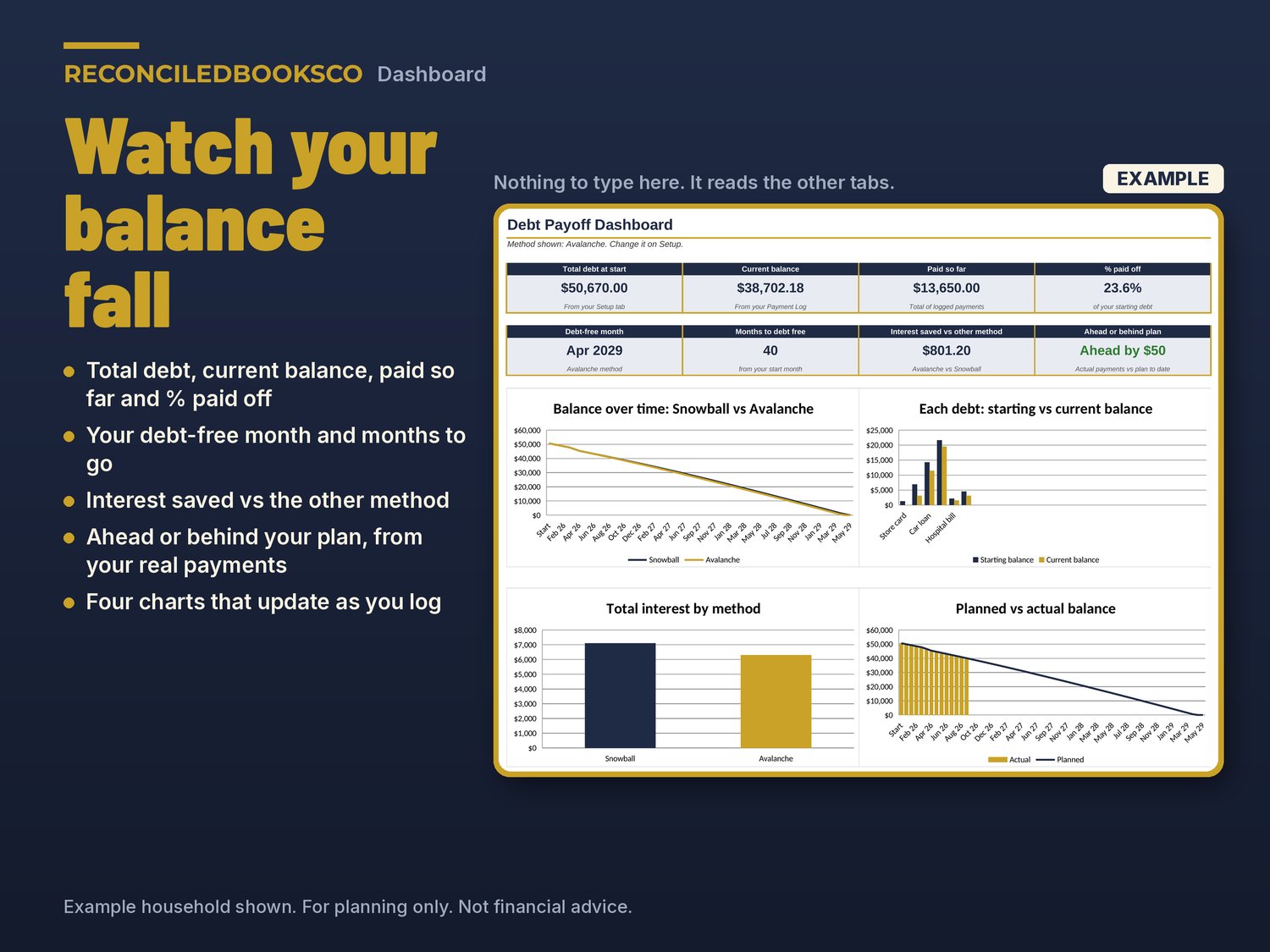
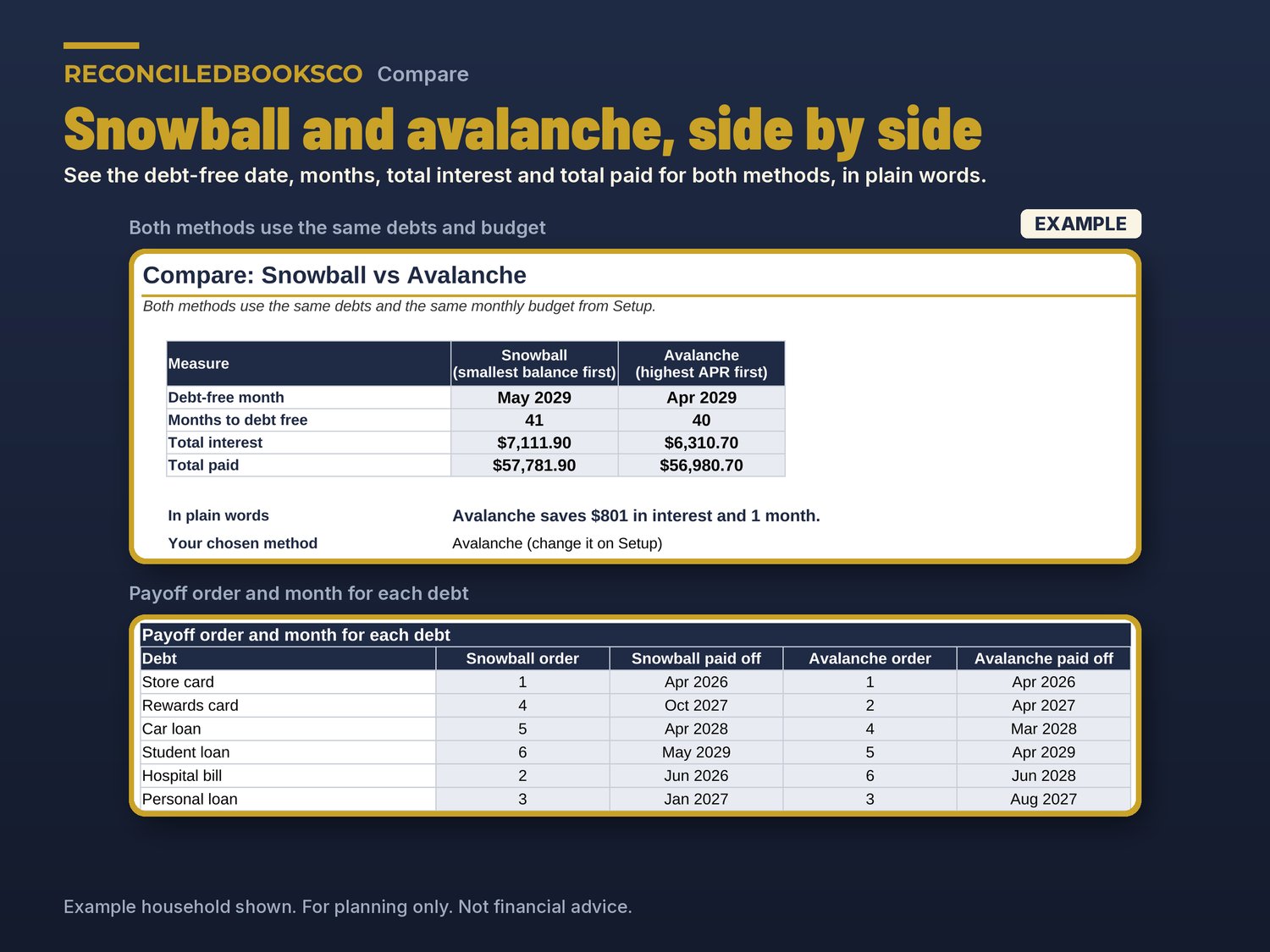
If you don't know which debt to pay first, when you'll be debt free, or whether an extra $100 a month really makes a difference, this answers all three. Enter your debts once and it shows the snowball and avalanche methods side by side, with the payoff date and total interest for each, how much the cheaper method saves, and what an extra payment changes. Then log your real payments each month and watch your balance fall on the Dashboard.
WHY THIS ONE
- Both methods side by side at all times. No dropdown, no guessing.
- Interest saved and months saved, in plain words, for example "Avalanche saves $801 in interest and 1 month."
- A what-if box: type any extra monthly amount and see your new debt-free month for both methods.
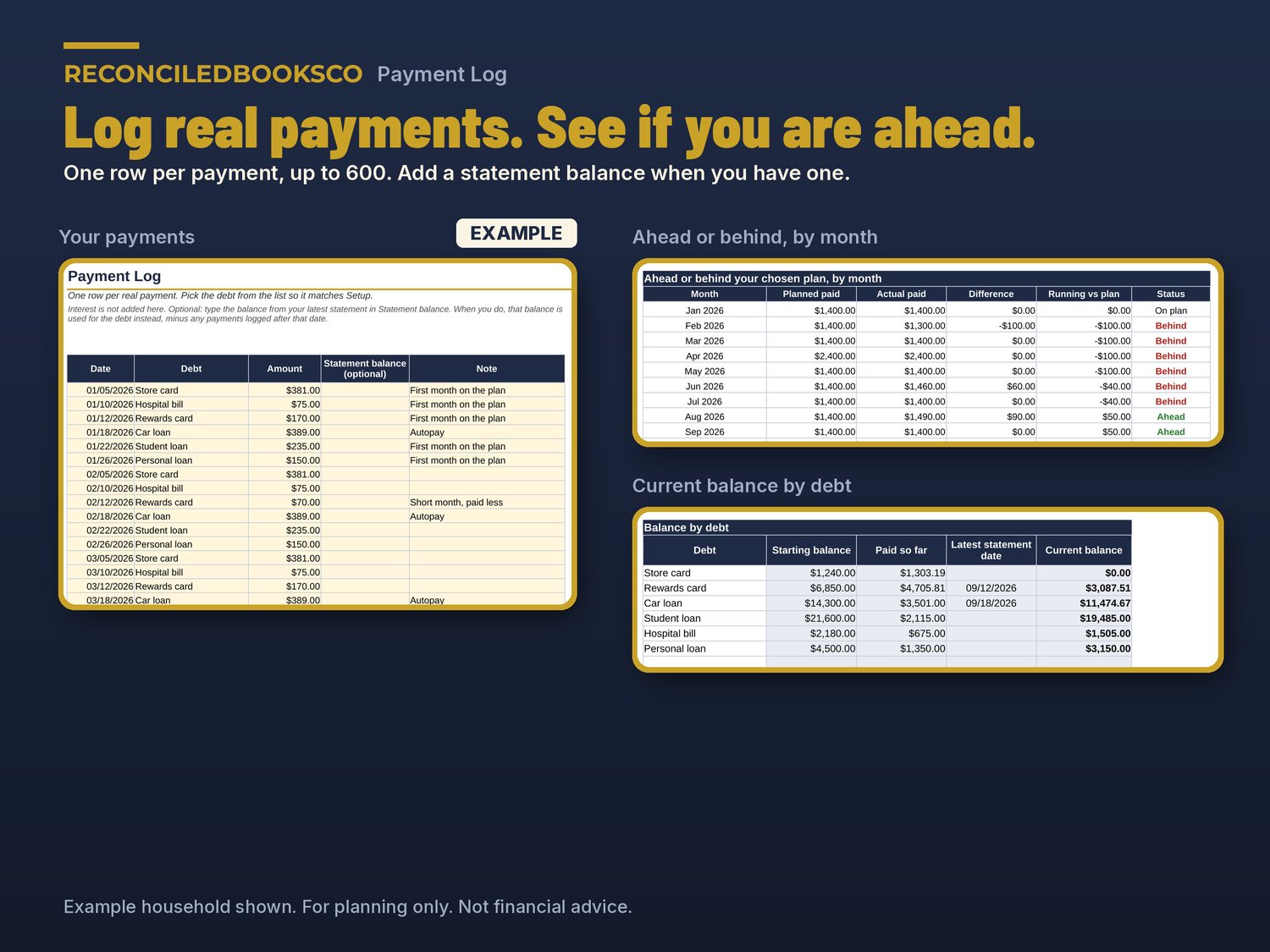
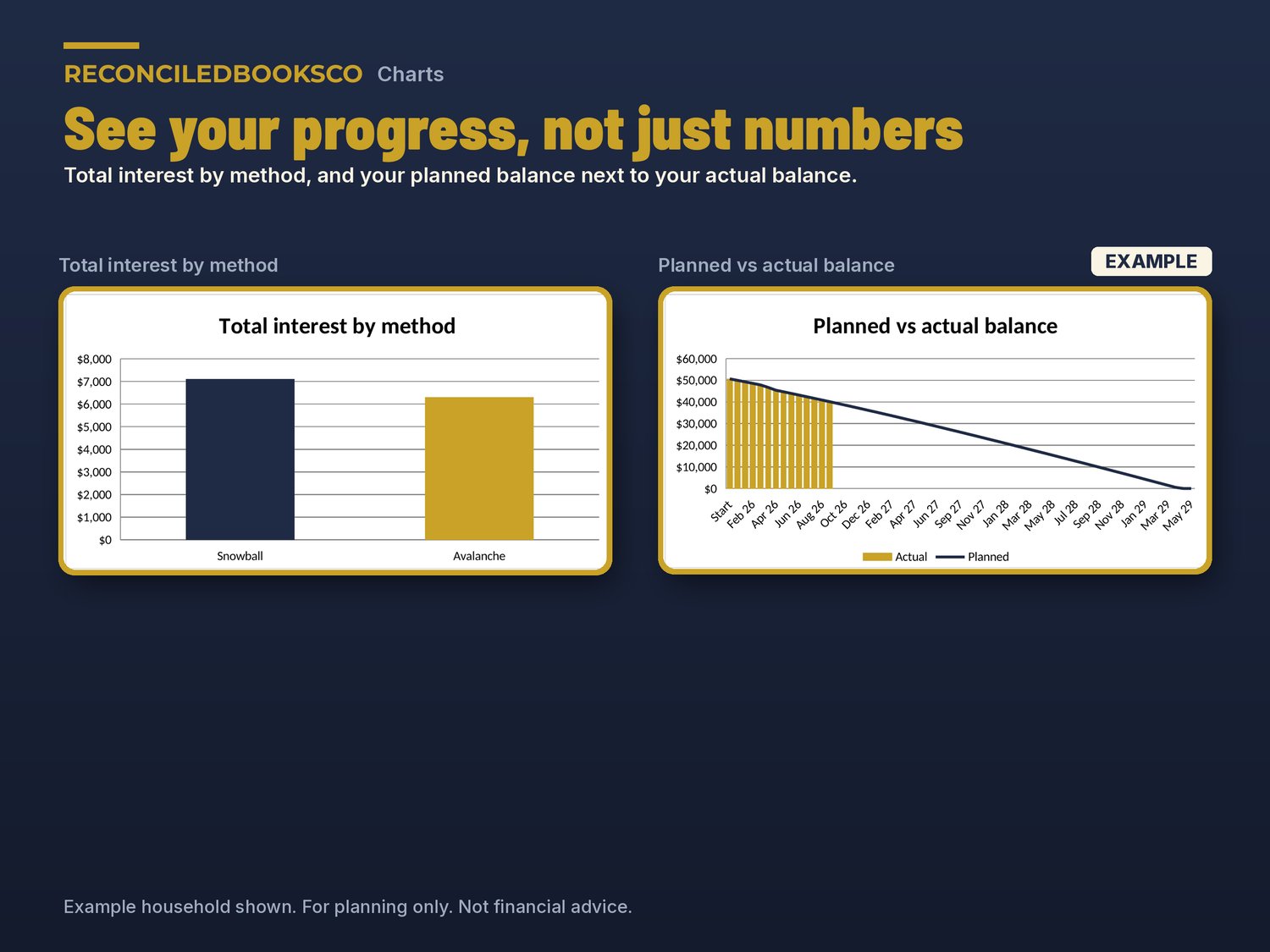
- Planned vs actual: log real payments and see if you are ahead or behind your plan.
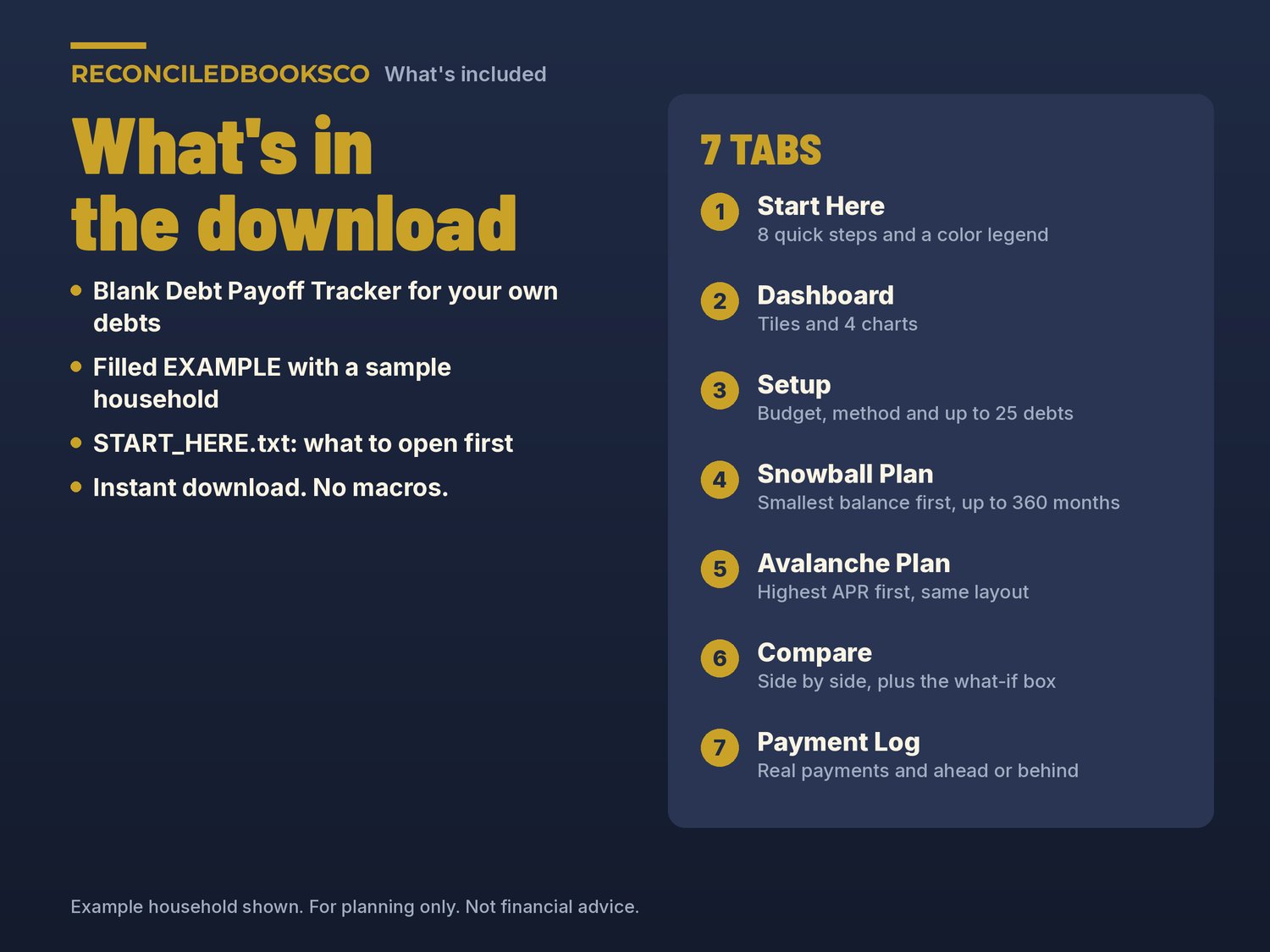
WHAT'S INCLUDED (3 files)
- Debt_Payoff_Tracker.xlsx: the blank workbook for your own debts
- Debt_Payoff_Tracker_EXAMPLE.xlsx: the same workbook filled in for a made-up household, so you can see a finished plan before you start
- START_HERE.txt: what to open first and how to open it in Google Sheets
THE 7 TABS
- Start Here: 8 quick steps and a color legend
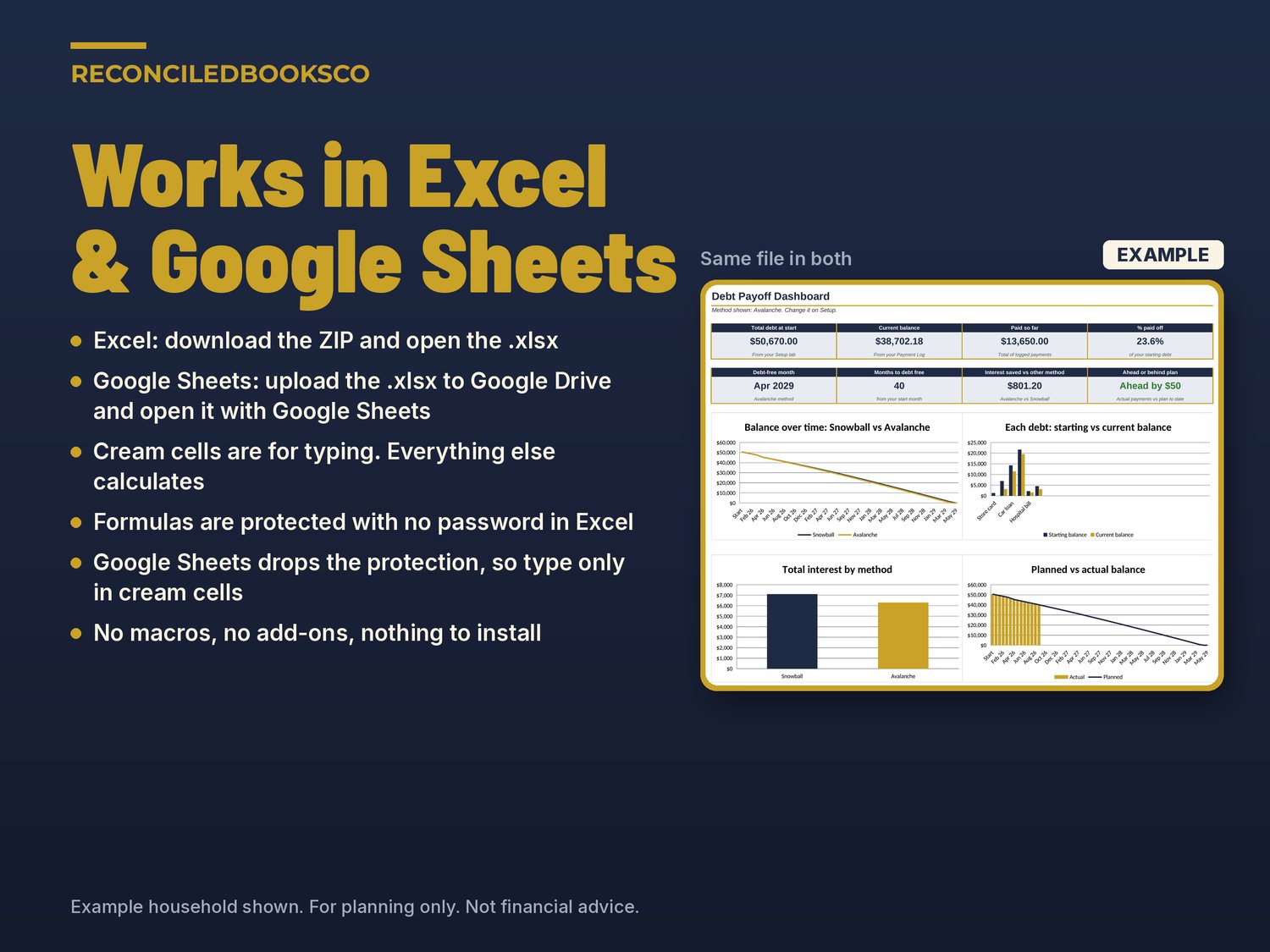
- Dashboard: total debt, current balance, paid so far, % paid off, debt-free month, months to go, interest saved and ahead or behind, plus 4 charts
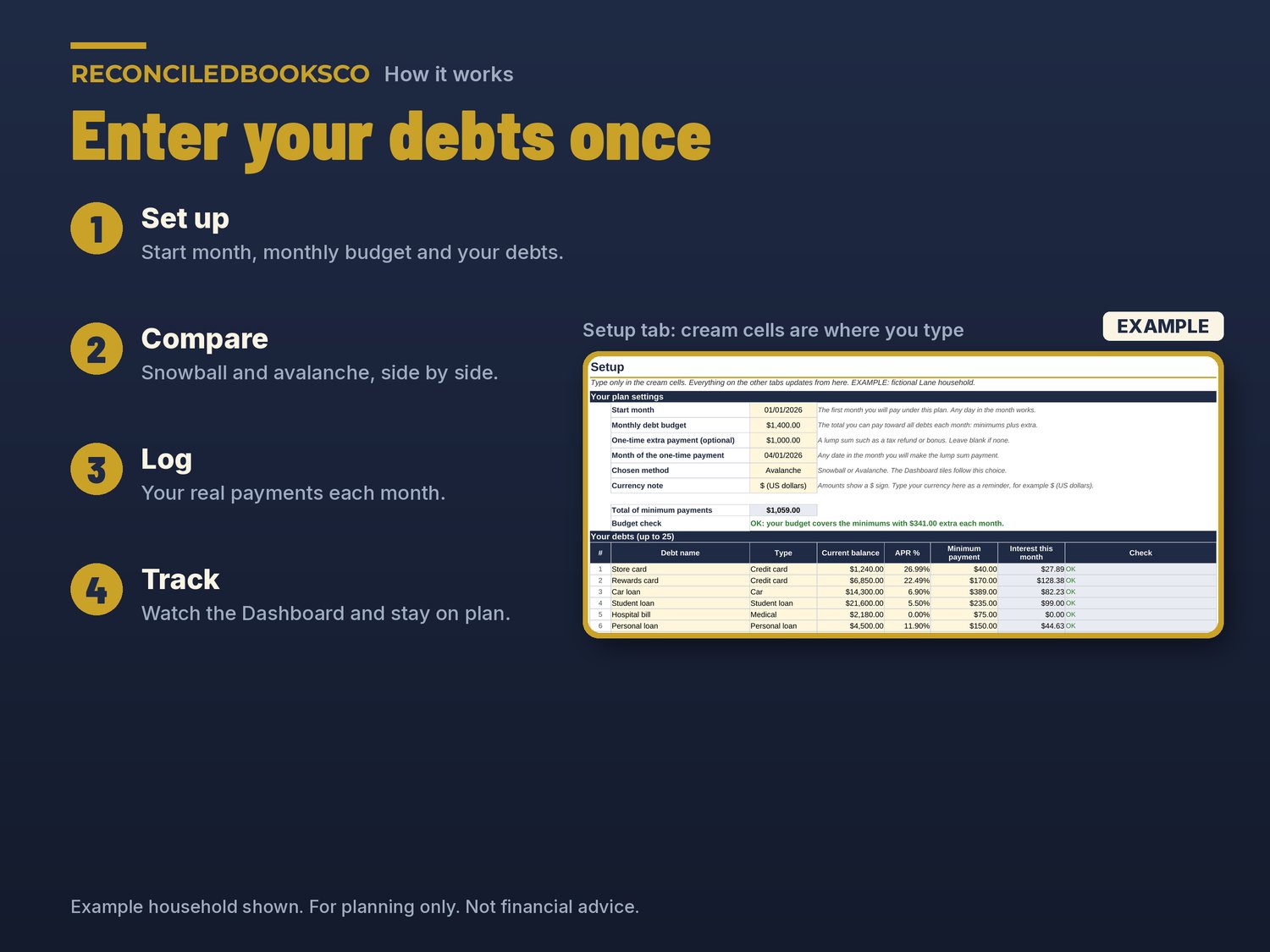
- Setup: start month, monthly budget, an optional one-time extra payment, your method and up to 25 debts, with a check that warns if your budget doesn't cover the minimums
- Snowball Plan: smallest balance first, month by month for up to 30 years, with each debt's payoff month
- Avalanche Plan: highest APR first, same layout
- Compare: both methods side by side, payoff order for each debt and the what-if box
- Payment Log: up to 600 real payments, an optional statement balance column, and ahead or behind by month
HOW IT WORKS
1. Look through the EXAMPLE file for a few minutes.
2. In the blank file, enter your start month, monthly budget and debts on Setup.
3. Open Compare to see snowball vs avalanche and try the what-if box.
4. Log your real payments each month and check the Dashboard.
Cream cells are the ones you type in. Everything else is calculated. No macros. It follows your start month, so you can use it any year.
WORKS WITH EXCEL & GOOGLE SHEETS
Excel: download the ZIP and open the blank .xlsx (Excel 2016 or later). Formula cells are protected with no password so they don't get typed over by accident.
Google Sheets: upload the .xlsx to Google Drive and open it with Google Sheets, or use File > Import > Upload. Google Sheets doesn't keep the sheet protection, so type only in the cream cells there.
INSTANT DOWNLOAD · DIGITAL DOWNLOAD ONLY · FINAL SALE
This is a digital download. No physical item will be shipped. Files are available right after purchase. Because of the nature of digital downloads, all sales are final (see shop policies for detail).
DISCLAIMER
For planning only. Not financial advice. Results are estimates based on the numbers you enter. Interest is figured monthly as balance times APR divided by 12, so your lender's numbers may differ slightly.
Built by ReconciledBooksCo, a small shop run by an experienced accountant.
Disclaimer: These templates are organizational tools only and are not tax, legal or accounting advice. Check with a qualified professional for your situation.