

Christmas Gift Tracker & Holiday Budget Spreadsheet – Google Sheets & Excel
Keep the holidays merry and your budget intact.
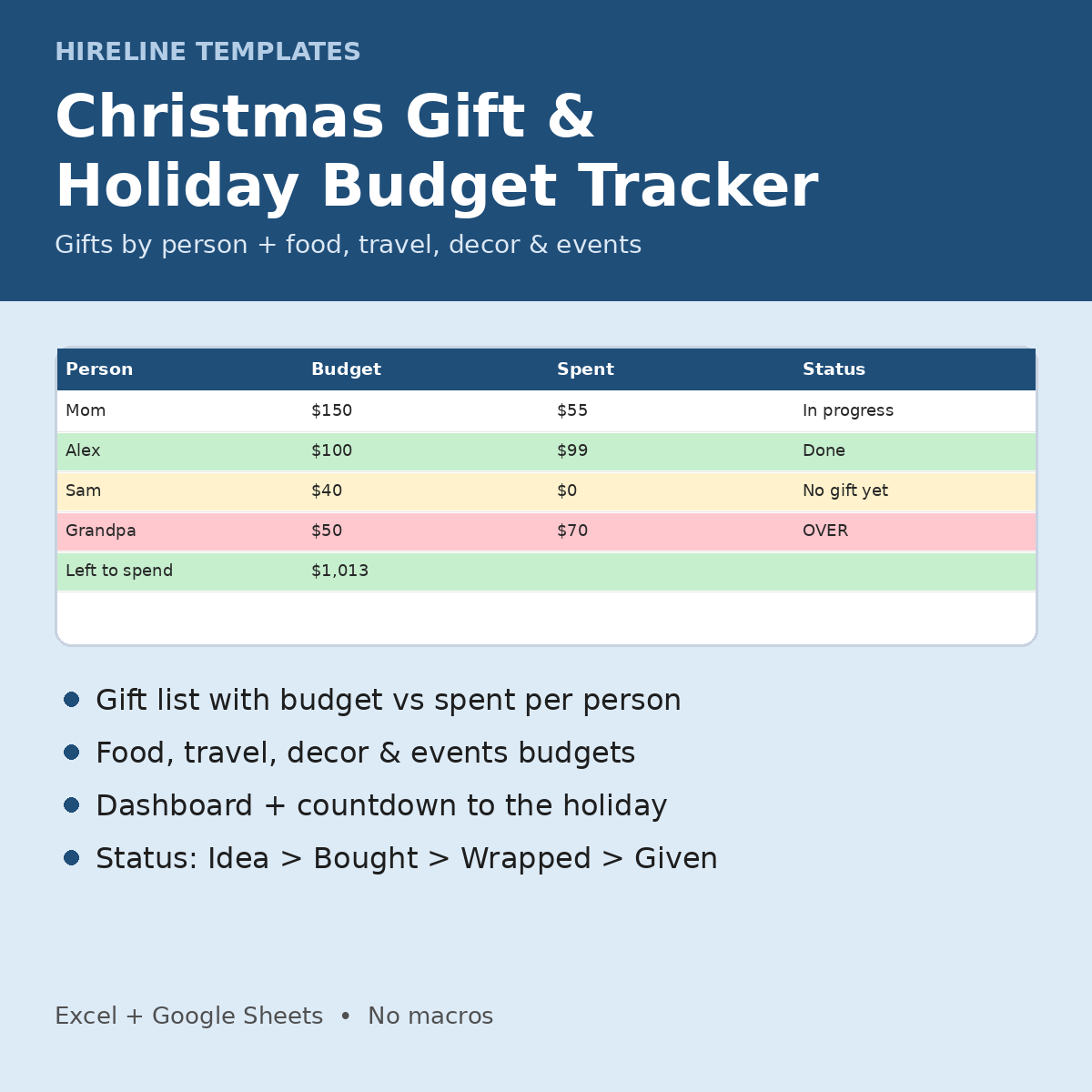
Set a total budget, give each person a gift budget, and log gifts and holiday costs. The dashboard shows what is left to spend and how many gifts are done.
What's included (christmas-gift-holiday-budget-tracker.zip: christmas-gift-holiday-budget-tracker.xlsx + start-here-holiday-budget.pdf)
- Settings: holiday date (works any year), total holiday budget, and budgets for Food & Drinks, Travel, Decor, Events & Outings, Cards & Wrapping, Charity and Other. The Gifts budget is the total of your per-person budgets.
- People (up to 50): Person, Group dropdown (Family, Friends, Work, Kids, Other), Gift Budget, then Planned, Spent, Remaining, number of gifts, bought/given and a Status calculated for you. OVER BUDGET rows turn red and Done rows green.
- Gifts (up to 299): a Person dropdown from your list, Gift, Planned Cost, Actual Spent, Status (Idea, Ordered, Bought, Wrapped, Given), Store/Link, Date Bought, Notes. Wrapped and given rows turn green.
- Expenses (up to 299): Date, Category dropdown, Description, Amount, Paid with (Cash, Debit, Credit card, Gift card, Other)
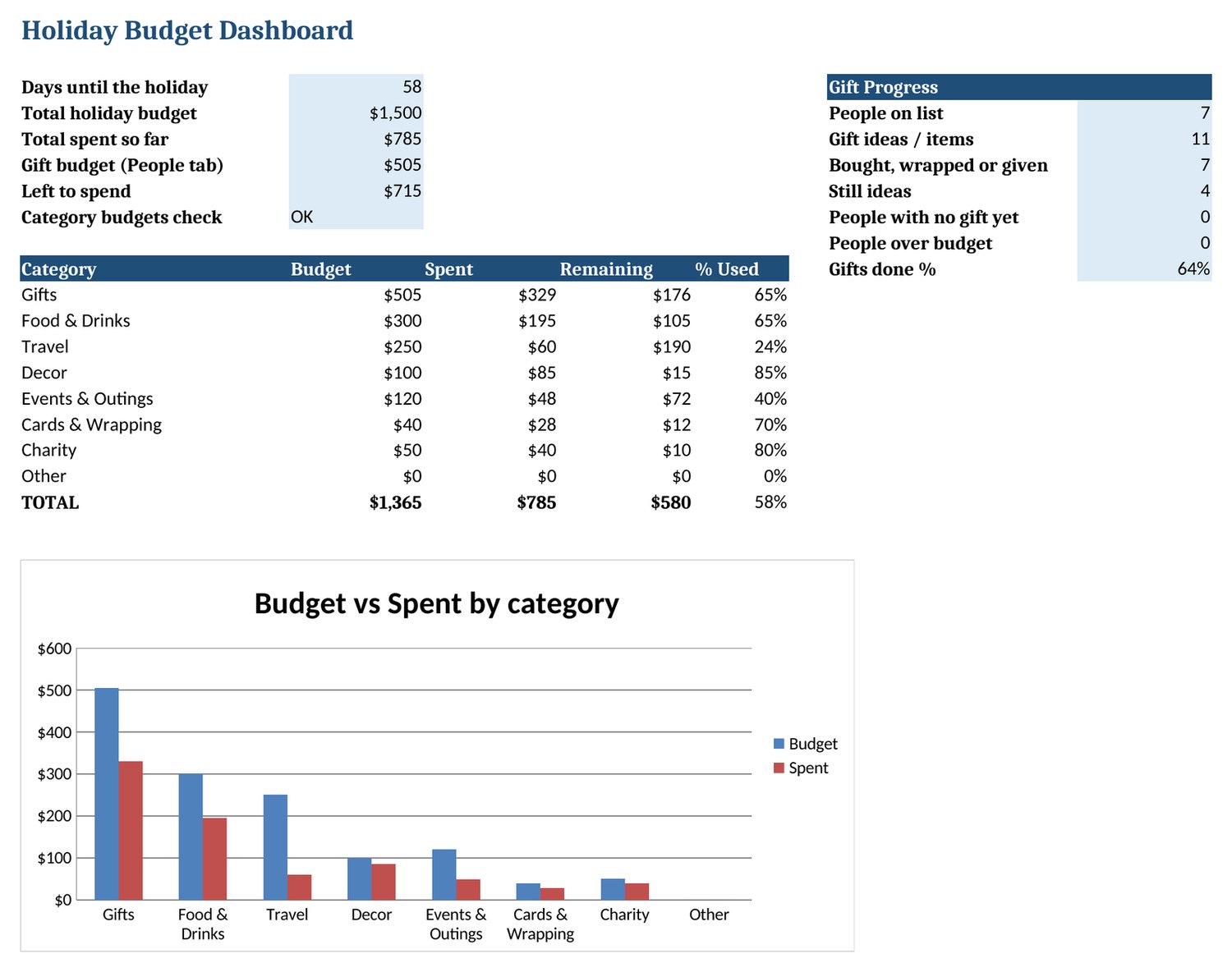
- Dashboard: days until the holiday, total budget, spent so far, left to spend, a check that category budgets fit your total, budget vs. spent by category (over-budget rows red), people on the list, gift ideas, bought/wrapped/given, gifts done %, people with no gift yet, people over budget, and a chart
- Instructions tab + 1-page Start Here PDF. Fictional DEMO rows (yellow) show how it works. Delete them to start.
How it works
- Open the .xlsx in Excel or save it as a Google Sheet.
- In Settings, set the holiday date and total budget.
- Add people with a gift budget, then add gift ideas for each one.
- Log purchases and holiday costs; check the Dashboard before you shop.
Compatibility: Google Sheets and Microsoft Excel. In Google Sheets, upload the .xlsx to Drive, then choose File > Save as Google Sheets. No macros, scripts or add-ons. Your copy stays private to you.
Who it's for: anyone buying gifts for family, friends or coworkers who wants to avoid a January credit-card surprise.
FAQ
- Only for Christmas? No. Change the holiday date in Settings to use it for any holiday, every year.
- Printable? It is a spreadsheet for on-screen use, not a printable PDF.
- Is it a subscription? No. You pay once.
- Questions? hirelinetemplates@mail.grokbot.com
Cross-sell: Get this tracker with the 2027 Budget Planner in the Holiday + 2027 Budget Pair ($10 vs $13 separately) (https://payhip.com/b/vniJ9). Paid every two weeks? See the Biweekly Paycheck Budget ($5, https://payhip.com/b/DI3WZ).