



Free Job Application Tracker – Google Sheets & Excel Template
Free job application tracker: log every job you apply to in one sheet, with a status dropdown from Wishlist to Offer.
Download for $0, open it in Excel or Google Sheets, and start tracking right away. No sign-up or app needed.
Why use it
• Stop losing track of where you applied and who you talked to
• See every application's status at a glance
• Keep posting links and contacts handy for follow-ups and interviews
What you get
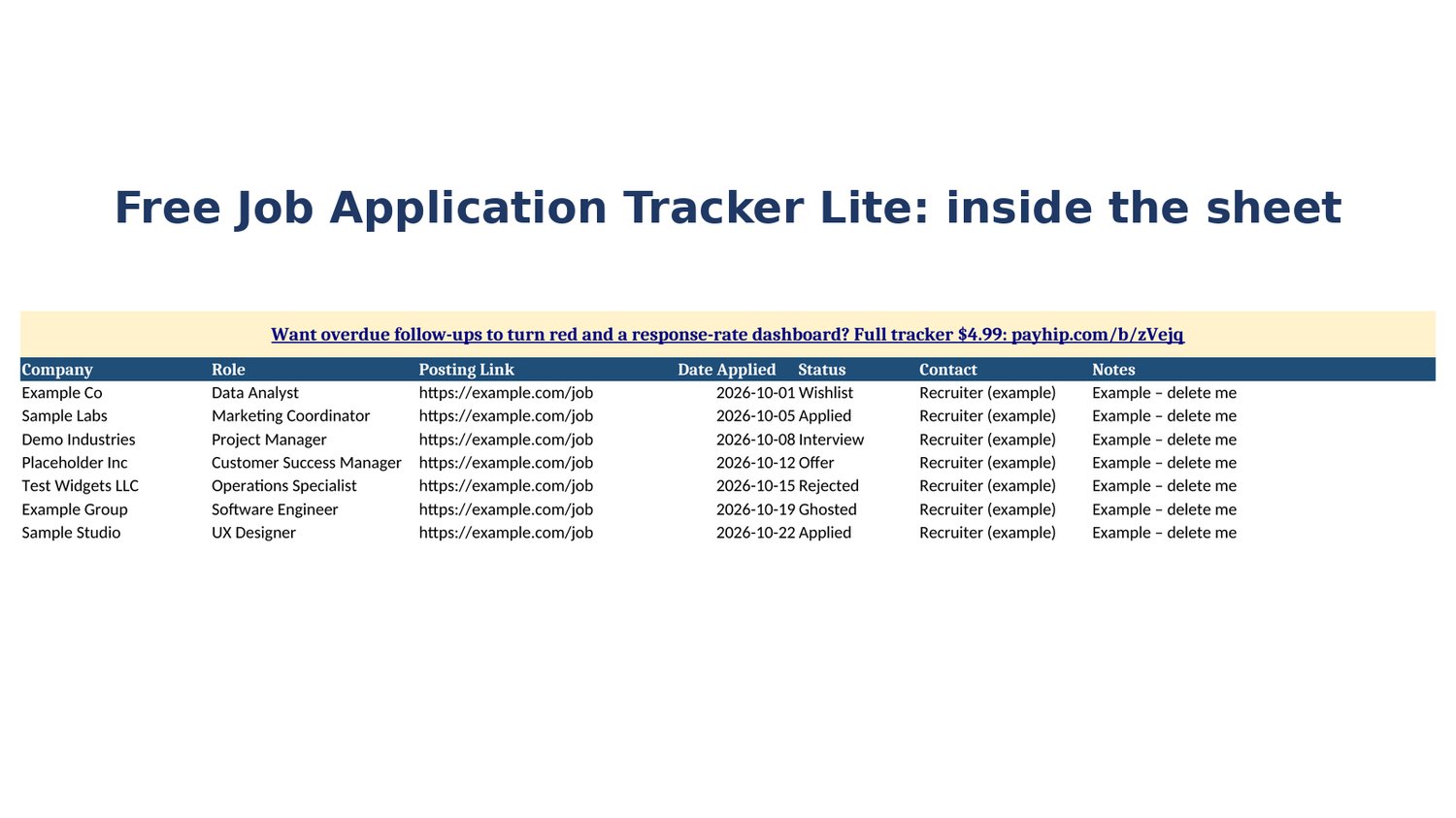
• 1 .xlsx file. The Applications tab has Company, Role, Posting Link, Date Applied, Status, Contact and Notes (room for about 500 applications).
• Status dropdown: Wishlist, Applied, Interview, Offer, Rejected, Ghosted
• 7 example rows showing each status (marked "Example – delete me")
• An Upgrade tab and a Next step tab showing what the full version adds
Works the way you do
• Opens in Microsoft Excel and Google Sheets
• A file you own: no subscription, no app account, no add-ons
Want reminders? Upgrade to the full tracker ($4.99)
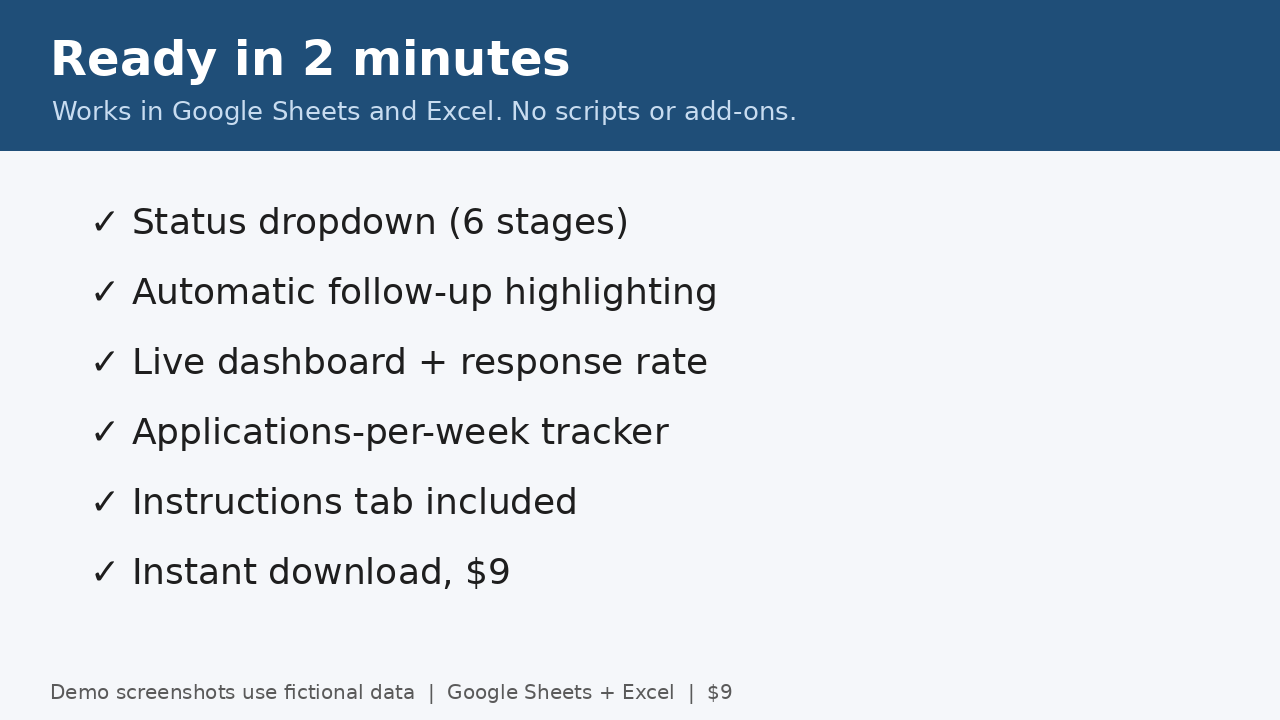
• Red rows when a follow-up is due: Lite no; Full yes
• Next Follow-Up and Salary columns: Lite no; Full yes
• Dashboard with status counts, response rate and follow-ups due: Lite no; Full yes
• Applications per week (last 8 weeks): Lite no; Full yes
• Get it here: https://payhip.com/b/zVejq
• Code LAUNCH takes 20% off until Nov 3, 11:59 PM ET (about $3.99).
FAQ
• Is it really free? Yes. Enter $0 at checkout.
• Google Sheets? Yes. Upload the .xlsx to Drive and choose File > Save as Google Sheets.
• Questions? hirelinetemplates@mail.grokbot.comFree job application tracker: log every job you apply to in one sheet, with a status dropdown from Wishlist to Offer.
Download for $0, open it in Excel or Google Sheets, and start tracking right away. No sign-up or app needed.
Why use it
• Stop losing track of where you applied and who you talked to
• See every application's status at a glance
• Keep posting links and contacts handy for follow-ups and interviews
What you get
• 1 .xlsx file. The Applications tab has Company, Role, Posting Link, Date Applied, Status, Contact and Notes (room for about 500 applications).
• Status dropdown: Wishlist, Applied, Interview, Offer, Rejected, Ghosted
• 7 example rows showing each status (marked "Example – delete me")
• An Upgrade tab and a Next step tab showing what the full version adds
Works the way you do
• Opens in Microsoft Excel and Google Sheets
• A file you own: no subscription, no app account, no add-ons
Want reminders? Upgrade to the full tracker ($4.99)
• Red rows when a follow-up is due: Lite no; Full yes
• Next Follow-Up and Salary columns: Lite no; Full yes
• Dashboard with status counts, response rate and follow-ups due: Lite no; Full yes
• Applications per week (last 8 weeks): Lite no; Full yes
• Get it here: https://payhip.com/b/zVejq
• Code LAUNCH takes 20% off until Nov 3, 11:59 PM ET (about $3.99).
FAQ
• Is it really free? Yes. Enter $0 at checkout.
• Google Sheets? Yes. Upload the .xlsx to Drive and choose File > Save as Google Sheets.
• Questions? hirelinetemplates@mail.grokbot.com
More free tools
• Resume Keyword Checker: https://payhip.com/b/OsGqW
• Job Offer Comparison Calculator: https://payhip.com/b/cxsfp
• For a full job search system, see the Job Hunt Bundle ($8.99): https://payhip.com/b/Rq8iz
More free tools
• Resume Keyword Checker: https://payhip.com/b/OsGqW
• Job Offer Comparison Calculator: https://payhip.com/b/cxsfp
• For a full job search system, see the Job Hunt Bundle ($8.99): https://payhip.com/b/Rq8iz