
Vintage Motorcycle Modelling in Blender
Master Hard-Surface Modelling in Blender
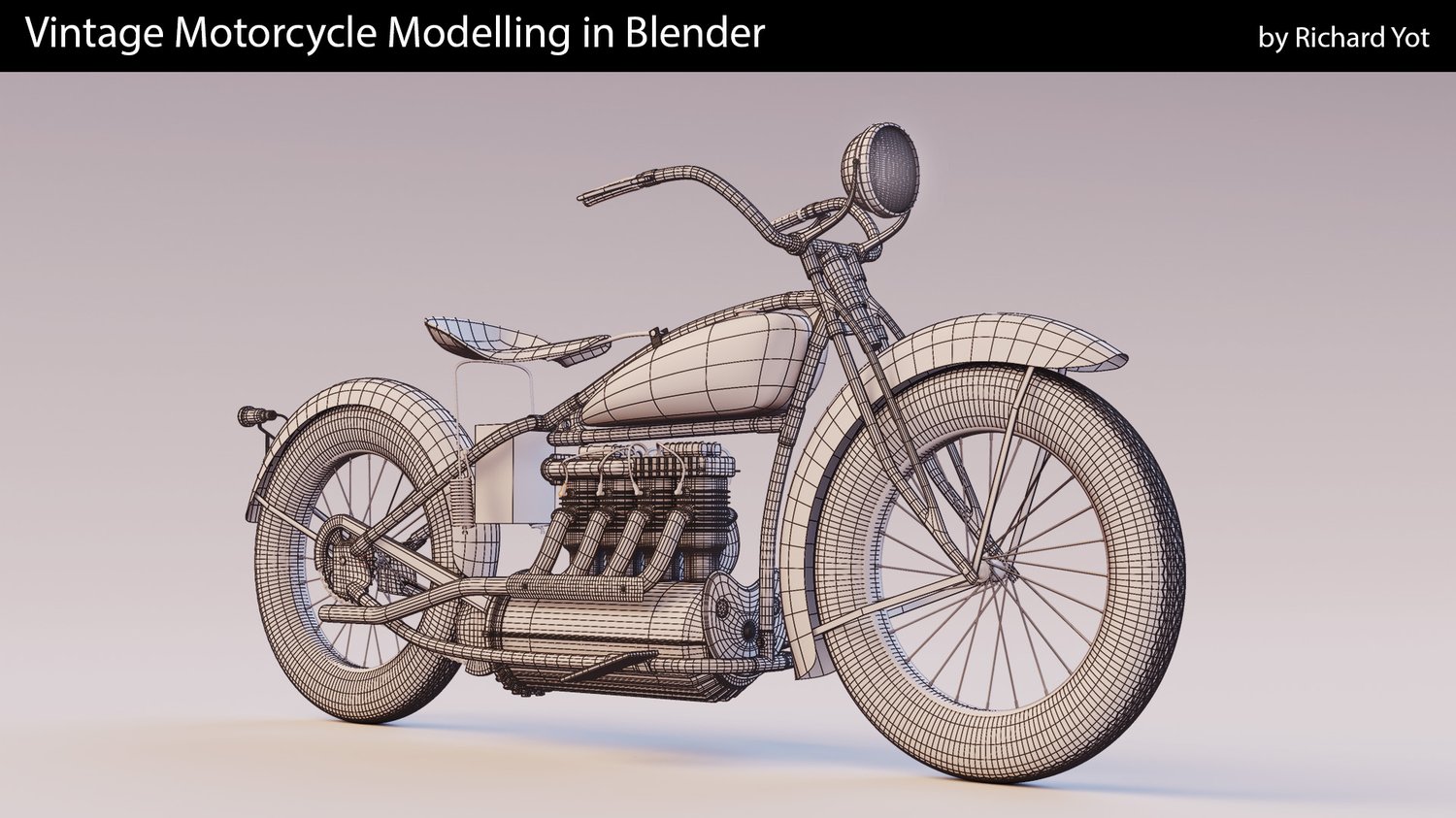
Back in 2019 I created a popular modelling course for Modo with a vintage motorcycle as its subject. Because Modo was renowned for its excellent modelling workflow, I was curious to see how Blender would compare when tackling the same subject. Would its modelling workflow be on a par with Modo? Can Blender be used to model a difficult asset effectively? This course sets out to answer that question.
The tutorial is designed to show you how to tackle a wide range of modelling challenges in Blender by taking you step-by-step through an entire project.
My aim in this course is to be pragmatic and efficient, and to show you the most effective ways of approaching tricky problems. Many of Blender's modelling features will be put to the test, and I will show you a wide range of tools and techniques to help you improve your modelling workflow.
Blender has some unique tools, such as the bundled Loop Tools add-on, which are very effective for working with subdivision surfaces. If you think that Blender isn't cut out for professional modelling, this course might change your mind.
With many interlocking curved surfaces, the motorcycle poses a challenge for subdivision surface modellers. In the training I will show you how to tackle these problems, and explain my thought process in detail so you can see the logic behind every decision. You can then apply the same thought processes to your own work, and come up with creative solutions to tricky technical problems.
Modelling is an iterative process, and changes are often needed over the course of most projects. This training will show you how to handle situations where major revisions are required, using Blender’s excellent tools to remodel and retopologise your geometry. This is especially useful for concept artists and anyone who works in a professional context.
Completing this course will give you a very thorough and complete understanding of hard-surface modelling in Blender, and will help you tackle a challenging project by walking you through every step of the way.
The tools and techniques shown include modelling with curves, subdivision surface modelling (including difficult interlocking surfaces), extensive use of the Loop Tools, using modifiers for non-destructive modelling, reflowing and reworking topology, how to effectively use the 3D cursor, how to use transform orientations and pivot points, and how to effectively use the selection tools.
If you're looking for a complete, in-depth tutorial for hard-surface modelling in Blender, this course delivers.
In this course you will:
- Learn how to tackle difficult subdivision surface modelling challenges
- Learn how to use Blender's modelling tools effectively
- Learn how to use transform orientations and pivot points to manipulate geometry
- How to use modifiers for non-destructive modelling and to save time
- How to use the Loop Tools to create smooth surfaces
- How to use the 3D cursor efficiently
- How to make efficient selections
- How to iterate and improve models
- How to cut and reflow topology
- Managing edge flow to create complex interlocking shapes
- How to use curves for non-destructive modelling
This course is comprised of 5 hours and 25 minutes of training, spread over 26 individual videos, and comes with all the assets and reference images needed to follow along.