
Travel Sports Budget Spreadsheet, Youth Sports Budget, Tournament Travel Planner, Club Fee Payment Tracker, Google Sheets & Excel
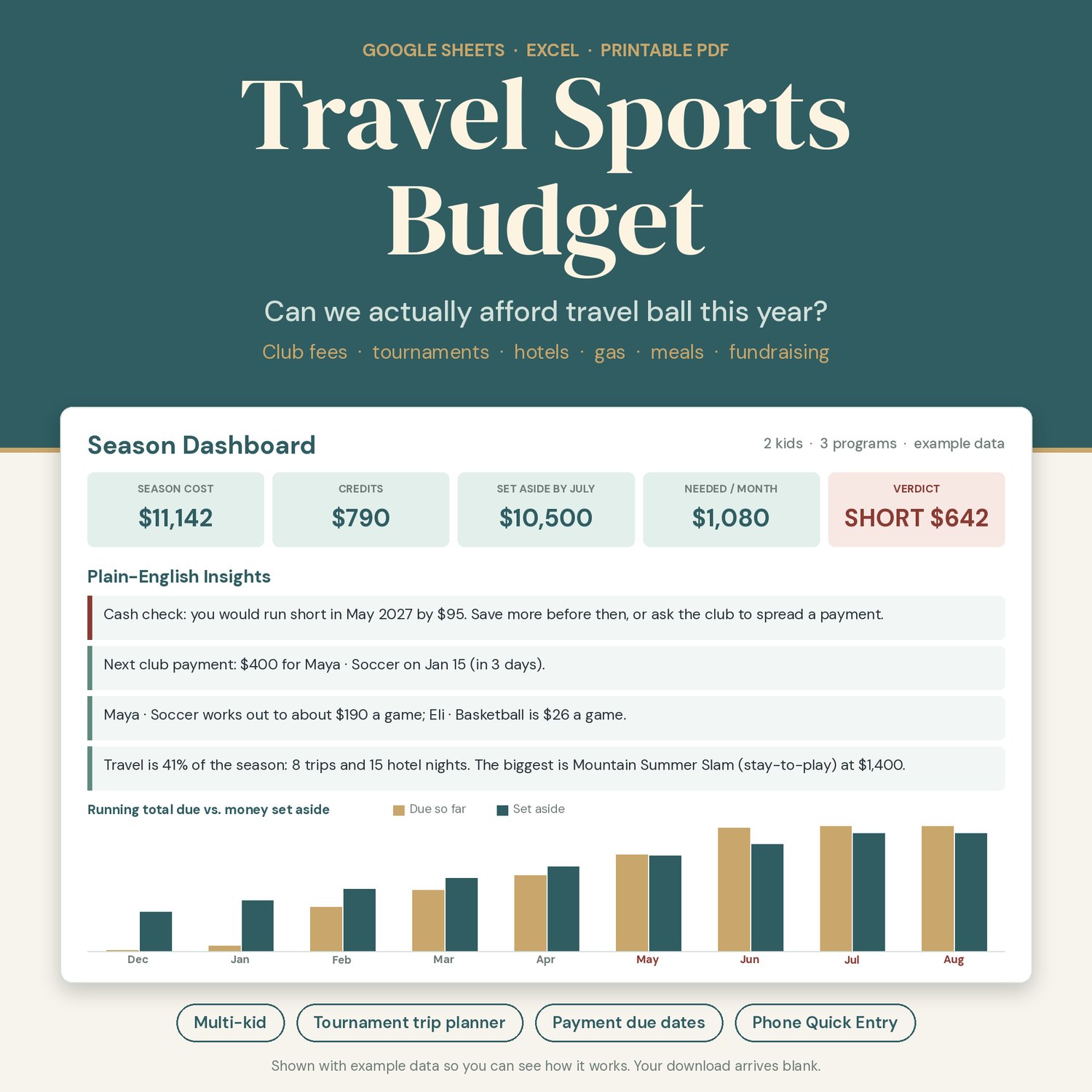
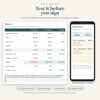
Find out if you can afford club or travel ball before you sign the commitment form. This Youth Travel Sports Season Budget adds up everything for one child or several: club fees, uniforms, gear, lessons, away tournaments, hotels, gas, and meals. It takes off fundraising and credits, then gives you a plain verdict: YES, IT FITS, TIGHT, or SHORT. It also shows the month you would run short, so you can plan for it. Matching printables are included.
★ WHY IT STANDS OUT
• An affordability verdict: your season cost compared with what you have saved plus what you can set aside each month until the season ends
• Multi-kid and multi-sport: up to 6 child + sport programs, each with its own fees, gear, lessons, practices, and games
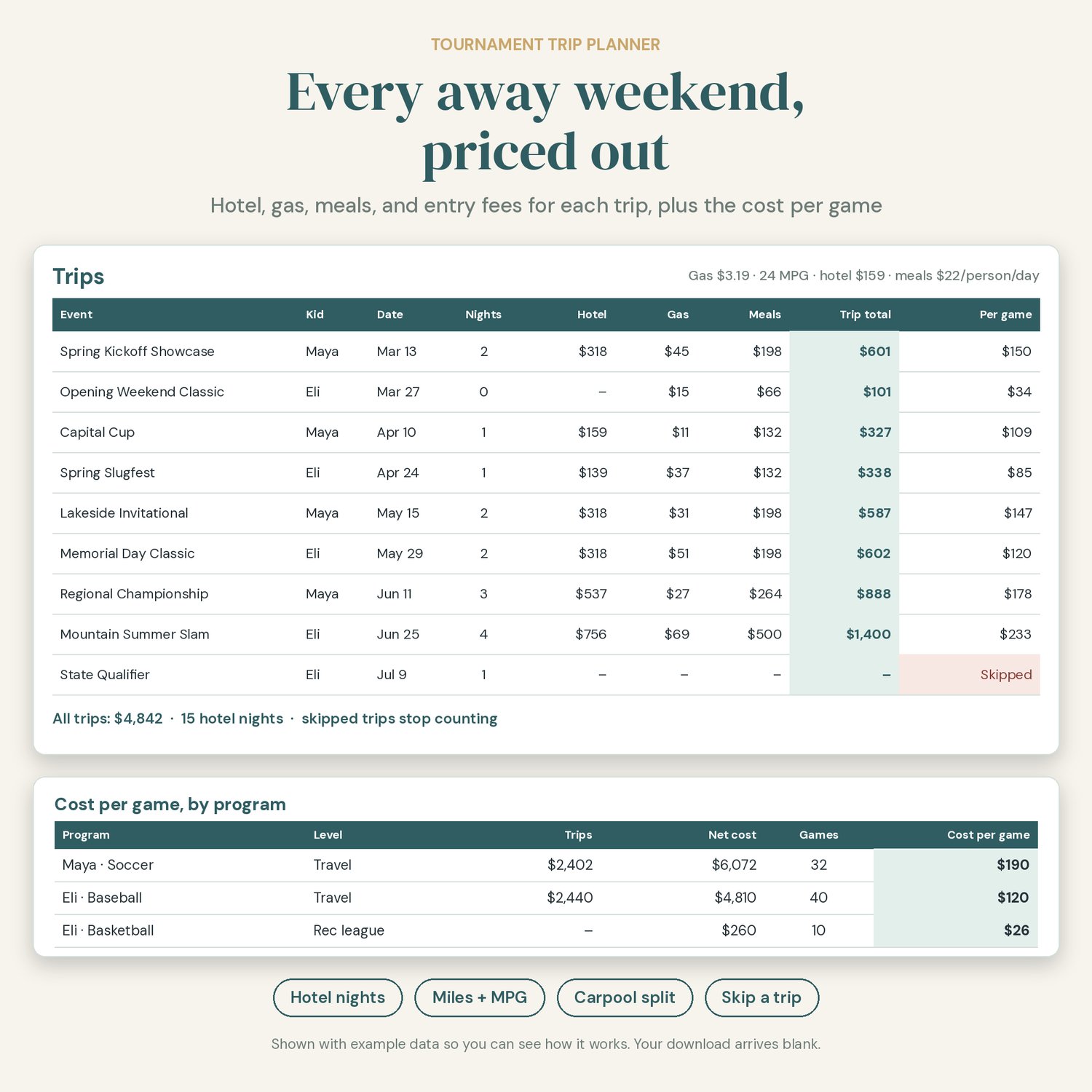
• Tournament trip planner: type the nights and the miles one way. Hotel, gas, and meals fill in from your defaults (gas price, MPG, hotel rate, meals per person). Split the drive with other families, and mark a trip Skipped to drop it
• Cost per game and cost per practice for each program, so you can compare travel with rec league
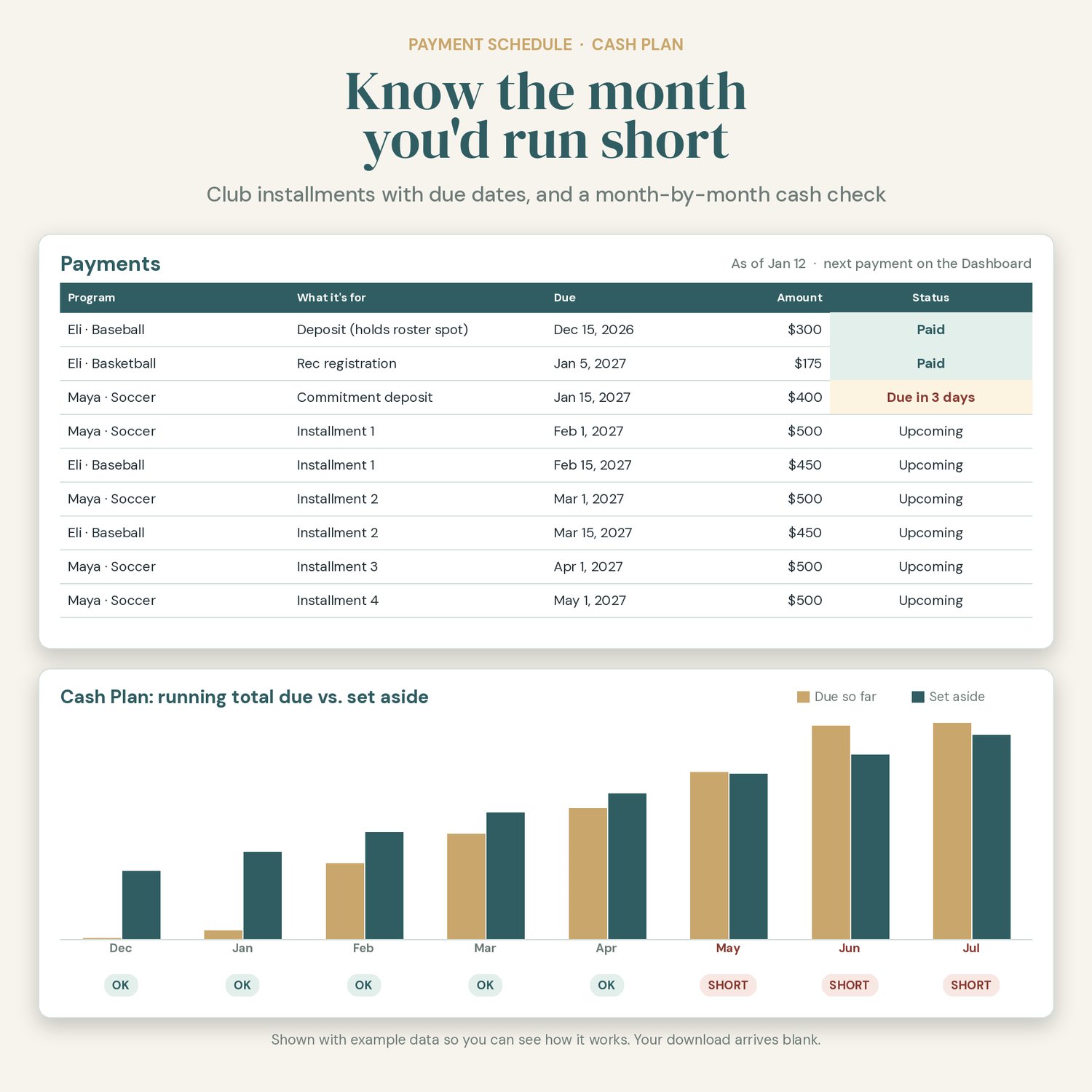
• Club payment schedule: deposit and installments with due dates and Paid / Due in N days / Upcoming / OVERDUE status
• Cash Plan: month by month, what is due, your running total, and the money you will have set aside by then. It flags the first month you would come up short
• Fundraising and credits: fundraisers, sponsors, scholarships, team credits, and carpool paybacks, received or pledged
• Plain-English Insights such as "Cash check: you would run short in May 2027 by $95" and "Eli · Baseball: club fee $1,650, but the Payments tab adds to $1,200"
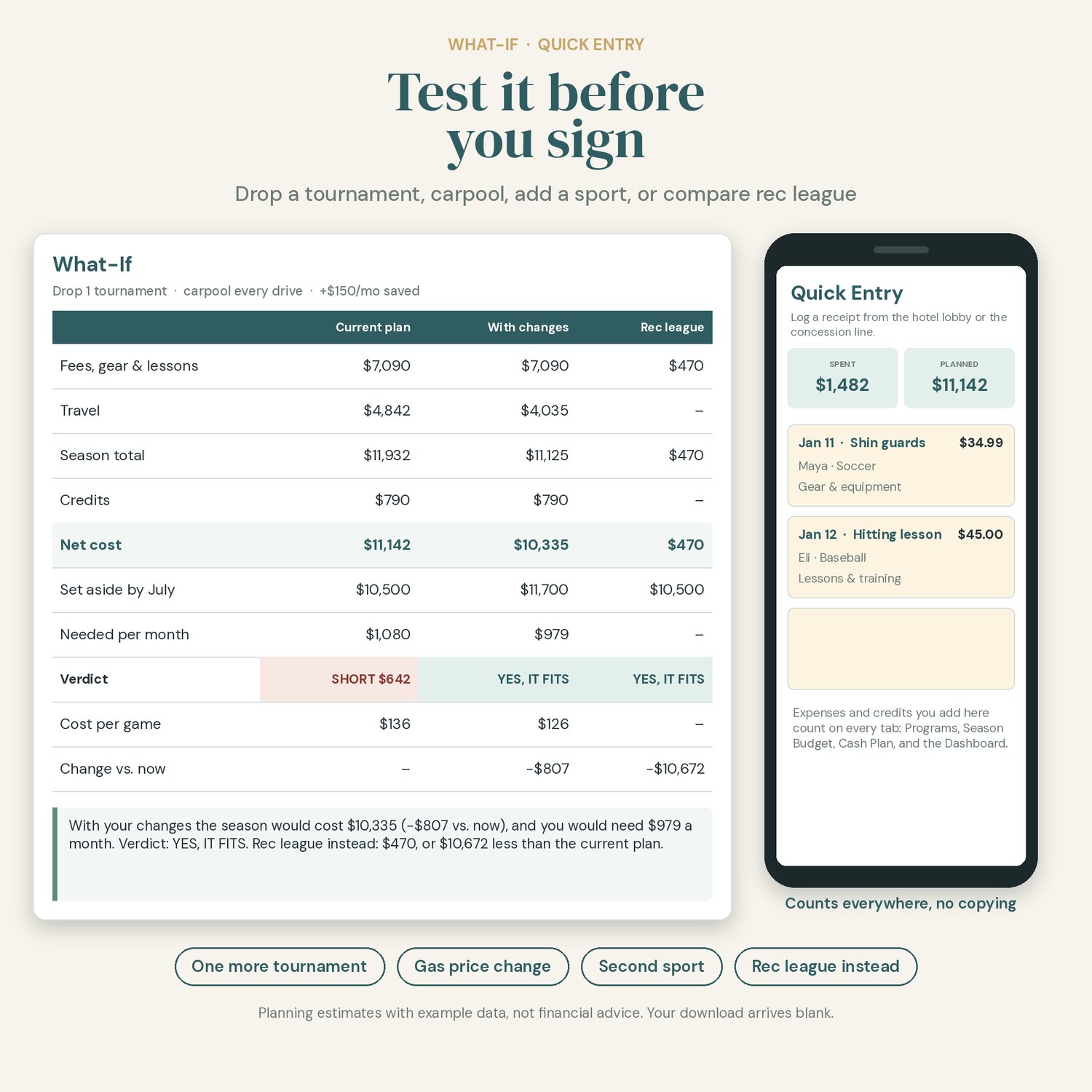
• What-If: add or drop away tournaments, change the gas price or hotel rate, add a second sport or more lessons, carpool every drive, save a little more each month, or compare rec league instead
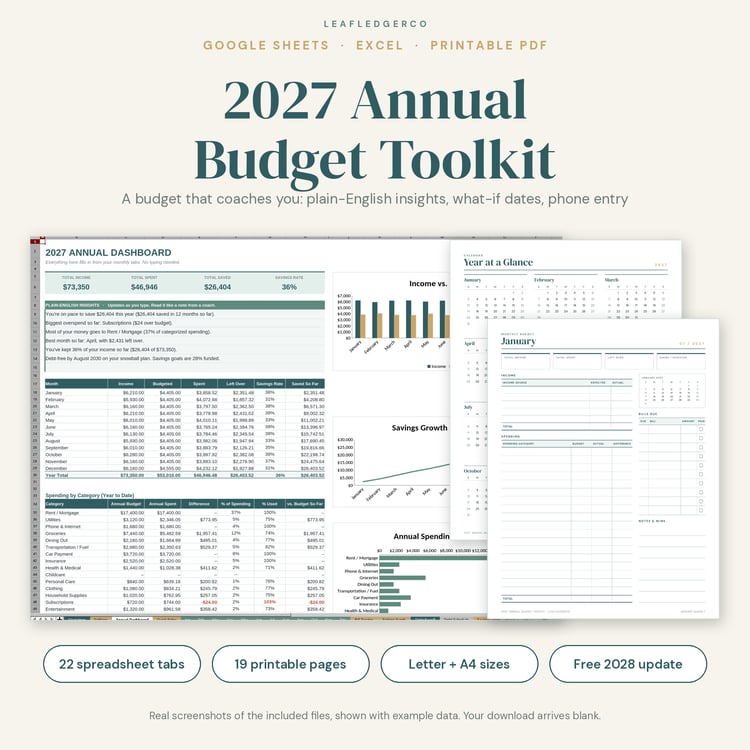
• Season Budget: planned vs. spent for 11 sports categories, with the matching LeafLedgerCo budget category
• 10-minute numbered Quick Start: enter the team fee and the away tournaments, get your verdict
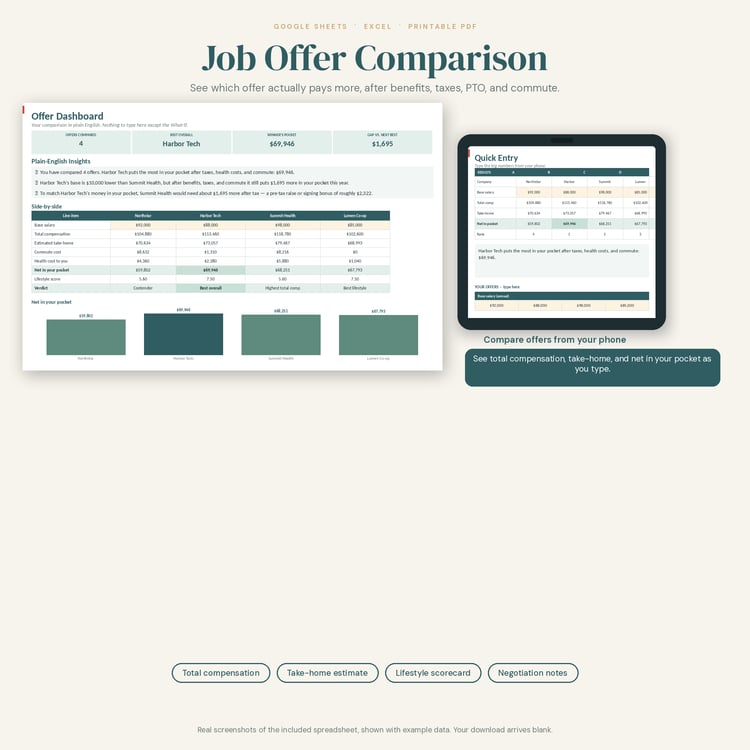
• Quick Entry tab sized for logging a receipt from your phone at the tournament
• Free 2028 update
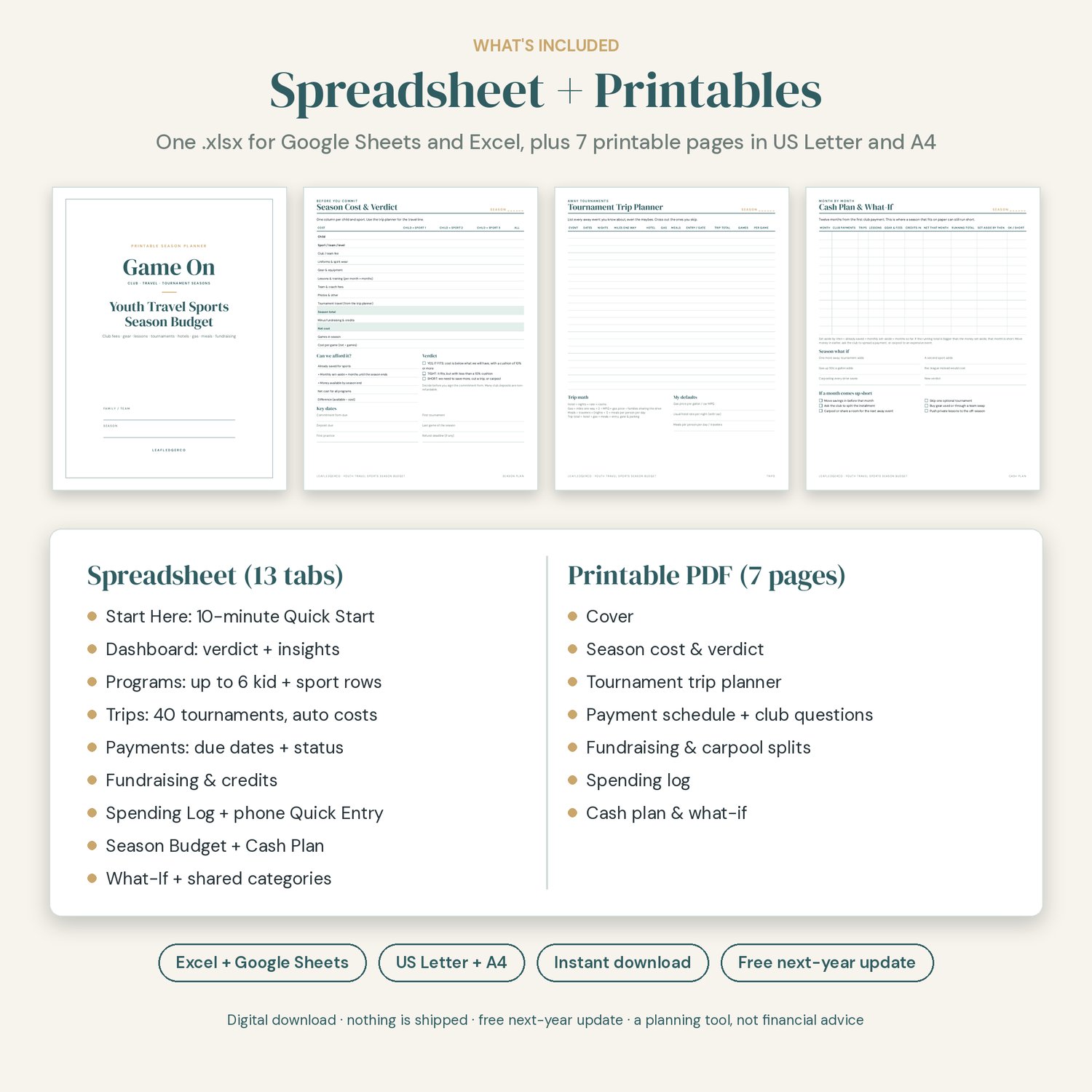
★ WHAT'S INCLUDED
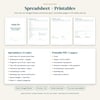
SPREADSHEET (one .xlsx file that works in Google Sheets and Microsoft Excel)
• Start Here: a numbered 10-minute Quick Start, a weekly routine, and a color key (cream cells are for you, white cells calculate)
• Setup: season dates, money already saved, monthly set-aside, gas price, MPG, hotel rate, meals per person, travelers, and your verdict cushion
• Dashboard: season cost, credits, money set aside by season end, needed per month, the verdict, Plain-English Insights, a by-program table, and a month-by-month chart
• Programs: child, sport, team, level, club fee, uniforms, gear, lessons, team fees, practices, games, and cost per game
• Trips: up to 40 tournaments with hotel, gas, meals, entry fees, carpool split, trip total, and cost per game
• Payments: up to 60 club payments with due dates and status
• Fundraising: up to 40 credits, received or pledged
• Spending Log: what you actually spend, with a split for shared bills
• Quick Entry: log an expense or credit from your phone; those rows count everywhere, so you do not have to copy them over
• Season Budget: planned vs. spent by category
• Cash Plan: 12 months of what is due vs. what you have set aside
• What-If: tournaments, gas, hotels, a second sport, lessons, carpooling, set-aside, and rec league instead
• Categories: 11 sports categories and the shared budget category names
PRINTABLE PLANNER (7 pages, in both US Letter and A4)
• Cover
• Season cost and verdict worksheet
• Tournament trip planner
• Payment schedule, plus questions to ask the club before you sign
• Fundraising, credits, and carpool splits
• Spending log
• Cash plan and season what-if
★ HOW TO USE IT IN GOOGLE SHEETS
1. Download the files from the link in your purchase receipt email.
2. In Google Drive, click New > File upload and choose Youth-Travel-Sports-Season-Budget.xlsx.
3. Open it and choose File > Save as Google Sheets. Work in that copy.
4. On your phone, open that copy in the free Google Sheets app and use the Quick Entry tab.
★ HOW TO USE IT IN MICROSOFT EXCEL
1. Open Youth-Travel-Sports-Season-Budget.xlsx in Excel (desktop, web, or mobile).
2. If you see a Protected View bar, click Enable Editing.
3. Save a personal copy, then follow the 10-minute Quick Start on the first tab.
★ PRINTING
Print the PDF at home or at a print shop. Choose "Actual size" or "Fit" in your print settings. Print every page or only the ones you need. The pages use thin lines and little color to save ink.
★ PART OF A SET
The Sinking Funds tracker in this store, LeafLedgerCo, can hold your monthly sports set-aside. The category names match the rest of the store, so season totals drop straight into a LeafLedgerCo household budget.
★ PLEASE NOTE
• This is a DIGITAL DOWNLOAD. Nothing will be shipped to you.
• Download your files from the link in your purchase receipt email (a computer is easiest).
• FREE 2028 UPDATE: when the 2028 edition is ready, I'll add it to this product, and you can download it at no extra cost from your original purchase download link. I'll also email buyers when the update is ready.
• Amounts are shown in US dollars. You can change the currency format in your spreadsheet app.
• You need a free Google account or Microsoft Excel to use the spreadsheet, and a PDF reader to print.
• The listing photos show example data so you can see how it works. Your file arrives blank.
• This is a planning tool, not financial advice. Costs are estimates from the numbers you type in. Check each club's contract, refund policy, and hotel rules before you commit.
• Works for any sport: soccer, baseball, softball, volleyball, basketball, hockey, lacrosse, swim, dance, cheer, and more.
• For personal use only. Please do not share or resell the files.
• Colors may look slightly different on screen than on paper.
★ ABOUT HOW THIS WAS MADE
This product was designed with AI assistance under my direction. I planned it, set its features and look, and reviewed and tested the spreadsheet formulas and printable pages before listing.
Questions? Use the contact form on this store, or reply to your receipt email. I'm happy to help you get set up.