
Practical Rollout Pilot for SAP
SAP Rollout Suite: control your S/4HANA rollout from one Excel workbook
Your SI partner has its own plan, its own trackers and its own version of the status. As the customer project manager or PMO lead, you’re accountable for the outcome, but your view of the programme is spread across a dozen spreadsheets, slide decks and email threads.
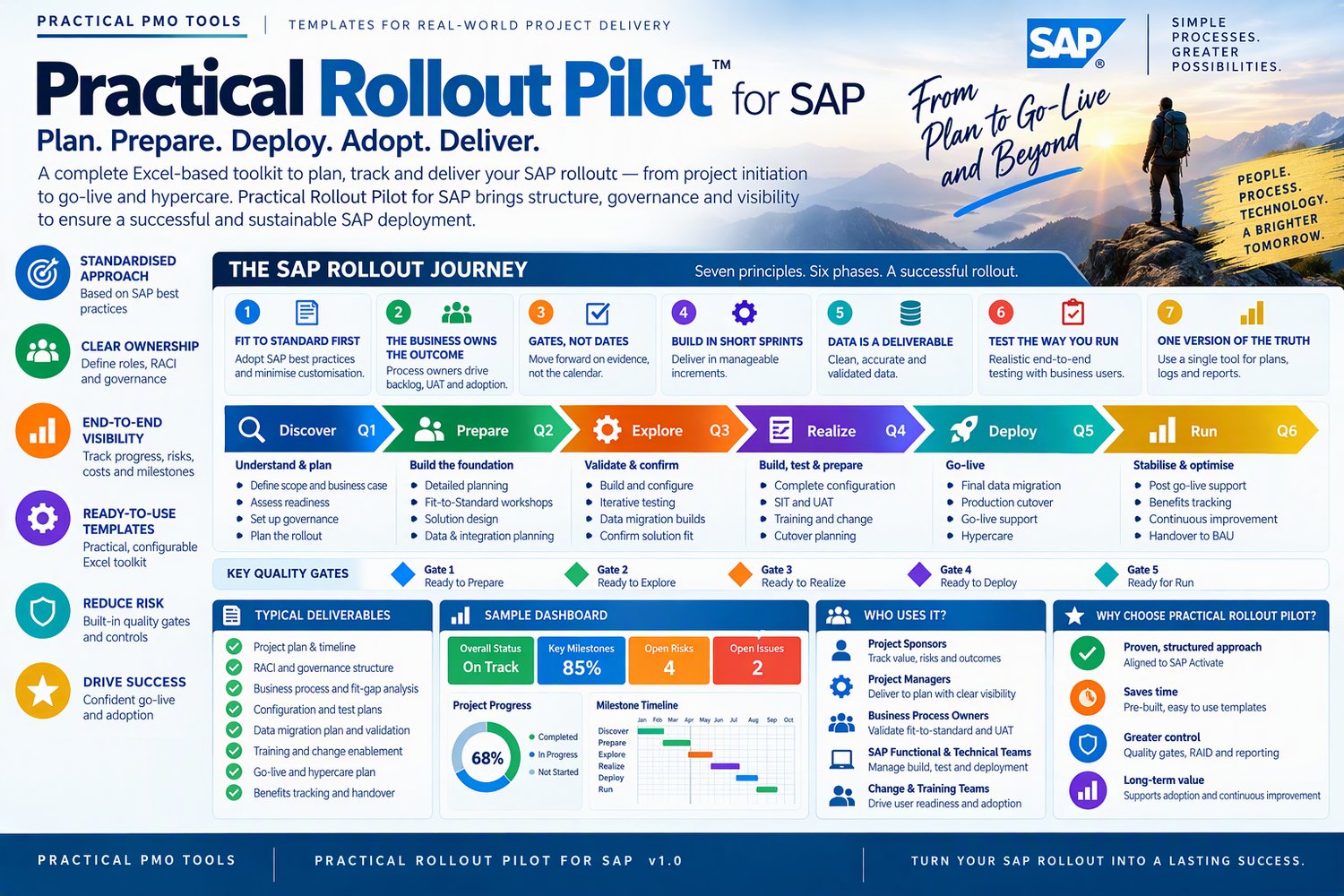
The SAP Rollout Suite gives you one workbook that you own. It’s built around the six SAP Activate phases (Discover, Prepare, Explore, Realise, Deploy, Run) and five quality gates. It holds everything you need to run the rollout and answer the steering committee’s questions with evidence.
What you get
- SAP Rollout Suite (Excel): 33 connected sheets with an SAP Activate plan already loaded. You keep the logs up to date, and the dashboard and weekly status report update themselves.
- User Manual (PDF, 43 pages): a 30-minute quick start, screenshots and column-by-column guidance for every sheet, troubleshooting and an SAP glossary.
Run every part of the rollout from one place
- Plan and milestones: a ready-made SAP Activate work breakdown with working-day scheduling, baselines, slippage tracking, RAG status and 52-week Gantt charts.
- Quality gates Q1–Q5: 30 ready-made exit criteria, the evidence for each, % met and the steering committee decision. No more passing a gate just because the date arrived.
- Fit-to-Standard backlog: fit or gap by scope item, MoSCoW priority, sprint and acceptance.
- WRICEF register: every workflow, report, interface, conversion, enhancement and form tracked from specification to production, with late items flagged.
- Data migration: results of each mock load, the dress rehearsal and the production load against your target, with sign-off.
- Key users and training: attendance, assessments and whether each user’s SAP role is ready in production.
- Testing, cutover and hypercare: defects by test cycle and SAP module, and a cutover runbook timed to the hour.
- Day-to-day control: actions, decisions, change requests, RAID, stakeholders, RACI, communications plan, meeting log, lessons learned and business case.
- Budget: budget, budget changes, quotes, invoices, payments and expenses, with estimate at completion and variance.
Why project managers choose it
- It’s made for SAP. It uses SAP Activate phases, quality gates and SAP terminology throughout. It isn’t a generic project plan with “SAP” added to the title.
- Status reports reflect the data. A suggested RAG status is calculated from your logs, so red stays red until the evidence changes.
- It’s ready on day one. The plan is already loaded, the gate criteria are already written, and the manual gets you running in about 30 minutes.
- It works in any country. You choose the currency, with public holidays built in for 16 countries (or enter your own), and weekends that follow the country you pick.
- It’s built on real delivery. A PMO practitioner with 30 years’ experience, including SAP programme delivery, designed it.
Who it’s for: customer project managers, PMO leads, programme managers and SI partner project managers on S/4HANA implementations, in the cloud or on-premises.
SAP, S/4HANA and SAP Activate are trademarks of SAP SE. Practical PMO Tools is independent and is not affiliated with or endorsed by SAP SE.
Compatibility
• Works in Microsoft Excel 2016 or later / Microsoft 365 on Windows and Mac
• Word and PowerPoint files open in Microsoft Office 2016 or later / Microsoft 365
• Not designed for Google Sheets or Apple Numbers: protected formulas and some features may not work there
Licence
One purchase licenses one named user / one organisation to use and adapt the files for internal use. Consultants may use the files to deliver work for their clients / with one client per licence. You may not resell, share or redistribute the files, in original or modified form.
Refunds
Because these are instant digital downloads, all sales are final / refunds are available within 14 days if a file is faulty and we can't fix it. If anything doesn't work as described, contact us through the Contact page, and we'll help.
Frequently asked questions
Can I edit the files? Yes. Excel formulas are protected so they can't break by accident; you fill in the white input cells. Word and PowerPoint files are fully editable, so you can add your own logo and terminology.
Will it work in my currency? Yes. All templates are currency-neutral and work anywhere in the world.
Do I get updates? Yes, free updates to this version are sent to your download link / Updates are released as new versions.
How do I get my files? You get a download link by email straight after purchase.
Can I see it before I buy? Yes. Download the free preview from the link above to see what's inside.