

IEP Service Minutes Tracker: Google Sheets Template for SPED Caseloads (60 Students)
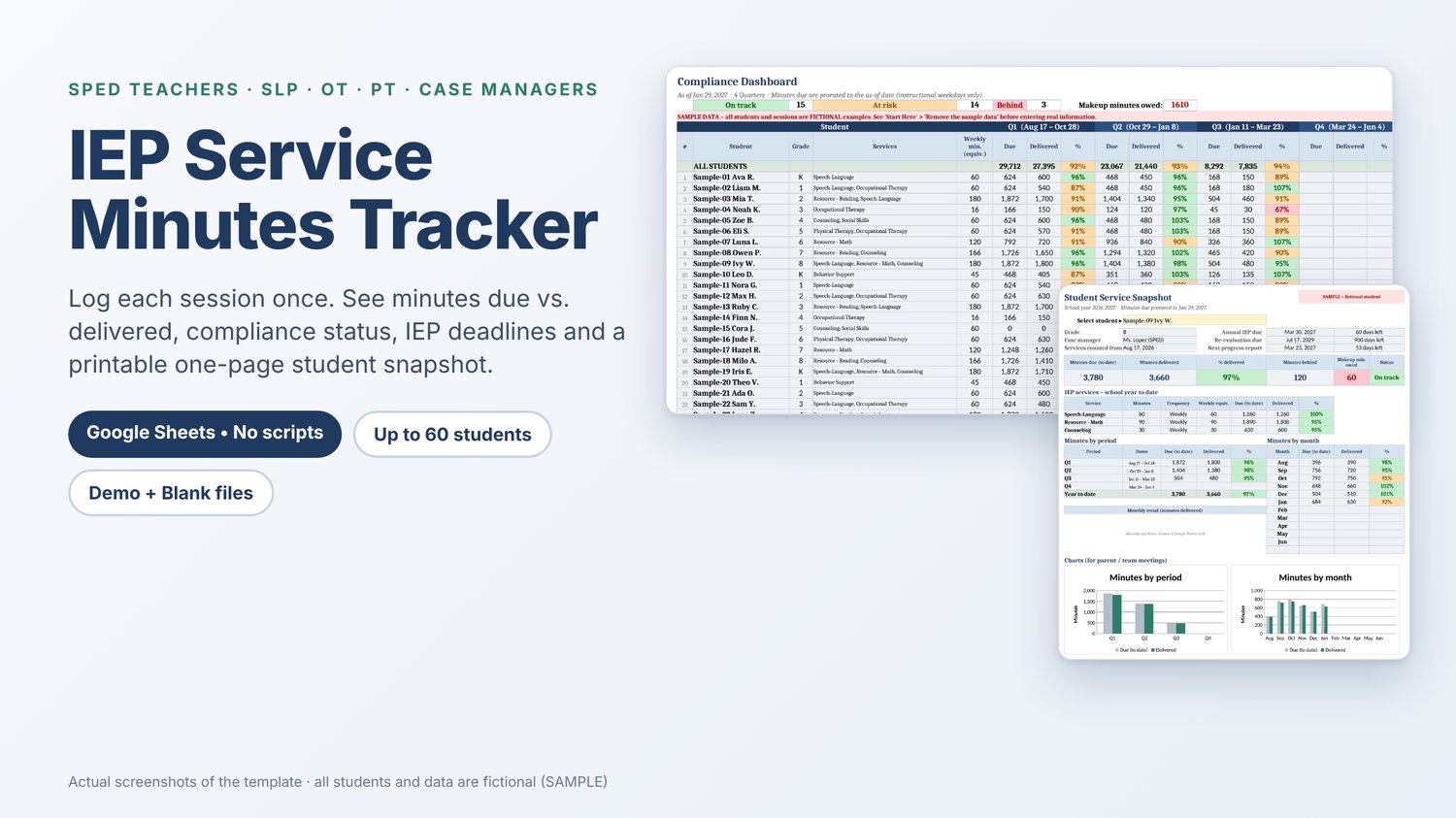
Log each session once. See at a glance which students are on track, at risk or behind on their IEP service minutes.
Sound familiar?
You serve students across different schedules, settings and service types. Sessions get missed when a student is absent or when you're out, makeups pile up, and by the end of the quarter it's hard to say who actually received the minutes on their IEP. Meanwhile, annual reviews and re-evaluations keep creeping up on the calendar.
A simpler way to track service minutes
The IEP Service Minutes Tracker is a Google Sheets template for special education teachers, case managers, related-service providers (SLPs, OTs, PTs, counselors) and SPED coordinators. You set up your caseload once, log each session in one row, and every report updates on its own. It runs on formulas only: no scripts, no add-ons, no permission pop-ups.
Features
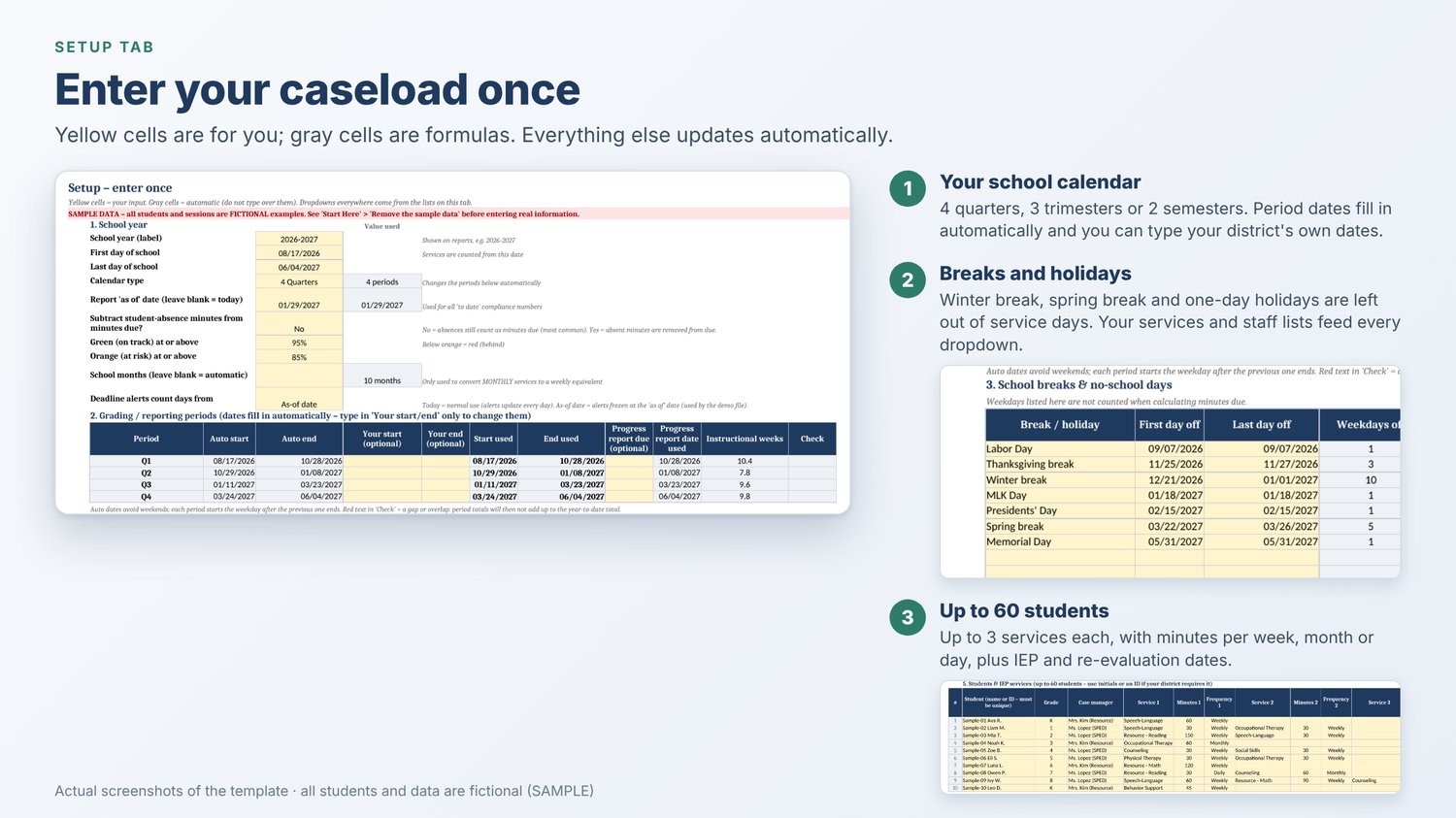
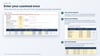
Setup (enter once)
- Up to 60 students, each with up to 3 services (minutes per week, month or day)
- Your school calendar: 4 quarters, 3 trimesters or 2 semesters. Period dates fill in automatically, and you can type your district's own dates
- Breaks and holidays are left out of service days, so minutes due stay realistic
- Your own services and provider lists feed every dropdown
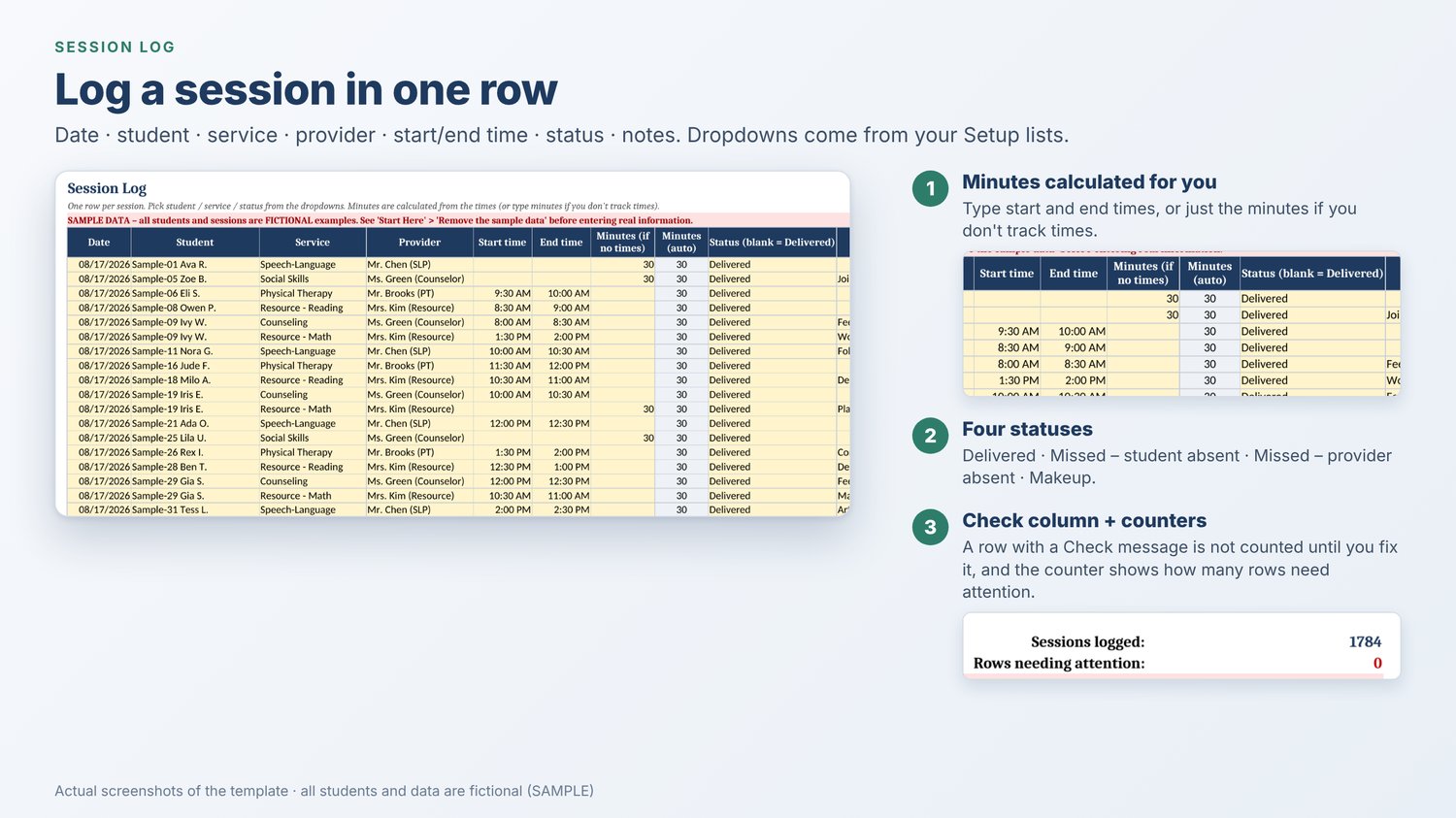
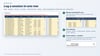
Session Log
- 4,000 ready rows: date, student, service, provider, start/end time, status, notes
- Minutes are calculated from start and end times (or type the minutes if you don't track times)
- Statuses: Delivered, Missed – student absent, Missed – provider absent, Makeup
- A Check column flags any row that can't be counted and tells you why (for example, a service that isn't on the student's IEP or a date outside the school year). Flagged rows stay out of every total until you fix them
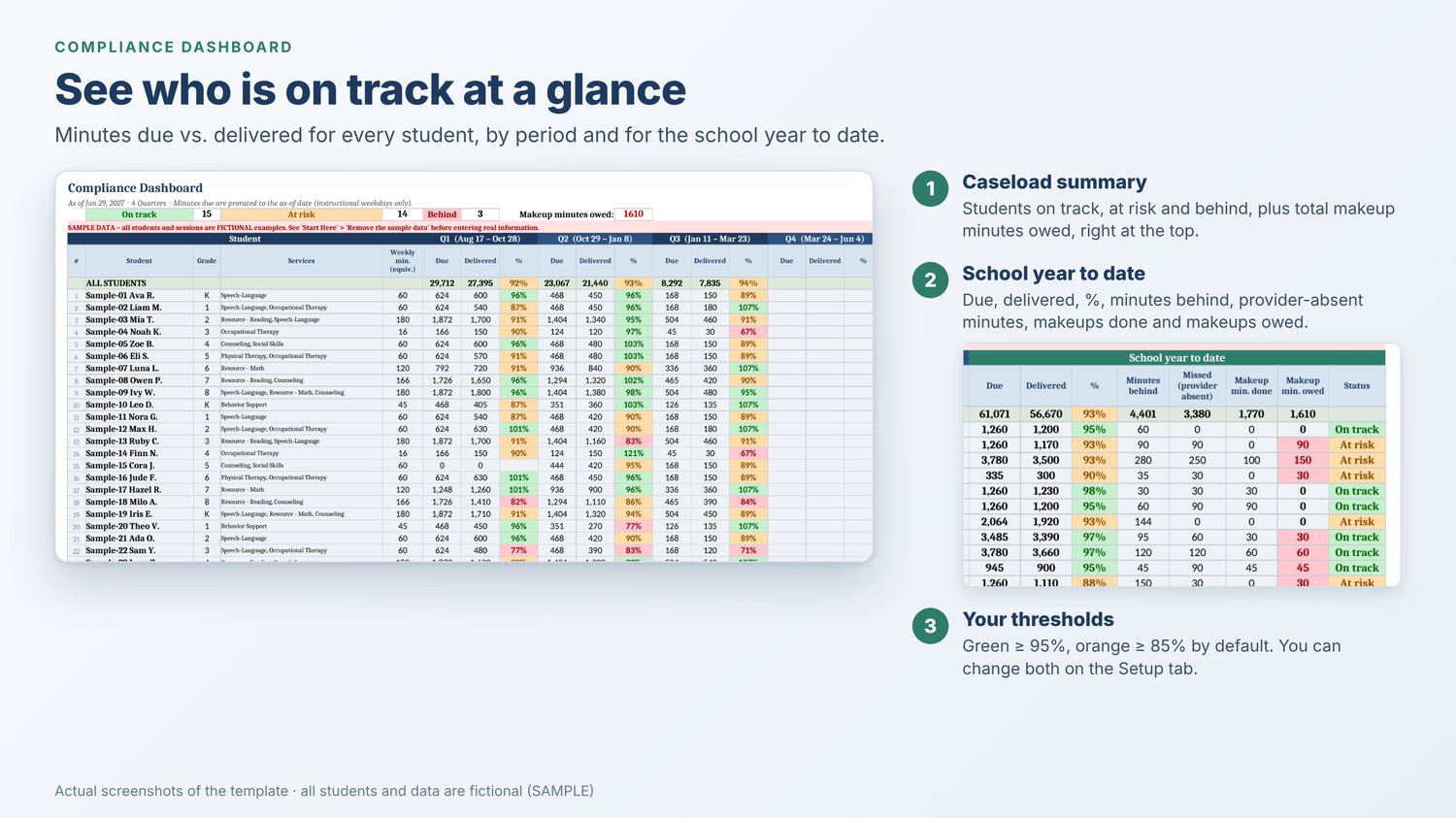
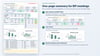
Compliance Dashboard
- Minutes due vs. delivered for every student, by period and for the school year to date
- % delivered with colors: green = on track, orange = at risk, red = behind (95% / 85% by default, editable)
- Minutes behind, missed minutes (provider absent), makeup minutes done and makeup minutes owed
- Caseload totals and counts of students on track, at risk and behind
- Optional "as-of" date to see the numbers as they stood on a given day, such as the last day of a quarter
Weekly-Monthly view
- Pick any date to see that week's minutes due vs. delivered for every student
- A month-by-month grid with % delivered and the raw "delivered / due" minutes
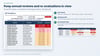
IEP Deadlines
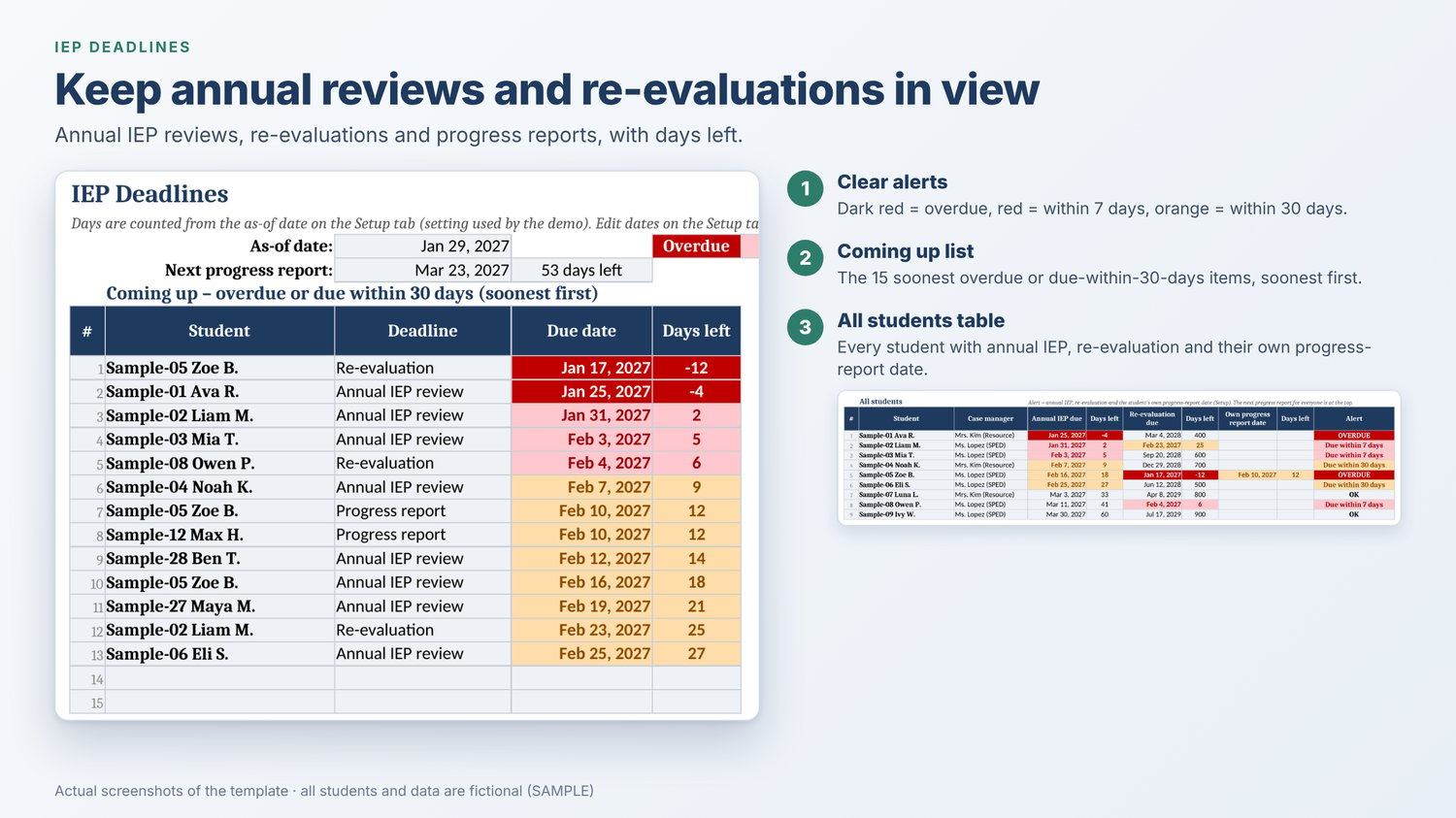
- Annual IEP reviews, re-evaluations and progress reports, with days left
- Color alerts: overdue, due within 7 days, due within 30 days
- A Coming up list of the 15 soonest items, plus a table for your whole caseload
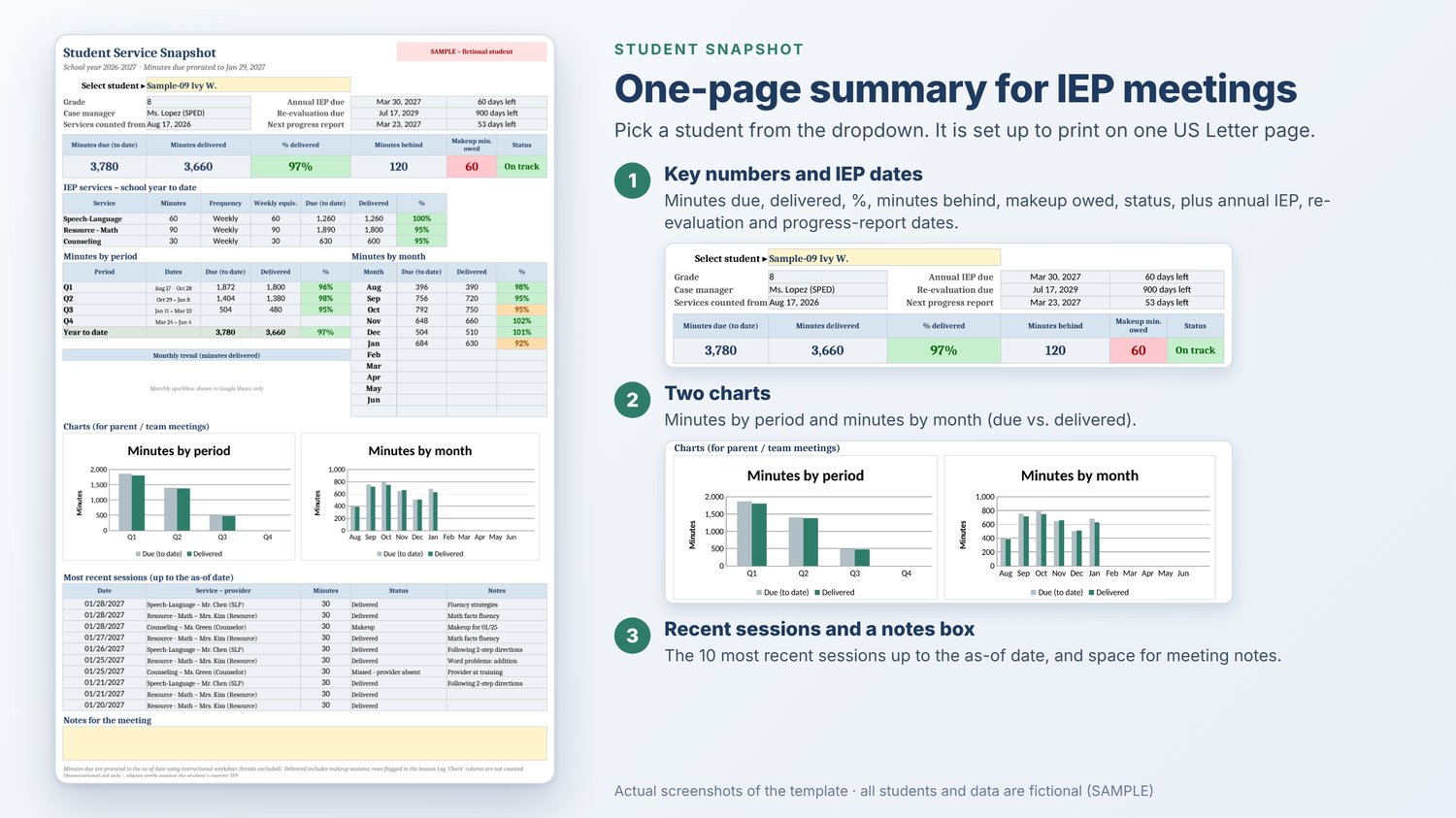
Student Snapshot
- Pick a student to get a one-page summary set up to print on US Letter: key numbers, IEP dates, a per-service table, minutes by period and by month, two charts, the 10 most recent sessions and a notes box
- Handy for IEP meetings, parent conferences and team check-ins
What's included
- IEP_Service_Minutes_Tracker_FULL.xlsx: a DEMO copy filled with fictional sample data (clearly marked SAMPLE), so you can see every report working
- IEP_Service_Minutes_Tracker_FULL_BLANK.xlsx: a BLANK copy with formulas, dropdowns, charts and colors ready for your caseload
- README.pdf: a 10-page user guide with screenshots (setup, daily use, how the numbers are calculated, FAQ)
Works with Google Sheets (and opens in Excel)
- Made for Google Sheets with a free Google account: upload the .xlsx to Google Drive, then choose File › Save as Google Sheets
- Set the spreadsheet locale to United States (File › Settings › Locale) so dates show as MM/DD/YYYY
- Also opens in Microsoft Excel and LibreOffice. The small monthly sparkline on the Student Snapshot only appears in Google Sheets
- Good to know: Google Sheets doesn't reliably keep the .xlsx formula protection when it imports the file. The guide shows you how to protect the formulas again (Data › Protect sheets and ranges)
- Printing: the Student Snapshot fits on one page. For the Session Log, print only the rows you need (File › Print › Selected cells). Printing the whole log gives you many nearly empty pages
Getting started
- Upload the BLANK file to Google Drive and save it as a Google Sheet
- Check that the locale is set to United States
- On the Setup tab, fill in the yellow cells: school-year dates, calendar type, breaks, services, providers and students
- Start logging sessions. The dashboard, deadlines, weekly/monthly view and snapshot update automatically
Tip: open the DEMO first to see every report filled in.
Please note
- This is an organizational tool, not an official compliance system. It doesn't replace your district's IEP software or procedures. Always check against the student's current IEP
- The file stays in your own Google Drive or on your computer, and the template sends nothing anywhere. Follow your district's student data privacy rules. Many providers use initials or student IDs
- It tracks service delivery (minutes). It does not store IEP goal or progress-monitoring data
- Not affiliated with or endorsed by any school district, state agency or professional organization
- Built with the help of AI tools and tested by a human
Want to try it first?
A free Lite version (5 students, every feature) is available in the same shop: https://payhip.com/b/GHqSe
Who it's for
Special education teachers, case managers, speech-language pathologists (SLPs), occupational therapists (OTs), physical therapists (PTs) and other related service providers who need to track IEP service minutes for a K-12 caseload.
FAQ
- Does it use scripts or add-ons? No. It runs on formulas only, so there are no permission pop-ups.
- Does it work in Excel? It's built for Google Sheets and also opens in Excel.
- How many students can I track? Up to 60 students, with up to 3 services each.
- Where is my students' data stored? In your own Google Drive or computer. Nothing is sent to me. Please follow your district's rules on student data.
- Is the sample data real? No. All students and sessions in the DEMO file and screenshots are fictional. Use the BLANK file for your real caseload.
- Can I try it first? Yes. The free Lite version has every feature for up to 5 students.
Support
Questions or a bug? Email mccorporation00@gmail.com and include the tab name and cell (for example "Session Log, K12"). Please never send real student information.
Refund policy
This is digital content supplied immediately after payment. Customers in the EU: at checkout you'll be asked to tick two separate, required boxes: one to expressly request that supply of the download begins immediately, before the end of the 14-day withdrawal period, and one to acknowledge that you lose your right of withdrawal once supply has begun. If these conditions aren't met for your order, your statutory right of withdrawal applies. All customers: if a file won't open, is damaged or doesn't work as described, email mccorporation00@gmail.com within 30 days of purchase and I'll help you fix it, send a corrected file or give you a refund. This doesn't limit your statutory rights. Full policy: https://payhip.com/MCCorporation/refund-policy. Not sure it fits your caseload? Try the free Lite version first.