
Microsoft 365 2026 Plan-Mix Optimiser – UK
- Microsoft 365 prices went up on 1 July 2026, and you pay the new price at your next renewal. Business Basic is up 16% and Business Standard 12%. Pay monthly on an annual term and you add another 5%. Standard and Premium are now also sold "with Copilot", and there are cheaper "no Teams" versions of most plans. Your renewal quote probably isn't the cheapest sensible option.
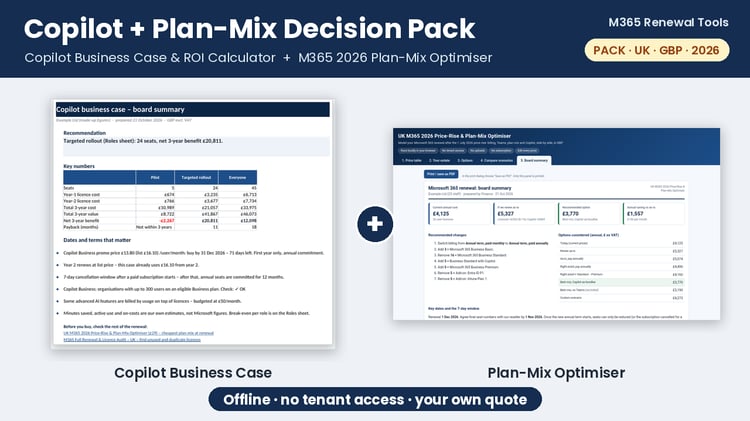
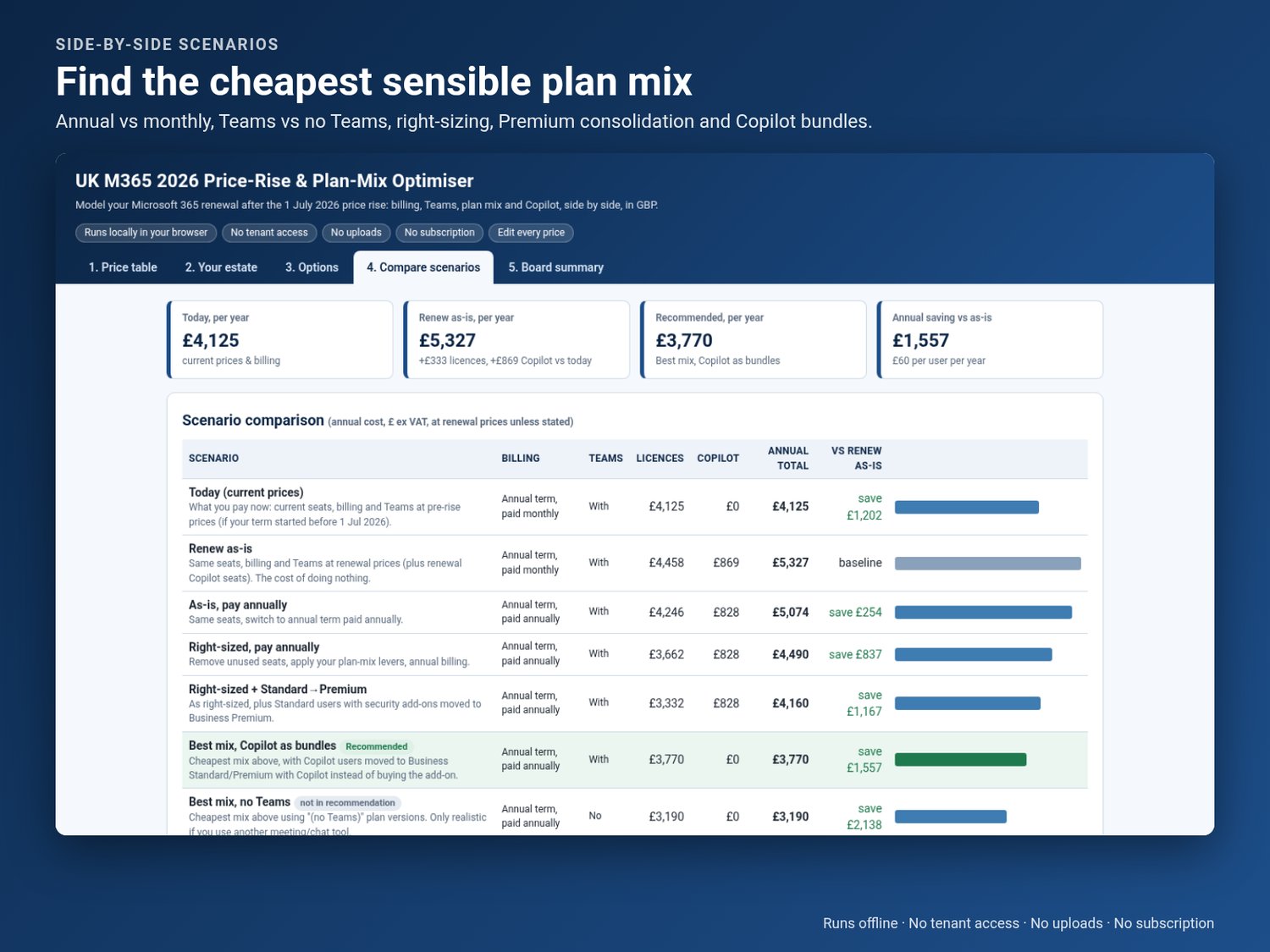
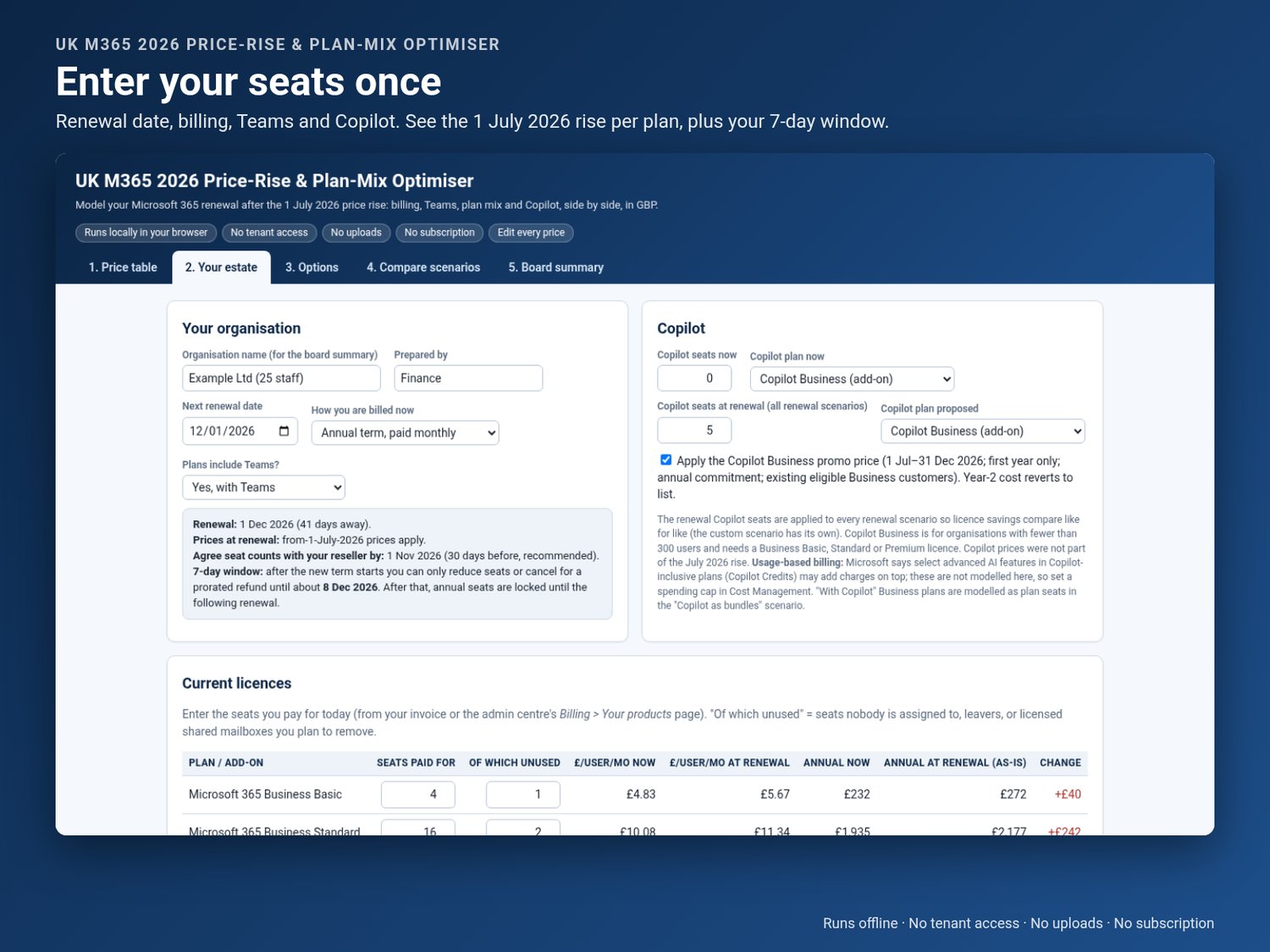
- This tool shows you what is. Enter your seats once, overwrite the prices with your own reseller quote, and compare up to eight scenarios side by side in pounds:
- - renew as-is vs paying annually;
- removing unused seats and moving light users to Business Basic;
- consolidating Standard + security add-ons into Business Premium;
- putting Copilot users on the "with Copilot" bundles instead of the add-on;
- with vs without Teams;
- your own custom mix, e.g. checking a quote from your reseller.
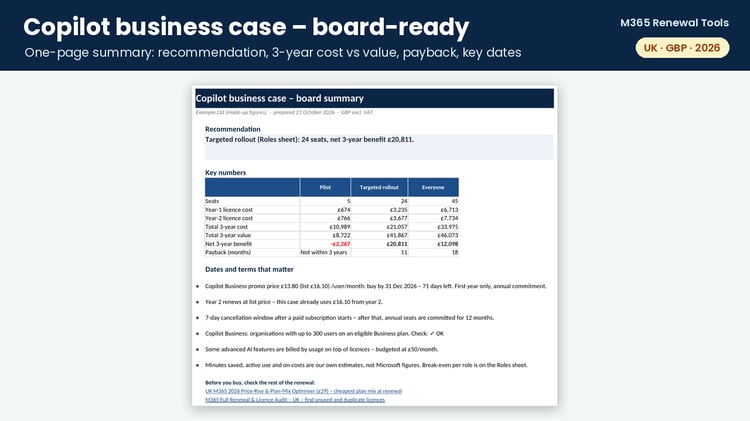
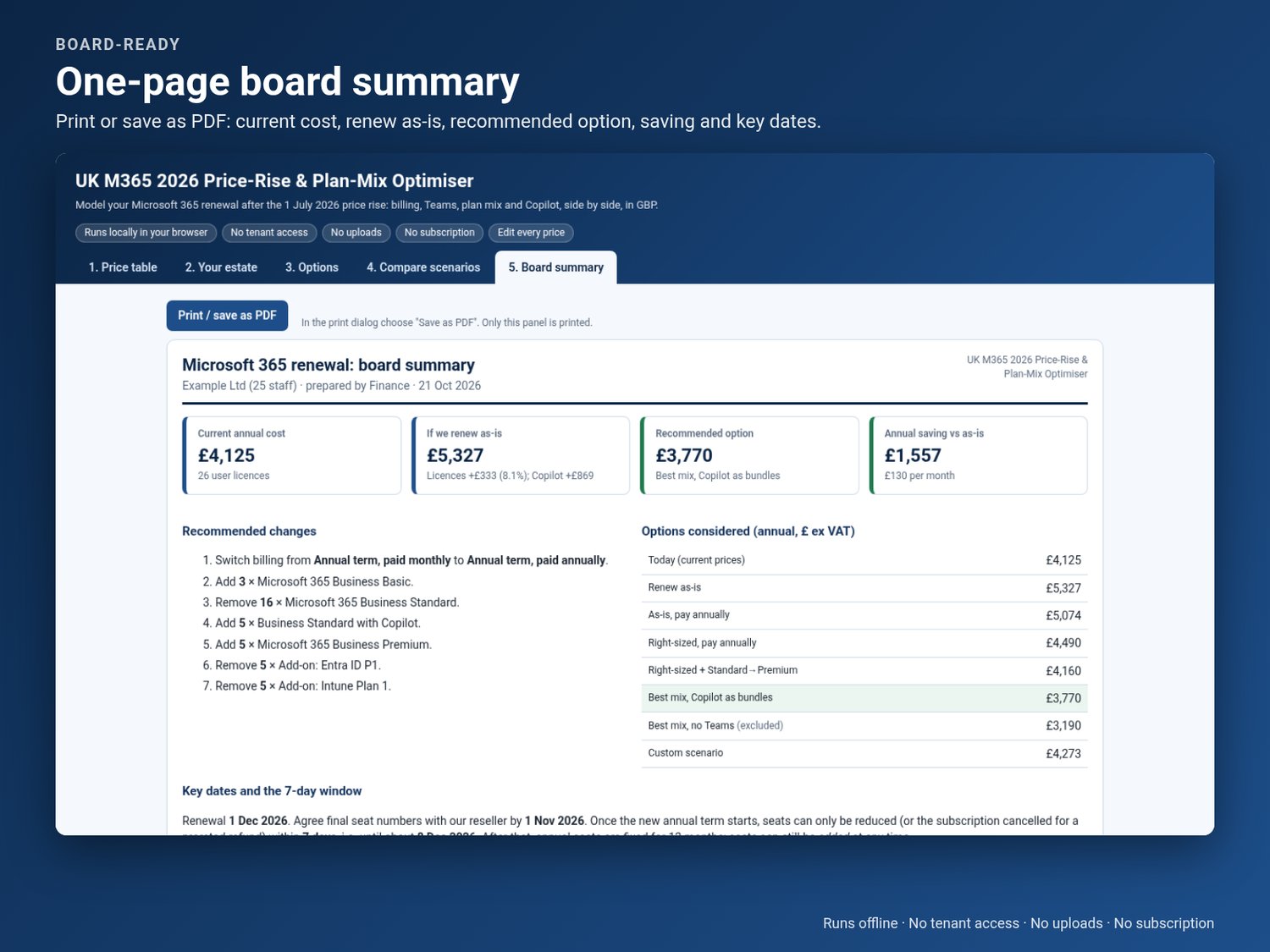
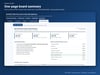
You get the annual £ saving against doing nothing. You also get a one-page board summary that you can print or save as a PDF, with the key dates your renewal depends on, including the 7-day window. Once an annual term starts, that window is your only chance to reduce seats for 12 months.
Like every tool in this store, it runs entirely on your own computer. There's no Microsoft sign-in, no tenant access, no uploads and no subscription. It includes an Excel version with the same model, all in formulas.
Built for UK SMB owners, finance and operations managers, and in-house IT leads with 5–300 seats.
Key features
- UK GBP list prices dated 21 Oct 2026, in one editable table. Overwrite them with your CSP quote.
- Before vs after the 1 July 2026 rise, plan by plan.
- Annual paid annually vs paid monthly (+5%) vs monthly term (+20%). The multipliers are editable.
- With Teams vs "(no Teams)" variants.
- Plan-mix levers: Standard → Basic, Premium ↔ Standard, E3 → F3, Apps for business → Standard.
- Copilot Business seats, the £13.80 promo toggle (1 Jul–31 Dec 2026) and "with Copilot" bundles.
- Side-by-side comparison with the recommended option highlighted.
- A printable one-page board summary.
- Your renewal date, a suggested "agree seats by" date and the end of the 7-day window.
- Works offline. Nothing is uploaded and there's no tenant access.
What's included
- index.html: the offline browser tool (double-click to open).
- Excel workbook (.xlsx): the same price table, scenarios and board summary, built with formulas.
- Quick-start guide (PDF, 4 pages): how to use it and the 2026 rules that matter.
- README.txt
FAQ
Do I need to connect it to our Microsoft 365 tenant?
No. You type in seat counts from your invoice or the admin centre. Nothing connects to Microsoft and nothing leaves your computer.
Are the prices right for us?
The defaults are Microsoft UK list prices as shown on 21 Oct 2026. Resellers and CSPs often charge different prices, so overwrite the price table with your quote. It's one table and takes a couple of minutes.
We renewed before July 2026. Is it still useful?
Yes. Your current price holds until your next renewal. The tool shows what that renewal will cost and which changes to agree before it, because after the 7-day window seats are fixed for a year.
Does it work on a Mac or without Excel?
Yes. The browser tool works in any modern browser on Windows, macOS or Linux. The Excel file also opens in LibreOffice and Google Sheets.
Disclaimer
Independent tool, not affiliated with or endorsed by Microsoft. List prices vary and change; always check your reseller quote. Estimates only, not financial or licensing advice.