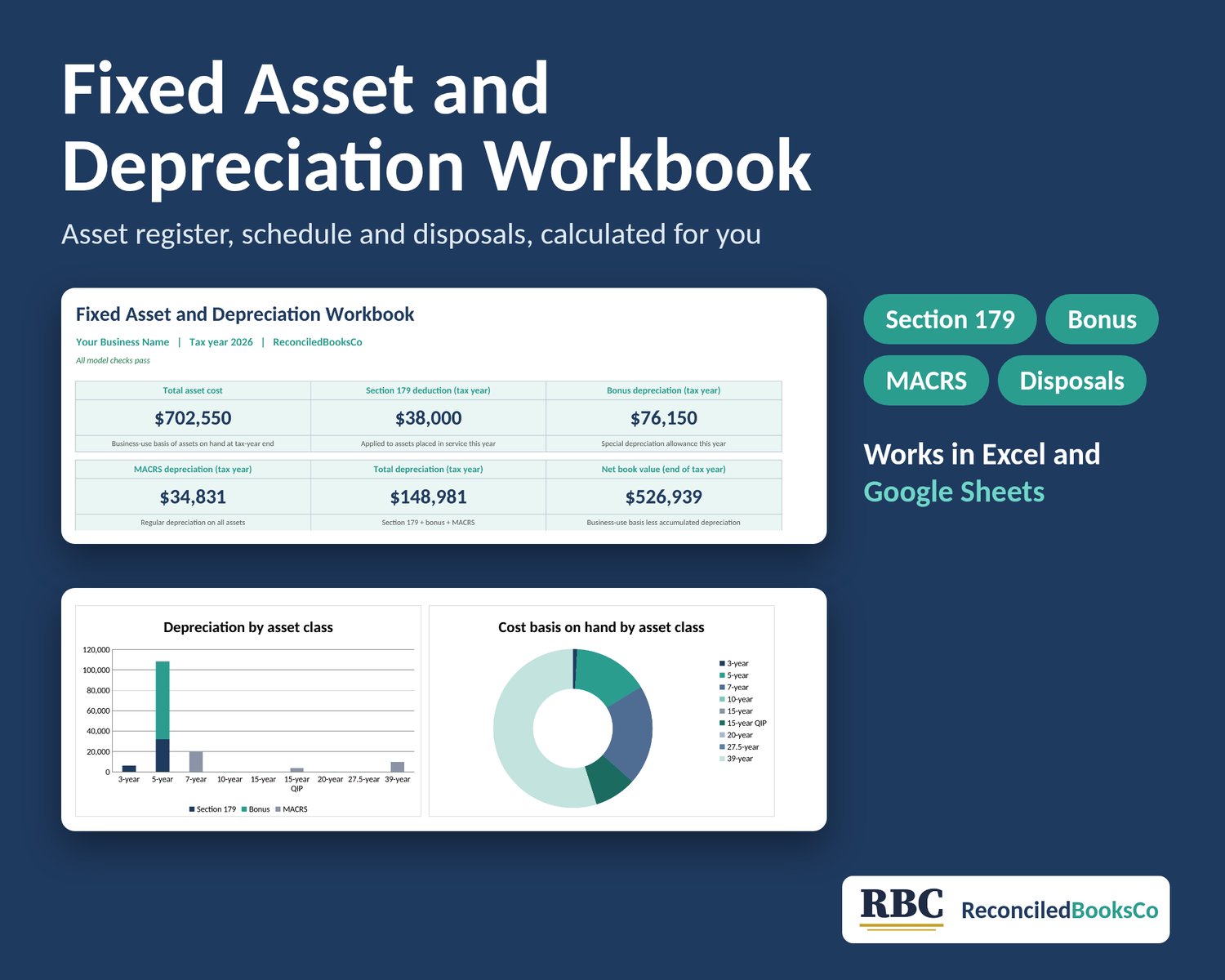



Fixed Asset and Depreciation Workbook: MACRS, Section 179
If you bought equipment, a vehicle, furniture or a building for your business, you'll likely need a depreciation schedule at tax time, and again each year you own the asset. This workbook keeps that schedule in one place, so you aren't rebuilding it from old receipts every spring.
Enter each asset once. The workbook does the rest of the math for you.
Digital download, nothing ships. One .xlsx file. Works in Excel or Google Sheets on any device. No macros, no add-ons.
WHAT IT DOES
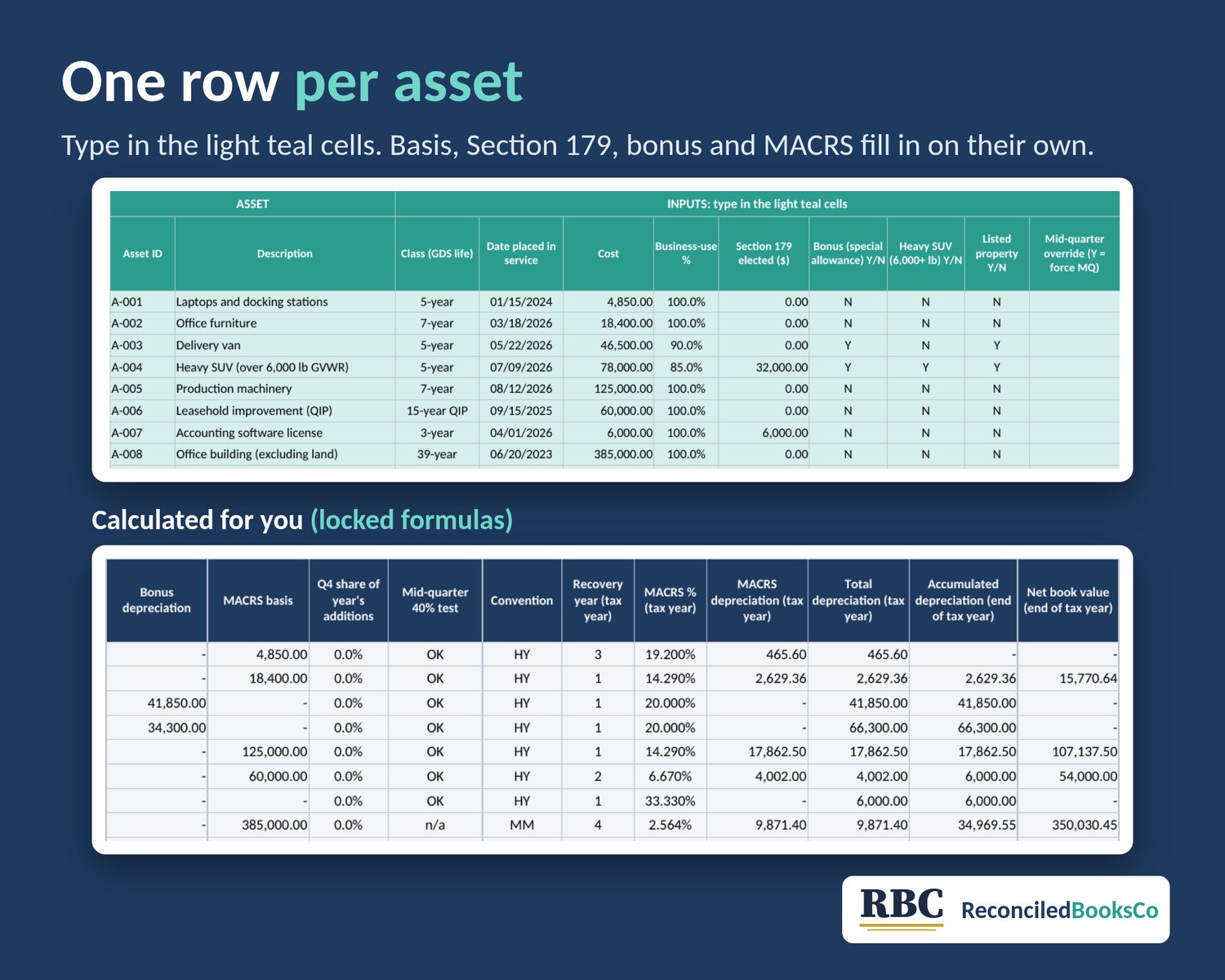
- Asset Register: one row per asset with class, date placed in service, cost, business-use %, Section 179, bonus Y/N and heavy SUV Y/N
- Section 179 with the annual limit, the phase-out, the business income limit, the heavy SUV cap and carryover built in
- Bonus (special depreciation allowance) at the rate for each asset's placed-in-service date (100% preloaded for 2026), with the 40% or 0% election on Setup
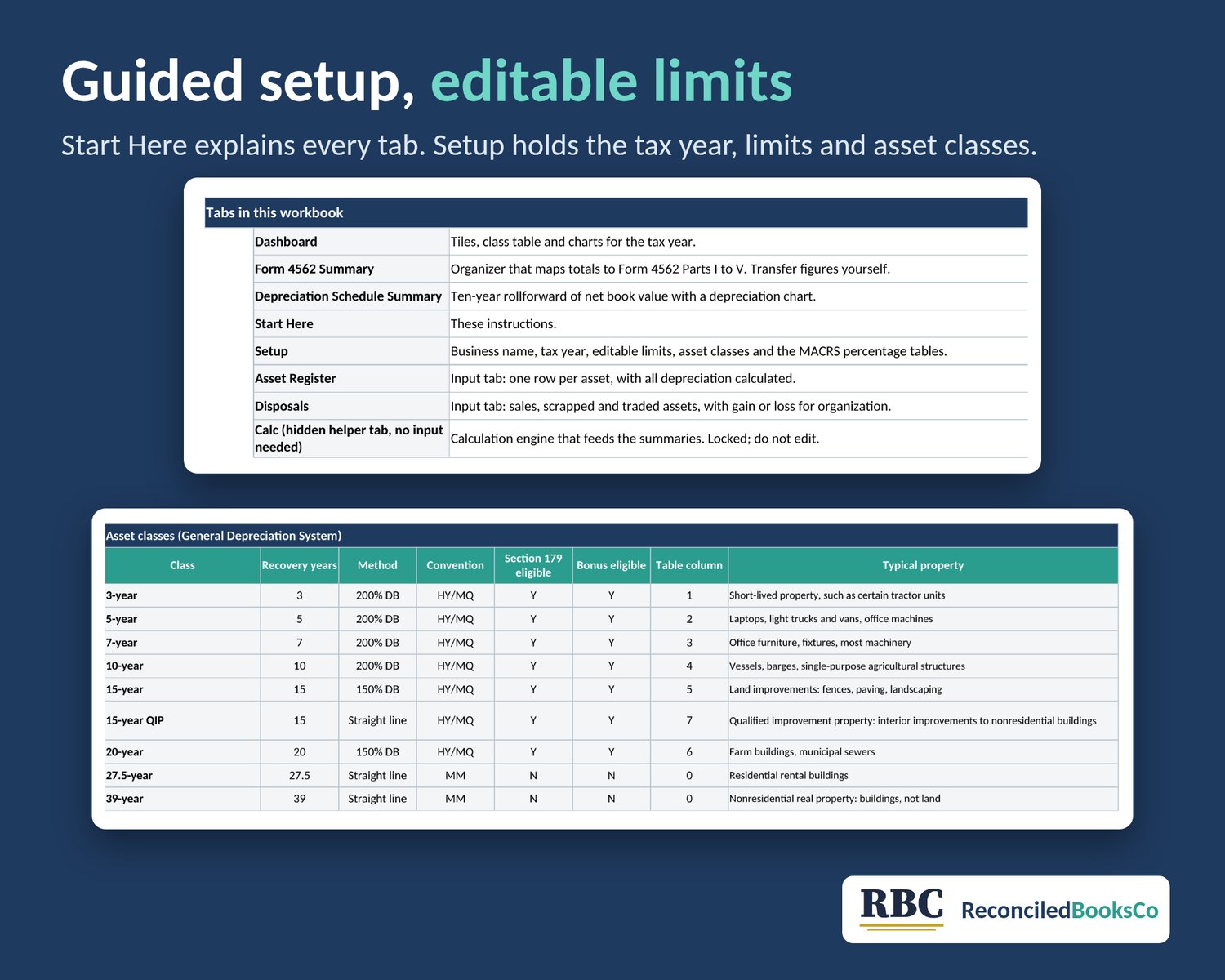
- MACRS from the IRS Pub 946 tables: half-year, mid-quarter and mid-month for 27.5- and 39-year property, plus 15-year qualified improvement property
- A flag for the 40% mid-quarter test, so you can see when the mid-quarter convention may apply, plus an override column
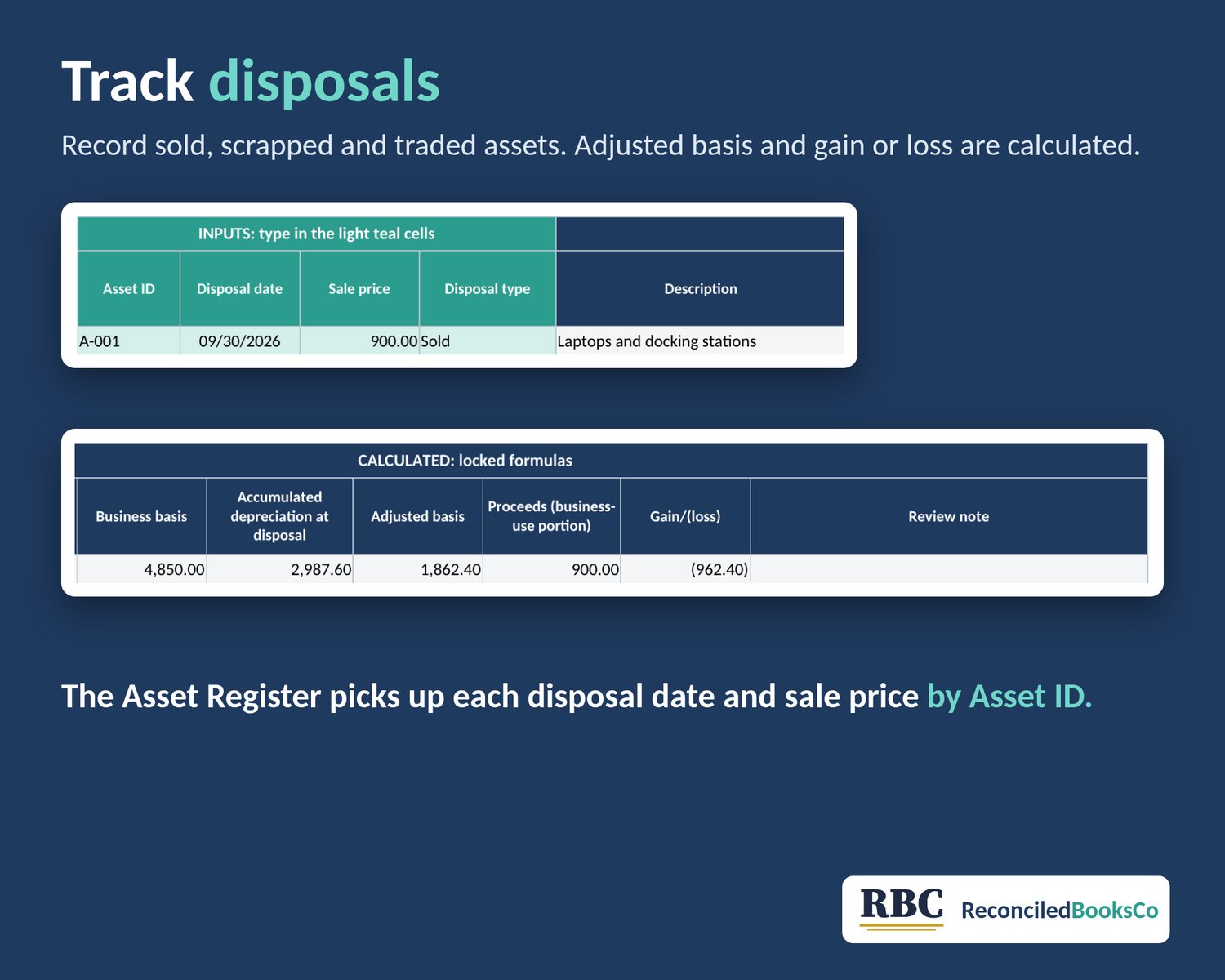
- Net book value and gain or loss on disposals, entered on the Disposals tab
WHAT YOU SEE
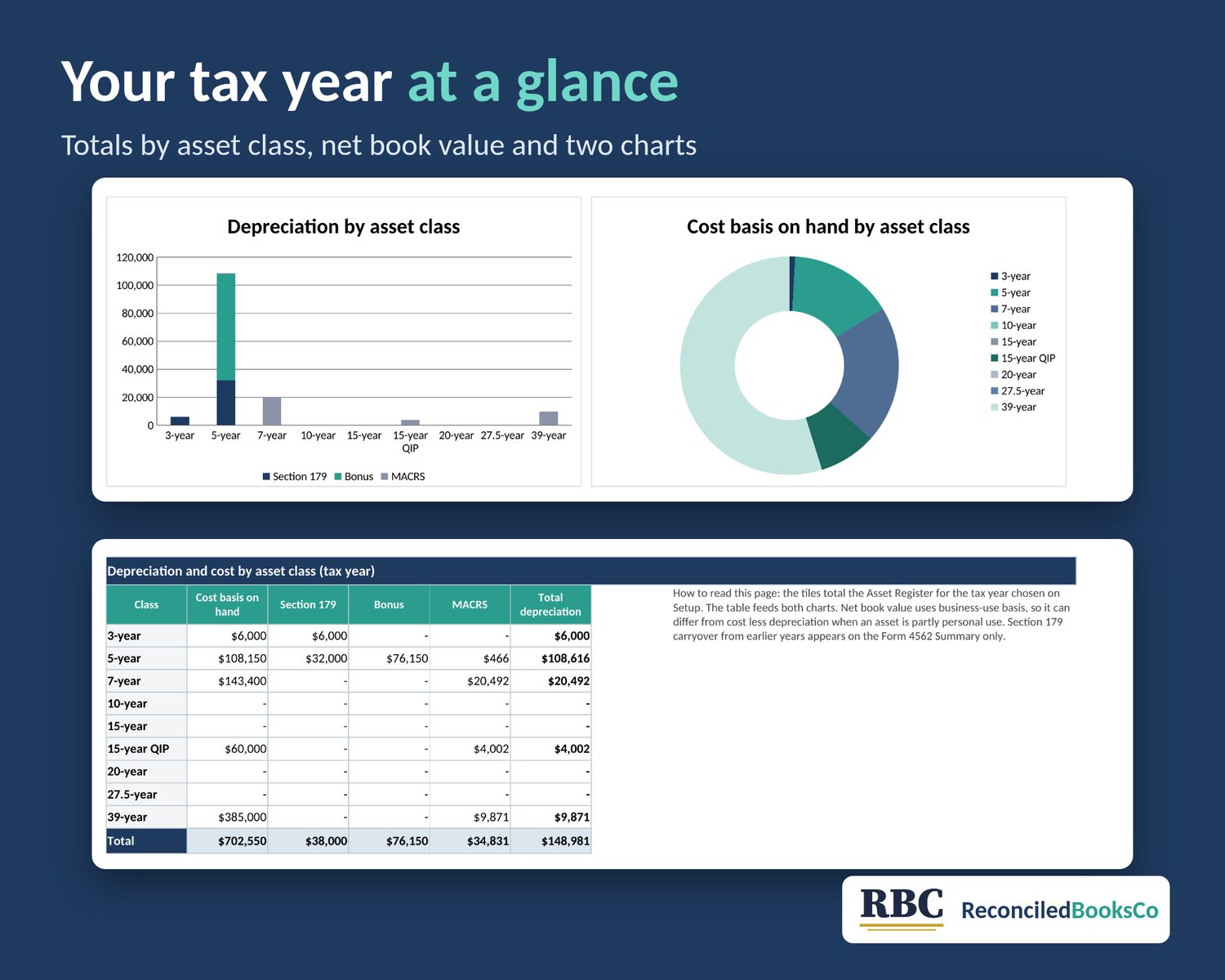
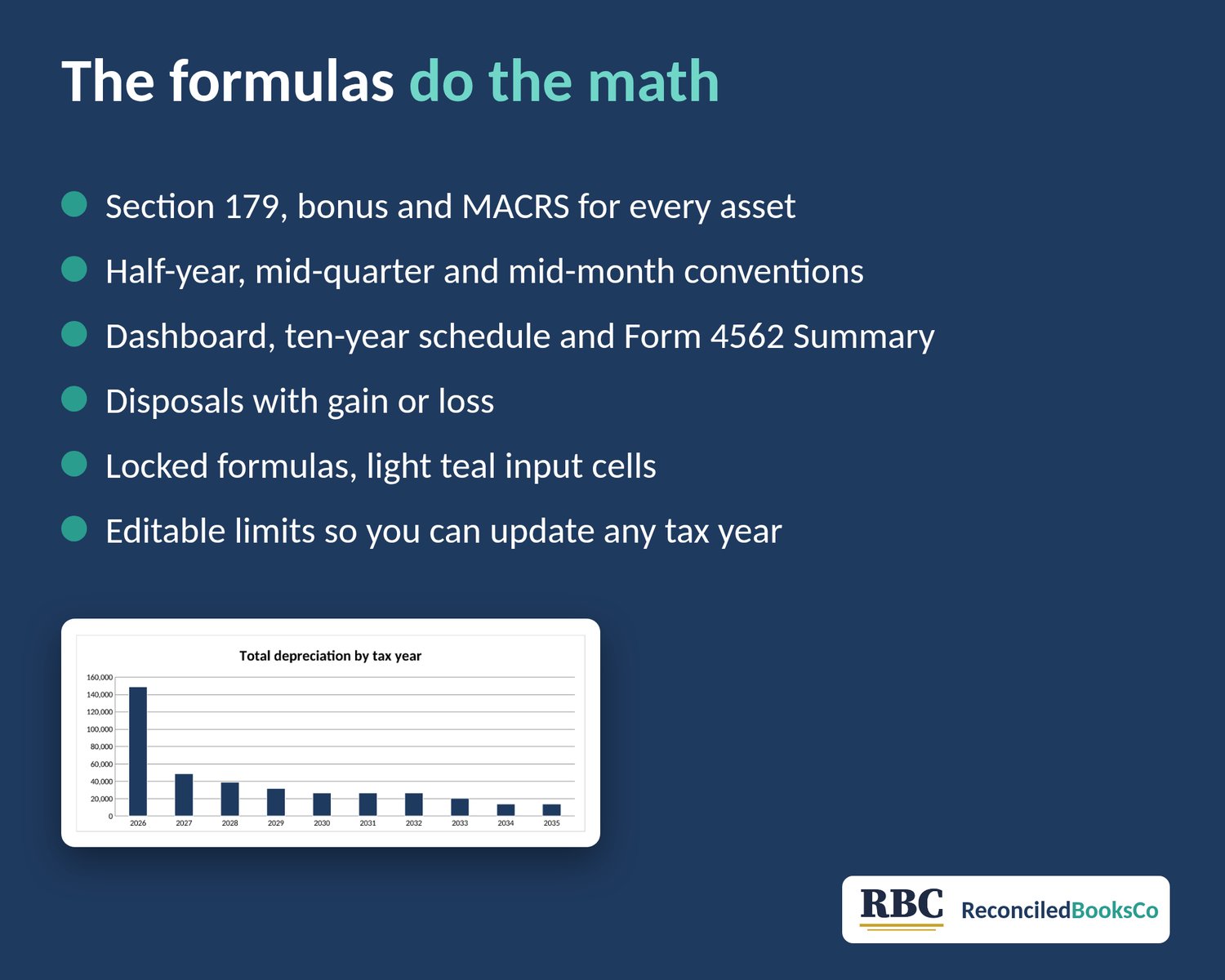
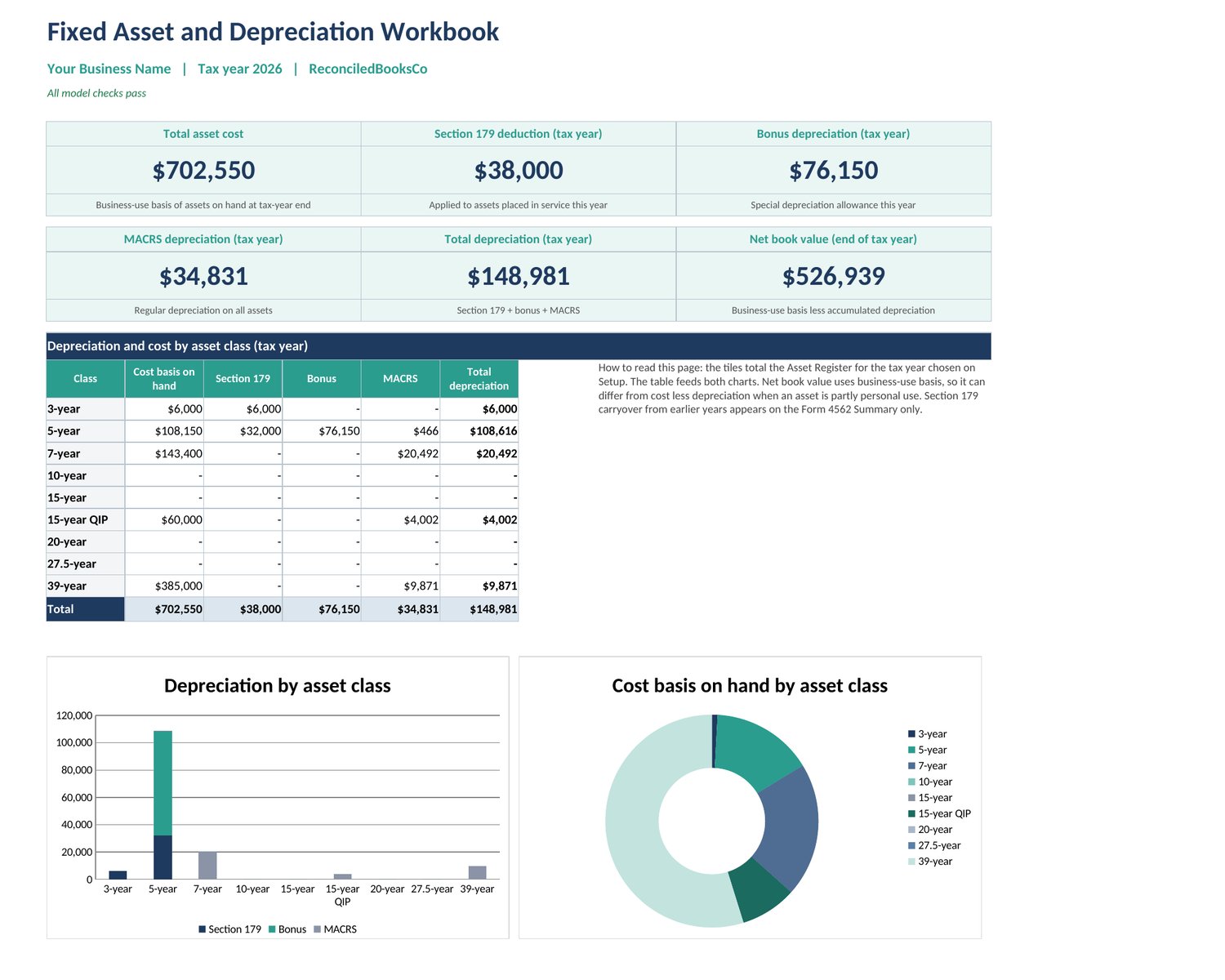
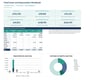
- Dashboard: total cost, Section 179, bonus, MACRS, total depreciation and net book value, with charts by asset class
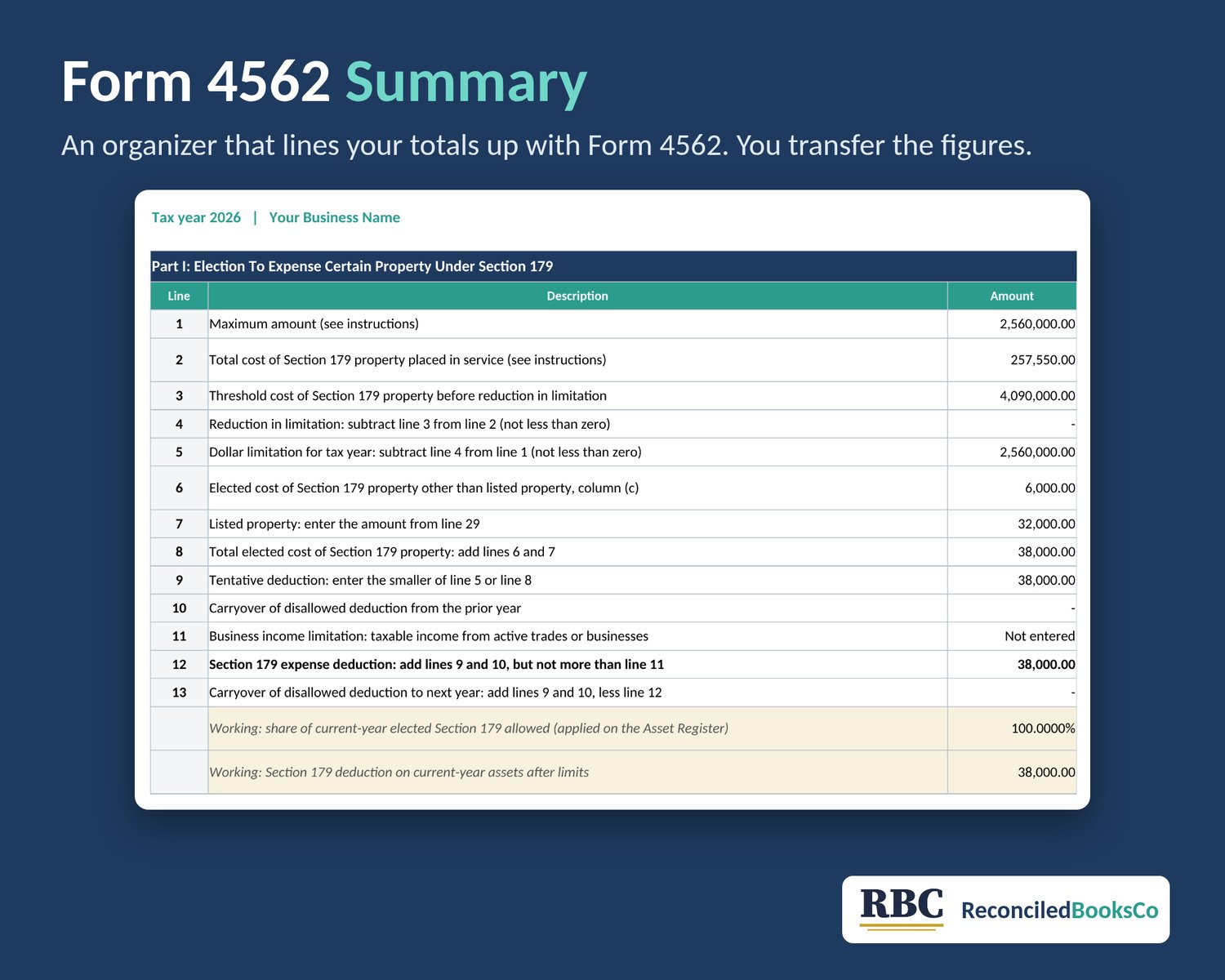
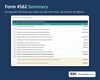
- Form 4562 Summary: totals mapped to the Form 4562 lines in Parts I to V, so you can check your return
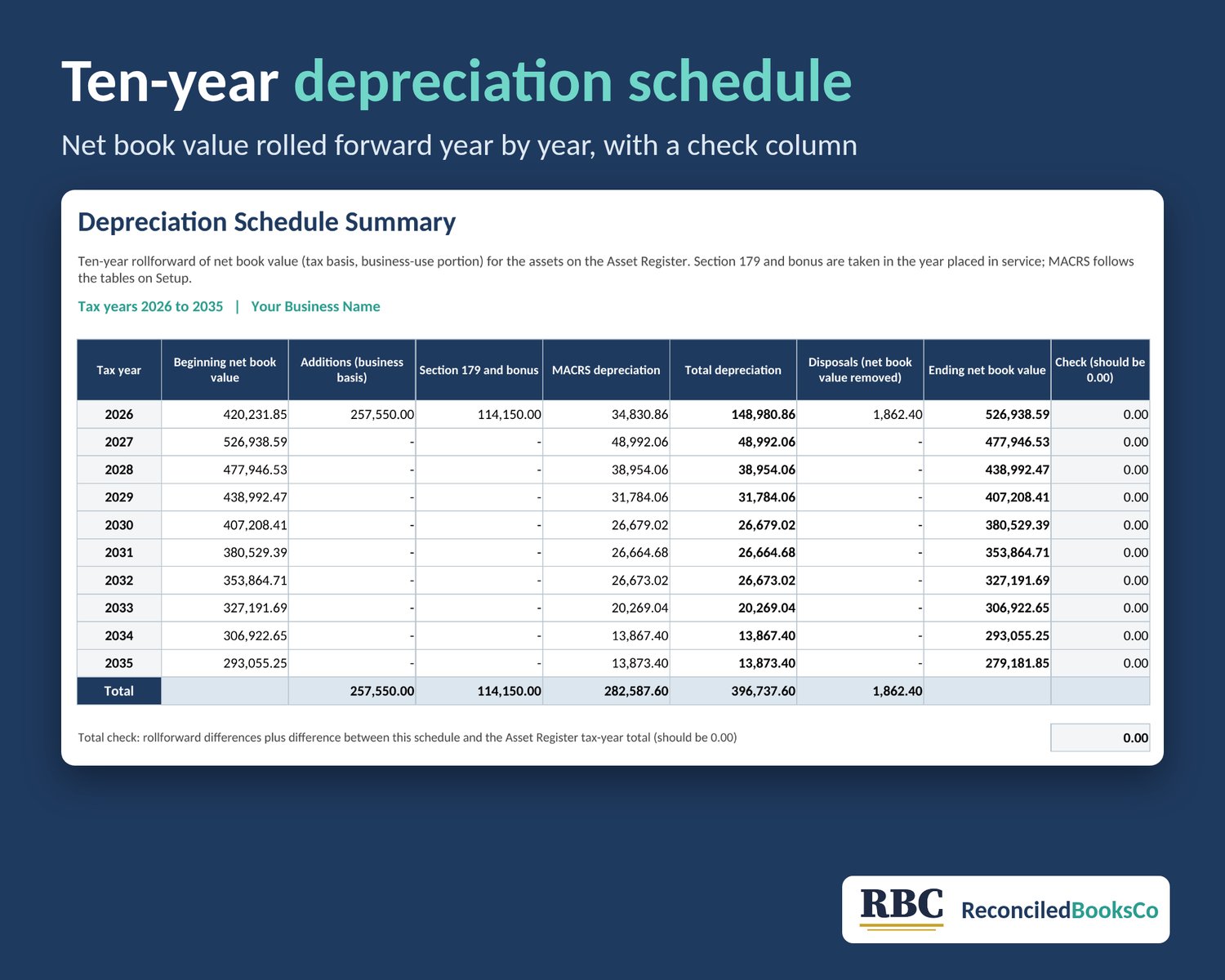
- Depreciation Schedule Summary: a 10-year rollforward for 2026 to 2035 (beginning value, additions, depreciation, disposals, ending value)
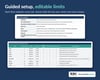
2026 LIMITS ARE PRELOADED AND EDITABLE
Section 179 maximum $2,560,000, phase-out starting at $4,090,000, heavy SUV cap $32,000. You can change them on Setup when the IRS updates them.
TABS
Dashboard, Form 4562 Summary, Depreciation Schedule Summary, Start Here, Setup, Asset Register, Disposals, Calc (locked helper tab)
Sample data is included so you can see how it works. Clear it before you enter your own assets. Formula cells are locked, so you won't overwrite them by accident.
WHAT IT DOES NOT DO
- GDS only. It doesn't do ADS (including listed property at 50% or less business use, which it flags for you), AMT, state depreciation or recapture.
- Same-year disposals use a simplified calculation.
- The register holds up to 100 assets and 30 disposals.
- Calendar tax years only.
GOOD FOR
Sole proprietors, LLCs and small business owners who want to check their numbers or hand their tax preparer a clean schedule.
This is an organizational tool, not tax, legal or accounting advice. You transfer the figures to Form 4562 yourself. GDS only. Check the rates against irs.gov/pub946 each year.
License: for personal use or use in your own business. Please don't resell, share or redistribute the file.