
Budget & Net Worth Tracker — Excel & Google Sheets Workbook with FIRE Calculator (English + German)
Launch price: $7 (regular $14).
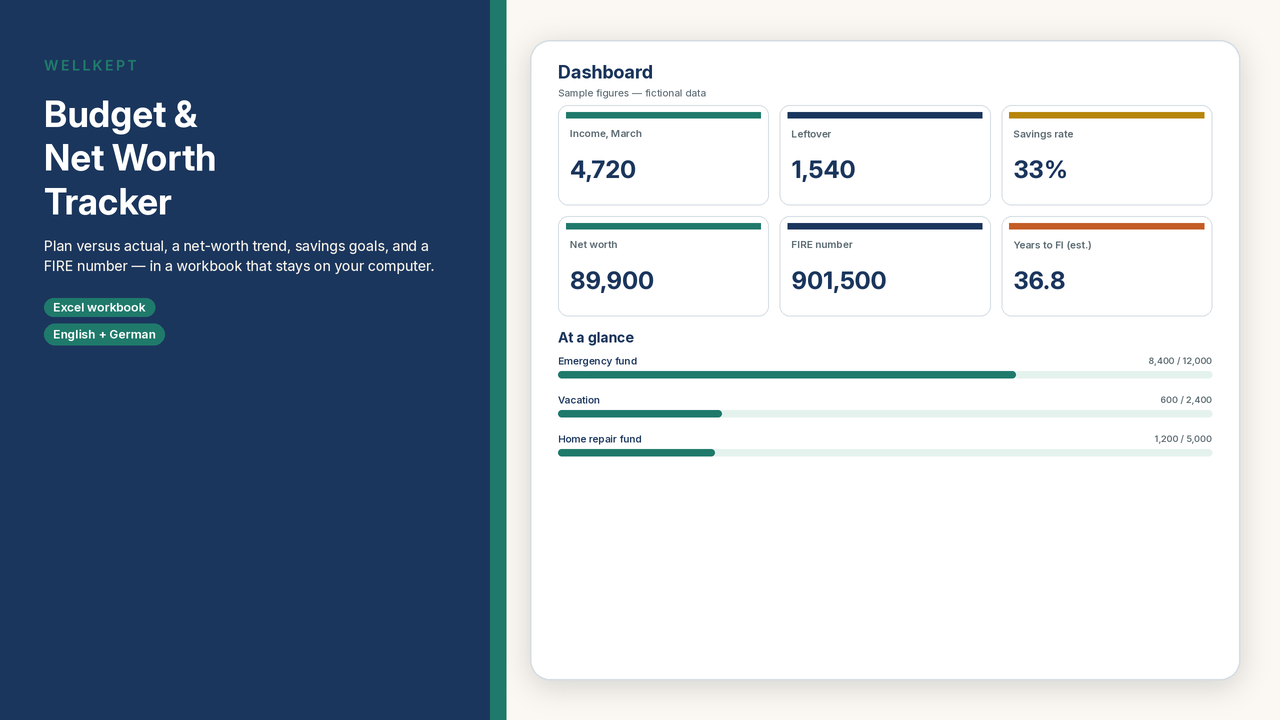
A monthly budget, a net-worth register, savings goals, an investment-income log, and a simple FIRE calculator — in a workbook that stays on your computer.
List income, fixed and variable expenses, and savings transfers, with a monthly plan and actuals for each month of the year. The workbook compares plan versus actual, shows a savings rate, and totals the year on a 12-month overview with charts. Track assets and liabilities month by month, with a net-worth trend. Set savings goals (time left is a simple estimate, without interest). Log dividends or interest if you want a record — the log does not connect to a broker and is not investment advice.
The FIRE calculator estimates a number (annual spending ÷ a withdrawal rate you enter; the file defaults to 4%) and an illustrative time to reach it, from a portfolio, a monthly contribution, and an expected return you type in. It is a simplified model. Inflation and taxes are not included. It is not a forecast and not financial advice.
What’s included
- English sample workbook (fictional figures, so you can see the formulas) and a blank file ready for your own numbers
- German sample and blank workbooks with the same structure
- A short PDF guide in English and in German
- Google-Sheets-Links.pdf with one-click “Make a copy” links for the English sample and blank and the German sample and blank (no manual upload needed)
- Monthly budget (40 category rows), 12-month overview with charts, net-worth tracker, savings goals, investment-income log, and a FIRE calculator
- A currency label you set yourself (USD, EUR, CHF, GBP, or another). Enter every amount in that same currency
How to use it
1. Open the file in Microsoft Excel (2016 or later), or click the one-click “Make a copy” Google Sheets links in the included Google-Sheets-Links.pdf (no manual upload needed). LibreOffice Calc usually works too. German workbooks use a German Google Sheets locale (Germany, Austria, or Switzerland).
2. Set your currency, budget year, and viewing month (1–12) on the Settings sheet. The viewing month drives the headline figures and year-to-date totals.
3. Replace the sample rows, or start from the blank file. Teal cells are for your entries; grey cells calculate automatically. Savings rate is (income − expenses) ÷ income. Savings transfers are not treated as expenses.
Please note
- This is a digital download. Nothing is shipped.
- This is an organizational calculator. It is not financial, tax, or investment advice. It does not connect to your bank or a broker, and it does not predict returns. Withdrawal rates and investment returns are not guaranteed. Do not rely on this file alone for decisions.
- Personal use for you and your household only. Please do not resell, share, or redistribute the files.
- Sample names and figures are fictional. The expected return in the sample FIRE calculator is an example assumption, not a recommendation.