Digital Calling In, Texting and Emailing the Boss: Phone-Sim PowerPoint, Ages 14 to 21
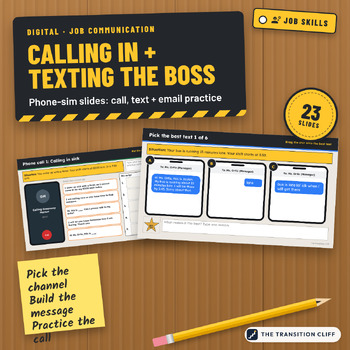
These digital calling in, texting, and emailing the boss activities are phone simulation PowerPoint slides where students practice reaching a manager the right way, in the right words, before it counts.
Why I made this: A lot of young workers lose a job over one missed shift with no call. They knew they should reach out, but did not know what to say or whether a text was okay. These slides make students choose, build, and check the message ahead of time.
What's included:
• A sort: call, text, or email, using one workplace's rules
• A parts of a message match
• 6 pick the best text phone screens
• 3 build a text slides with message bubbles to put in order
• 3 phone call scripts to put in order and practice out loud, plus a voicemail
• 2 emails with subject lines to pick and messages to write
• A message checklist, a boss contact card, Check Your Work slides, and a teacher guide PDF with an answer key
How to use it: Open the file in PowerPoint or Google Slides and assign it with a copy for each student. Practice the calls out loud with a partner. Have students fill in the boss contact card on the first day of a real job.
Who it's for: special education, transition, life skills, and CTE classes in grades 9 to 12 and 18 to 21 programs.
Format: 23 slide PowerPoint file (.pptx), widescreen, styled as phone, call, and email screens, plus a teacher guide PDF with the answer key. Open it in PowerPoint, or upload it to Google Drive and open it with Google Slides. Backgrounds and labels are locked on each slide's layout, so students only move the pieces and type. All names and businesses are made up.
Prefer printed scripts?
Part of the Transition Cliff Digital series.
Made by Jeremy D. Gooch, special education teacher and transition coordinator. Drafting and layout had AI assistance; every page was checked by me.