


✧ Thank you for your purchase! Your support means the World to me! ✧
-

Where to find your Purchase?:
Go to the top Right Corner of my Store Front or any store front and head the Person (Middle) Icon, it should Redirect you afterwards to my Product you just Purchased.
-

Once you are there:
You will most likely see a list of all the products you purchased if your email aligns with your Payhip account. If you cannot find it, first look for the, "Search for product" and search the desired Title of the Product you have purchased.
-
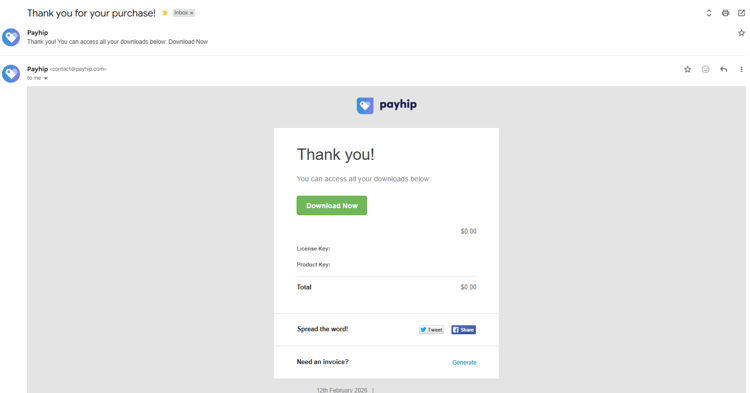
I still don't see it!:
If you cannot find it still, please refer to the Email of Purchase! Payhip automatically should send you an email with a Direct Download of the purchased Product. The page should look like the image above. If you cannot find the Email you purchased the Product with, it could have ended up in your "Spam" section! Check there!