
Wedding Planner Spreadsheet Template | Minimalist 12-Tab Budget, Guest List & Timeline | Excel + Google Sheets | Instant Download
A minimalist charcoal-and-cream wedding planner spreadsheet template with 12 tabs covering budget, payments, guests, seating, vendors, timeline and more. Works in Excel and Google Sheets, and the dashboard fills in by itself. Instant download.
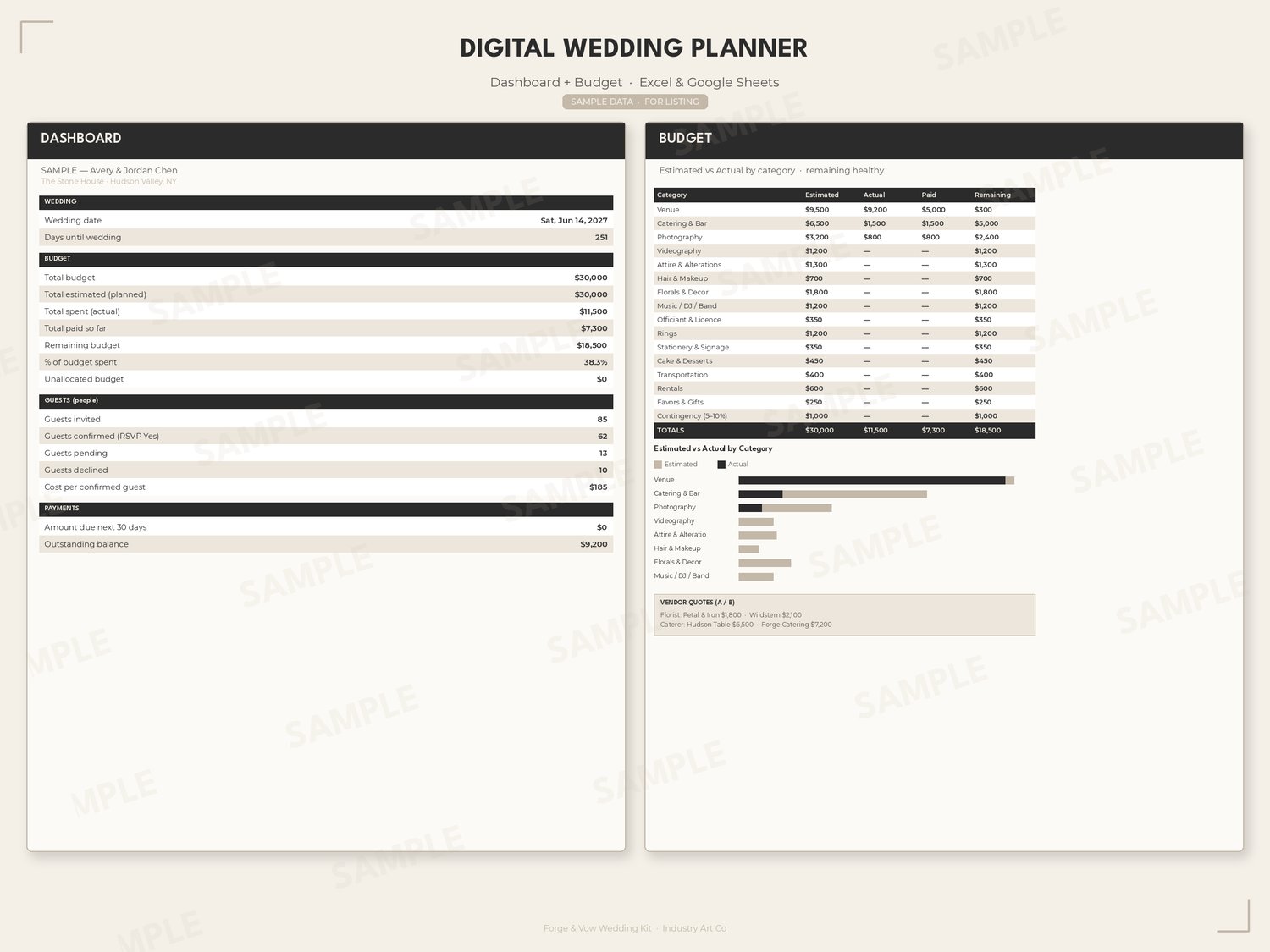
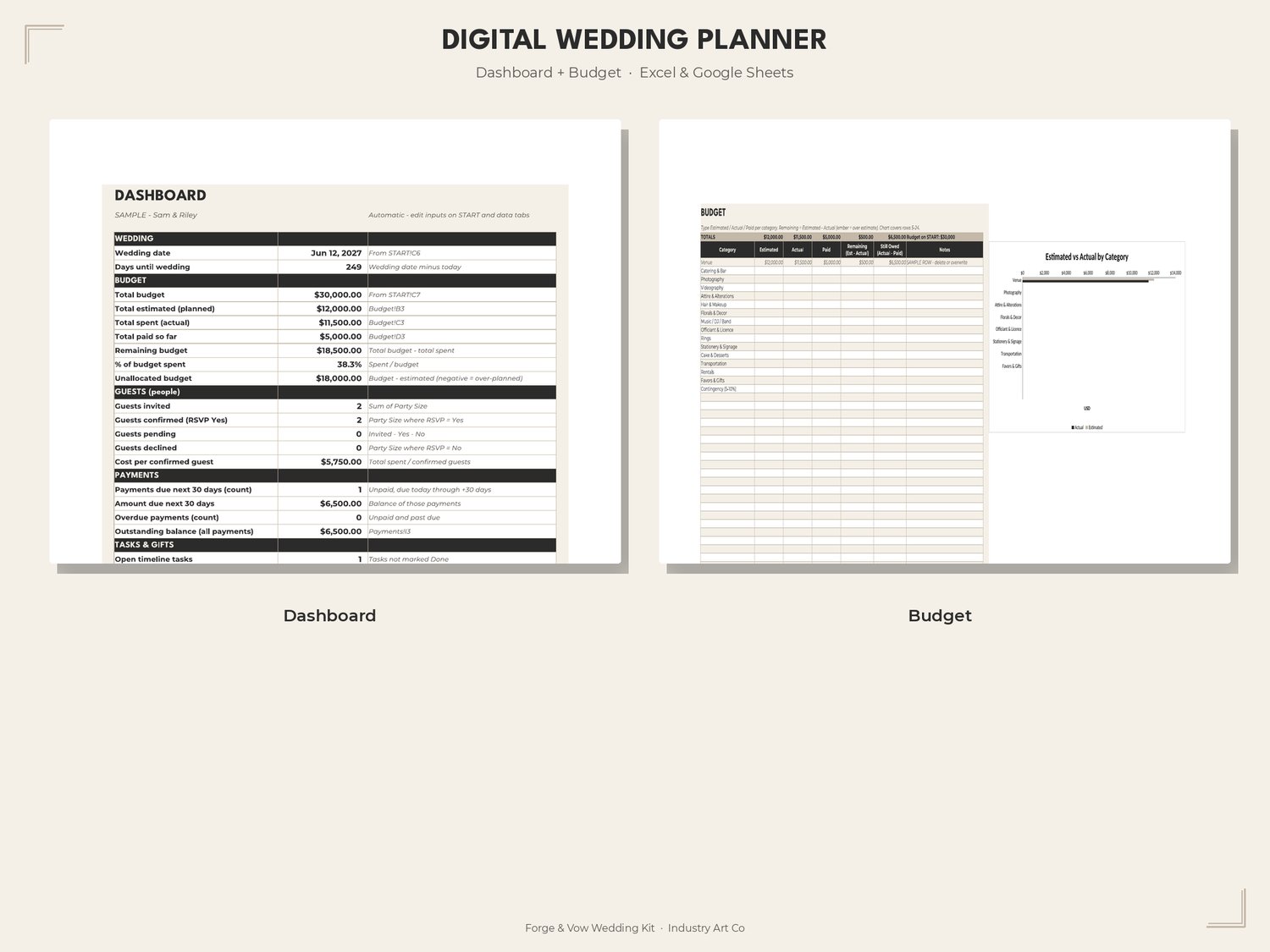
All your wedding numbers in one clean, calm file. Enter your names, date and budget once, and the dashboard keeps track of days remaining, money spent and cost per guest while you plan.
What's included
- ForgeAndVow-Planner.xlsx, a 12-tab wedding planner spreadsheet:
START · Dashboard · Budget (50 categories) · Payments (100) · Cost Per Guest · Guests (300, RSVP dropdown) · Seating (40 tables) · Vendors (30, lowest-quote finder) · Timeline (100 tasks) · Day-Of (60) · Gifts (200) · Honeymoon (optional, 50)
- Google Sheets setup guide (.txt) covering two import methods and how to replace the sample rows
- How-to guide (PDF)
- Rust-colored alerts for over-budget items, overdue payments and overbooked tables
How to use
- Download after checkout.
- Open it in Excel, or upload it to Google Drive and choose Open with → Google Sheets → Save as Google Sheets.
- Fill in the START tab (names, date, total budget).
- Type over the one grey sample row on each tab. Leave the formula columns alone.
Spreadsheet only, no signs or checklist. Those come in the Classic Wedding Kit (the checklist is also free on its own). Personal wedding use only.
FAQ
Excel or Google Sheets?
Both. It's a single .xlsx that opens in Excel (Windows or Mac), and the formulas carry over when you open it in Google Sheets.
Do I need any special software?
No. A free Google account is enough to use Google Sheets.
Is it an instant download?
Yes, you can download it right after checkout.
Can my partner edit it with me?
Yes. After you save it as a Google Sheet, share your copy with anyone helping you plan.
What's the difference between this and the Wedding Kit?
This listing is just the planner. The Classic Wedding Kit ($18.99) adds 7 sign templates in 3 sizes and a 3-page checklist, all with Canva template links. Open the link and click Use template to save your own copy in your free Canva account.
Can I add my own budget categories?
Yes. The category names are a starter list, so rename them or add more (up to 50 rows on Budget).
Is it printable?
You can print any tab, but it works best on screen, where the totals update as you type.