Digital Transition Interest Inventory: Fillable PowerPoint and Family Input, High School
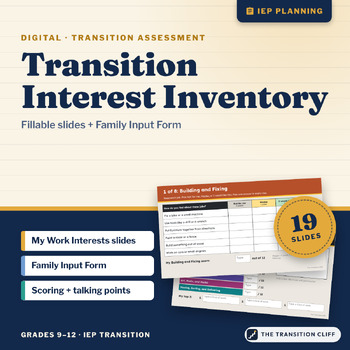
This digital transition interest inventory is a fillable PowerPoint where students rate 48 jobs across 8 kinds of work, add up their own points, and find their top 3. A separate Family Input Form goes home as a file or on paper.
Why I made this: I have given paper interest inventories for a lot of years, and two things always slowed me down. Students lost track of which box they were on, and I spent too long adding scores by hand. This version puts one kind of work on each slide, prints the points right on the columns, and has students do the adding and copy it onto one My Scores slide. The talking part is still the most important part, and now I get to it faster.
What's included:
• My Work Interests: a 19 slide student file with about me, 8 work style questions, 8 career areas (6 jobs each to rate as Not for me, Maybe, or I would like this), strengths and supports checklists, past jobs and dream job, a My Scores slide, and the student's own pick
• A 4 page Family Input Form with 14 plain language questions. Families can type in it or print it.
• A teacher guide PDF with a scoring guide, pacing, accommodations, a note to send home, and talking points for reviewing results
How to use it: Open the file in PowerPoint or Google Slides and assign it with a copy for each student. Most students finish in 20 to 30 minutes. Send the family form home the same week. Then sit down with each student for about 10 minutes, look at the top areas together, and use them to plan job shadows, classes, and work based learning.
Who it's for: special education teachers, transition coordinators, and job coaches working with students in grades 9 to 12 and 18 to 21 programs. The reading level is kept low, and every item works with read aloud.
Format: 19 slide PowerPoint file (.pptx), widescreen, plus a 4 page Family Input Form (.pptx, letter size) and a teacher guide PDF. Open them in PowerPoint, or upload them to Google Drive and open them with Google Slides. The questions and boxes are locked on each slide's layout, so students only move the check marks and type.
Prefer paper?
Part of the Transition Cliff Digital series.
Made by Jeremy D. Gooch, special education teacher and transition coordinator. Drafting and layout had AI assistance; every page was checked by me.